> ## Documentation Index
> Fetch the complete documentation index at: https://docs.getlago.com/llms.txt
> Use this file to discover all available pages before exploring further.
# Product updates
> New updates and improvements to Lago.
## Purchase order numbers on one-off invoices
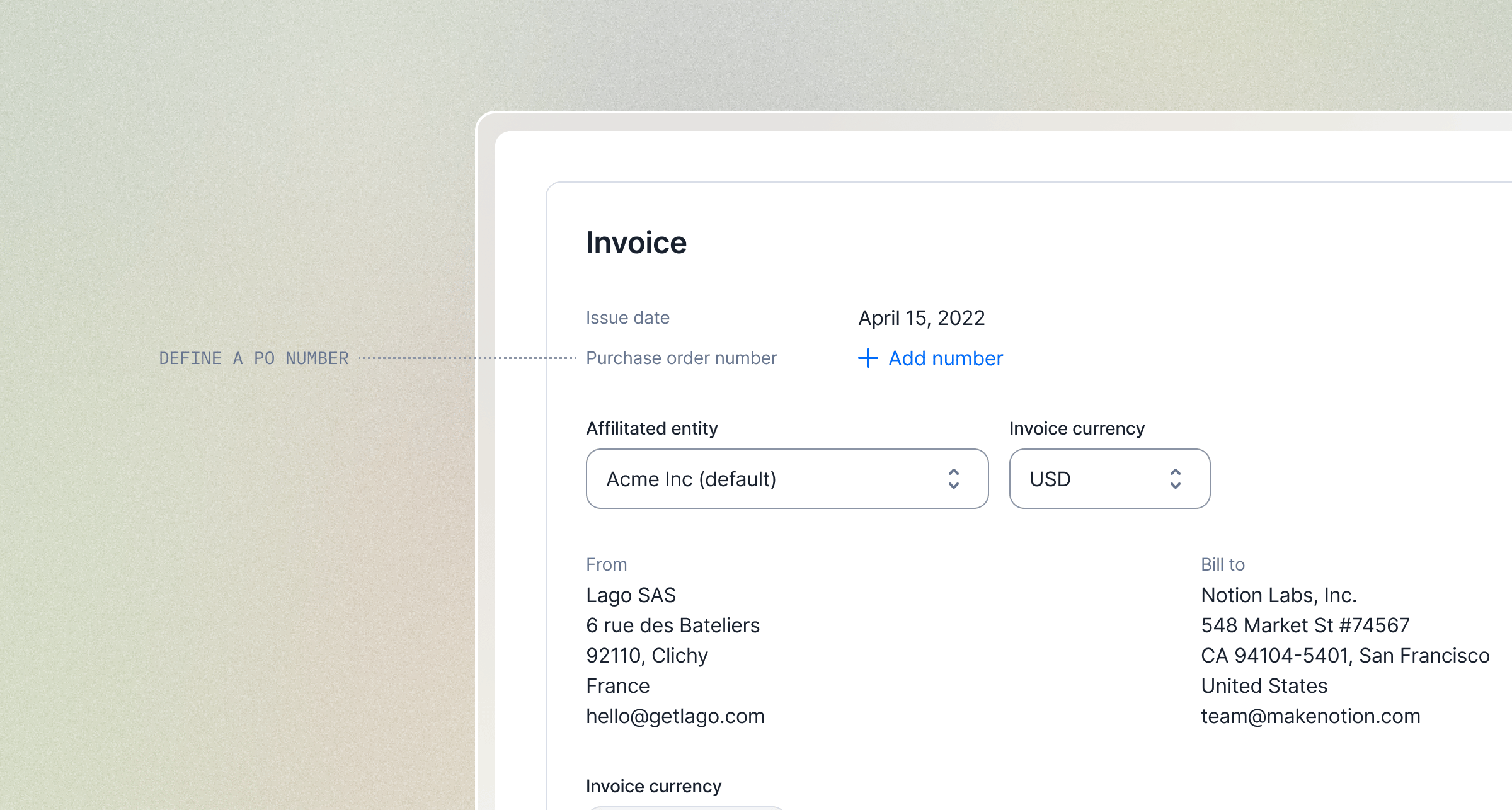 Enterprise accounts payable teams need a purchase order reference to approve an invoice. Without it, the invoice gets sent back and payment is delayed.
You can now set a **purchase order number** when creating a one-off invoice. The reference appears on the invoice your customer receives, ready to be matched and approved on the first pass.
* **In the dashboard**: add the PO number directly in the invoice creation form.
* **Via the API**: pass `purchase_order_number` when creating the invoice.
This is the first step for this field: we'll roll it out to subscriptions and wallets next.
[Learn more](/guide/one-off-invoices/create-one-off-invoices)
## Activation Rules: hold a subscription until it's ready to bill
Enterprise accounts payable teams need a purchase order reference to approve an invoice. Without it, the invoice gets sent back and payment is delayed.
You can now set a **purchase order number** when creating a one-off invoice. The reference appears on the invoice your customer receives, ready to be matched and approved on the first pass.
* **In the dashboard**: add the PO number directly in the invoice creation form.
* **Via the API**: pass `purchase_order_number` when creating the invoice.
This is the first step for this field: we'll roll it out to subscriptions and wallets next.
[Learn more](/guide/one-off-invoices/create-one-off-invoices)
## Activation Rules: hold a subscription until it's ready to bill
 Subscriptions used to start the moment their start date arrived. Sometimes that's too soon. You want the customer to pay first, or to clear a condition, before access is granted and the meter starts running.
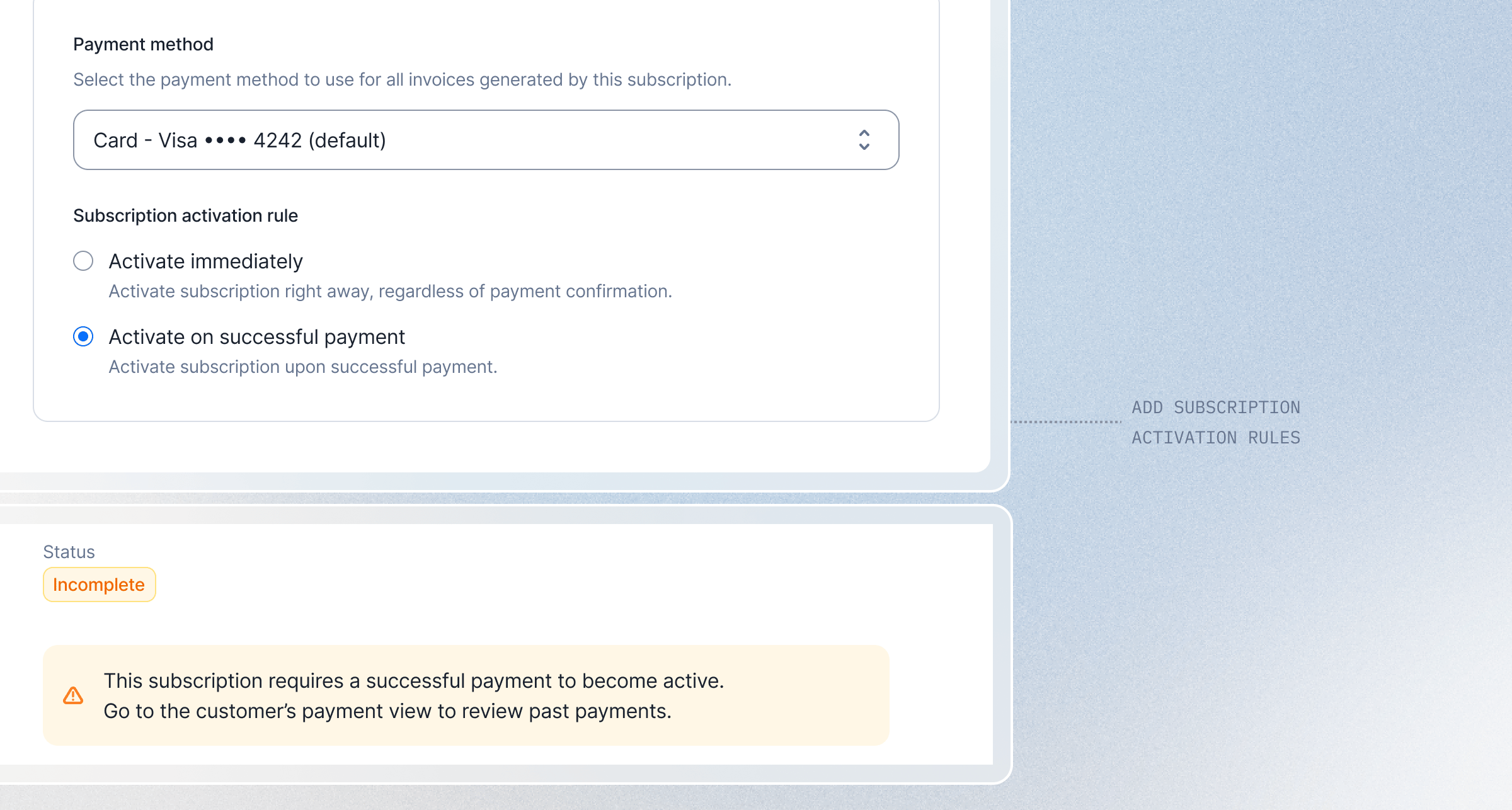
**Activation Rules** put that gate in your hands. Add a rule to a subscription and it stays `incomplete` until the rule is satisfied. While it waits, no invoice is issued, no usage is billed, and nothing lands in your books. Once the rule passes, the subscription activates and bills exactly like any other. No rules means nothing changes: subscriptions activate on their start date as they always have.
The first rule is **payment activation**. The subscription stays incomplete until its first payment succeeds, then it activates and the invoice is finalized. If the payment fails, or a timeout you set is reached, the subscription cancels on its own. No access granted, no revenue booked, nothing to clean up. Turn it on when you assign a plan: choose **"Activate on successful payment"**, set a timeout, confirm.
This is the start of a framework, not a one-off. Activation Rules are designed to grow, and payment is the first of more conditions to come.
[Learn more](/guide/subscriptions/activation-rules)
## German e-invoicing: XRechnung and ZUGFeRD now supported
Subscriptions used to start the moment their start date arrived. Sometimes that's too soon. You want the customer to pay first, or to clear a condition, before access is granted and the meter starts running.
**Activation Rules** put that gate in your hands. Add a rule to a subscription and it stays `incomplete` until the rule is satisfied. While it waits, no invoice is issued, no usage is billed, and nothing lands in your books. Once the rule passes, the subscription activates and bills exactly like any other. No rules means nothing changes: subscriptions activate on their start date as they always have.
The first rule is **payment activation**. The subscription stays incomplete until its first payment succeeds, then it activates and the invoice is finalized. If the payment fails, or a timeout you set is reached, the subscription cancels on its own. No access granted, no revenue booked, nothing to clean up. Turn it on when you assign a plan: choose **"Activate on successful payment"**, set a timeout, confirm.
This is the start of a framework, not a one-off. Activation Rules are designed to grow, and payment is the first of more conditions to come.
[Learn more](/guide/subscriptions/activation-rules)
## German e-invoicing: XRechnung and ZUGFeRD now supported
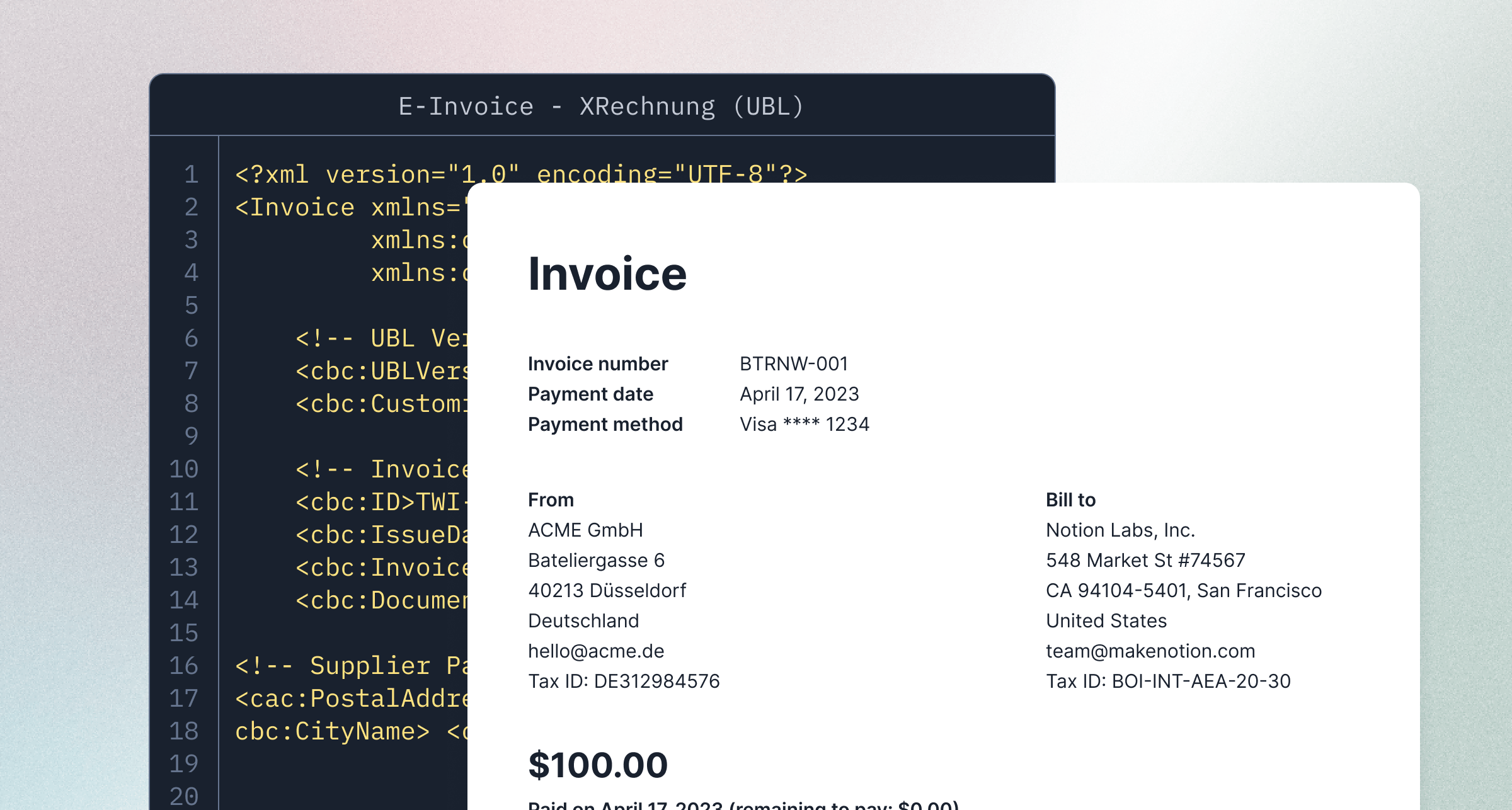 Germany 🇩🇪 is now a fully supported e-invoicing jurisdiction in Lago. Invoices, credit notes, and payment receipts are issued in both formats the German mandate recognizes, with no extra configuration.
* **XRechnung**: a pure XML file using UBL (EN 16931), built for machine processing and public-sector portals.
* **ZUGFeRD 2.x**: a hybrid PDF/A-3 with embedded CII (UN/CEFACT), readable by a human and a machine from the same file.
Both run on the same UBL and CII templates that already power France. Adding Germany was a template change, not a new engine. That is the point of an open-source, format-first approach: each new jurisdiction reuses the standards underneath instead of rebuilding from scratch.
As with France, Lago **does not transmit documents to the authorities**. You download the XML and upload it to your jurisdiction portal. Turn it on per billing entity in **Settings**.
[Learn more](/guide/invoicing/e-invoicing/overview)
## Redesigned plan and subscription experience
Germany 🇩🇪 is now a fully supported e-invoicing jurisdiction in Lago. Invoices, credit notes, and payment receipts are issued in both formats the German mandate recognizes, with no extra configuration.
* **XRechnung**: a pure XML file using UBL (EN 16931), built for machine processing and public-sector portals.
* **ZUGFeRD 2.x**: a hybrid PDF/A-3 with embedded CII (UN/CEFACT), readable by a human and a machine from the same file.
Both run on the same UBL and CII templates that already power France. Adding Germany was a template change, not a new engine. That is the point of an open-source, format-first approach: each new jurisdiction reuses the standards underneath instead of rebuilding from scratch.
As with France, Lago **does not transmit documents to the authorities**. You download the XML and upload it to your jurisdiction portal. Turn it on per billing entity in **Settings**.
[Learn more](/guide/invoicing/e-invoicing/overview)
## Redesigned plan and subscription experience
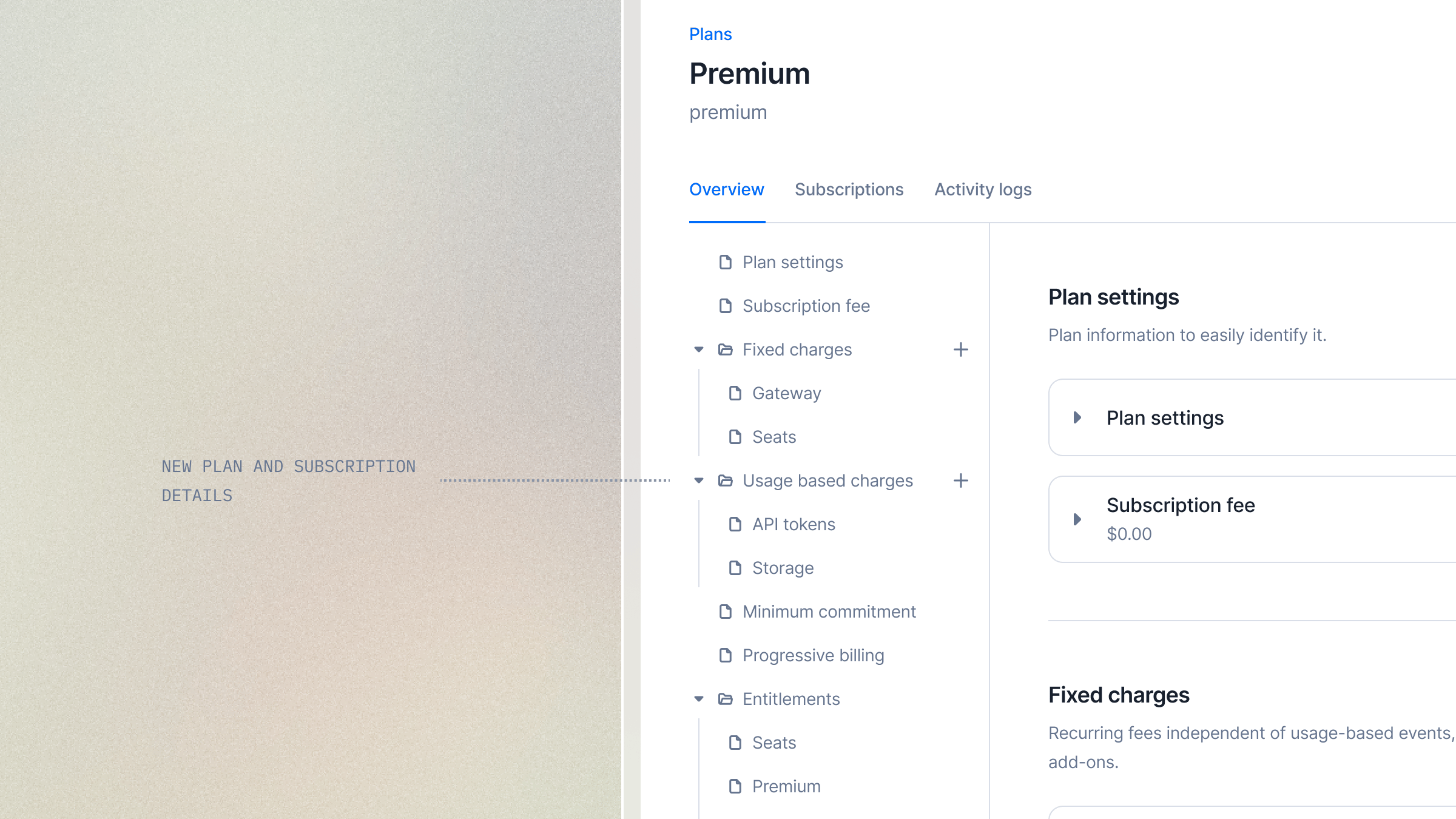 We’ve revamped the way you navigate and manage plans and subscriptions.
A new sidebar gives you a clear view of the plan structure. Expand folders to reveal their contents, then click any item to jump directly to the relevant section.
We’ve also redesigned editing under the hood:
* Faster performance
* Improved accessibility
* Simpler editing workflows
Changes are now applied through focused updates, making it easier to manage complex plans and subscriptions with confidence.
Take full control of how your plans and subscriptions work.
## Agent SDK: bill the dollar cost of LLM calls, with your margin built in
We’ve revamped the way you navigate and manage plans and subscriptions.
A new sidebar gives you a clear view of the plan structure. Expand folders to reveal their contents, then click any item to jump directly to the relevant section.
We’ve also redesigned editing under the hood:
* Faster performance
* Improved accessibility
* Simpler editing workflows
Changes are now applied through focused updates, making it easier to manage complex plans and subscriptions with confidence.
Take full control of how your plans and subscriptions work.
## Agent SDK: bill the dollar cost of LLM calls, with your margin built in
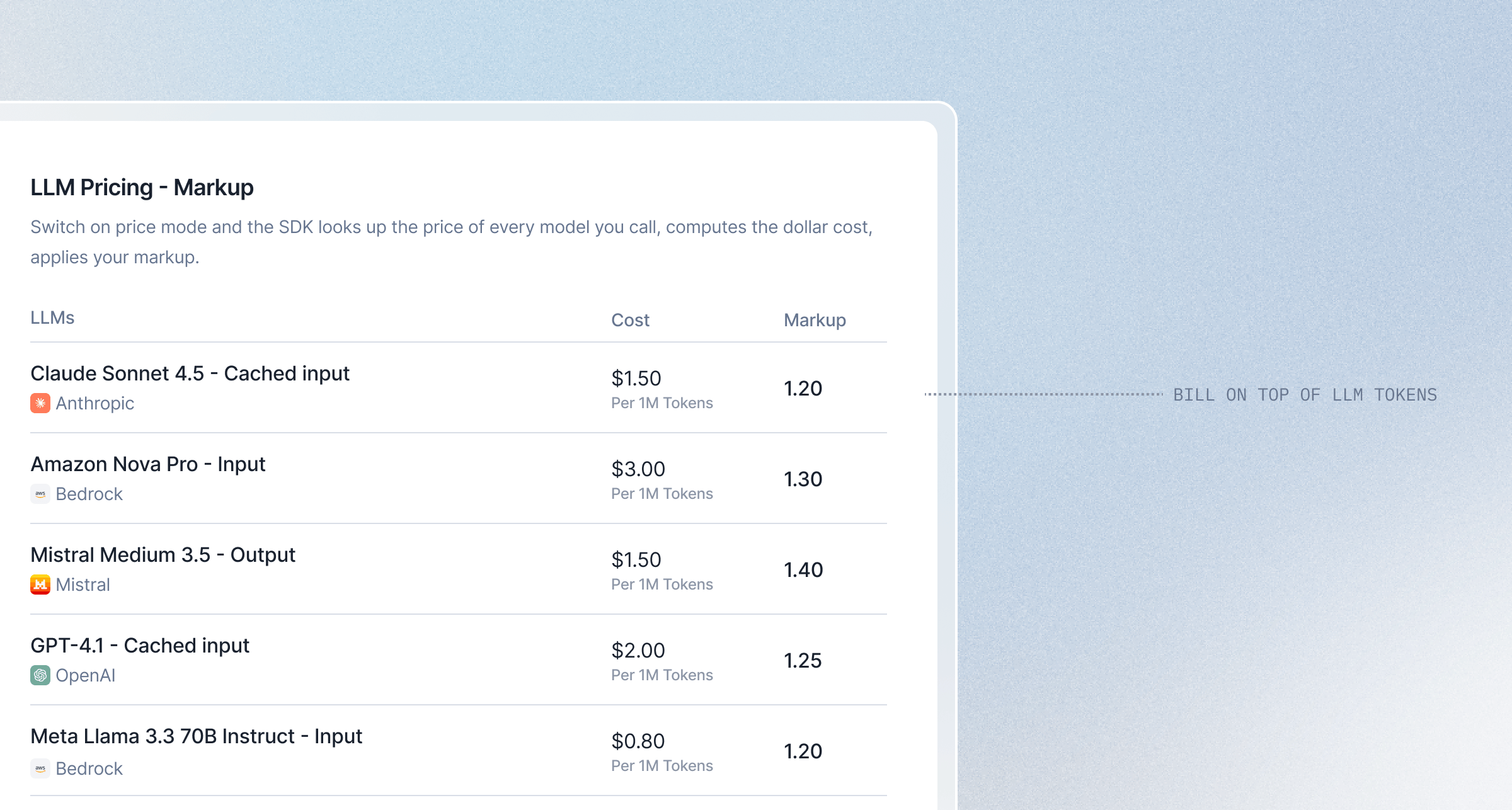 The Lago Agent SDK already turns LLM token usage into billing events. It can now do the pricing for you. Switch on **price mode** and the SDK looks up the price of every model you call, computes the dollar cost, **applies your markup**, and sends Lago one cost event per call. Your LLM costs are centralized in one place, and you decide what to resell them for.
* **Real cost per call**: the SDK sends the dollar amount, after your markup, ready to bill on a dynamic charge.
* **Prices fetched for you**: live from OpenRouter and the AWS Bedrock public price lists. No API keys, no price file to maintain, refreshed automatically in the background.
* **Your margin, your call**: set a markup to resell LLM access at a profit. `1.2` bills your cost plus 20%.
* **Never under-bill**: if a price is not available, the SDK falls back to sending token counts and alerts you. It never silently drops usage.
* **Opt-in**: the default stays token mode, so nothing changes until you turn it on.
Available in both the [**Python**](https://github.com/getlago/lago-agent-sdk-python) and [**JavaScript / TypeScript**](https://github.com/getlago/lago-agent-sdk-js) SDKs. Both fully open source.
[Learn more](/guide/ai-agents/agent-sdk#bill-in-tokens-or-in-dollars)
## Stripe Shared Payment Token: Lago auto-charges invoices through agent payments
When an AI agent buys on a customer's behalf, there is no card to type into a checkout page. Stripe issues a **Shared Payment Token** instead: a scoped credential the agent grants to you, with built-in usage limits, expiry, and deactivation. Lago now reads that token and charges your invoices against it automatically when they are generated. If the token is valid and within its limits, Stripe resolves it to a real payment method and the charge goes through. No extra step in your billing flow.
* **Automatic fallback**: the token kicks in only when no other payment method is on file, so existing cards and mandates are never touched.
* **Same receipts**: Stripe still issues a real payment method behind the scenes, so `last4`, payment status, and receipts look exactly like a card charge.
* **Public preview**: available behind a flag while Stripe rolls the feature out.
A big thank you to Julien and the Laravel team, who built this contribution.
[Learn more](/integrations/payments/stripe/shared-payment-tokens)
## Stripe Shared Payment Token: Lago auto-charges invoices through agent payments
When an AI agent buys on a customer's behalf, there is no card to type into a checkout page. Stripe issues a **Shared Payment Token** instead: a scoped credential the agent grants to you, with built-in usage limits, expiry, and deactivation. Lago now reads that token and charges your invoices against it automatically when they are generated. If the token is valid and within its limits, Stripe resolves it to a real payment method and the charge goes through. No extra step in your billing flow.
* **Automatic fallback**: the token kicks in only when no other payment method is on file, so existing cards and mandates are never touched.
* **Same receipts**: Stripe still issues a real payment method behind the scenes, so `last4`, payment status, and receipts look exactly like a card charge.
* **Public preview**: available behind a flag while Stripe rolls the feature out.
A big thank you to Julien and the Laravel team, who built this contribution.
[Learn more](/integrations/payments/stripe/shared-payment-tokens)
## Presentation group keys: break down usages
The Lago Agent SDK already turns LLM token usage into billing events. It can now do the pricing for you. Switch on **price mode** and the SDK looks up the price of every model you call, computes the dollar cost, **applies your markup**, and sends Lago one cost event per call. Your LLM costs are centralized in one place, and you decide what to resell them for.
* **Real cost per call**: the SDK sends the dollar amount, after your markup, ready to bill on a dynamic charge.
* **Prices fetched for you**: live from OpenRouter and the AWS Bedrock public price lists. No API keys, no price file to maintain, refreshed automatically in the background.
* **Your margin, your call**: set a markup to resell LLM access at a profit. `1.2` bills your cost plus 20%.
* **Never under-bill**: if a price is not available, the SDK falls back to sending token counts and alerts you. It never silently drops usage.
* **Opt-in**: the default stays token mode, so nothing changes until you turn it on.
Available in both the [**Python**](https://github.com/getlago/lago-agent-sdk-python) and [**JavaScript / TypeScript**](https://github.com/getlago/lago-agent-sdk-js) SDKs. Both fully open source.
[Learn more](/guide/ai-agents/agent-sdk#bill-in-tokens-or-in-dollars)
## Stripe Shared Payment Token: Lago auto-charges invoices through agent payments
When an AI agent buys on a customer's behalf, there is no card to type into a checkout page. Stripe issues a **Shared Payment Token** instead: a scoped credential the agent grants to you, with built-in usage limits, expiry, and deactivation. Lago now reads that token and charges your invoices against it automatically when they are generated. If the token is valid and within its limits, Stripe resolves it to a real payment method and the charge goes through. No extra step in your billing flow.
* **Automatic fallback**: the token kicks in only when no other payment method is on file, so existing cards and mandates are never touched.
* **Same receipts**: Stripe still issues a real payment method behind the scenes, so `last4`, payment status, and receipts look exactly like a card charge.
* **Public preview**: available behind a flag while Stripe rolls the feature out.
A big thank you to Julien and the Laravel team, who built this contribution.
[Learn more](/integrations/payments/stripe/shared-payment-tokens)
## Stripe Shared Payment Token: Lago auto-charges invoices through agent payments
When an AI agent buys on a customer's behalf, there is no card to type into a checkout page. Stripe issues a **Shared Payment Token** instead: a scoped credential the agent grants to you, with built-in usage limits, expiry, and deactivation. Lago now reads that token and charges your invoices against it automatically when they are generated. If the token is valid and within its limits, Stripe resolves it to a real payment method and the charge goes through. No extra step in your billing flow.
* **Automatic fallback**: the token kicks in only when no other payment method is on file, so existing cards and mandates are never touched.
* **Same receipts**: Stripe still issues a real payment method behind the scenes, so `last4`, payment status, and receipts look exactly like a card charge.
* **Public preview**: available behind a flag while Stripe rolls the feature out.
A big thank you to Julien and the Laravel team, who built this contribution.
[Learn more](/integrations/payments/stripe/shared-payment-tokens)
## Presentation group keys: break down usages
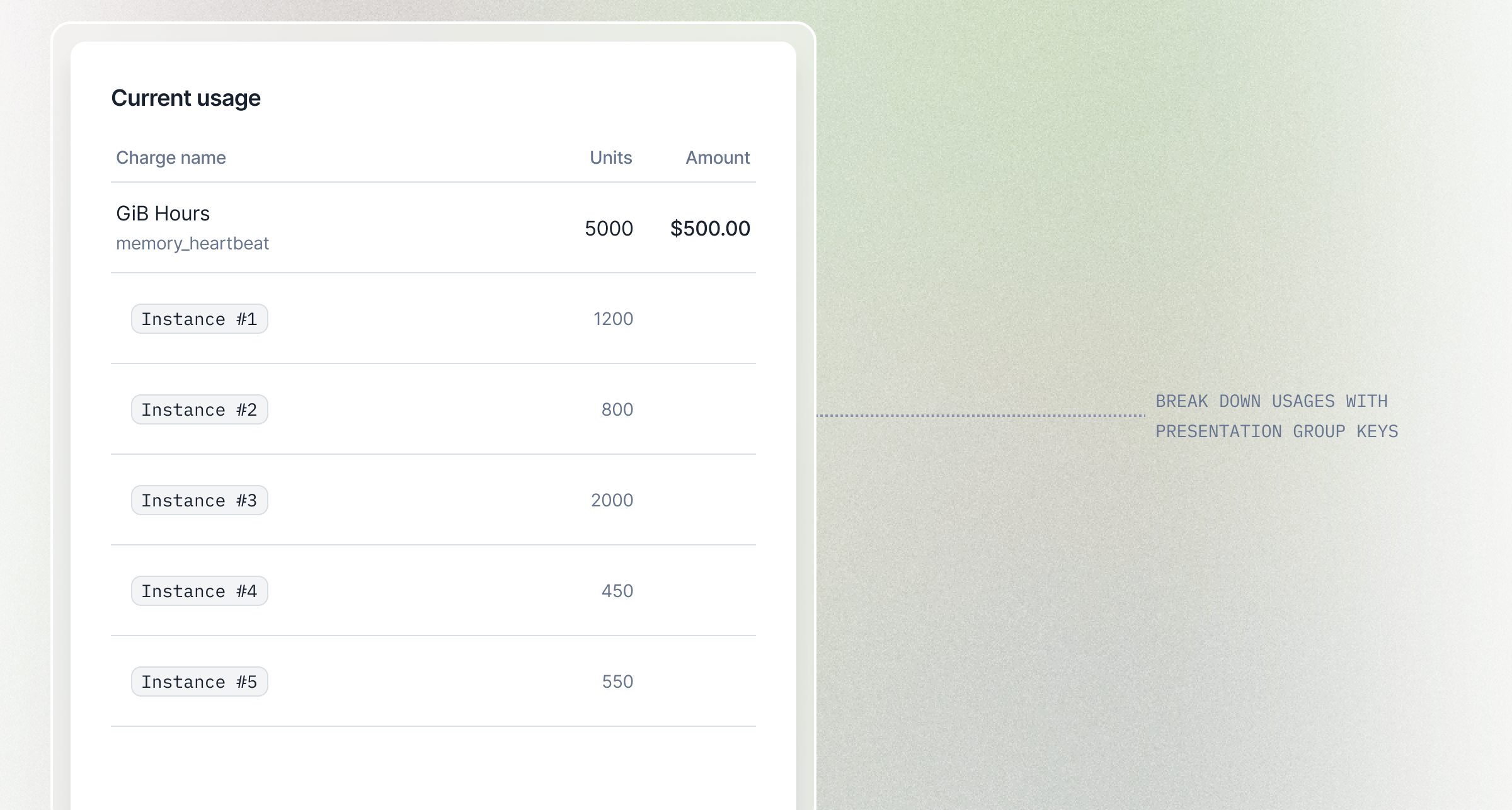 Pricing group keys already let you price per dimension, with each value billed as its own line item. But sometimes you just want to *see* a dimension, like usage per instance or per region, without turning it into a separate charge.
**Presentation group keys** do exactly that. Add up to two event properties to a charge, and Lago breaks each fee's units down across them, on the invoice and in usage, purely for reporting. The fee is still computed and priced once. Two complementary tools: one to price by dimension, one to report on it.
* **No pricing impact**: no extra line items, no changed amounts, works with every aggregation type.
* **Your call per key**: keep a breakdown on the invoice PDF, or make it API-only.
Available in the dashboard and via the API.
[Learn more](/guide/plans/charges/grouping#presentation-group-keys)
## Free credits for recurring target top-ups
Pricing group keys already let you price per dimension, with each value billed as its own line item. But sometimes you just want to *see* a dimension, like usage per instance or per region, without turning it into a separate charge.
**Presentation group keys** do exactly that. Add up to two event properties to a charge, and Lago breaks each fee's units down across them, on the invoice and in usage, purely for reporting. The fee is still computed and priced once. Two complementary tools: one to price by dimension, one to report on it.
* **No pricing impact**: no extra line items, no changed amounts, works with every aggregation type.
* **Your call per key**: keep a breakdown on the invoice PDF, or make it API-only.
Available in the dashboard and via the API.
[Learn more](/guide/plans/charges/grouping#presentation-group-keys)
## Free credits for recurring target top-ups
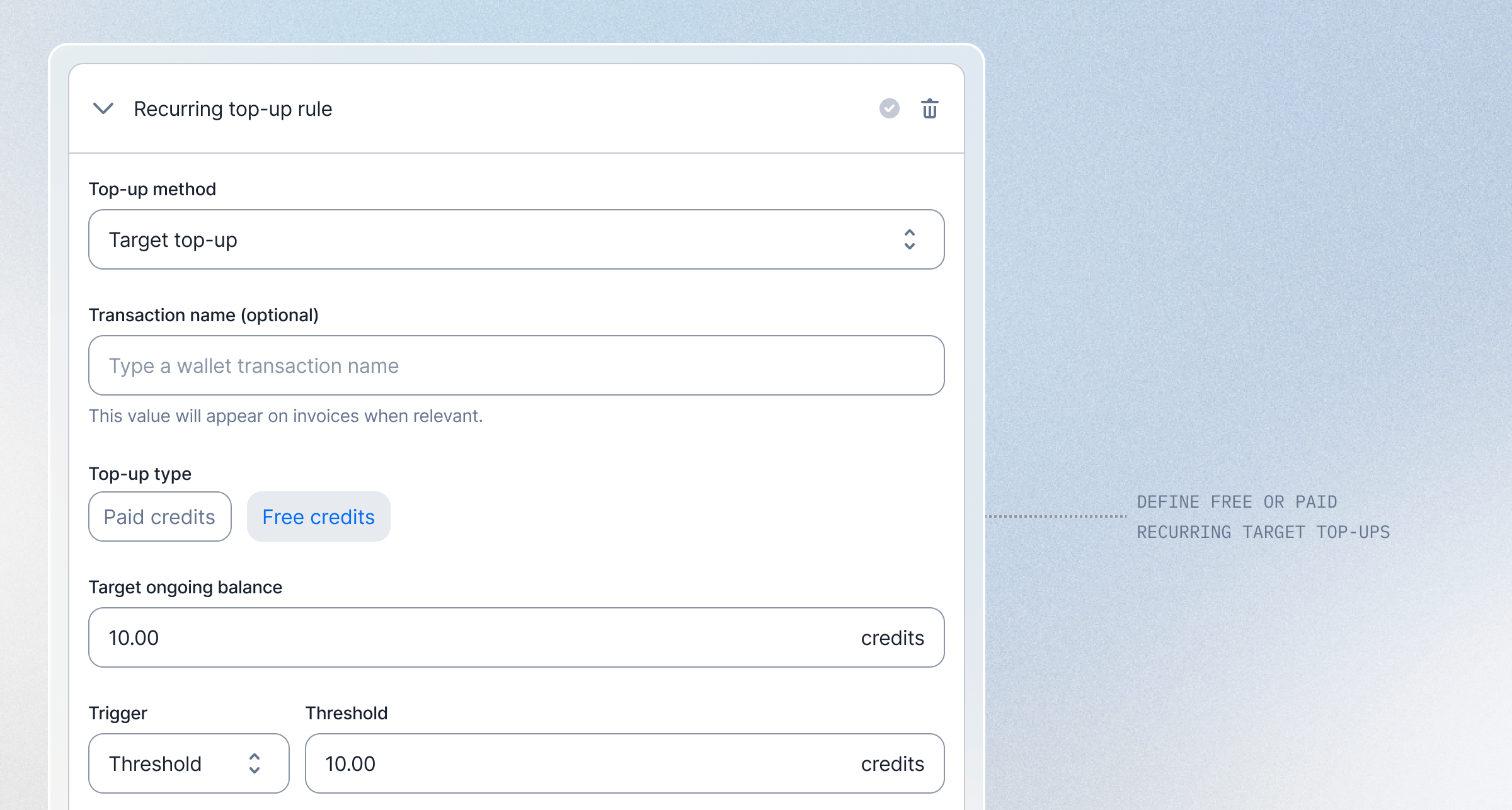 Recurring **target** top-ups can now refill a wallet with **free credits** instead of paid ones. A target top-up tops the balance back up to a fixed amount on every interval, so this is exactly what you need when customers are granted a set allowance of free credits each period.
Want every customer to start each month with **\$5 of free credits**? Set a monthly target top-up of `5` with free credits, and Lago tops the balance back up to that amount at the start of every month. No manual grants, no paid charge.
* **Free or paid, your choice**: mark the recurring target top-up as free credits so refills never bill the customer.
* **Self-correcting balance**: whatever the customer has left, Lago only adds the difference needed to reach the target.
* **Set it once**: define the target and interval when creating or editing the wallet, in the dashboard or via the API.
Built for teams that hand out a recurring free allowance and want the balance to reset to that number on its own.
[Learn more](/guide/wallet-and-prepaid-credits/wallet-top-up-and-void#target-recurring-top-up)
## Lago Agent SDK: Bill LLM tokens without middleware
Recurring **target** top-ups can now refill a wallet with **free credits** instead of paid ones. A target top-up tops the balance back up to a fixed amount on every interval, so this is exactly what you need when customers are granted a set allowance of free credits each period.
Want every customer to start each month with **\$5 of free credits**? Set a monthly target top-up of `5` with free credits, and Lago tops the balance back up to that amount at the start of every month. No manual grants, no paid charge.
* **Free or paid, your choice**: mark the recurring target top-up as free credits so refills never bill the customer.
* **Self-correcting balance**: whatever the customer has left, Lago only adds the difference needed to reach the target.
* **Set it once**: define the target and interval when creating or editing the wallet, in the dashboard or via the API.
Built for teams that hand out a recurring free allowance and want the balance to reset to that number on its own.
[Learn more](/guide/wallet-and-prepaid-credits/wallet-top-up-and-void#target-recurring-top-up)
## Lago Agent SDK: Bill LLM tokens without middleware
 You're launching an AI feature inside your SaaS, or your product runs entirely on top of LLMs. Either way, your costs scale with tokens, and your pricing should too. The hard part has never been the model. It's the plumbing between the model and the invoice: extracting usage from every provider, normalizing response shapes, batching events, surviving retries, and keeping it all alive in production.
The **Lago Agent SDK** removes that layer. Wrap your existing LLM client in a single line and keep calling it exactly as before. Same arguments, same return shape, same exceptions. The SDK extracts token usage from every response, normalizes it across providers, and streams events to Lago in the background.
**Wrap once. Bill forever.**
* **One-line drop-in**: `sdk.wrap(client)` returns a client that behaves identically. No call-site changes, no refactor.
* **10 token dimensions captured by default**: input, output, cached input, cache writes (5m and 1h TTL), reasoning, tool calls, image, audio. Each one maps to a billable metric you already control.
* **Multi-tenant by design**: route every call to the right `external_subscription_id` via per-call override, request-scoped context (contextvars in Python, AsyncLocalStorage in Node), or a default at init.
* **Production-grade reliability**: in-memory buffering, exponential backoff, bounded queue. p99 wrap overhead under 5 ms. Your LLM call is never blocked on Lago.
* **Never breaks your LLM call**: instrumentation errors are caught, logged, and optionally forwarded to Sentry, Datadog, or any other observability stack.
Available in [**Python** ](https://github.com/getlago/lago-agent-sdk-python) and [**JavaScript / TypeScript** ](https://github.com/getlago/lago-agent-sdk-js). Both fully open source.
Built for AI or SaaS teams that want to ship usage-based billing the same week they ship their new AI product on top of LLMs.
[Learn more](/guide/ai-agents/agent-sdk)
## Invoice consolidation: Choose what gets bundled into a single invoice
You're launching an AI feature inside your SaaS, or your product runs entirely on top of LLMs. Either way, your costs scale with tokens, and your pricing should too. The hard part has never been the model. It's the plumbing between the model and the invoice: extracting usage from every provider, normalizing response shapes, batching events, surviving retries, and keeping it all alive in production.
The **Lago Agent SDK** removes that layer. Wrap your existing LLM client in a single line and keep calling it exactly as before. Same arguments, same return shape, same exceptions. The SDK extracts token usage from every response, normalizes it across providers, and streams events to Lago in the background.
**Wrap once. Bill forever.**
* **One-line drop-in**: `sdk.wrap(client)` returns a client that behaves identically. No call-site changes, no refactor.
* **10 token dimensions captured by default**: input, output, cached input, cache writes (5m and 1h TTL), reasoning, tool calls, image, audio. Each one maps to a billable metric you already control.
* **Multi-tenant by design**: route every call to the right `external_subscription_id` via per-call override, request-scoped context (contextvars in Python, AsyncLocalStorage in Node), or a default at init.
* **Production-grade reliability**: in-memory buffering, exponential backoff, bounded queue. p99 wrap overhead under 5 ms. Your LLM call is never blocked on Lago.
* **Never breaks your LLM call**: instrumentation errors are caught, logged, and optionally forwarded to Sentry, Datadog, or any other observability stack.
Available in [**Python** ](https://github.com/getlago/lago-agent-sdk-python) and [**JavaScript / TypeScript** ](https://github.com/getlago/lago-agent-sdk-js). Both fully open source.
Built for AI or SaaS teams that want to ship usage-based billing the same week they ship their new AI product on top of LLMs.
[Learn more](/guide/ai-agents/agent-sdk)
## Invoice consolidation: Choose what gets bundled into a single invoice
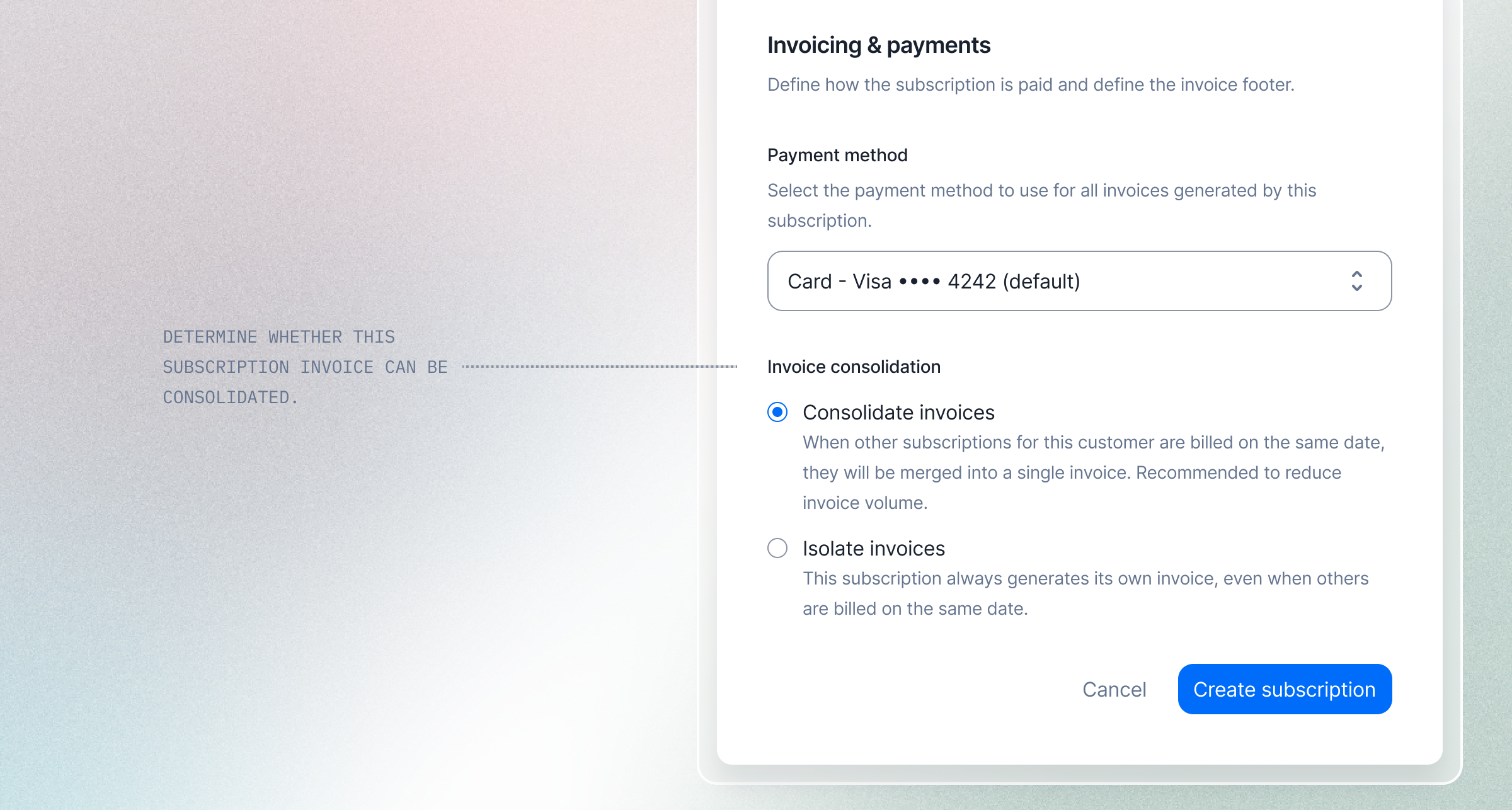 Some customers want one tidy invoice covering all their subscriptions. Others need each subscription billed separately, to track a contract independently, bill a different cost center, or simplify internal reporting. Now you can decide, subscription by subscription.
By default, Lago automatically consolidates subscriptions into a single invoice when they share the same billing day **and** the same payment method — fewer invoices for your customers, easier reconciliation for your finance team.
* **Opt out per subscription**: set `consolidate_invoices` to `false` to keep a subscription on its own invoice, even when others bill on the same day
* **Mix and match**: combine consolidated and standalone subscriptions for the same customer
* **Editable anytime**: change the setting from the dashboard or via the API whenever the contract or billing arrangement evolves
Available in the dashboard and via API, on the subscription endpoint.
Built for teams managing customers with multiple plans, contracts, or cost centers, where invoice structure matters as much as the totals.
[Learn more](/guide/subscriptions/assign-plan#invoice-consolidation)
## Wallet traceability — Follow every credit from top-up to deduction
Some customers want one tidy invoice covering all their subscriptions. Others need each subscription billed separately, to track a contract independently, bill a different cost center, or simplify internal reporting. Now you can decide, subscription by subscription.
By default, Lago automatically consolidates subscriptions into a single invoice when they share the same billing day **and** the same payment method — fewer invoices for your customers, easier reconciliation for your finance team.
* **Opt out per subscription**: set `consolidate_invoices` to `false` to keep a subscription on its own invoice, even when others bill on the same day
* **Mix and match**: combine consolidated and standalone subscriptions for the same customer
* **Editable anytime**: change the setting from the dashboard or via the API whenever the contract or billing arrangement evolves
Available in the dashboard and via API, on the subscription endpoint.
Built for teams managing customers with multiple plans, contracts, or cost centers, where invoice structure matters as much as the totals.
[Learn more](/guide/subscriptions/assign-plan#invoice-consolidation)
## Wallet traceability — Follow every credit from top-up to deduction
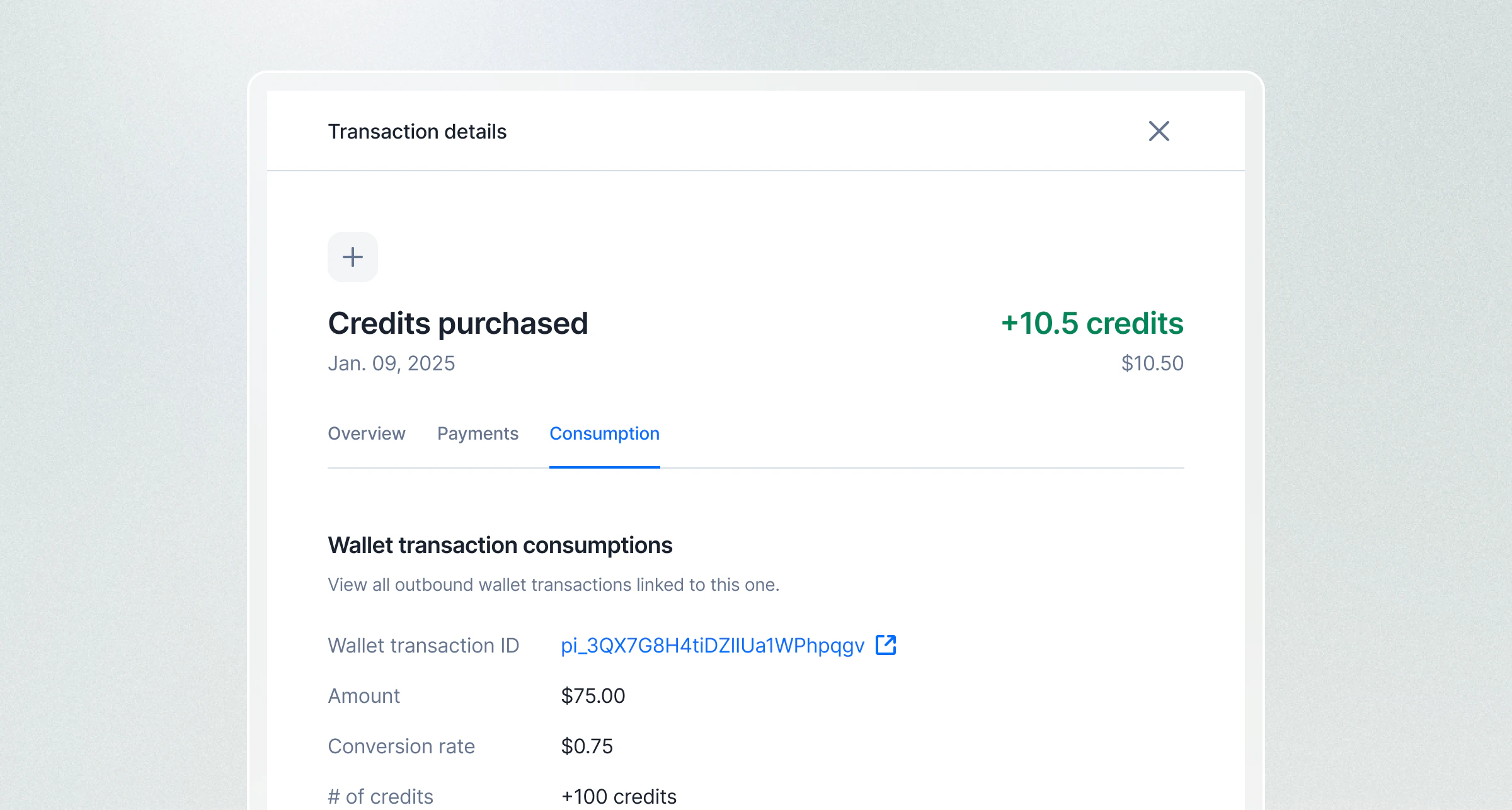 When a customer’s wallet balance drops, you should be able to explain exactly why. Now you can.
**Wallet traceability** gives you full visibility into how credits flow — linking every top-up to the transactions it funded, and every deduction back to its source.
* **Consumptions**: for any inbound transaction, see which outbound transactions consumed its credits and how much
* **Fundings**: for any outbound transaction, see which inbound transactions funded it and their respective contributions
Available in the dashboard and via API, you can inspect credit flows directly from a wallet transaction or query them programmatically through new endpoints.
Built for teams managing prepaid credit systems at scale — where transparency and auditability are critical.
To OSS users: this feature requires a migration. Please follow [this guide](/guide/migration/migration-to-v1.45.0) to enable it.
[Learn more](/guide/wallet-and-prepaid-credits/traceability)
## Credit alerts — Never let a customer run out of credits by surprise
When a customer’s wallet balance drops, you should be able to explain exactly why. Now you can.
**Wallet traceability** gives you full visibility into how credits flow — linking every top-up to the transactions it funded, and every deduction back to its source.
* **Consumptions**: for any inbound transaction, see which outbound transactions consumed its credits and how much
* **Fundings**: for any outbound transaction, see which inbound transactions funded it and their respective contributions
Available in the dashboard and via API, you can inspect credit flows directly from a wallet transaction or query them programmatically through new endpoints.
Built for teams managing prepaid credit systems at scale — where transparency and auditability are critical.
To OSS users: this feature requires a migration. Please follow [this guide](/guide/migration/migration-to-v1.45.0) to enable it.
[Learn more](/guide/wallet-and-prepaid-credits/traceability)
## Credit alerts — Never let a customer run out of credits by surprise
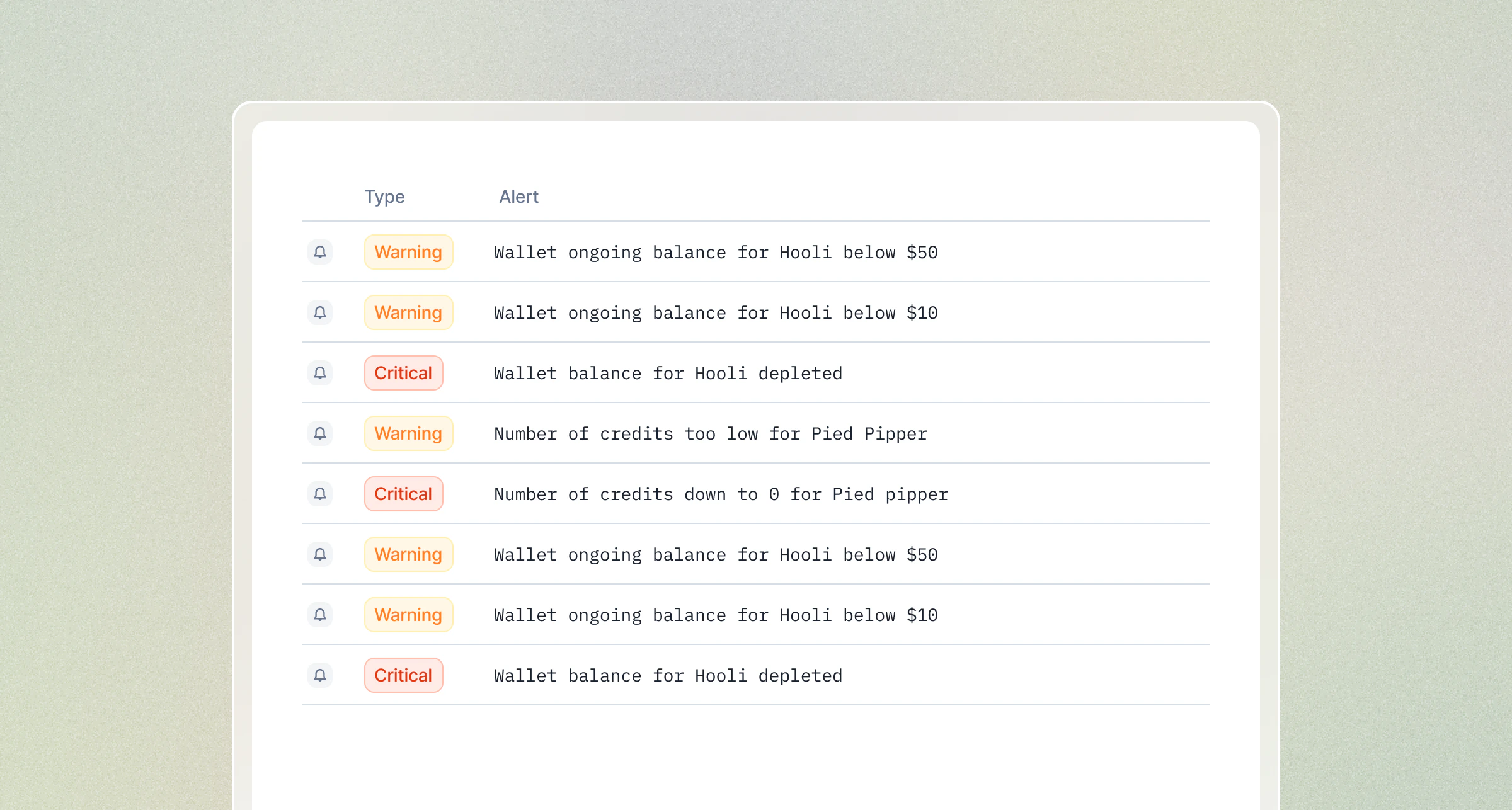 Your customers shouldn't discover they're out of credits when their service stops working. Now they won't.
**Wallet alerts** let you set threshold-based notifications on any wallet, so your team and customers know exactly when credits are running low, before it becomes a problem.
Set decreasing thresholds (e.g. USD 100, USD 50, USD 10) and Lago fires a webhook every time the balance crosses one. Need continuous monitoring without defining every step? Add a **recurring threshold** that triggers repeatedly as the balance keeps dropping.
* **4 alert types** — monitor wallet balance or ongoing balance, in currency or credits
* **Up to 20 thresholds per alert** — with optional names to distinguish soft warnings from hard limits
* **Recurring thresholds** — get notified continuously without creating an endless list of thresholds
* **Webhook-driven** — listen for `alert.triggered` events and plug into your own notification or automation workflows
Whether you're powering a self-serve credits experience or managing enterprise wallets at scale, wallet alerts give you the control to keep customers informed and revenue flowing.
[Learn more](/guide/alerts/credits-consumption-alerts)
## Security logs
Your customers shouldn't discover they're out of credits when their service stops working. Now they won't.
**Wallet alerts** let you set threshold-based notifications on any wallet, so your team and customers know exactly when credits are running low, before it becomes a problem.
Set decreasing thresholds (e.g. USD 100, USD 50, USD 10) and Lago fires a webhook every time the balance crosses one. Need continuous monitoring without defining every step? Add a **recurring threshold** that triggers repeatedly as the balance keeps dropping.
* **4 alert types** — monitor wallet balance or ongoing balance, in currency or credits
* **Up to 20 thresholds per alert** — with optional names to distinguish soft warnings from hard limits
* **Recurring thresholds** — get notified continuously without creating an endless list of thresholds
* **Webhook-driven** — listen for `alert.triggered` events and plug into your own notification or automation workflows
Whether you're powering a self-serve credits experience or managing enterprise wallets at scale, wallet alerts give you the control to keep customers informed and revenue flowing.
[Learn more](/guide/alerts/credits-consumption-alerts)
## Security logs
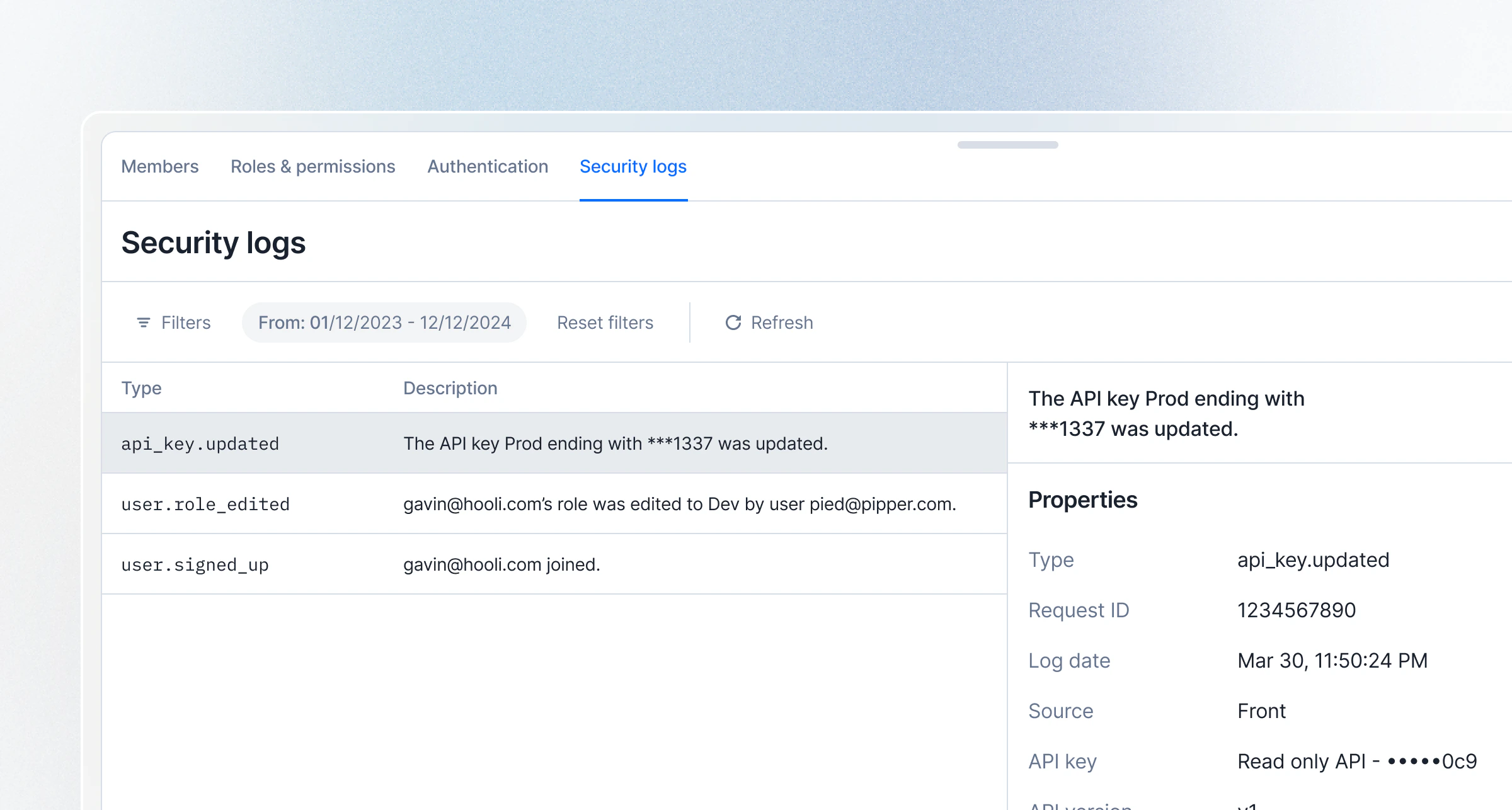 Every action that touches your security perimeter is now tracked, searchable, and auditable. Right inside Lago.
Security logs give your team **full visibility into who did what, and when**, across user access, API keys, roles, webhooks, integrations, and more. Whether it's an API key rotation, a new device login, or a role change, every event is captured with rich context including user, timestamp, and affected resources.
* **Comprehensive coverage**: Tracks events across users, roles, API keys, webhooks, integrations, exports, and billing entities
* **Powerful filtering**: Slice logs by date range, user, event type, or category to find exactly what you need
* **API-first**: Query security logs programmatically via the `GET /api/v1/security_logs` endpoint
* **Role-based access**: Visible to Admins by default, with granular permission support for custom roles
Built for teams that need to meet compliance requirements, investigate incidents fast, or simply want peace of mind that nothing slips through unnoticed.
[Learn more](/guide/security/security-logs)
## Granular API access to plan and subscription charges
Every action that touches your security perimeter is now tracked, searchable, and auditable. Right inside Lago.
Security logs give your team **full visibility into who did what, and when**, across user access, API keys, roles, webhooks, integrations, and more. Whether it's an API key rotation, a new device login, or a role change, every event is captured with rich context including user, timestamp, and affected resources.
* **Comprehensive coverage**: Tracks events across users, roles, API keys, webhooks, integrations, exports, and billing entities
* **Powerful filtering**: Slice logs by date range, user, event type, or category to find exactly what you need
* **API-first**: Query security logs programmatically via the `GET /api/v1/security_logs` endpoint
* **Role-based access**: Visible to Admins by default, with granular permission support for custom roles
Built for teams that need to meet compliance requirements, investigate incidents fast, or simply want peace of mind that nothing slips through unnoticed.
[Learn more](/guide/security/security-logs)
## Granular API access to plan and subscription charges
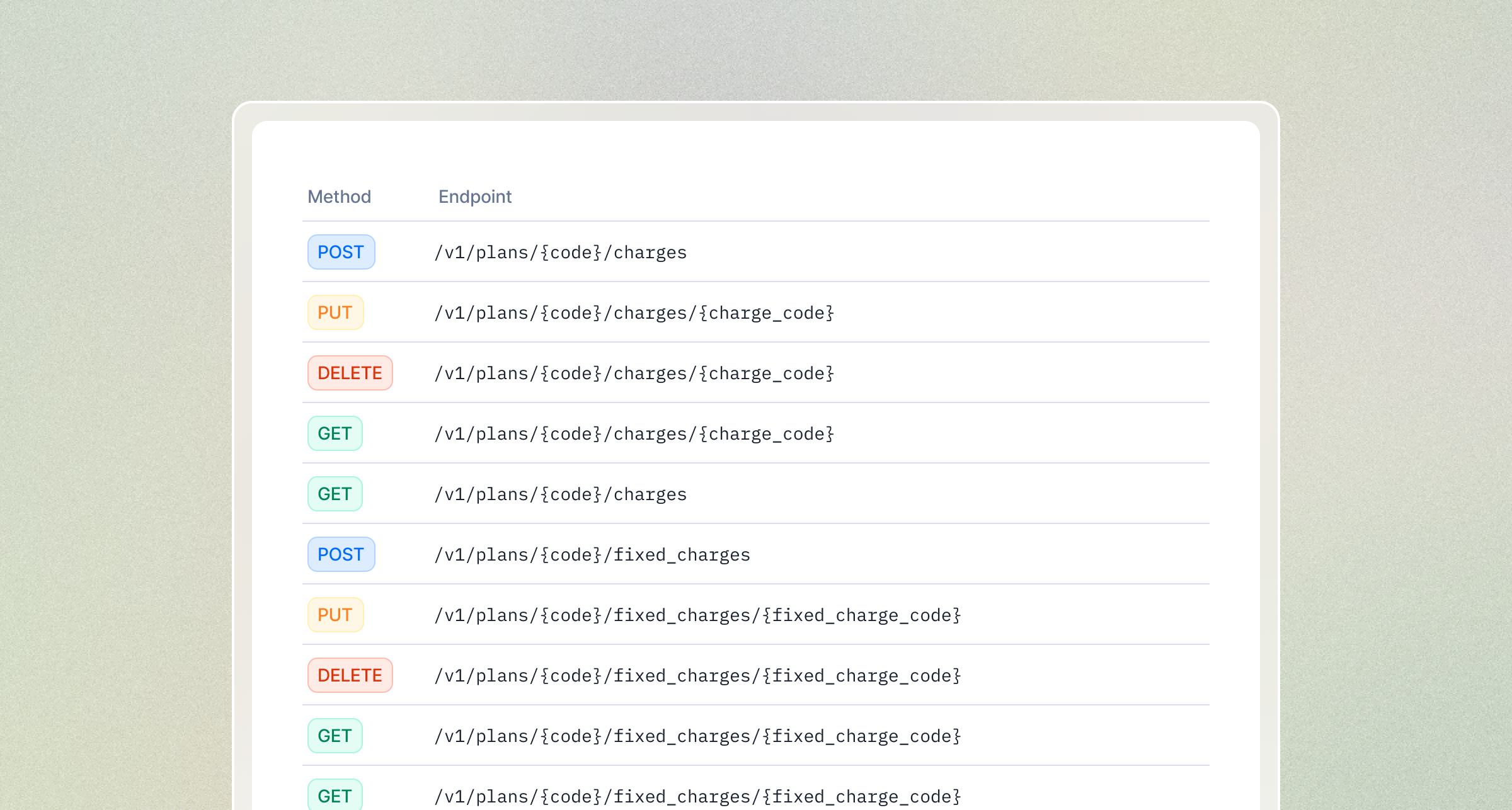 You can now manage charges, charge filters, and fixed charges directly through the API — without going through the full plan or subscription payload.
Previously, updating a charge required sending the entire plan object. These new dedicated endpoints give you surgical control over individual charges and their pricing rules.
* **Plan charges** — [See API reference](/api-reference/plans/charges/object)
* **Plan charge filters** — [See API reference](/api-reference/plans/charges/filters/object)
* **Plan fixed charges** — [See API reference](/api-reference/plans/fixed-charges/object)
* **Subscription charges** — [See API reference](/api-reference/subscriptions/charges/object)
* **Subscription charge filters** — [See API reference](/api-reference/subscriptions/charges/filters/object)
* **Subscription fixed charges** — [See API reference](/api-reference/subscriptions/fixed-charges/object)
## Multiple payment methods on customer (Beta)
You can now manage charges, charge filters, and fixed charges directly through the API — without going through the full plan or subscription payload.
Previously, updating a charge required sending the entire plan object. These new dedicated endpoints give you surgical control over individual charges and their pricing rules.
* **Plan charges** — [See API reference](/api-reference/plans/charges/object)
* **Plan charge filters** — [See API reference](/api-reference/plans/charges/filters/object)
* **Plan fixed charges** — [See API reference](/api-reference/plans/fixed-charges/object)
* **Subscription charges** — [See API reference](/api-reference/subscriptions/charges/object)
* **Subscription charge filters** — [See API reference](/api-reference/subscriptions/charges/filters/object)
* **Subscription fixed charges** — [See API reference](/api-reference/subscriptions/fixed-charges/object)
## Multiple payment methods on customer (Beta)
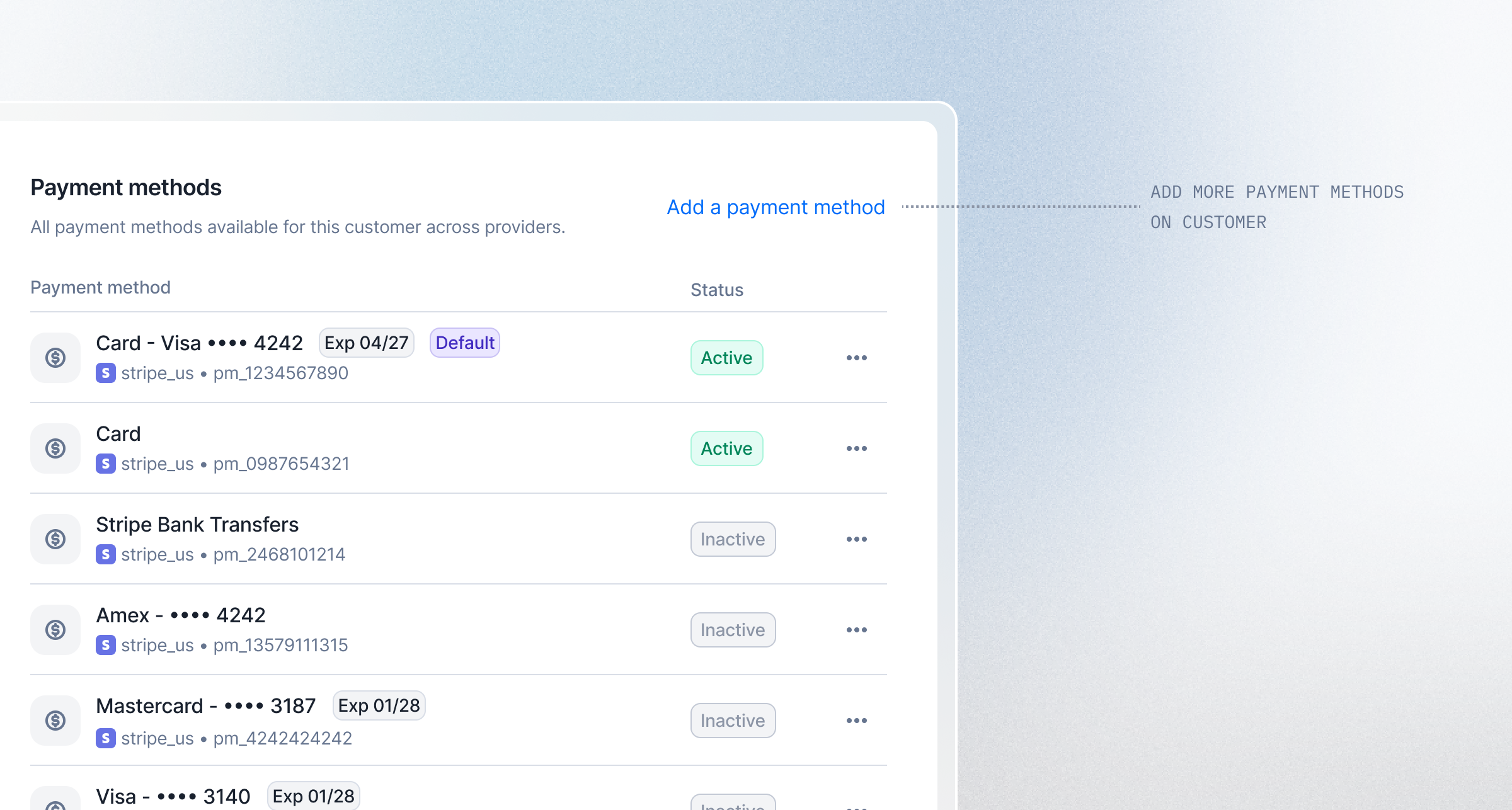 Lago now supports storing and managing multiple payment methods per customer — including manual payments.
Need a subscription paid by card, but a one-off invoice handled manually?
You can now store multiple payment methods per customer and assign them independently to subscriptions, one-off invoices, and wallet top-ups.
[Learn more](/guide/payments/payment-methods)
## Reinvented billing analytics
Lago now supports storing and managing multiple payment methods per customer — including manual payments.
Need a subscription paid by card, but a one-off invoice handled manually?
You can now store multiple payment methods per customer and assign them independently to subscriptions, one-off invoices, and wallet top-ups.
[Learn more](/guide/payments/payment-methods)
## Reinvented billing analytics
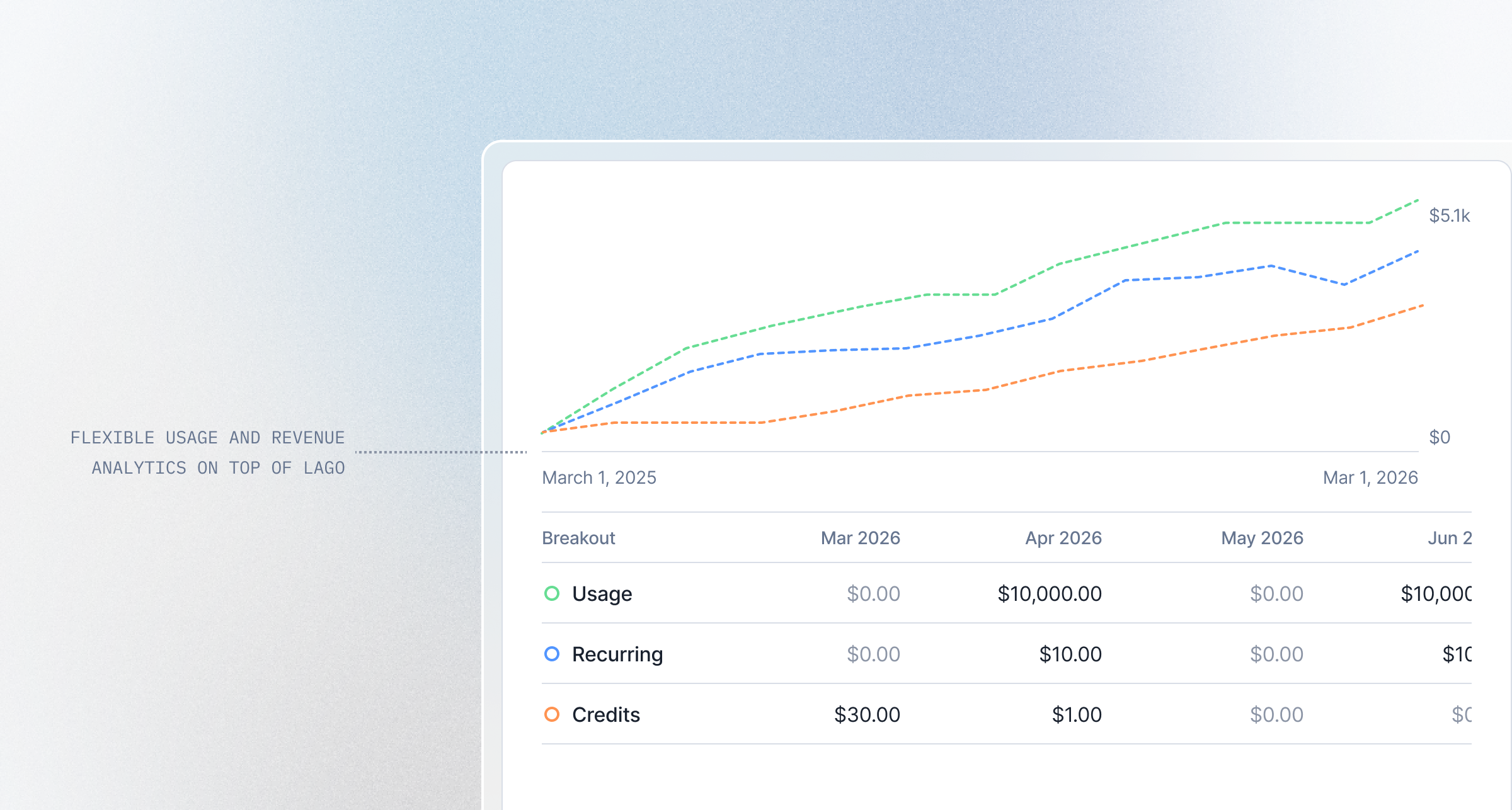 We've completely rebuilt analytics in Lago from the ground up, powered by [Apache Superset](https://superset.apache.org/).
The old single-purpose dashboards are gone. In their place: a **fully composable analytics layer** where you can build, customize, and explore the reports that matter to your business: Revenue streams, MRR, usage patterns, credit consumption, and more.
What's new:
* **Composable dashboards** — mix and match visualizations to fit your reporting needs
* **Multi-dimensional filtering** — slice data by customer, plan, subscription, currency, country, and time
* **Data export** — download any chart or dataset as JSON, CSV, or Excel
* **Extensible by design** — create custom dashboards for board reporting, product analysis, or customer-level deep dives
[Learn more](/guide/analytics/reports)
## Filter webhook messages by event type
We've completely rebuilt analytics in Lago from the ground up, powered by [Apache Superset](https://superset.apache.org/).
The old single-purpose dashboards are gone. In their place: a **fully composable analytics layer** where you can build, customize, and explore the reports that matter to your business: Revenue streams, MRR, usage patterns, credit consumption, and more.
What's new:
* **Composable dashboards** — mix and match visualizations to fit your reporting needs
* **Multi-dimensional filtering** — slice data by customer, plan, subscription, currency, country, and time
* **Data export** — download any chart or dataset as JSON, CSV, or Excel
* **Extensible by design** — create custom dashboards for board reporting, product analysis, or customer-level deep dives
[Learn more](/guide/analytics/reports)
## Filter webhook messages by event type
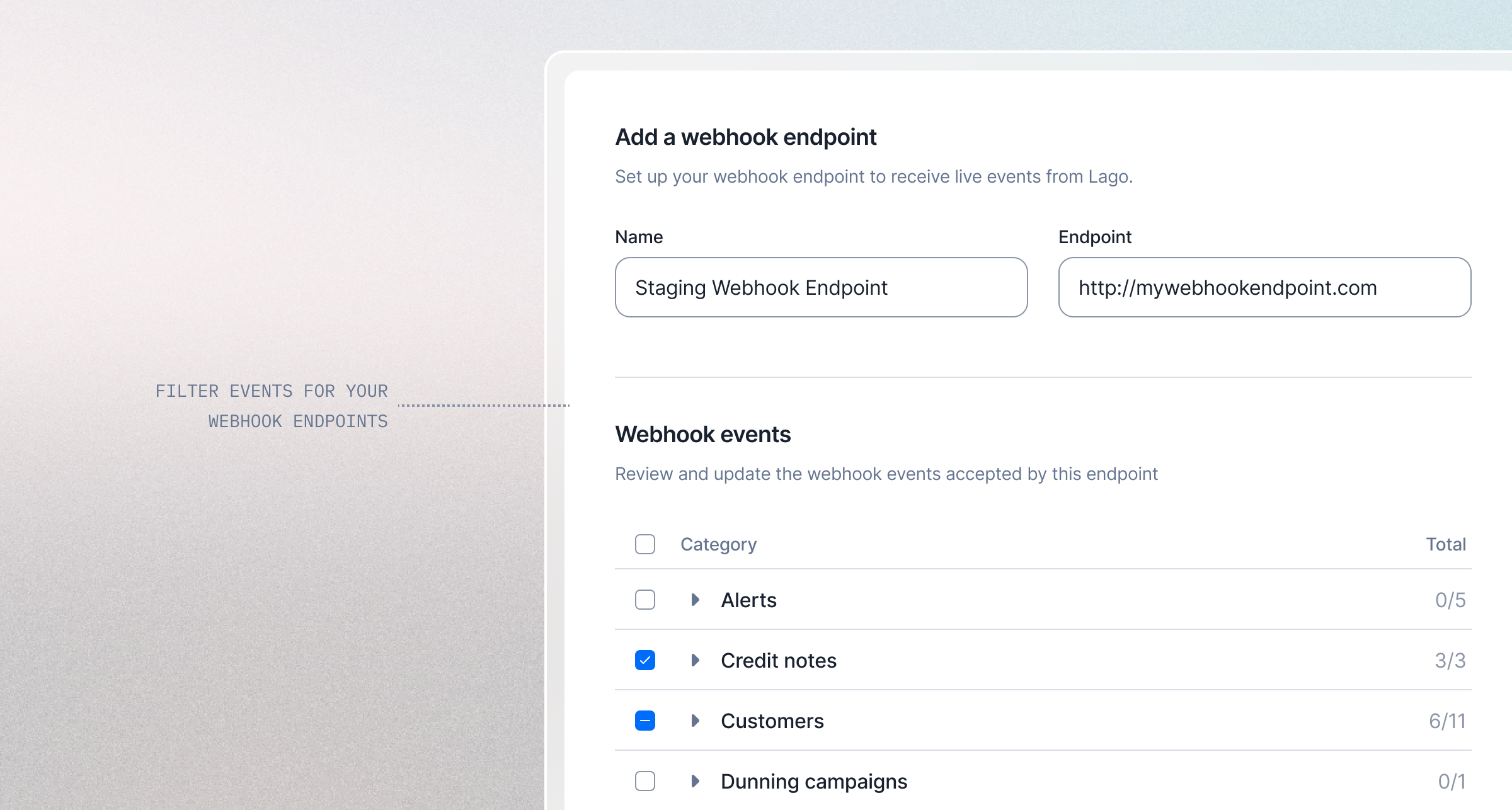 You can now choose exactly **which events are sent to each webhook endpoint**. This gives you full control over the notifications your systems receive and helps reduce unnecessary traffic.
We also added **new filtering options in the webhook list**. You can now filter deliveries by HTTP status, event type, and date range to quickly find and troubleshoot specific messages.
[Learn more](/guide/webhooks)
## Resend emails to customers
You can now choose exactly **which events are sent to each webhook endpoint**. This gives you full control over the notifications your systems receive and helps reduce unnecessary traffic.
We also added **new filtering options in the webhook list**. You can now filter deliveries by HTTP status, event type, and date range to quickly find and troubleshoot specific messages.
[Learn more](/guide/webhooks)
## Resend emails to customers
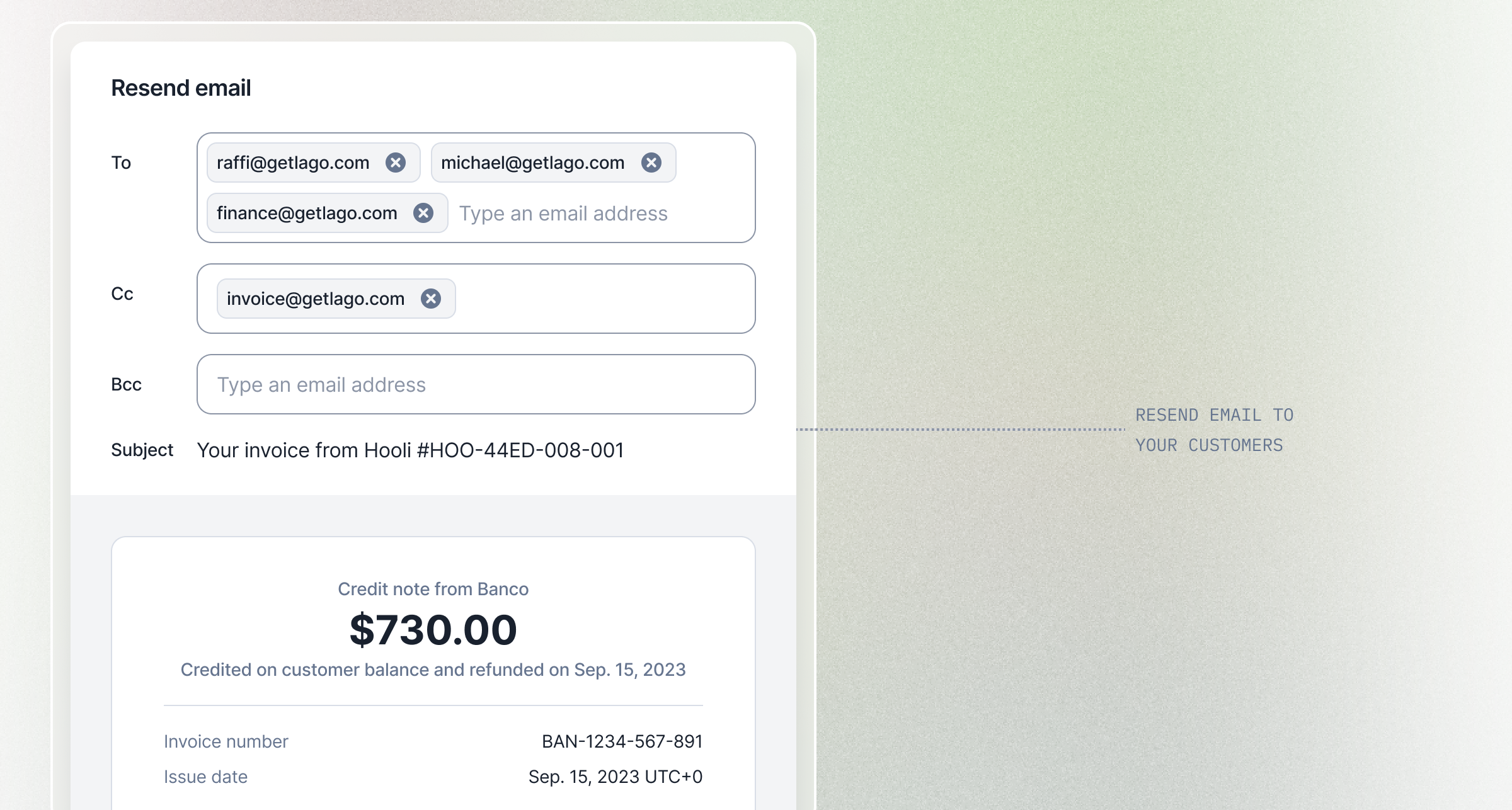 Need to send or resend an invoice or credit note to a different recipient? You can now **resend emails** with full control over who receives them.
Choose your recipients using To, CC, and BCC fields, making it easy to forward billing documents to different departments or team members.
This gives you the flexibility to manage your customer communications exactly how you need.
[Learn more](/guide/emails#resend-emails)
## Track billing emails in audit logs
Need to send or resend an invoice or credit note to a different recipient? You can now **resend emails** with full control over who receives them.
Choose your recipients using To, CC, and BCC fields, making it easy to forward billing documents to different departments or team members.
This gives you the flexibility to manage your customer communications exactly how you need.
[Learn more](/guide/emails#resend-emails)
## Track billing emails in audit logs
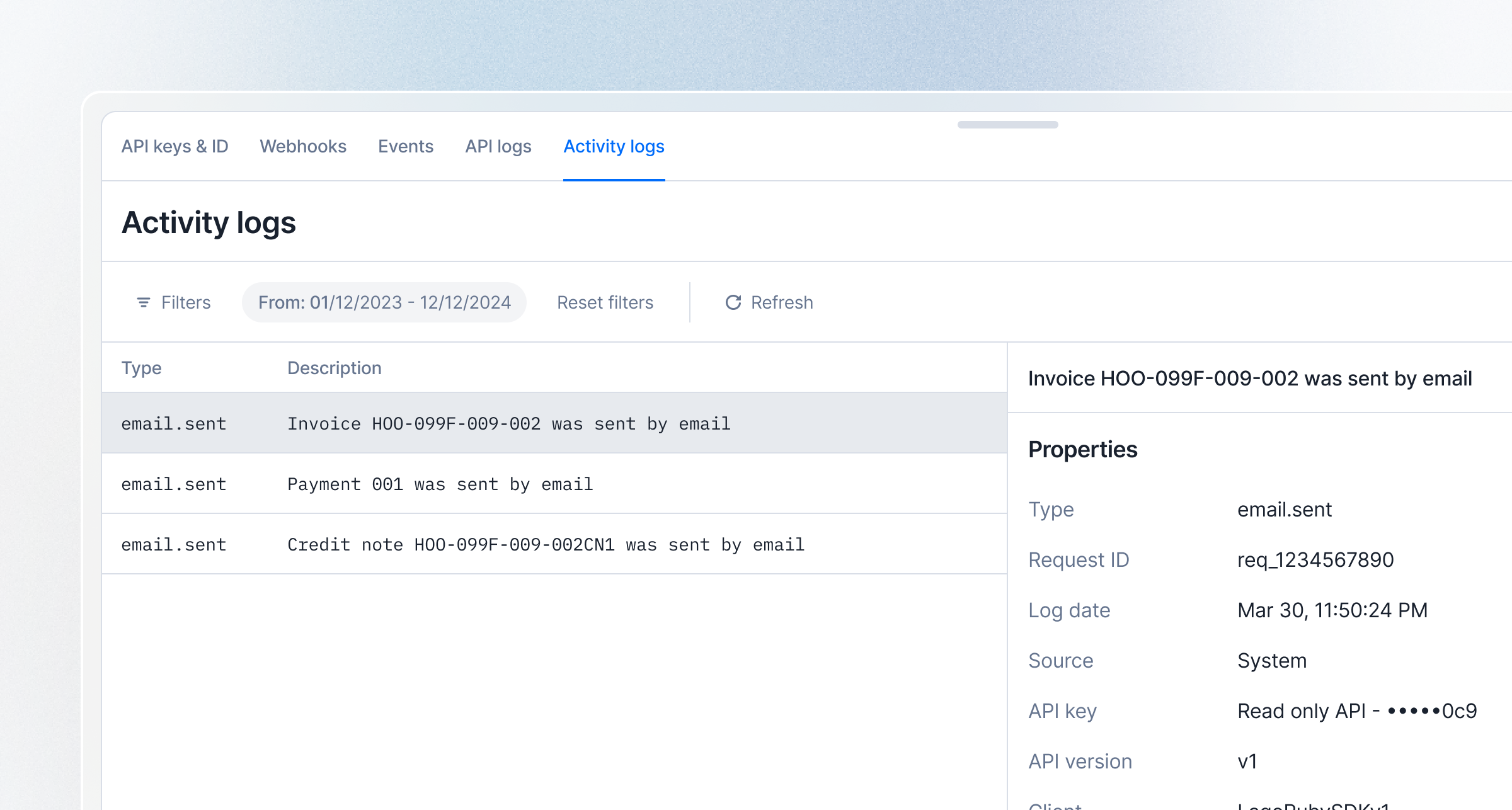 Stay on top of your customer communications with **email logs** now integrated into your audit logs.
Track all emails sent by the system for invoices, credit notes, and payments in one centralized location.
You can easily filter logs to find specific email types and monitor delivery status, ensuring complete visibility into your automated billing communications.
[Learn more](/guide/security/audit-logs)
## Offset unused amounts when terminating a subscription
Stay on top of your customer communications with **email logs** now integrated into your audit logs.
Track all emails sent by the system for invoices, credit notes, and payments in one centralized location.
You can easily filter logs to find specific email types and monitor delivery status, ensuring complete visibility into your automated billing communications.
[Learn more](/guide/security/audit-logs)
## Offset unused amounts when terminating a subscription
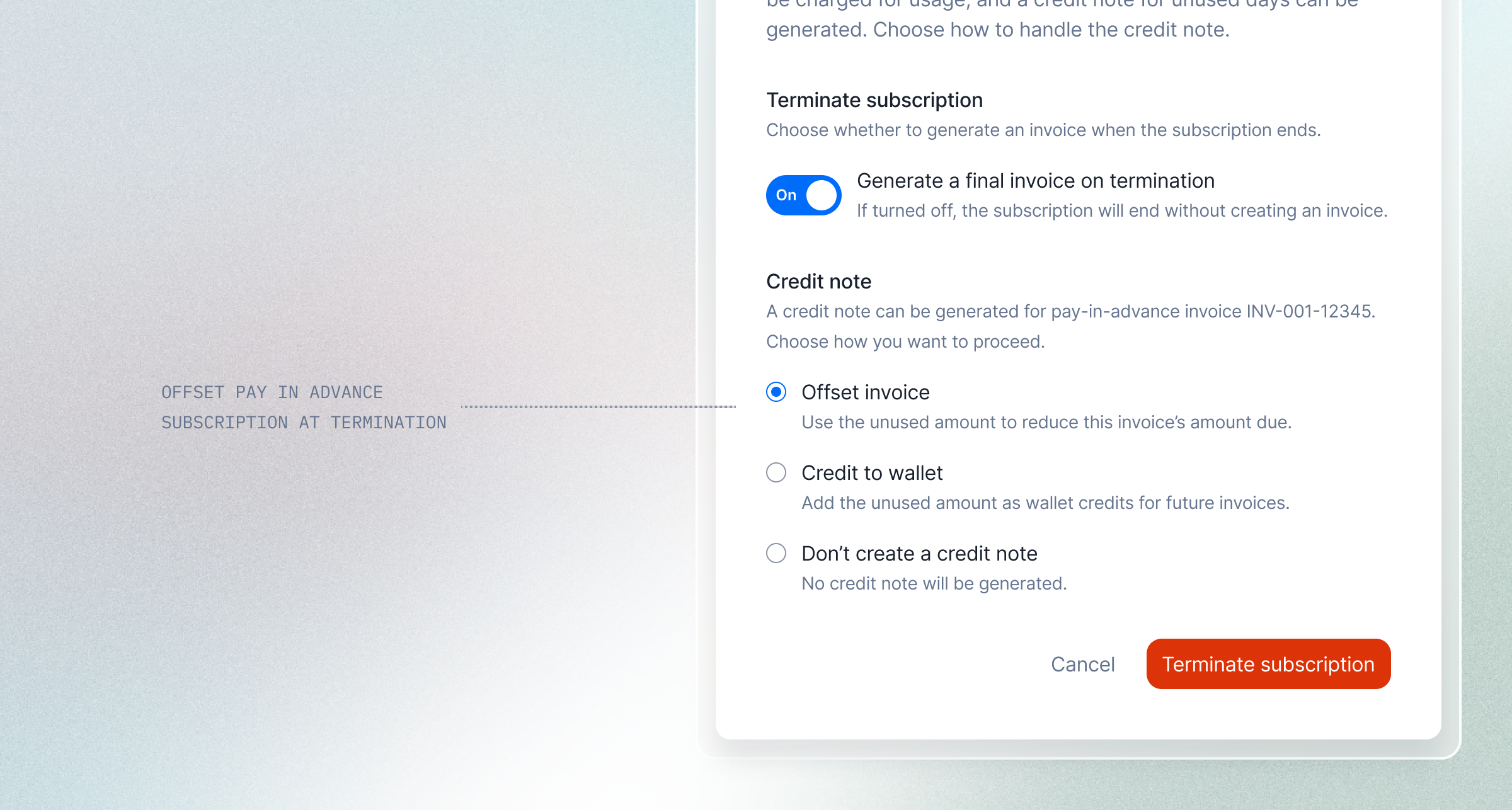 With the new credit note offset settings, you can now apply this option when terminating a subscription to offset any unused amount due.
The used amount remains payable, while the remaining balance is automatically settled through a closing credit note.
[Learn more](/guide/subscriptions/terminate-subscription#generate-a-closing-credit-note-at-subscription-termination)
## Fixed charges are now available in plans
With the new credit note offset settings, you can now apply this option when terminating a subscription to offset any unused amount due.
The used amount remains payable, while the remaining balance is automatically settled through a closing credit note.
[Learn more](/guide/subscriptions/terminate-subscription#generate-a-closing-credit-note-at-subscription-termination)
## Fixed charges are now available in plans
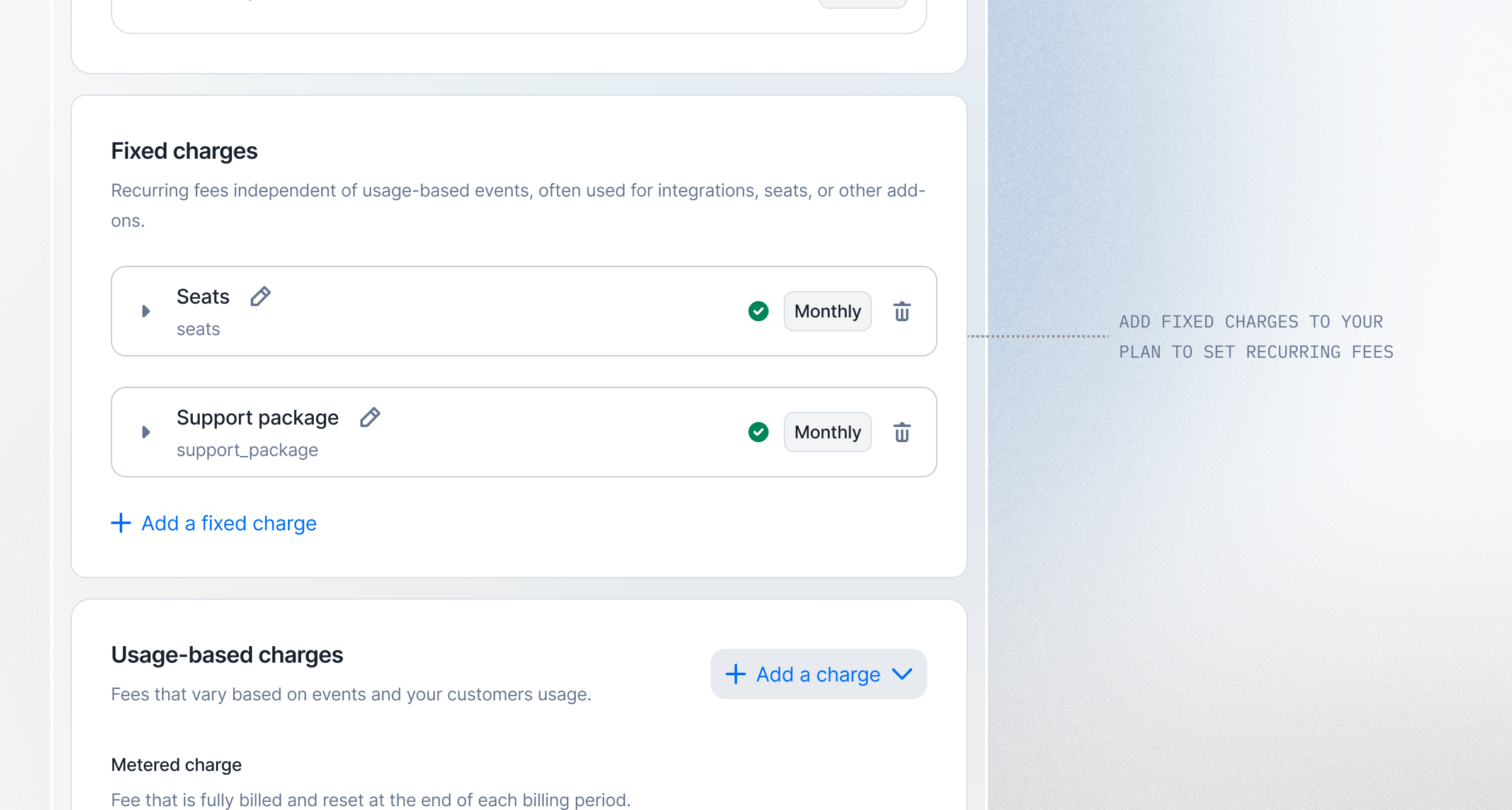 You can now add fixed charges to your plans to bill recurring fixed fees, independently of usage.
This unlocks common pricing patterns such as platform fees, seat licenses, support plans, or contractual fees.
Fixed charges are managed directly at the plan level and billed automatically with subscriptions.
There’s no need to rely on one-off invoices anymore.
[Learn more](/guide/plans/charges/fixed-charges)
## Offset invoice amount due with credit notes
You can now add fixed charges to your plans to bill recurring fixed fees, independently of usage.
This unlocks common pricing patterns such as platform fees, seat licenses, support plans, or contractual fees.
Fixed charges are managed directly at the plan level and billed automatically with subscriptions.
There’s no need to rely on one-off invoices anymore.
[Learn more](/guide/plans/charges/fixed-charges)
## Offset invoice amount due with credit notes
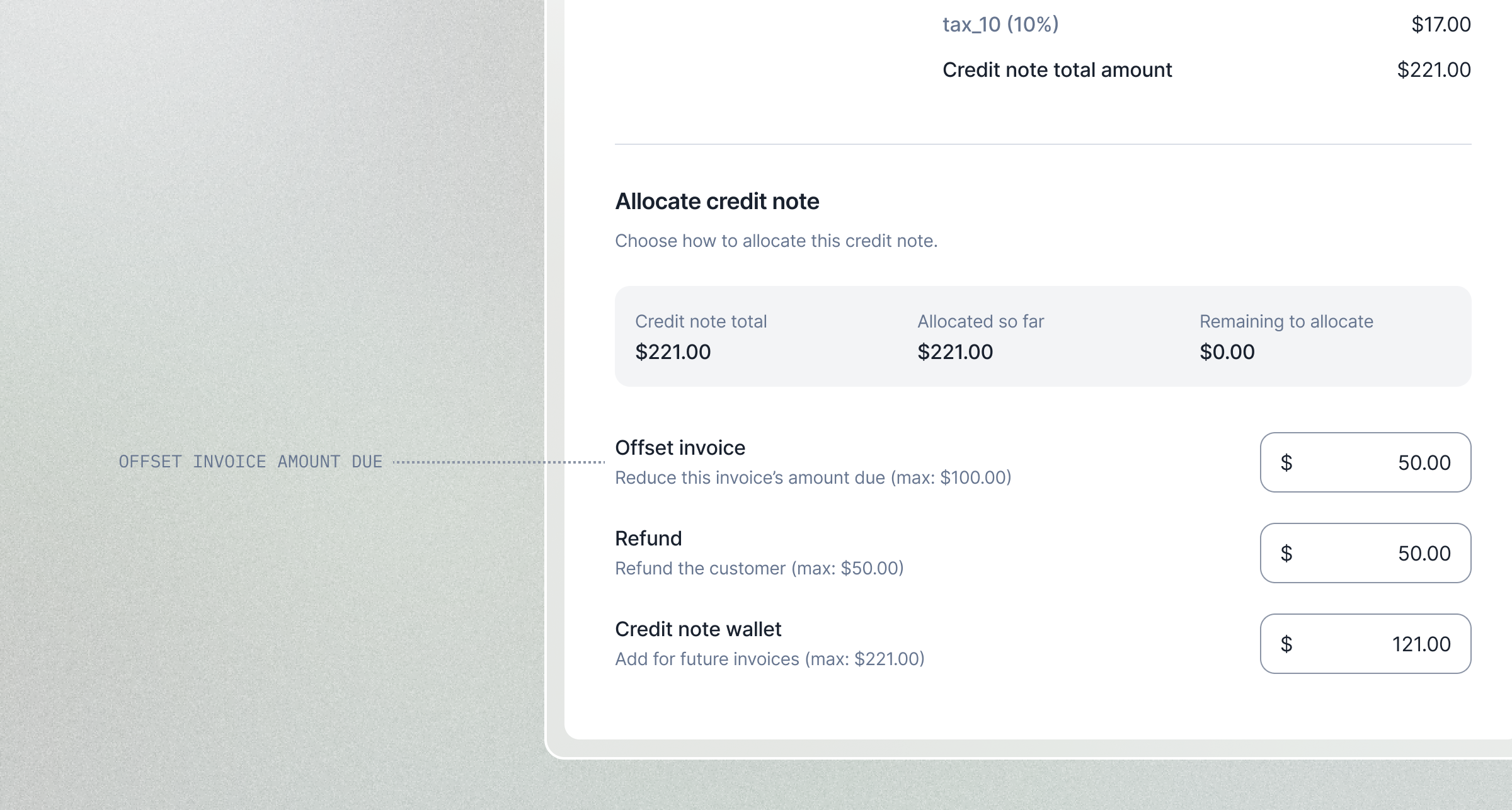 Overcharged a customer? Issued an invoice by mistake? No problem.
You can now use a credit note to offset the remaining amount due on an invoice.
The credited amount is immediately deducted from the invoice balance, keeping your records accurate and clean
[Learn more](/guide/invoicing/credit-notes/overview#offset)
## Define custom roles and permissions
Overcharged a customer? Issued an invoice by mistake? No problem.
You can now use a credit note to offset the remaining amount due on an invoice.
The credited amount is immediately deducted from the invoice balance, keeping your records accurate and clean
[Learn more](/guide/invoicing/credit-notes/overview#offset)
## Define custom roles and permissions
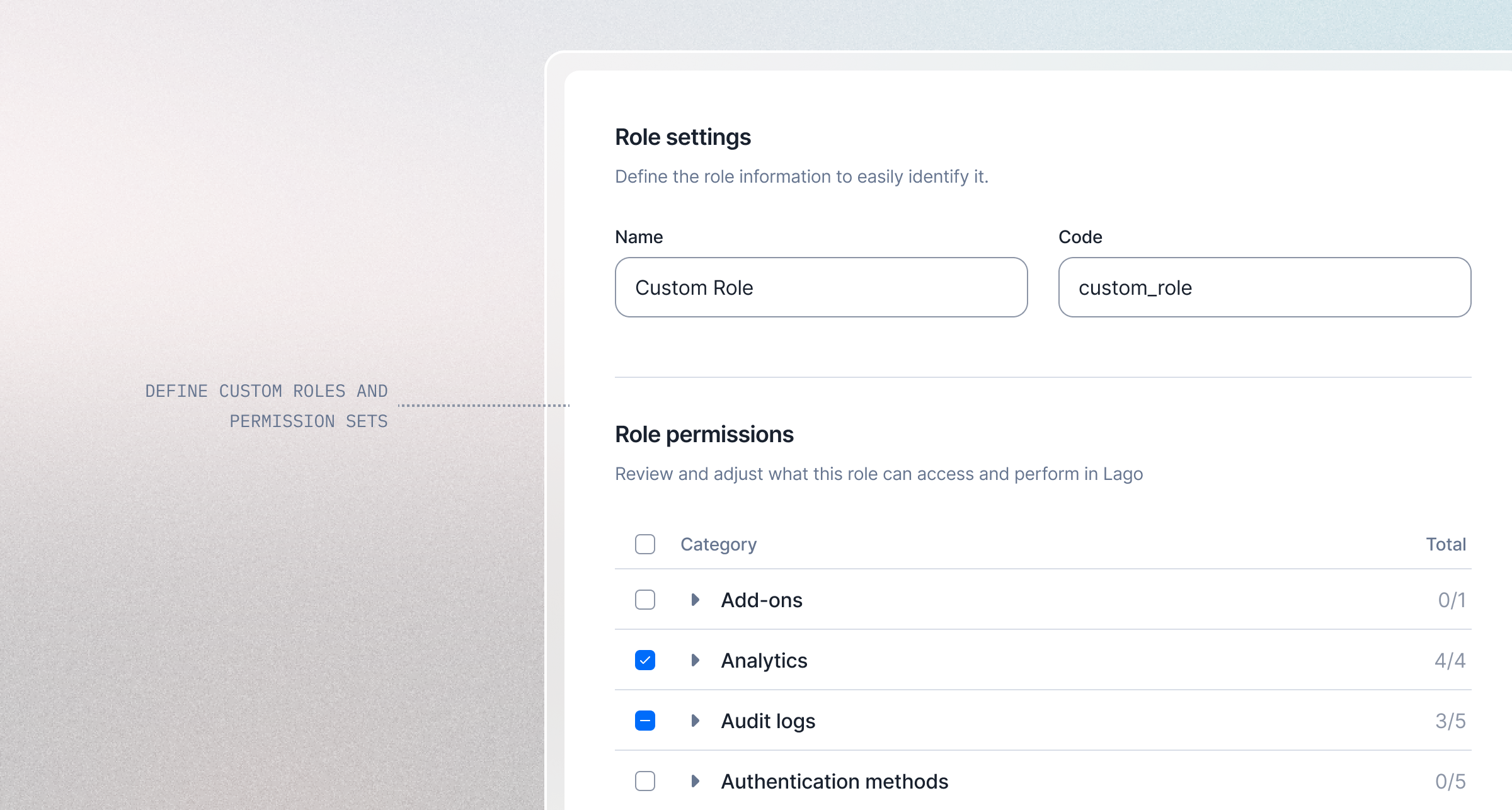 We have introduced **Custom Roles and Permissions** to give organizations full control over user access within Lago and your billing data.
You can now create an **unlimited number of custom roles and define precise permission sets** that match your team's responsibilities and workflows. This allows you to grant users only the access they need, improving both security and operational clarity.
Key capabilities:
* Create and manage unlimited custom roles;
* Assign granular permissions to each role;
* Automatically propagate permission changes to all users assigned to a role; and
* Ensure continuous platform governance by maintaining at least one `admin` role at all times.
This update simplifies scaling billing operations across teams, strengthens access control enforcement, and allows permissions to evolve seamlessly as your organization grows.
[Learn more](/guide/security/rbac#custom-roles-and-permissions)
## Connect AI Systems with Lago MCP Server
We have introduced **Custom Roles and Permissions** to give organizations full control over user access within Lago and your billing data.
You can now create an **unlimited number of custom roles and define precise permission sets** that match your team's responsibilities and workflows. This allows you to grant users only the access they need, improving both security and operational clarity.
Key capabilities:
* Create and manage unlimited custom roles;
* Assign granular permissions to each role;
* Automatically propagate permission changes to all users assigned to a role; and
* Ensure continuous platform governance by maintaining at least one `admin` role at all times.
This update simplifies scaling billing operations across teams, strengthens access control enforcement, and allows permissions to evolve seamlessly as your organization grows.
[Learn more](/guide/security/rbac#custom-roles-and-permissions)
## Connect AI Systems with Lago MCP Server
 **The Lago MCP Server is now available!** Securely connect your AI ecosystem to enterprise billing data.
It allows you to connect AI systems, such as language models or other intelligent agents, with Lago's billing capabilities.
This enables you to build AI-powered applications that can autonomously manage billing operations, such as creating subscriptions, processing payments, and handling invoices.
[Learn more](/guide/ai-agents/mcp-server)
## Multiple wallets are now available!
**The Lago MCP Server is now available!** Securely connect your AI ecosystem to enterprise billing data.
It allows you to connect AI systems, such as language models or other intelligent agents, with Lago's billing capabilities.
This enables you to build AI-powered applications that can autonomously manage billing operations, such as creating subscriptions, processing payments, and handling invoices.
[Learn more](/guide/ai-agents/mcp-server)
## Multiple wallets are now available!
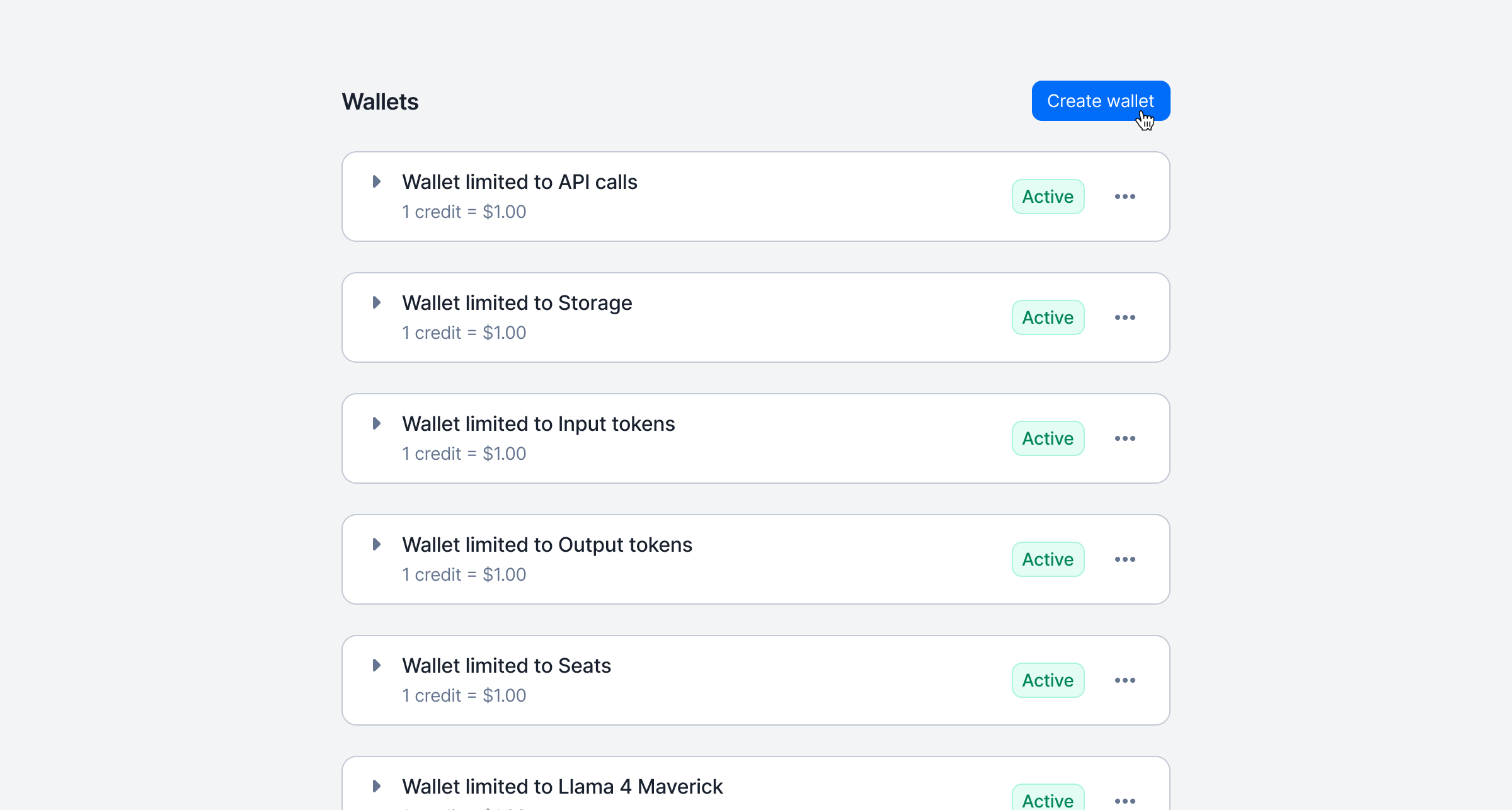 You can now create more than one wallet per customer.
Each wallet has its own settings: define its priority, limit its scope to specific billable metrics, and configure dedicated recurring top-up rules to better control how credits are applied.
[Learn more](/guide/wallet-and-prepaid-credits/overview#create-wallets)
## Invoice issuing date preferences
You can now create more than one wallet per customer.
Each wallet has its own settings: define its priority, limit its scope to specific billable metrics, and configure dedicated recurring top-up rules to better control how credits are applied.
[Learn more](/guide/wallet-and-prepaid-credits/overview#create-wallets)
## Invoice issuing date preferences
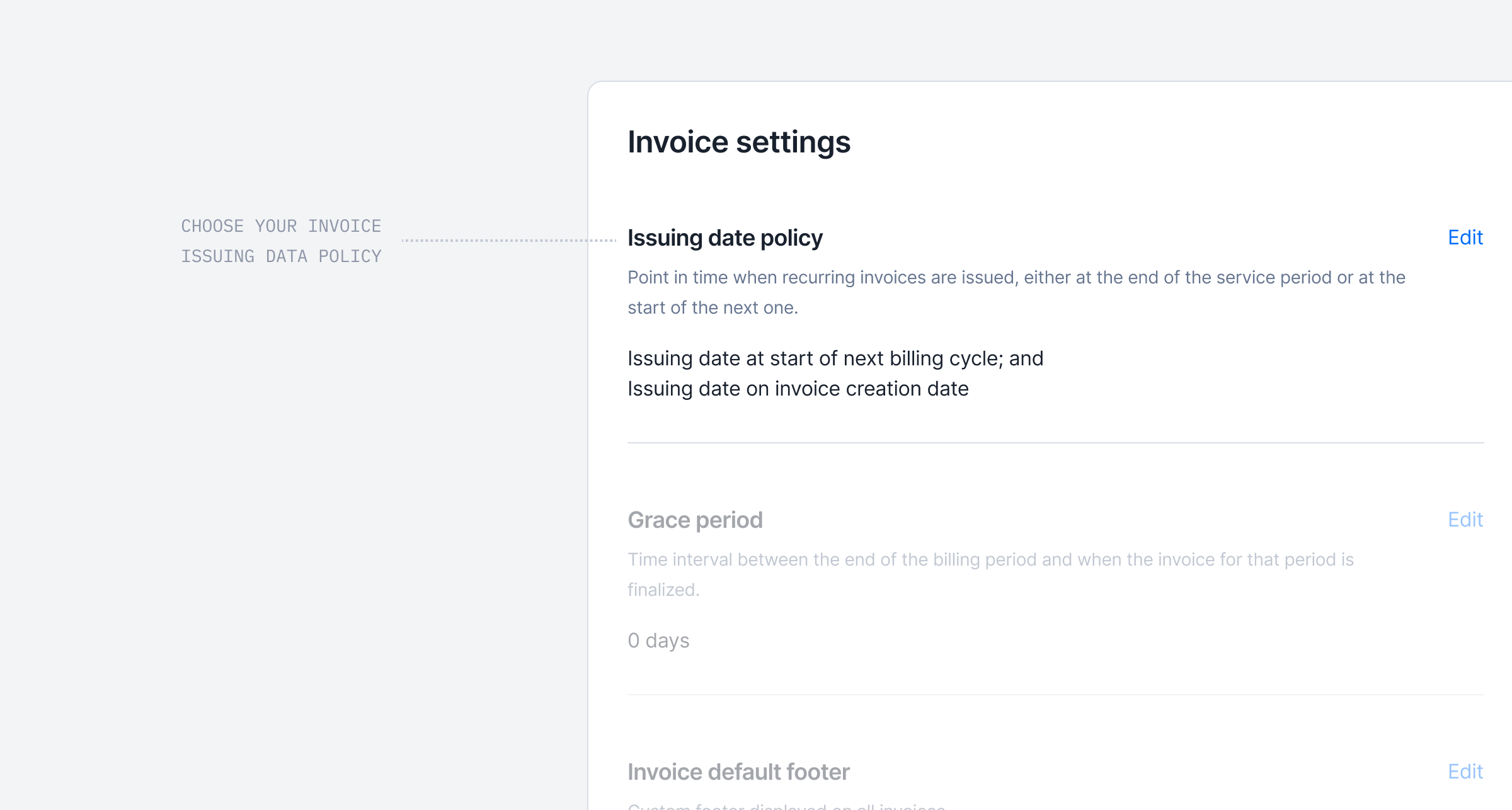 **Take full control of when your subscription invoices are dated.**
Many businesses need invoices dated on the last day of the billing period, not the first day of the next. This is mainly useful for revenue recognition, compliance, or cleaner accounting.
You can now configure this at the Billing Entity level (with per-customer overrides) using two new settings: **Issuing Date Anchor** and **Issuing Date Adjustment**.
For example, an October subscription invoice can now show October 31st instead of November 1st.
[Learn more](/guide/invoicing/invoicing-settings/issuing_date)
## Metadata for credit notes
**Take full control of when your subscription invoices are dated.**
Many businesses need invoices dated on the last day of the billing period, not the first day of the next. This is mainly useful for revenue recognition, compliance, or cleaner accounting.
You can now configure this at the Billing Entity level (with per-customer overrides) using two new settings: **Issuing Date Anchor** and **Issuing Date Adjustment**.
For example, an October subscription invoice can now show October 31st instead of November 1st.
[Learn more](/guide/invoicing/invoicing-settings/issuing_date)
## Metadata for credit notes
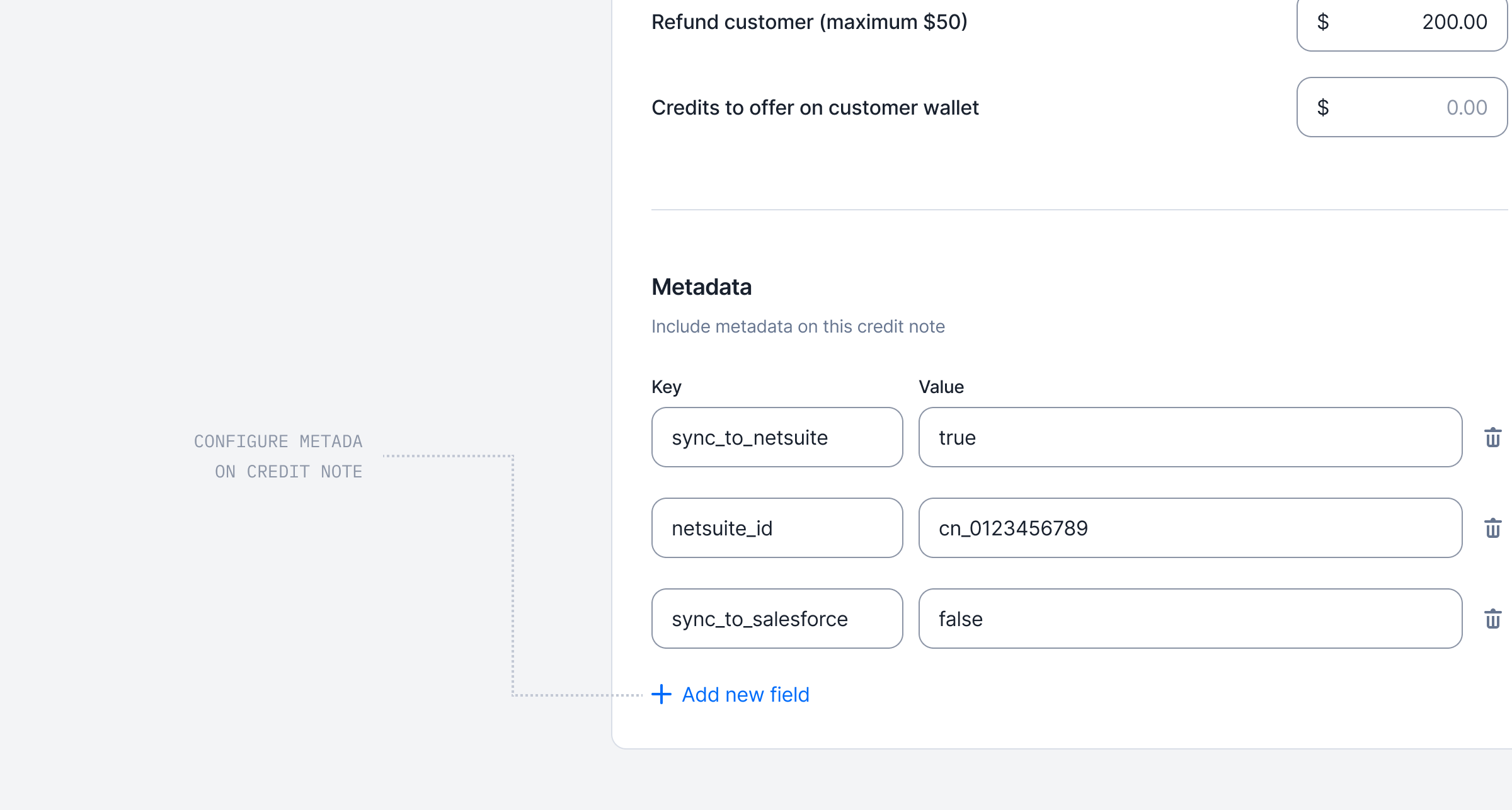 You can now enrich your credit notes with custom metadata.
This allows teams to store key operational details — such as the reason for issuing the credit note, internal notes, or synchronization references for external tools.
[Learn more](/guide/invoicing/credit-notes/credit-note-metadata)
## Agentic AI for Billing Operations
You can now enrich your credit notes with custom metadata.
This allows teams to store key operational details — such as the reason for issuing the credit note, internal notes, or synchronization references for external tools.
[Learn more](/guide/invoicing/credit-notes/credit-note-metadata)
## Agentic AI for Billing Operations
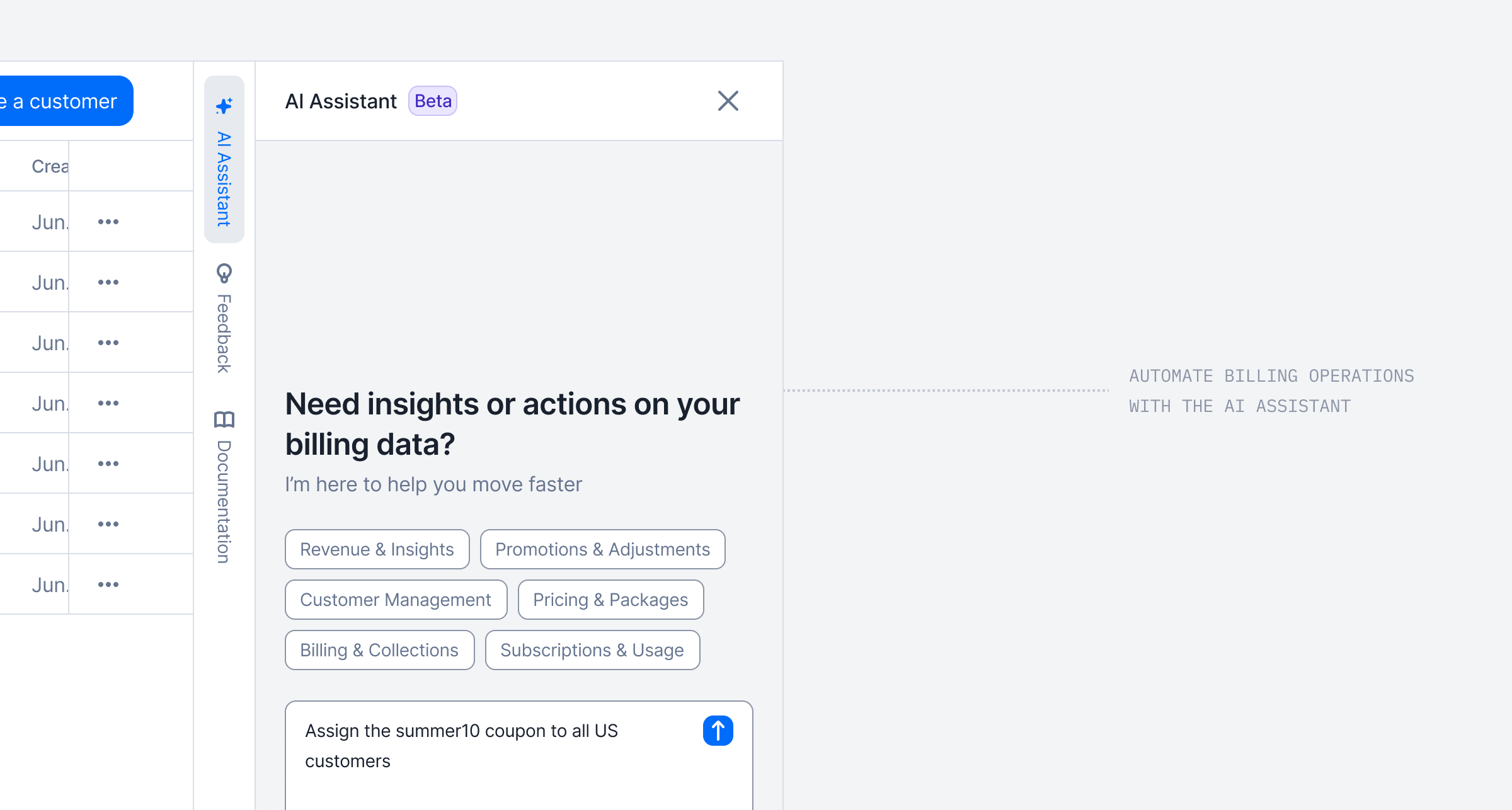 Introducing our 1st Lago AI Agent, called the **Billing Assistant**, a conversational assistant to help you manage billing operations using natural language.
This conversational assistant helps you **manage billing operations using natural language**, reducing the time spent on manual and repetitive tasks.
Ask questions, retrieve data, and perform actions across your billing entities, all through a simple chat interface.
Conversations are saved for context-aware follow-ups, and built-in safeguards require confirmation before executing any destructive actions.
[Learn more](/guide/ai-agents/billing-assistant)
## E-invoicing and compliant documents
Introducing our 1st Lago AI Agent, called the **Billing Assistant**, a conversational assistant to help you manage billing operations using natural language.
This conversational assistant helps you **manage billing operations using natural language**, reducing the time spent on manual and repetitive tasks.
Ask questions, retrieve data, and perform actions across your billing entities, all through a simple chat interface.
Conversations are saved for context-aware follow-ups, and built-in safeguards require confirmation before executing any destructive actions.
[Learn more](/guide/ai-agents/billing-assistant)
## E-invoicing and compliant documents
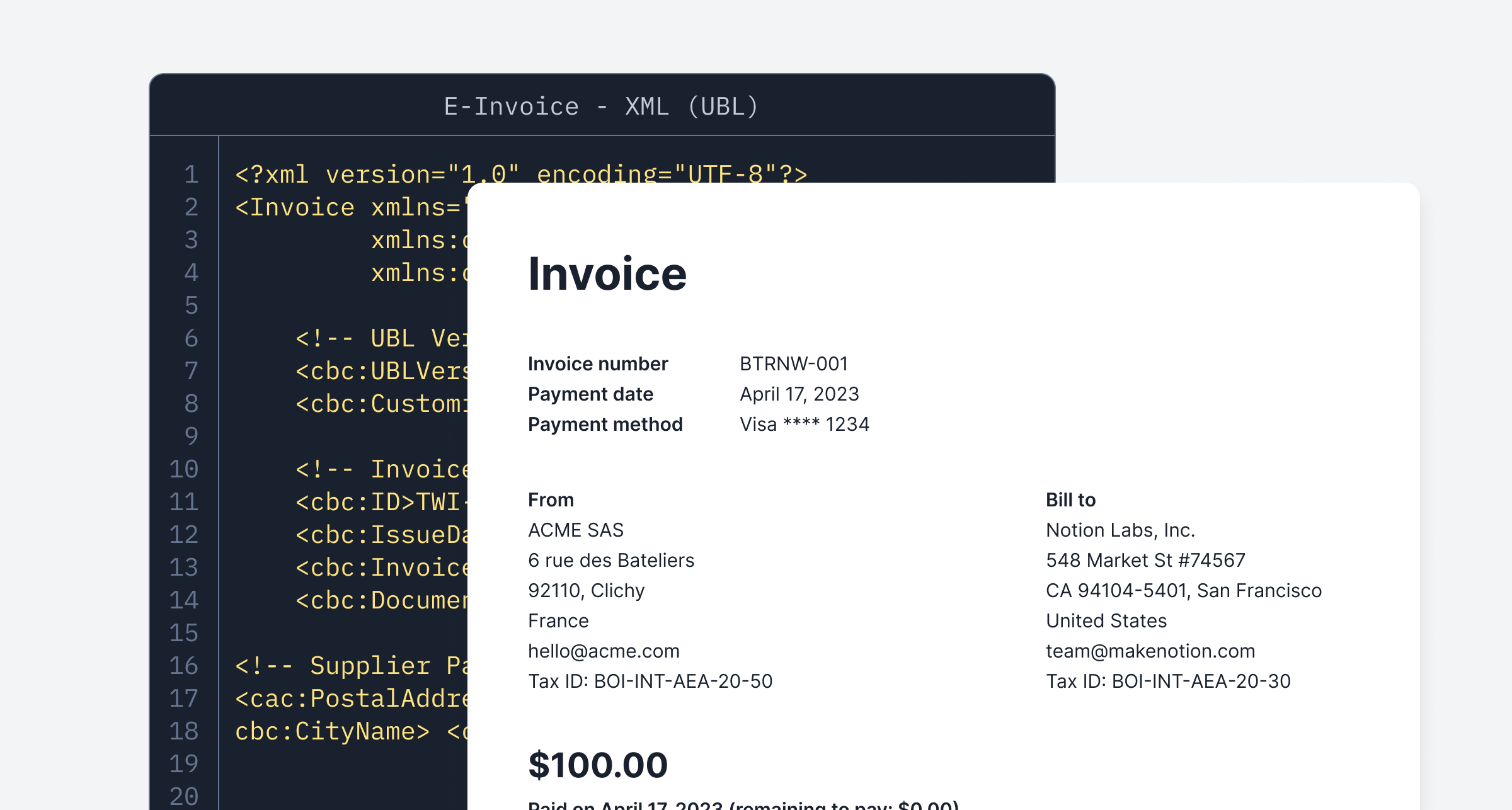 Lago now generates invoices in the correct formats required for **E-invoicing integrations**. The first fully supported jurisdiction is France 🇫🇷, and **adding new jurisdictions is straightforward through template updates or open source contributions**.
For invoices, credit notes, and payments, Lago now produces two documents:
* A hybrid PDF/A 3 with embedded XML using UN/CEFACT Cross Industry Invoice, suitable for human reading; and
* A pure XML file using UBL EN 16931, suitable for machine processing.
While Lago **does not handle automatic transmission to local authorities**, you can download all XML files and upload them to your jurisdiction portal.
Feel free to contact the team or submit an open source contribution, especially for jurisdictions that share similar formats with minor adjustments.
[Learn more](/guide/invoicing/e-invoicing/overview)
## New integration mapping per Lago Billing Entity
Lago now generates invoices in the correct formats required for **E-invoicing integrations**. The first fully supported jurisdiction is France 🇫🇷, and **adding new jurisdictions is straightforward through template updates or open source contributions**.
For invoices, credit notes, and payments, Lago now produces two documents:
* A hybrid PDF/A 3 with embedded XML using UN/CEFACT Cross Industry Invoice, suitable for human reading; and
* A pure XML file using UBL EN 16931, suitable for machine processing.
While Lago **does not handle automatic transmission to local authorities**, you can download all XML files and upload them to your jurisdiction portal.
Feel free to contact the team or submit an open source contribution, especially for jurisdictions that share similar formats with minor adjustments.
[Learn more](/guide/invoicing/e-invoicing/overview)
## New integration mapping per Lago Billing Entity
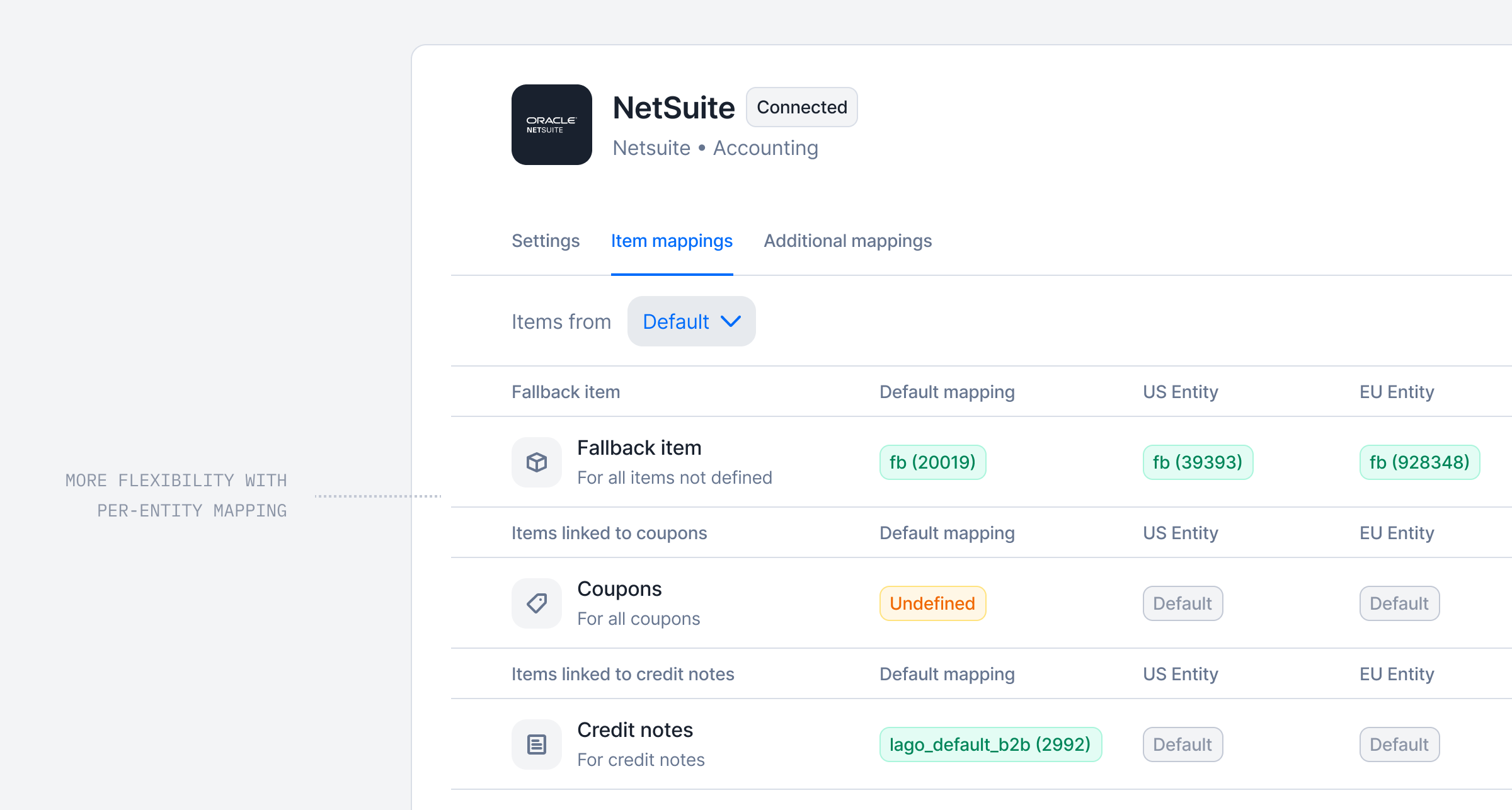 We enhanced how accounting and tax integrations are configured with Lago.
You can now **map product items and tax items at the Lago Entity level** across all your integrations.
This gives you precise control over how each Lago entity connects to external accounting or tax systems and ensures accurate data syncs for your team.
## Smarter Revenue Forecasts and Predictions with Lago
We enhanced how accounting and tax integrations are configured with Lago.
You can now **map product items and tax items at the Lago Entity level** across all your integrations.
This gives you precise control over how each Lago entity connects to external accounting or tax systems and ensures accurate data syncs for your team.
## Smarter Revenue Forecasts and Predictions with Lago
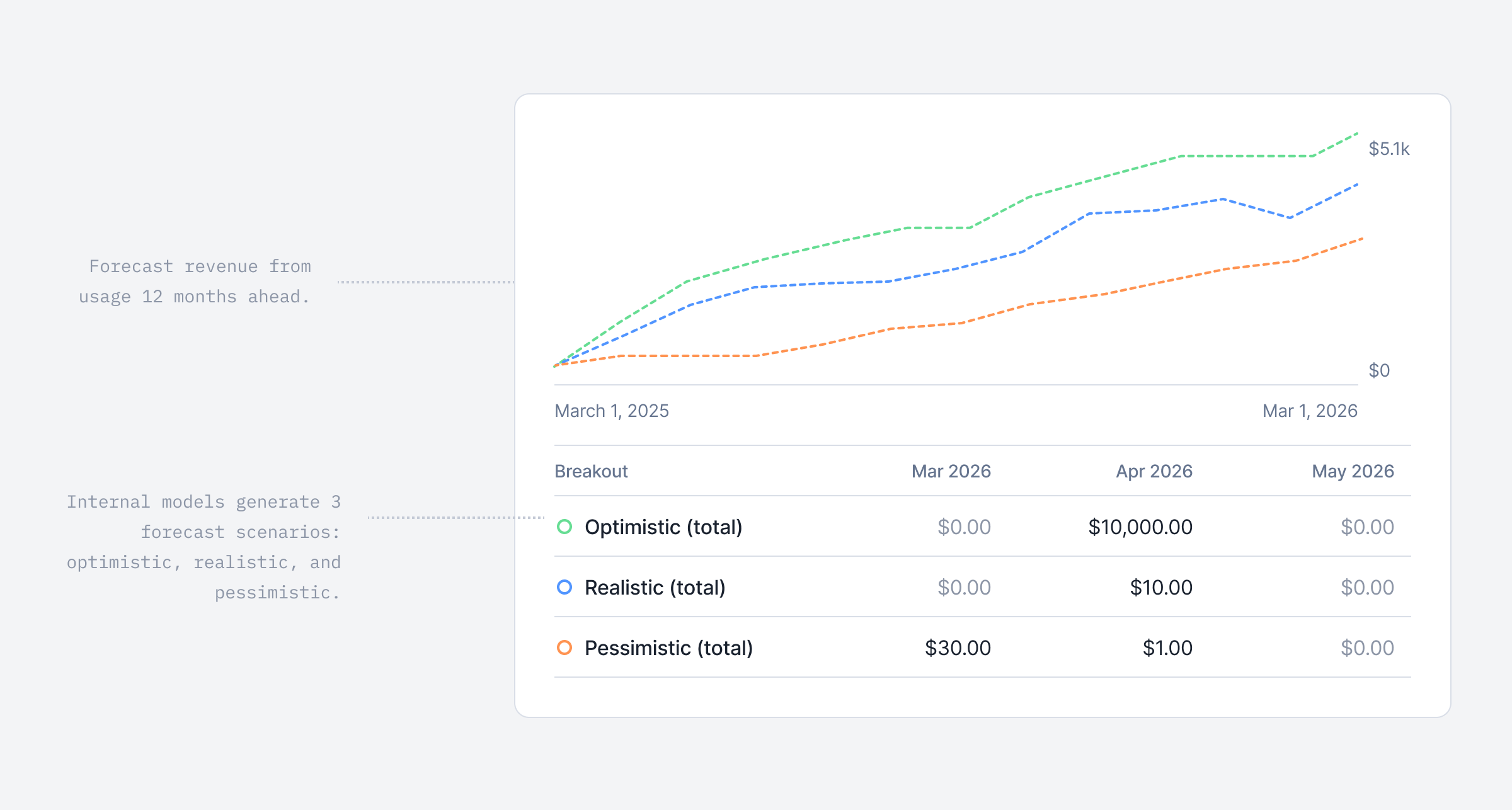 Forecasting revenue is notoriously challenging, especially for usage-based companies. Usage fluctuates over time, definitions of revenue vary from a company to another, and reliable prediction models are often missing.
At Lago, we set out to make this process easier!
We have introduced our first **ML model** to **forecast your usage-based revenue up to 12 months ahead**. The model provides **three scenarios**: **Realistic**, **Pessimistic**, and **Optimistic**, and regularly refines its predictions based on your invoiced usage data.
This feature is currently available for companies with at least six months of usage data in Lago to ensure optimal accuracy.
[Learn more](/guide/analytics/forecasted-usage)
## Find customers faster with new filters
Forecasting revenue is notoriously challenging, especially for usage-based companies. Usage fluctuates over time, definitions of revenue vary from a company to another, and reliable prediction models are often missing.
At Lago, we set out to make this process easier!
We have introduced our first **ML model** to **forecast your usage-based revenue up to 12 months ahead**. The model provides **three scenarios**: **Realistic**, **Pessimistic**, and **Optimistic**, and regularly refines its predictions based on your invoiced usage data.
This feature is currently available for companies with at least six months of usage data in Lago to ensure optimal accuracy.
[Learn more](/guide/analytics/forecasted-usage)
## Find customers faster with new filters
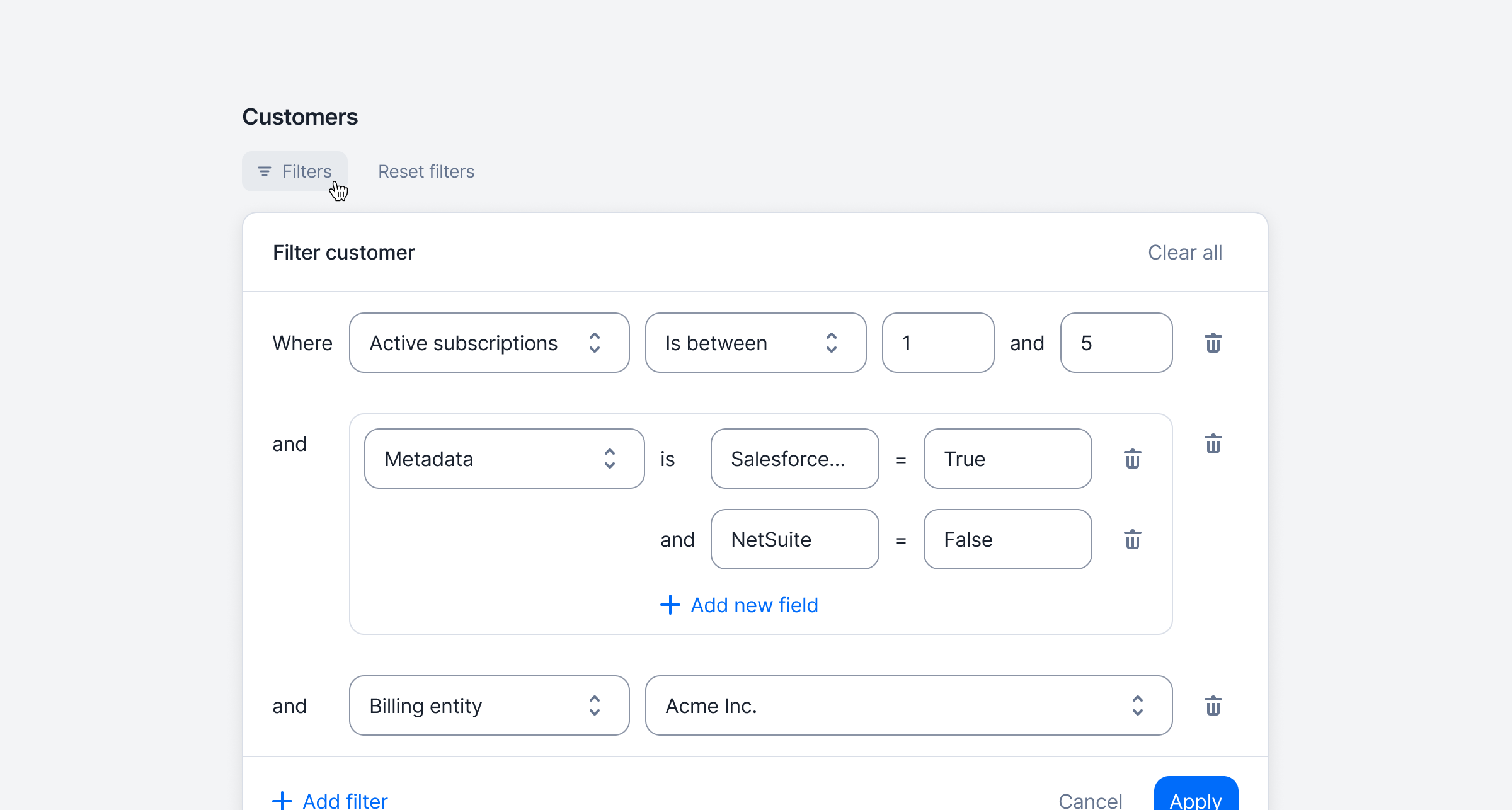 Quickly find the right customers by filtering your list (via API or UI) using metadata, active subscriptions, Tax ID, and more — making large datasets easier to navigate and act on.
[Learn more](/api-reference/customers/get-all?playground=open)
## Wallet transaction limits
Quickly find the right customers by filtering your list (via API or UI) using metadata, active subscriptions, Tax ID, and more — making large datasets easier to navigate and act on.
[Learn more](/api-reference/customers/get-all?playground=open)
## Wallet transaction limits
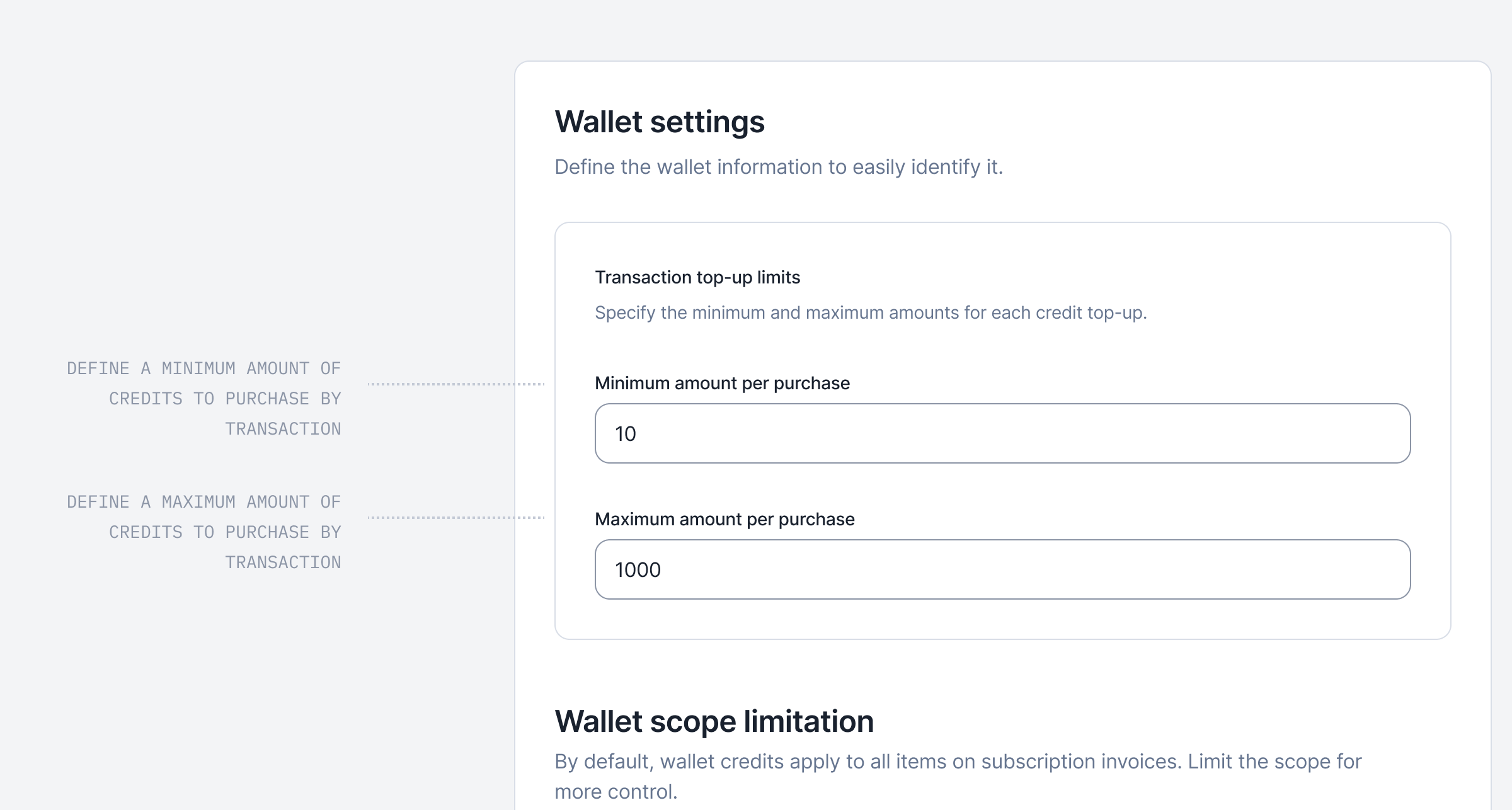 You can now define minimum and maximum amounts for each paid wallet transaction. Any top-up must stay within these boundaries; transactions below the minimum or above the maximum will be rejected. This ensures better control over wallet usage and prevents unexpected amounts being processed.
For added flexibility, you can bypass wallet transaction limits when needed. Overrides can be applied either by adding the `ignore_paid_top_up_limits` flag in the API payload or by enabling the Skip top-up limits for this transaction option in the UI. This applies to both one-off and recurring (automatic) top-ups.
[Learn more](/guide/wallet-and-prepaid-credits/overview#wallet-transaction-limits)
## Wallet transaction name
You can now define minimum and maximum amounts for each paid wallet transaction. Any top-up must stay within these boundaries; transactions below the minimum or above the maximum will be rejected. This ensures better control over wallet usage and prevents unexpected amounts being processed.
For added flexibility, you can bypass wallet transaction limits when needed. Overrides can be applied either by adding the `ignore_paid_top_up_limits` flag in the API payload or by enabling the Skip top-up limits for this transaction option in the UI. This applies to both one-off and recurring (automatic) top-ups.
[Learn more](/guide/wallet-and-prepaid-credits/overview#wallet-transaction-limits)
## Wallet transaction name
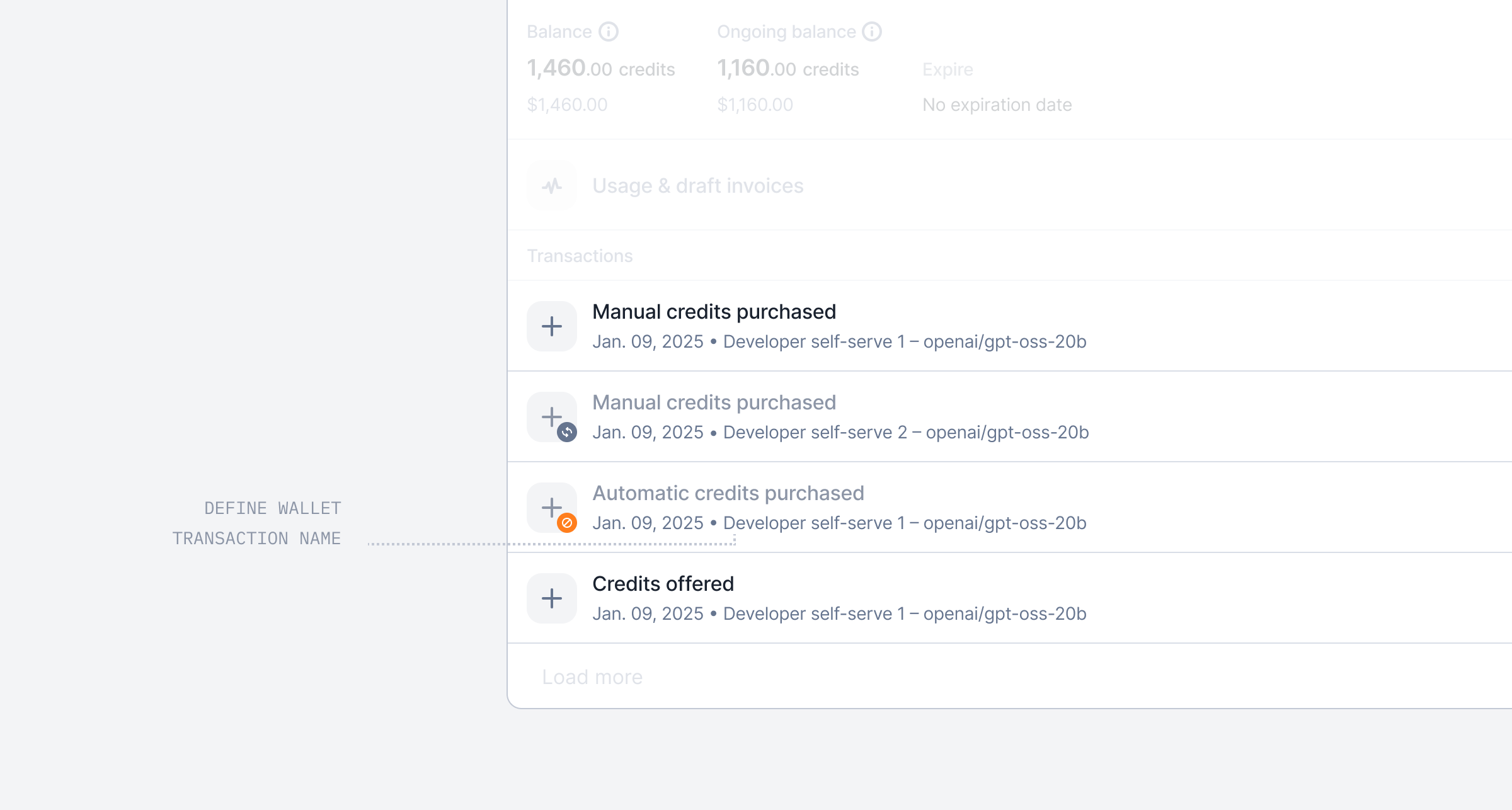 Add context to your invoices by naming wallet transactions — whether they come from a manual top-up or a recurring rule.
The transaction name now appears on prepaid credit purchase invoices.
[Learn more](/api-reference/wallets/top-up#body-wallet-transaction-name)
## Semiannual billing interval
Add context to your invoices by naming wallet transactions — whether they come from a manual top-up or a recurring rule.
The transaction name now appears on prepaid credit purchase invoices.
[Learn more](/api-reference/wallets/top-up#body-wallet-transaction-name)
## Semiannual billing interval
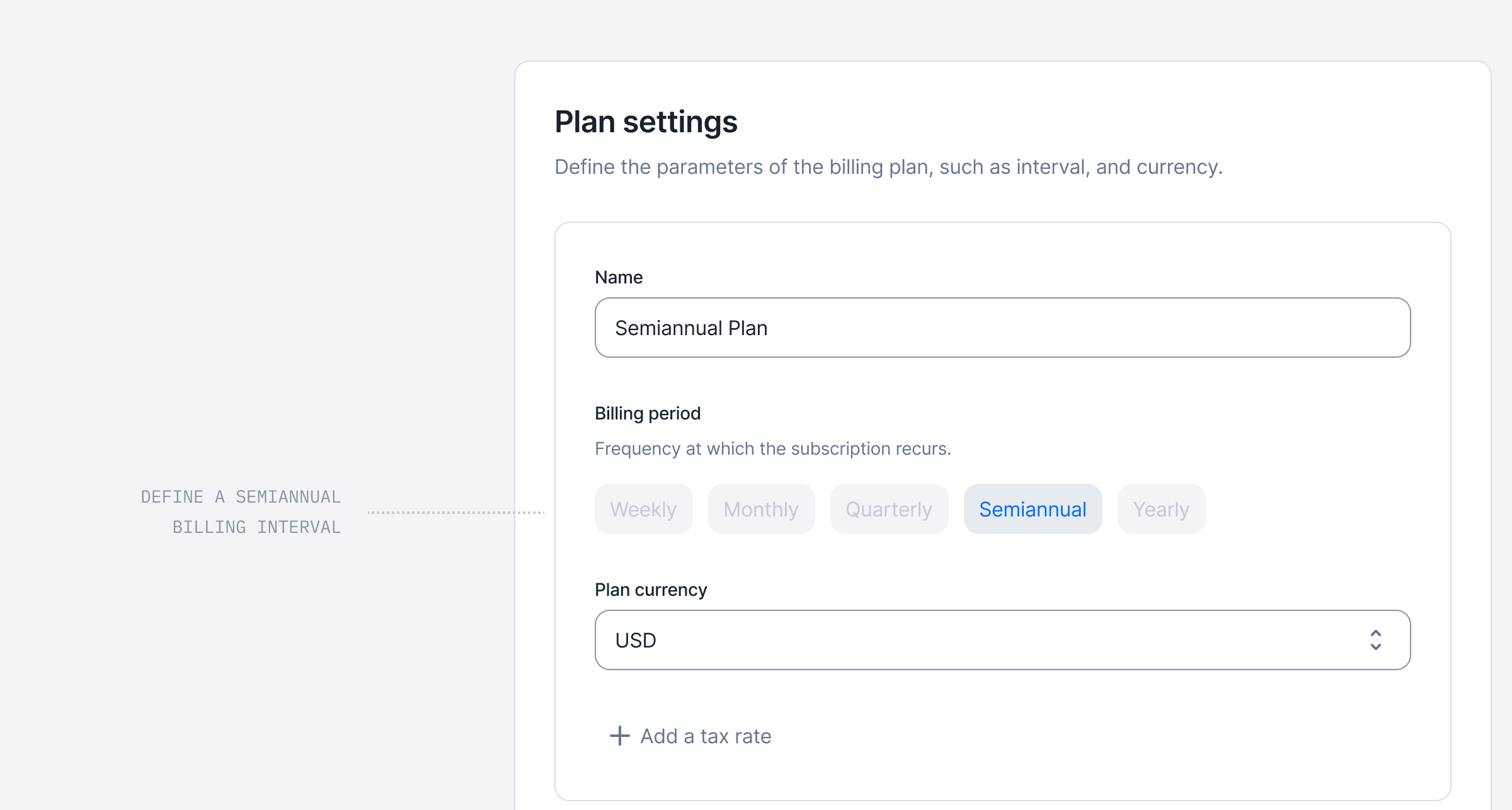 In addition to weekly, monthly, quarterly, and yearly billing intervals, subscriptions can now also be billed on a **semiannual** basis.
This new option also applies to recurring wallet top-ups, which can now be scheduled every 6 months.
[Learn more](/guide/plans/plan-model#plan-interval)
## Entitlements are now supported in Lago 🎉
In addition to weekly, monthly, quarterly, and yearly billing intervals, subscriptions can now also be billed on a **semiannual** basis.
This new option also applies to recurring wallet top-ups, which can now be scheduled every 6 months.
[Learn more](/guide/plans/plan-model#plan-interval)
## Entitlements are now supported in Lago 🎉
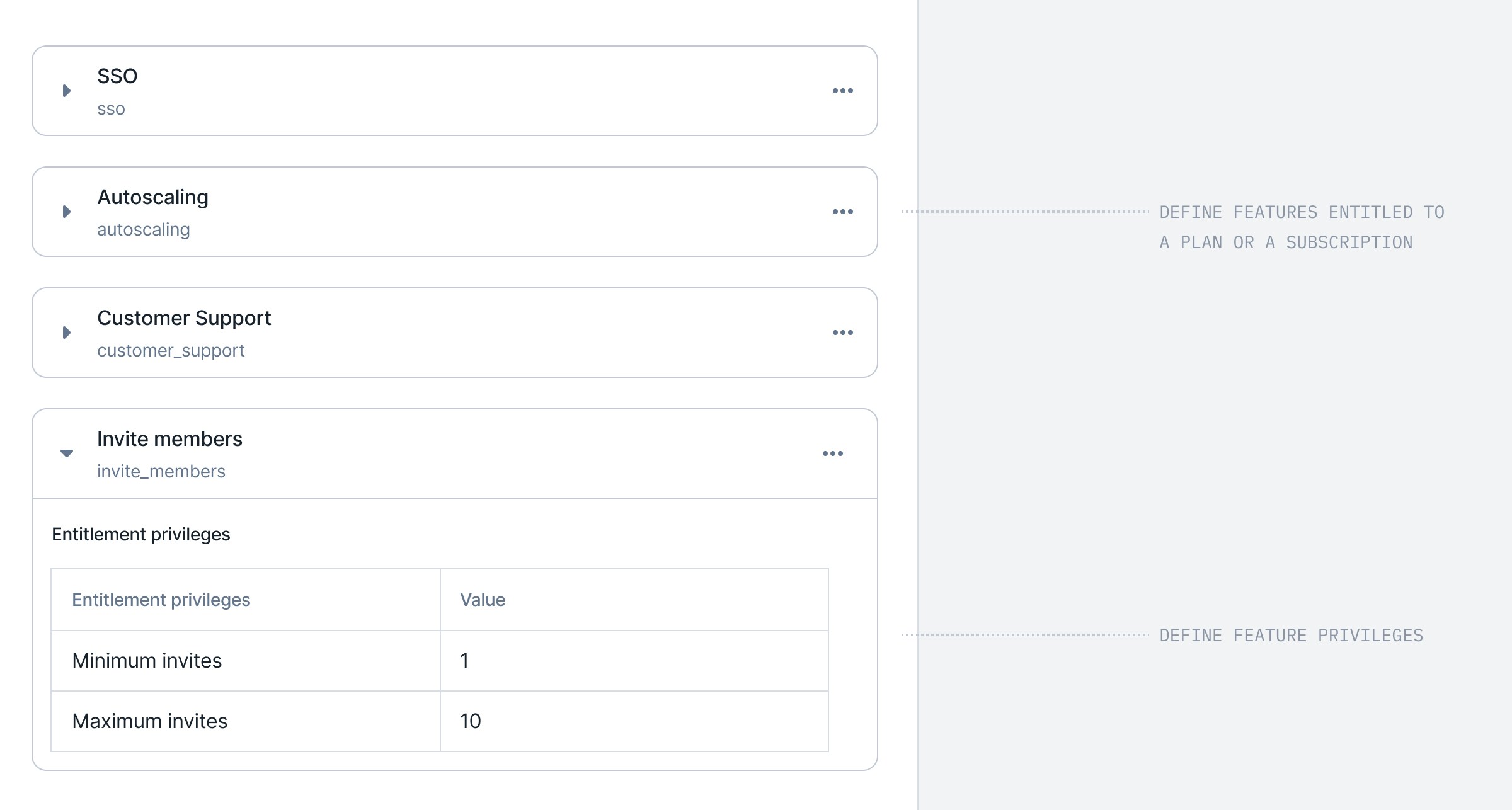 Until now, Lago supported subscriptions, discounts, prepaid credits, and usage-based charges. But one key piece was missing: **Entitlements**.
Entitlements are the features included in a plan or subscription that aren't usage-based, but still define what a customer can access. For example:
* On **Plan A**, a customer gets **Okta SSO** and can invite **up to 3 members**.
* On **Plan B**, another customer can invite **up to 10 members** and gets a **7-day log retention**.
Traditionally, billing and entitlements were managed separately. But they shouldn't be. They are two siblings. Two faces of the same coin. That's why, starting today, you can:
1. **Define features** directly in Lago.
2. Attach (**entitle**) them to plans.
3. **Override** them for individual subscriptions.
4. Create **feature-level privileges** that vary across plans.
With this release, entitlements become first-class citizens in Lago, right alongside subscriptions, metering and usage-based billing.
[Learn more](/guide/entitlements)
## Revenue streams dashboard improvements
Until now, Lago supported subscriptions, discounts, prepaid credits, and usage-based charges. But one key piece was missing: **Entitlements**.
Entitlements are the features included in a plan or subscription that aren't usage-based, but still define what a customer can access. For example:
* On **Plan A**, a customer gets **Okta SSO** and can invite **up to 3 members**.
* On **Plan B**, another customer can invite **up to 10 members** and gets a **7-day log retention**.
Traditionally, billing and entitlements were managed separately. But they shouldn't be. They are two siblings. Two faces of the same coin. That's why, starting today, you can:
1. **Define features** directly in Lago.
2. Attach (**entitle**) them to plans.
3. **Override** them for individual subscriptions.
4. Create **feature-level privileges** that vary across plans.
With this release, entitlements become first-class citizens in Lago, right alongside subscriptions, metering and usage-based billing.
[Learn more](/guide/entitlements)
## Revenue streams dashboard improvements
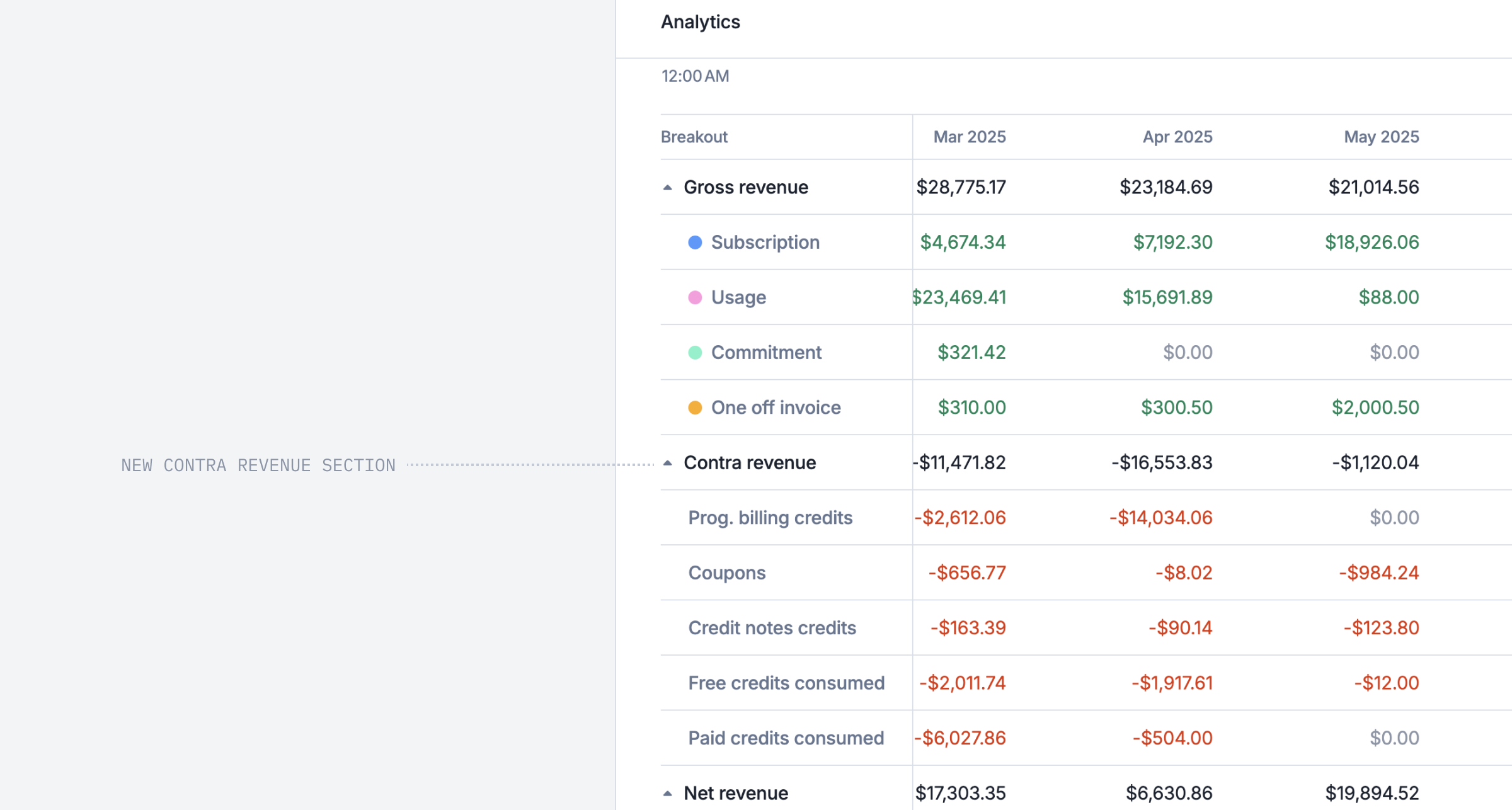 We've made some improvements to the Revenue Streams dashboard to make it more intuitive, espeicially for the gross vs net revenue calculation. We now display the contra revenue, including coupons, discounts, and credits.
[Learn more](/guide/analytics/revenue-streams)
## Set service periods on one-off line items
We've made some improvements to the Revenue Streams dashboard to make it more intuitive, espeicially for the gross vs net revenue calculation. We now display the contra revenue, including coupons, discounts, and credits.
[Learn more](/guide/analytics/revenue-streams)
## Set service periods on one-off line items
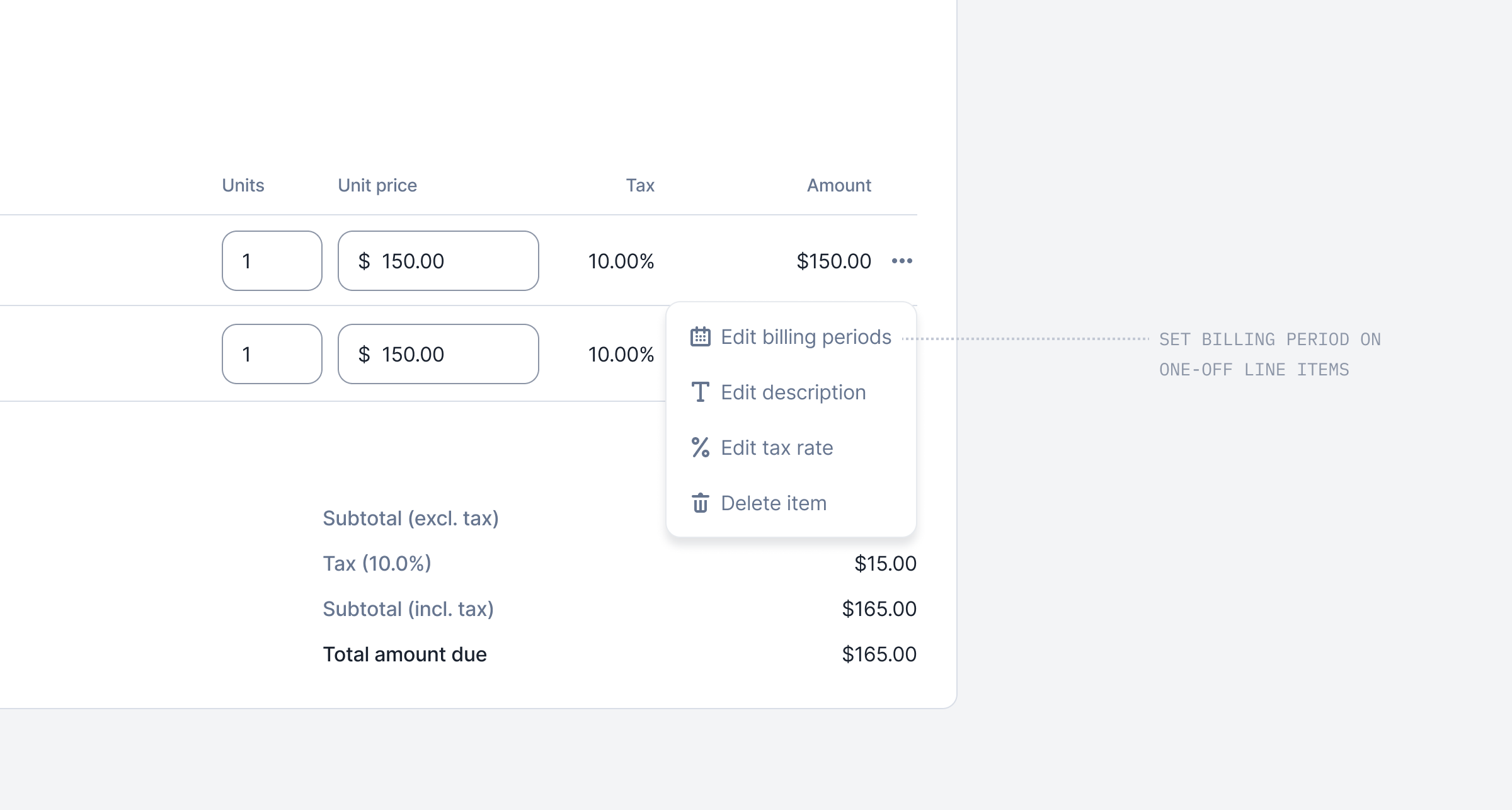 You can now define a service period for one-off line items. Instead of recognizing them on a single date, they can cover a period — in the past, starting today, or in the future.
This gives you full flexibility to set the billing boundaries you need, for each line item individually.
[Learn more](/guide/one-off-invoices/create-one-off-invoices)
## Terminate subscriptions without unwanted credit notes
You can now define a service period for one-off line items. Instead of recognizing them on a single date, they can cover a period — in the past, starting today, or in the future.
This gives you full flexibility to set the billing boundaries you need, for each line item individually.
[Learn more](/guide/one-off-invoices/create-one-off-invoices)
## Terminate subscriptions without unwanted credit notes
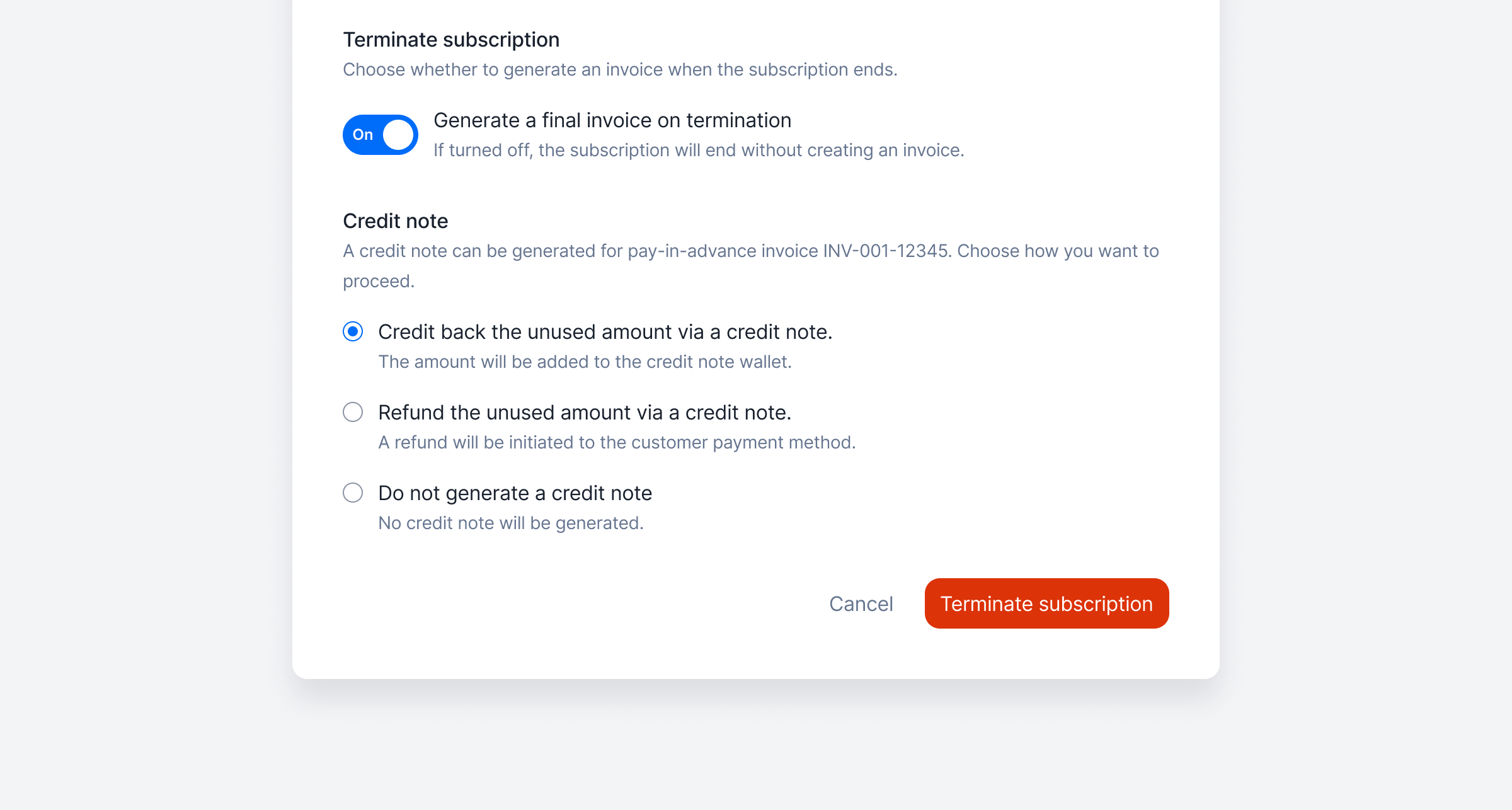 By default, Lago issues a credit note when you terminate a **pay-in-advance** subscription. Now, you decide what happens: skip the credit note, credit the unused amount, or refund it.
No more cleaning up credit notes that were never meant to be sent — just pick the right option in the termination dialog.
[Learn more](/guide/subscriptions/terminate-subscription#generate-a-closing-credit-note-at-subscription-termination)
## Do not generate invoice at subscription termination
By default, Lago issues a credit note when you terminate a **pay-in-advance** subscription. Now, you decide what happens: skip the credit note, credit the unused amount, or refund it.
No more cleaning up credit notes that were never meant to be sent — just pick the right option in the termination dialog.
[Learn more](/guide/subscriptions/terminate-subscription#generate-a-closing-credit-note-at-subscription-termination)
## Do not generate invoice at subscription termination
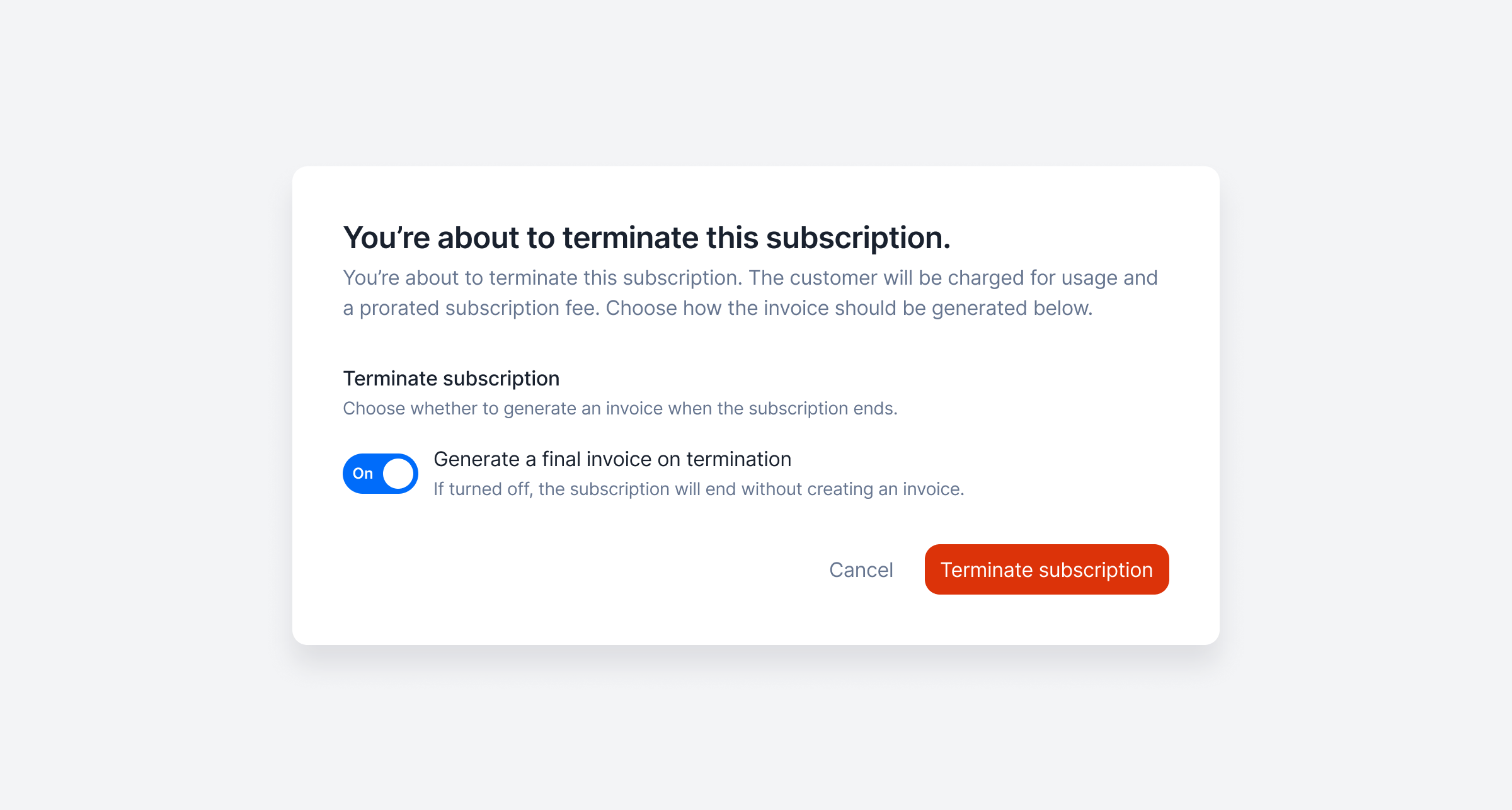 Created a subscription by mistake? You can now terminate it **without generating a closing invoice**, so you don’t have to deal with invoices that were never meant to exist.
Just pick the option in the termination dialog — and we’ll skip creating it.
[Learn more](/guide/subscriptions/terminate-subscription#generate-a-closing-invoice-at-subscription-termination)
## Display the projected usage of your customers
Created a subscription by mistake? You can now terminate it **without generating a closing invoice**, so you don’t have to deal with invoices that were never meant to exist.
Just pick the option in the termination dialog — and we’ll skip creating it.
[Learn more](/guide/subscriptions/terminate-subscription#generate-a-closing-invoice-at-subscription-termination)
## Display the projected usage of your customers
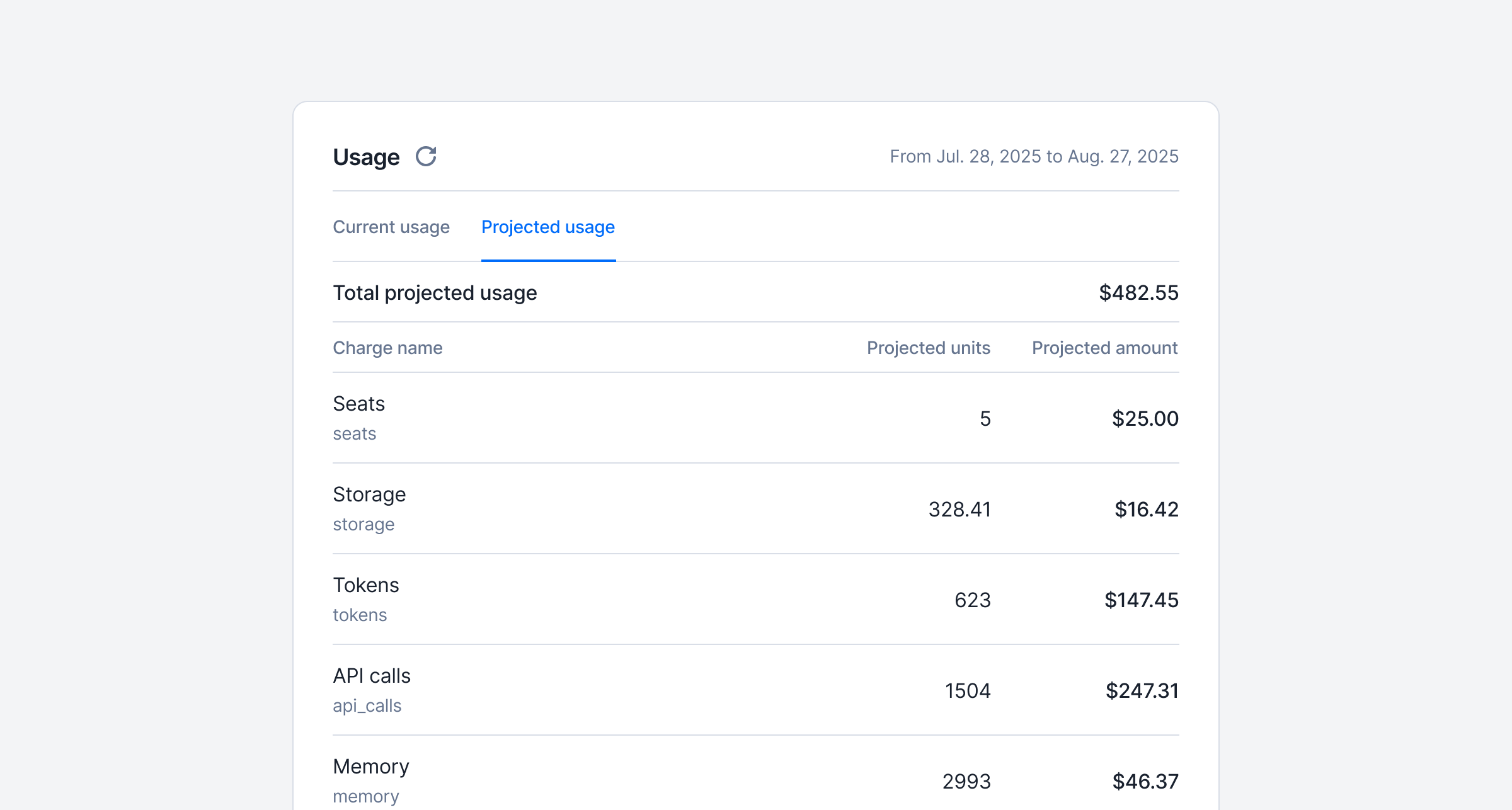 Give your customers visibility into their upcoming bills, before the invoice drops.
With the new Projected Usage endpoint, you can help users estimate their final usage and costs for the current billing period, based on real-time consumption trends.
Perfect for:
1. Displaying projected costs inside your app
2. Give customers visibility into their upcoming bills
3. Helping customers stay in control of their spend
Built on the same engine as the [current usage endpoint](../../api-reference/customer-usage/get-current), it ensures consistent and trustworthy projections.
[Learn more](/guide/events/retrieve-usage#retrieve-projected-usage)
## Regenerate voided invoices
Give your customers visibility into their upcoming bills, before the invoice drops.
With the new Projected Usage endpoint, you can help users estimate their final usage and costs for the current billing period, based on real-time consumption trends.
Perfect for:
1. Displaying projected costs inside your app
2. Give customers visibility into their upcoming bills
3. Helping customers stay in control of their spend
Built on the same engine as the [current usage endpoint](../../api-reference/customer-usage/get-current), it ensures consistent and trustworthy projections.
[Learn more](/guide/events/retrieve-usage#retrieve-projected-usage)
## Regenerate voided invoices
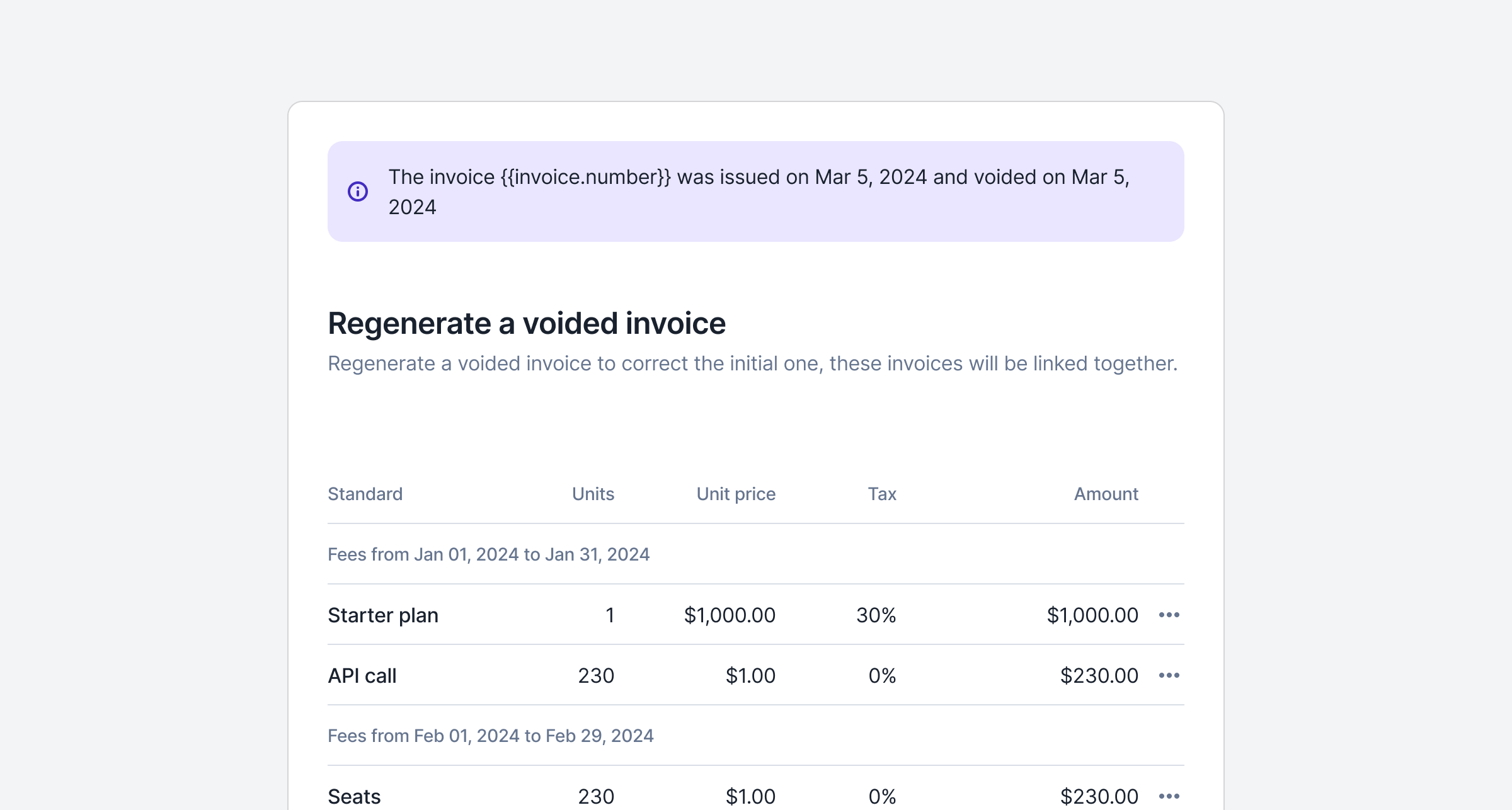 We've just made it easier to **fix and reissue invoices** — no more starting from scratch. With our new **"Regenerate Voided Invoice"** feature, you can now recreate a voided invoice directly from the UI in just a few clicks.
The original line items and fees are pre-filled for convenience, and you can still make changes such as adjusting quantities or updating amounts before sending it out. The regenerated invoice remains linked to the original one, ensuring full traceability for your accounting records.
And the cherry on top 🍒: you now have **multiple refund options when voiding an invoice**, giving you greater flexibility based on the payment method and accounting preferences.
[Learn more](/guide/invoicing/void#regenerate-a-voided-invoice)
## Limit prepaid credits to specific billable metrics
We've just made it easier to **fix and reissue invoices** — no more starting from scratch. With our new **"Regenerate Voided Invoice"** feature, you can now recreate a voided invoice directly from the UI in just a few clicks.
The original line items and fees are pre-filled for convenience, and you can still make changes such as adjusting quantities or updating amounts before sending it out. The regenerated invoice remains linked to the original one, ensuring full traceability for your accounting records.
And the cherry on top 🍒: you now have **multiple refund options when voiding an invoice**, giving you greater flexibility based on the payment method and accounting preferences.
[Learn more](/guide/invoicing/void#regenerate-a-voided-invoice)
## Limit prepaid credits to specific billable metrics
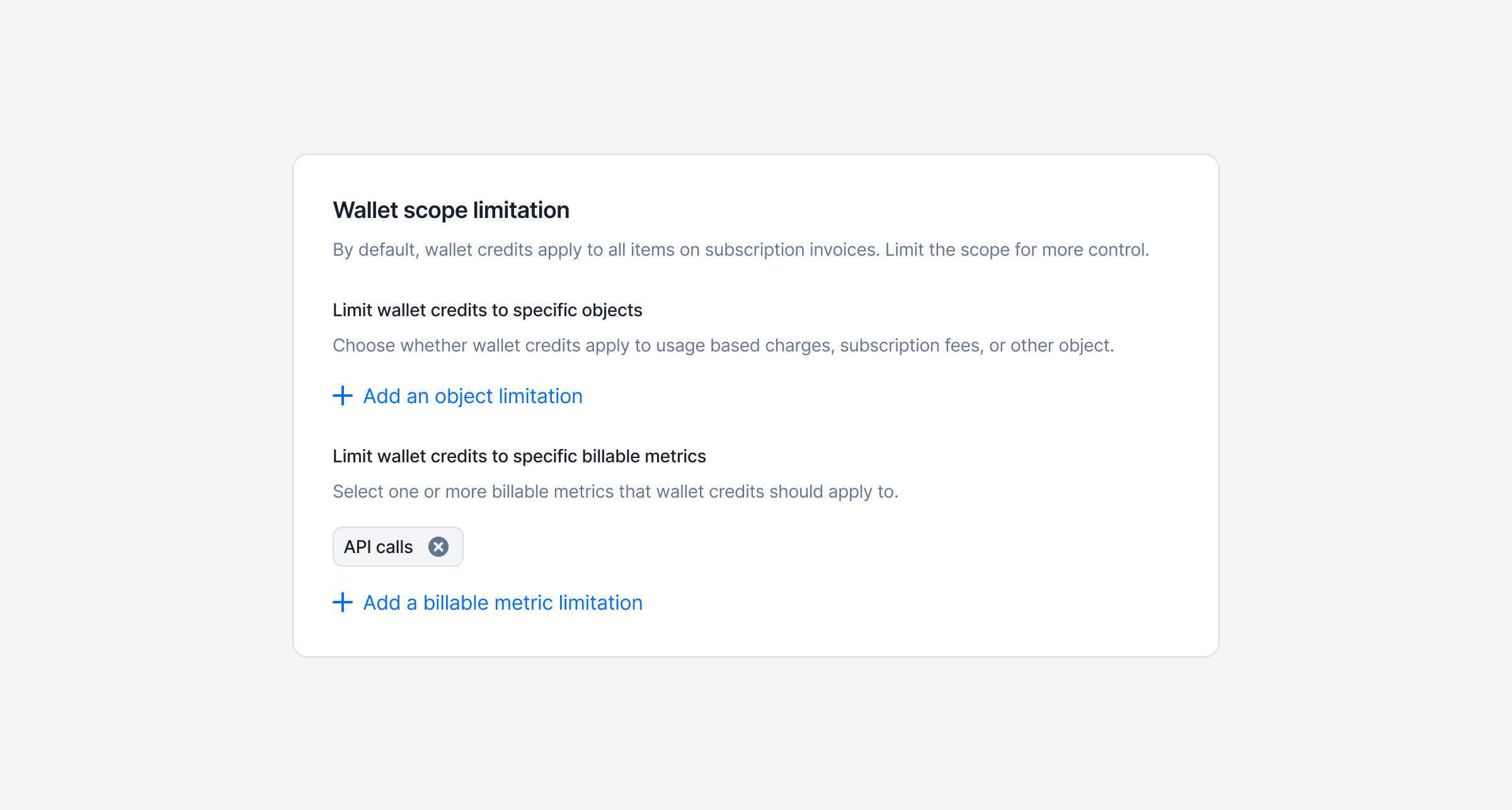 If you're offering prepaid credits, great, you're riding the AI wave! But not all usage should be tied to credits. Some metrics are better off billed the old-fashioned way: with traditional payment methods.
What's new? You can now choose which metrics are deducted from prepaid credits, and which ones are billed separately using other payment methods.
This gives you more control over your pricing strategy and helps align billing with your product's value delivery.
[Learn more](/guide/wallet-and-prepaid-credits/overview#application-scope)
## Get payment links for pending invoices
If you're offering prepaid credits, great, you're riding the AI wave! But not all usage should be tied to credits. Some metrics are better off billed the old-fashioned way: with traditional payment methods.
What's new? You can now choose which metrics are deducted from prepaid credits, and which ones are billed separately using other payment methods.
This gives you more control over your pricing strategy and helps align billing with your product's value delivery.
[Learn more](/guide/wallet-and-prepaid-credits/overview#application-scope)
## Get payment links for pending invoices
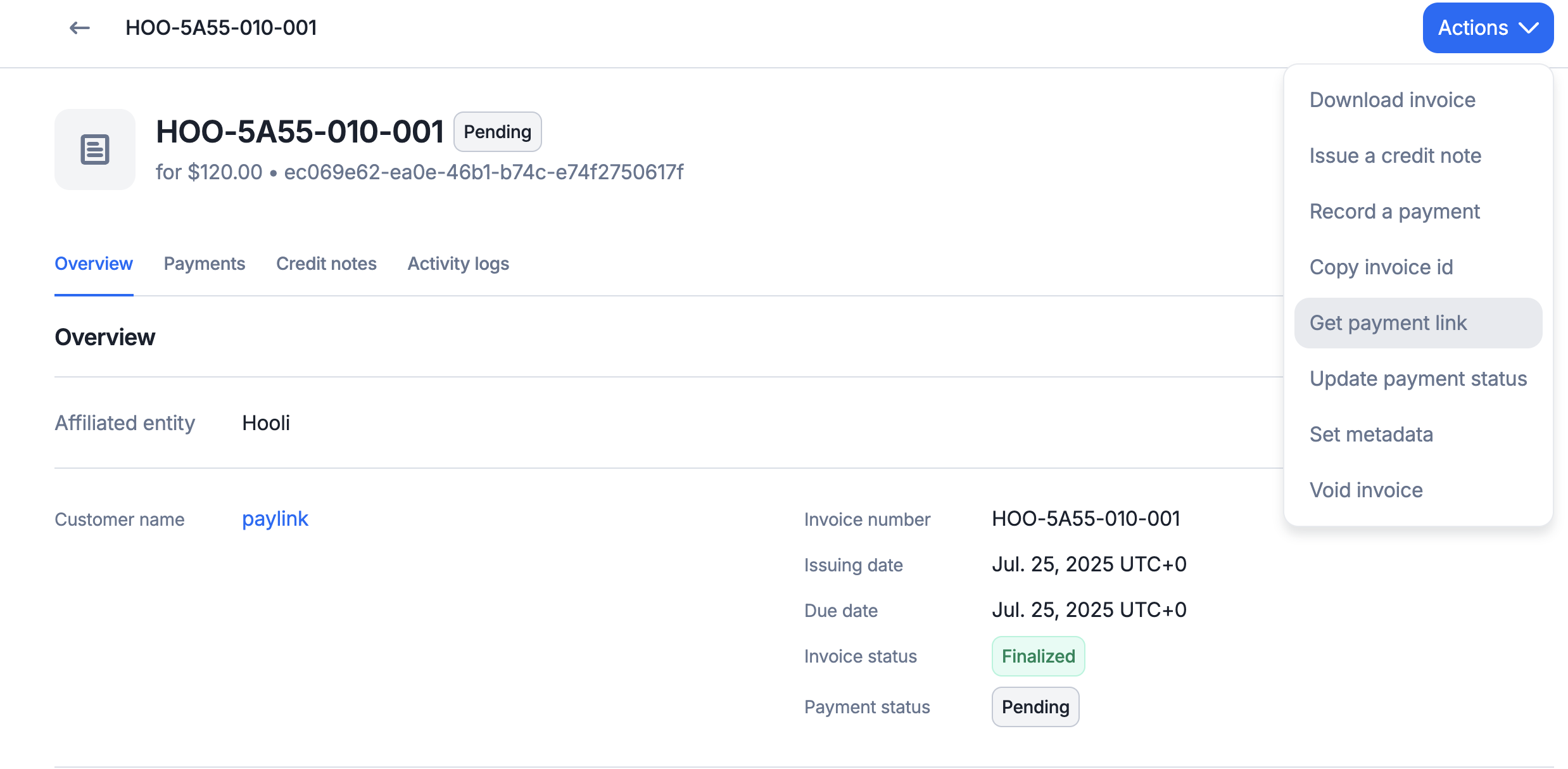 You're not a technical user, but your customer is asking for a way to pay an invoice generated through Lago. No worries, it's easy! Just click the “Get payment link” button to generate a secure checkout link you can share.
## Custom pricing units for more flexible billing!
You're not a technical user, but your customer is asking for a way to pay an invoice generated through Lago. No worries, it's easy! Just click the “Get payment link” button to generate a secure checkout link you can share.
## Custom pricing units for more flexible billing!
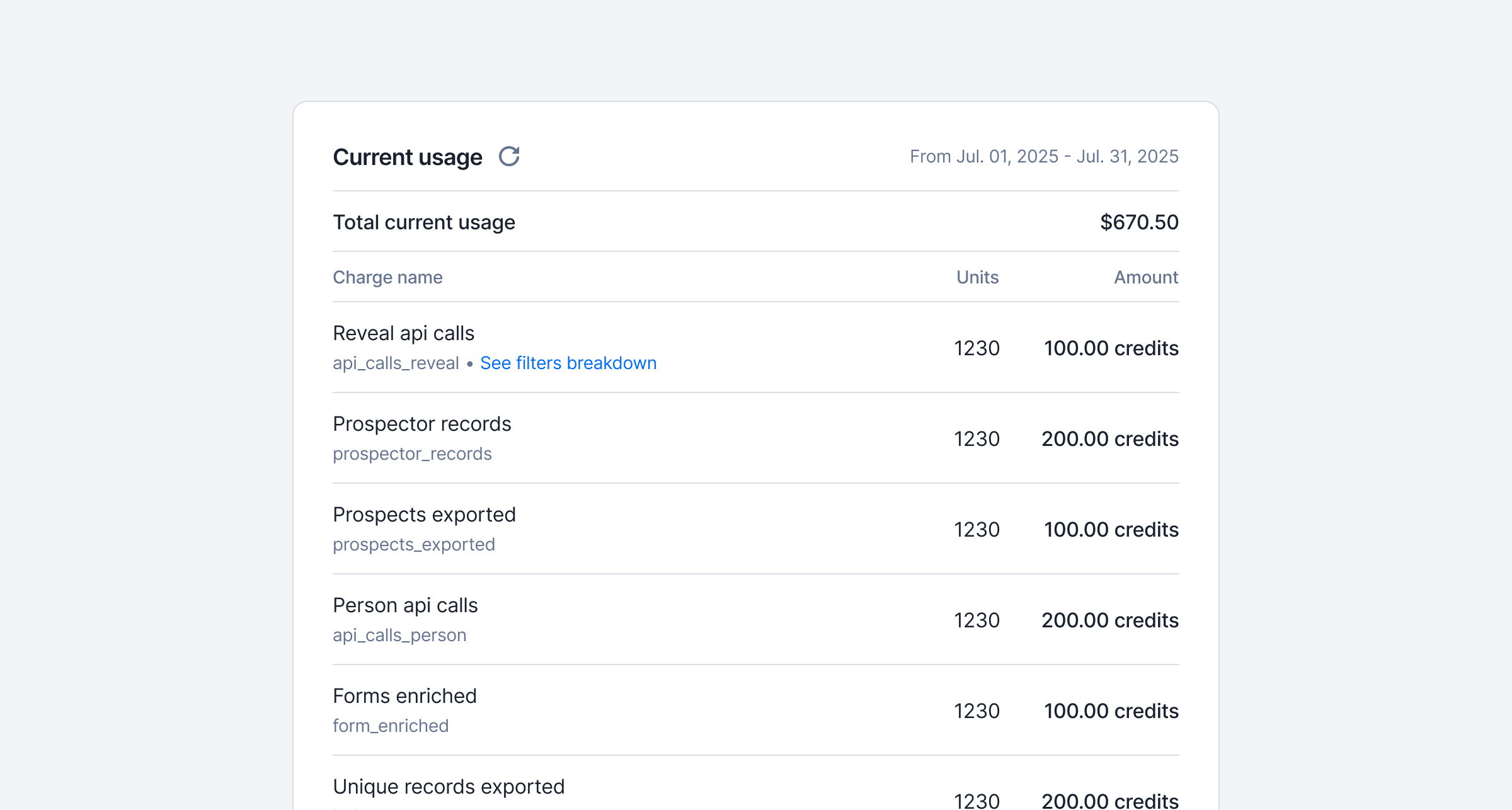 You can now express charges in **pricing units** like `credits` or `tokens` — not just fiat currency.
This gives you more flexibility to align your pricing with how your product delivers value. You can now:
* **Create pricing units** (e.g., tks, cdt) from your settings.
* **Define charges** in pricing units within a plan, with a **conversion rate** back to fiat for accurate invoicing.
* **Track usage** in both fiat and pricing units.
* **Generate invoices** that show both values, while ensuring billing in fiat stays consistent.
* **Use pricing units independently or alongside wallets** — they don’t interfere with each other.
[Learn more](/guide/plans/custom-pricing-units)
## Enforce login methods per organization
You can now express charges in **pricing units** like `credits` or `tokens` — not just fiat currency.
This gives you more flexibility to align your pricing with how your product delivers value. You can now:
* **Create pricing units** (e.g., tks, cdt) from your settings.
* **Define charges** in pricing units within a plan, with a **conversion rate** back to fiat for accurate invoicing.
* **Track usage** in both fiat and pricing units.
* **Generate invoices** that show both values, while ensuring billing in fiat stays consistent.
* **Use pricing units independently or alongside wallets** — they don’t interfere with each other.
[Learn more](/guide/plans/custom-pricing-units)
## Enforce login methods per organization
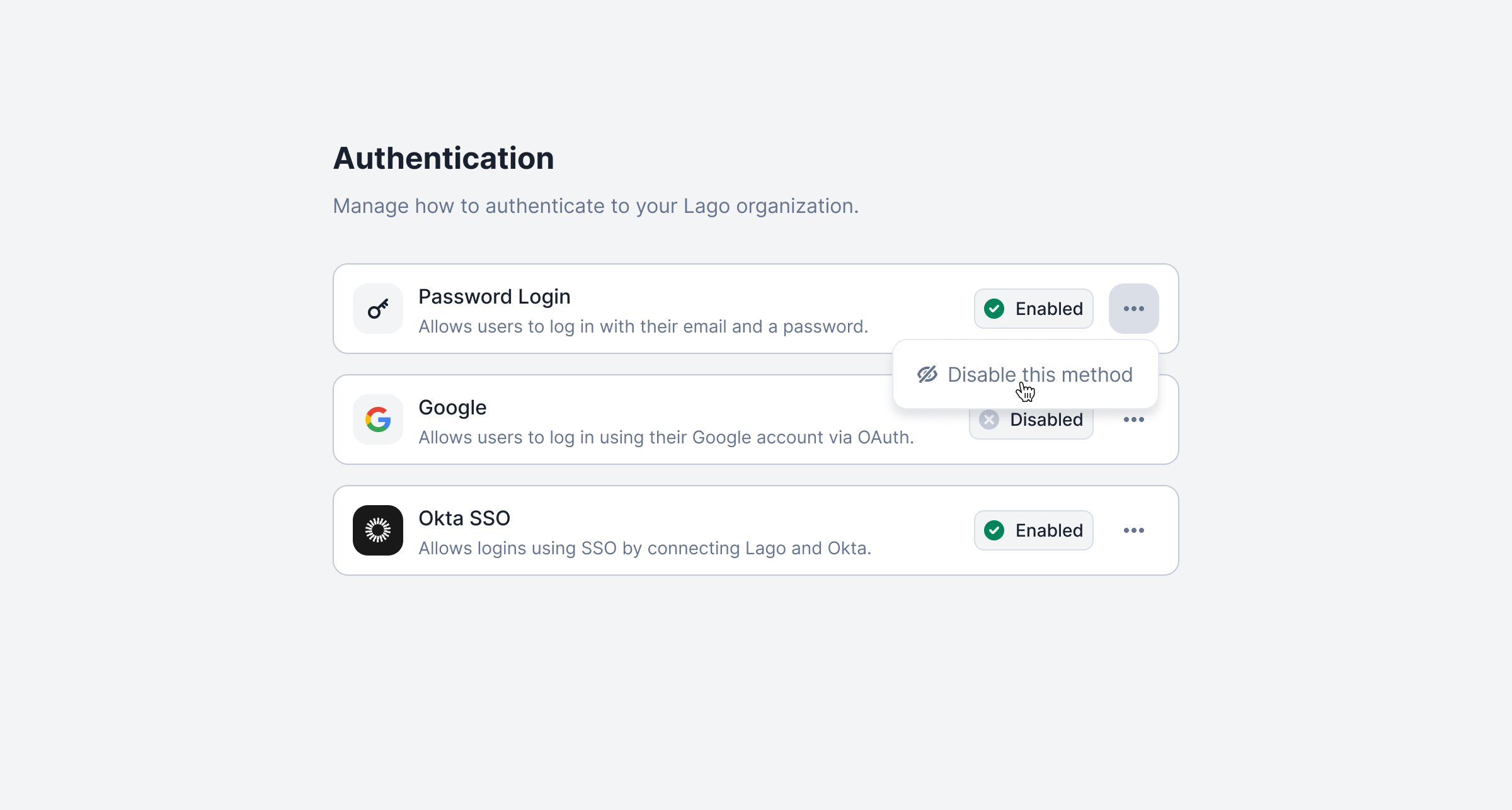 You can now customize which login methods are allowed for each organization — including requiring SSO (e.g. Okta) while disabling others like email/password or Google.
This ensures better security and compliance for teams with strict authentication requirements.
➡️ Head to Settings → Authentication to configure allowed methods.
[Learn more](/guide/security/sso#login-method-enforcement)
## New navigation bar
You can now customize which login methods are allowed for each organization — including requiring SSO (e.g. Okta) while disabling others like email/password or Google.
This ensures better security and compliance for teams with strict authentication requirements.
➡️ Head to Settings → Authentication to configure allowed methods.
[Learn more](/guide/security/sso#login-method-enforcement)
## New navigation bar
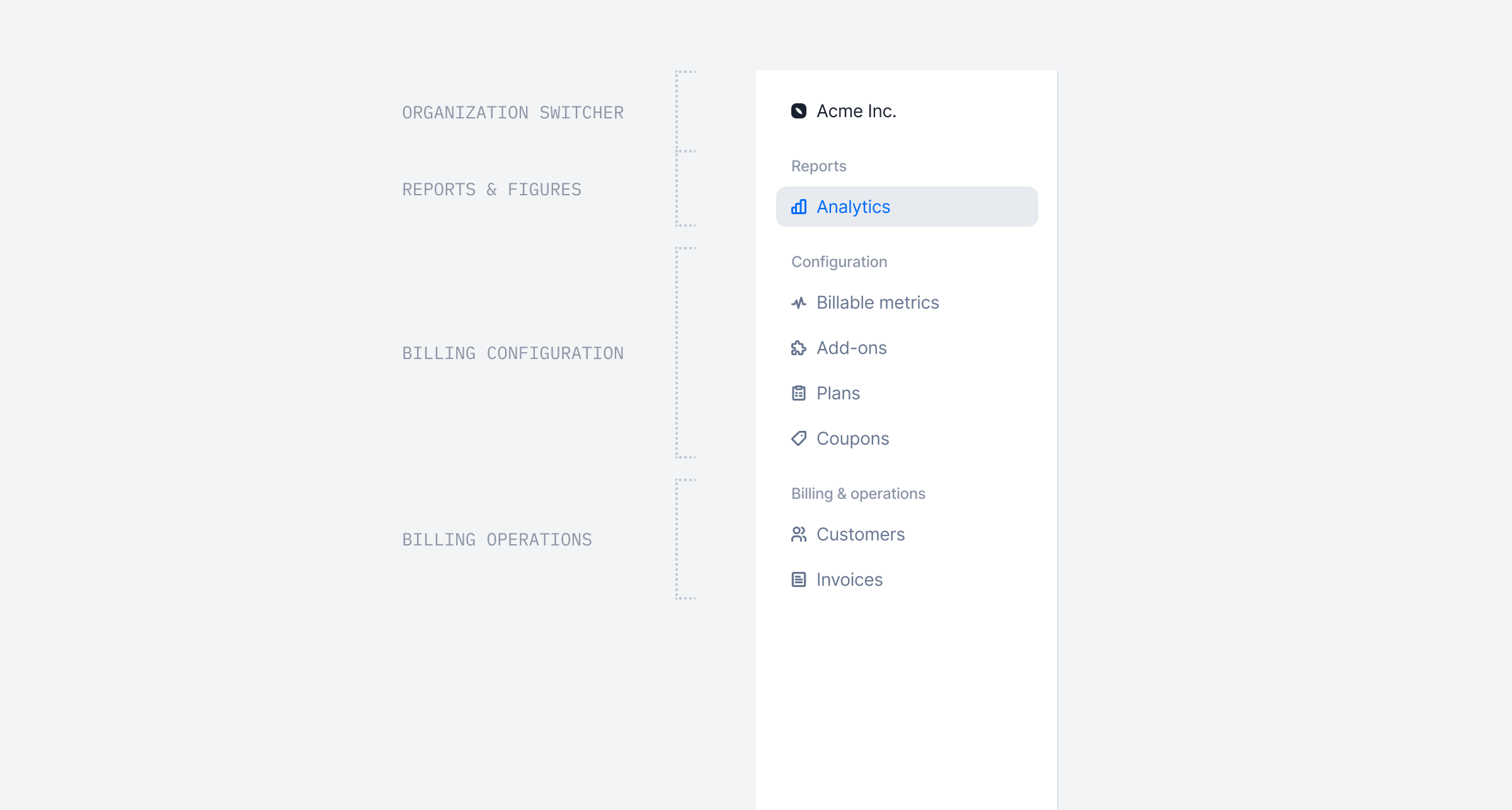 July is here, and the sun is knocking on our door!
We’ve redesigned the navigation bar to make it more intuitive and easier to use.
This new navigation will give you access to even more features — but shhh… they’re not ready to launch just yet 🤫
## Track API requests with API Logs
July is here, and the sun is knocking on our door!
We’ve redesigned the navigation bar to make it more intuitive and easier to use.
This new navigation will give you access to even more features — but shhh… they’re not ready to launch just yet 🤫
## Track API requests with API Logs
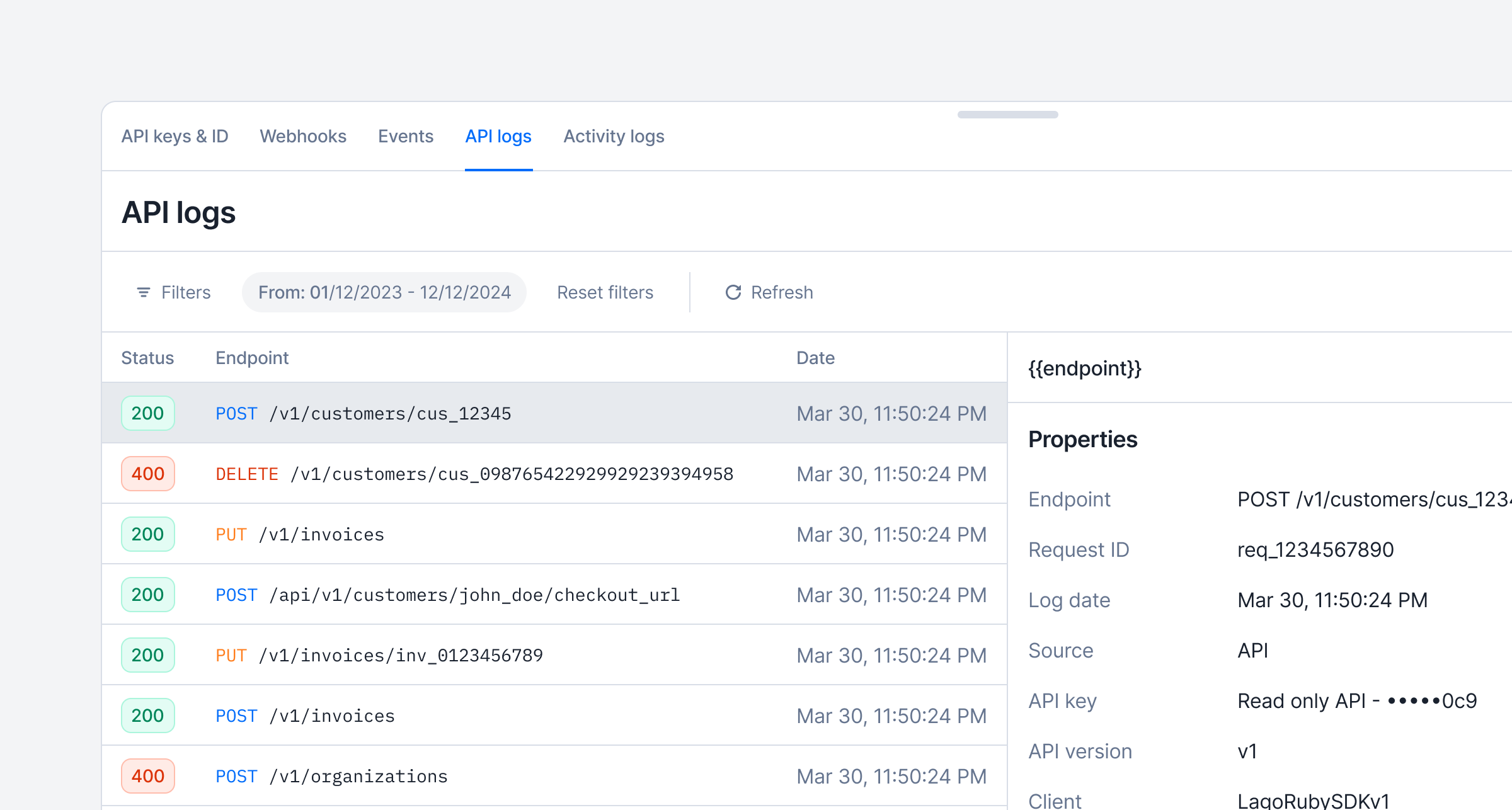 ❓'Which endpoints have been used?'
❓❓'Which requests are failing?'
❓❓❓'Which API client triggered this request?'
API logs offer a comprehensive record of all API requests and calls made within your organization. They serve as an essential tool for monitoring activity, troubleshooting issues, and auditing system usage.
[Learn more](/guide/security/audit-logs#api-logs)
## Pricing group keys
❓'Which endpoints have been used?'
❓❓'Which requests are failing?'
❓❓❓'Which API client triggered this request?'
API logs offer a comprehensive record of all API requests and calls made within your organization. They serve as an essential tool for monitoring activity, troubleshooting issues, and auditing system usage.
[Learn more](/guide/security/audit-logs#api-logs)
## Pricing group keys
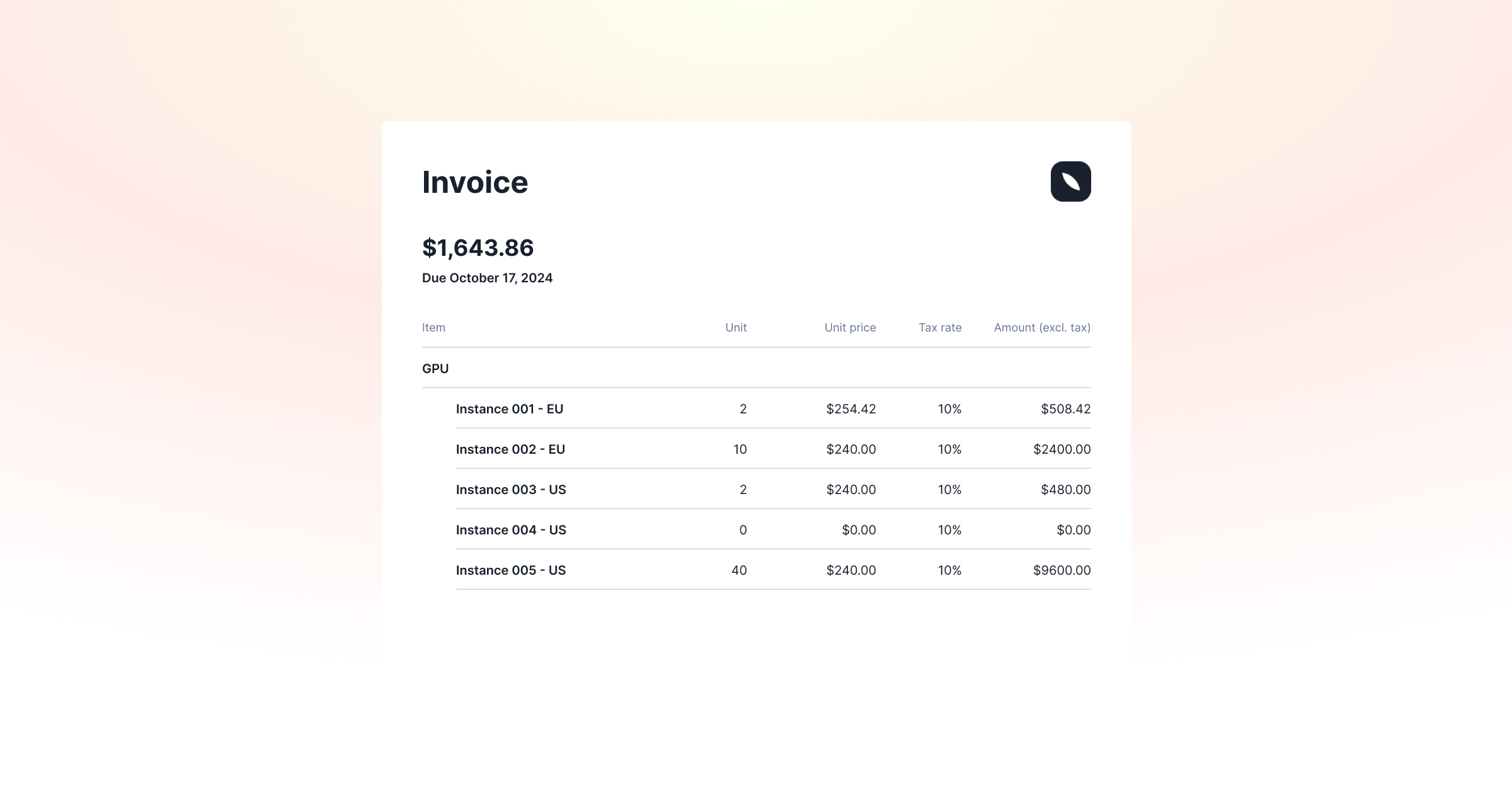 **Launch Week IV, Day 5: Pricing Group Keys**
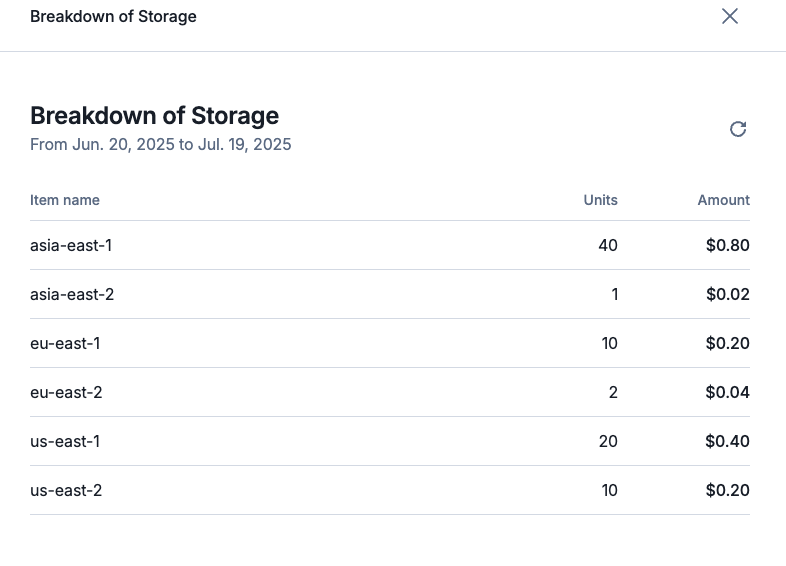
AI and infrastructure platforms often tailor pricing based on variables such as geography, hosting provider, or service tier. Lago's Pricing Group Keys offer a streamlined way to support this kind of dynamic pricing without duplicating product definitions.
With pricing group keys, you can group usage events to a single product based on configurable dimensions—like cloud provider, model type, deployment region, or instance class. This allows you to reflect real-world cost variations while keeping your product catalog clean and manageable.
When setting up a charge, you define the relevant keys. You don't need to predefine every possible value. Instead, Lago intelligently routes each usage event to the correct pricing group based on the attributes provided at runtime.
**Launch Week IV, Day 5: Pricing Group Keys**
AI and infrastructure platforms often tailor pricing based on variables such as geography, hosting provider, or service tier. Lago's Pricing Group Keys offer a streamlined way to support this kind of dynamic pricing without duplicating product definitions.
With pricing group keys, you can group usage events to a single product based on configurable dimensions—like cloud provider, model type, deployment region, or instance class. This allows you to reflect real-world cost variations while keeping your product catalog clean and manageable.
When setting up a charge, you define the relevant keys. You don't need to predefine every possible value. Instead, Lago intelligently routes each usage event to the correct pricing group based on the attributes provided at runtime.
 [Learn more](/guide/plans/charges/grouping#pricing-group-keys)
## Prepaid credits limited to specific charges
[Learn more](/guide/plans/charges/grouping#pricing-group-keys)
## Prepaid credits limited to specific charges
 **Launch Week IV, Day 4: Restrict Prepaid Credits to Specific Charges**
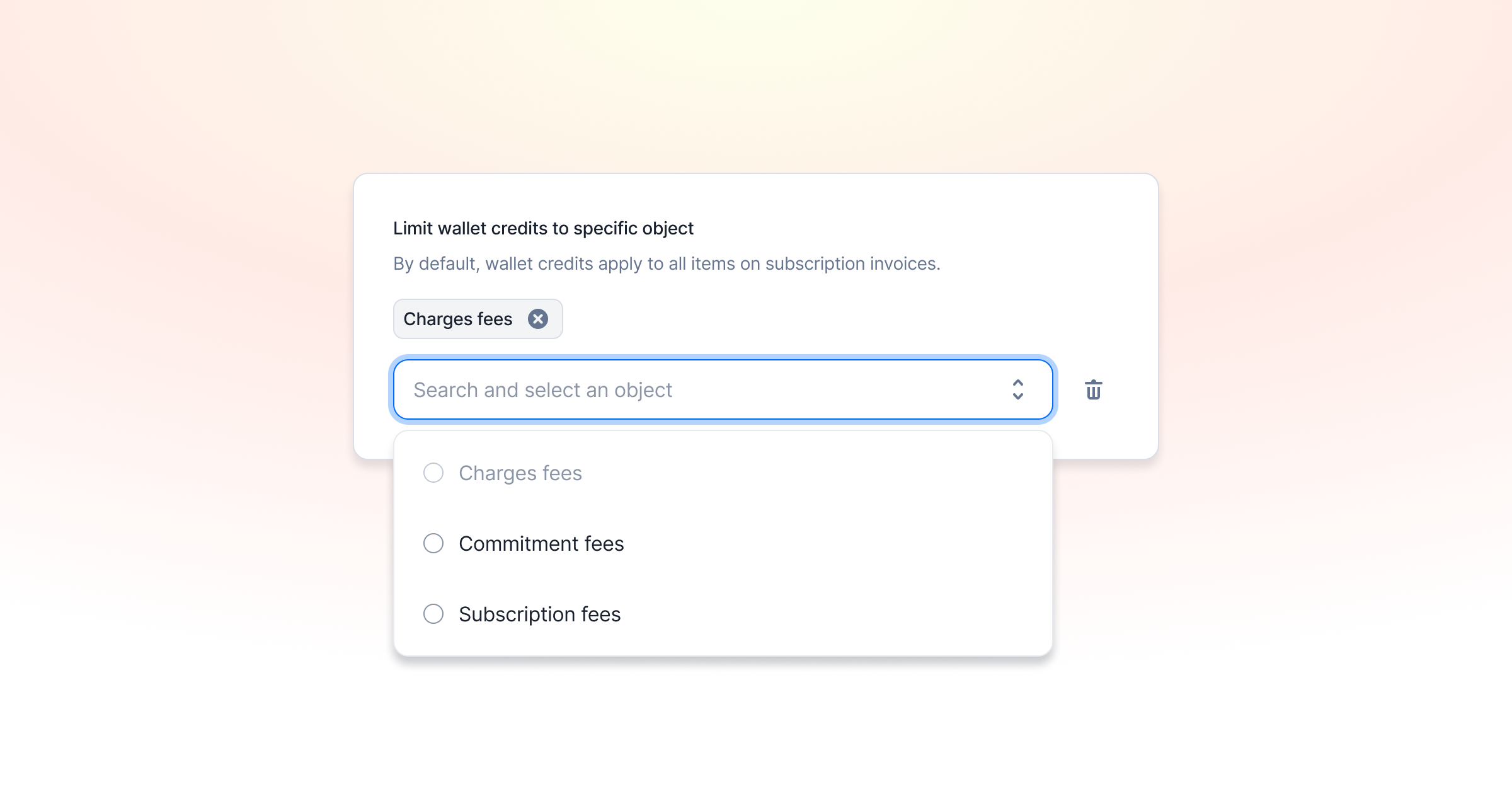
You can now configure prepaid credits to apply only to designated charges within an invoice. This allows greater control over credit usage—for instance, preventing customers from using their prepaid credits to cover the entire invoice and instead limiting them to specific eligible items or charge types.
[Learn more](/guide/wallet-and-prepaid-credits/overview#application-scope)
## Avalara Tax Integration
**Launch Week IV, Day 4: Restrict Prepaid Credits to Specific Charges**
You can now configure prepaid credits to apply only to designated charges within an invoice. This allows greater control over credit usage—for instance, preventing customers from using their prepaid credits to cover the entire invoice and instead limiting them to specific eligible items or charge types.
[Learn more](/guide/wallet-and-prepaid-credits/overview#application-scope)
## Avalara Tax Integration
 **Launch Week IV, Day 3: End Tax Guesswork — Lago x Avalara Integration**
You can now connect Lago to Avalara to make tax management easier. This native integration allows you to automatically update your invoices with tax amounts sourced directly from Avalara.
1️⃣ Lago sends the customer's address, tax identifier (if applicable), and the relevant tax code to calculate the appropriate tax for each line item.
2️⃣ Avalara calculates the tax for the invoice and returns the data to Lago, which is used to update the invoice with accurate tax information.
3️⃣ Lago synchronizes updates for voided and disputed invoices, as well as any credit notes created, ensuring that your records remain up to date.
This integration is accessible with a premium add-on.
[Learn more](/integrations/taxes/avalara)
## Activity Logs
**Launch Week IV, Day 3: End Tax Guesswork — Lago x Avalara Integration**
You can now connect Lago to Avalara to make tax management easier. This native integration allows you to automatically update your invoices with tax amounts sourced directly from Avalara.
1️⃣ Lago sends the customer's address, tax identifier (if applicable), and the relevant tax code to calculate the appropriate tax for each line item.
2️⃣ Avalara calculates the tax for the invoice and returns the data to Lago, which is used to update the invoice with accurate tax information.
3️⃣ Lago synchronizes updates for voided and disputed invoices, as well as any credit notes created, ensuring that your records remain up to date.
This integration is accessible with a premium add-on.
[Learn more](/integrations/taxes/avalara)
## Activity Logs
 **Launch Week IV, Day 2: Billing Activity Logs**
❓'Who changed that price point?'
❓❓'Who created that plan?'
❓❓❓'What happened to this invoice?'
We got you! That's why we are launching one of the most underrated but essential billing features: Activity Logs.
Lago is used by engineering, finance, sales, and growth teams. Engineers build the billing engine, sales customize deals, finance reviews data—it can get messy. Activity logs bring clarity!
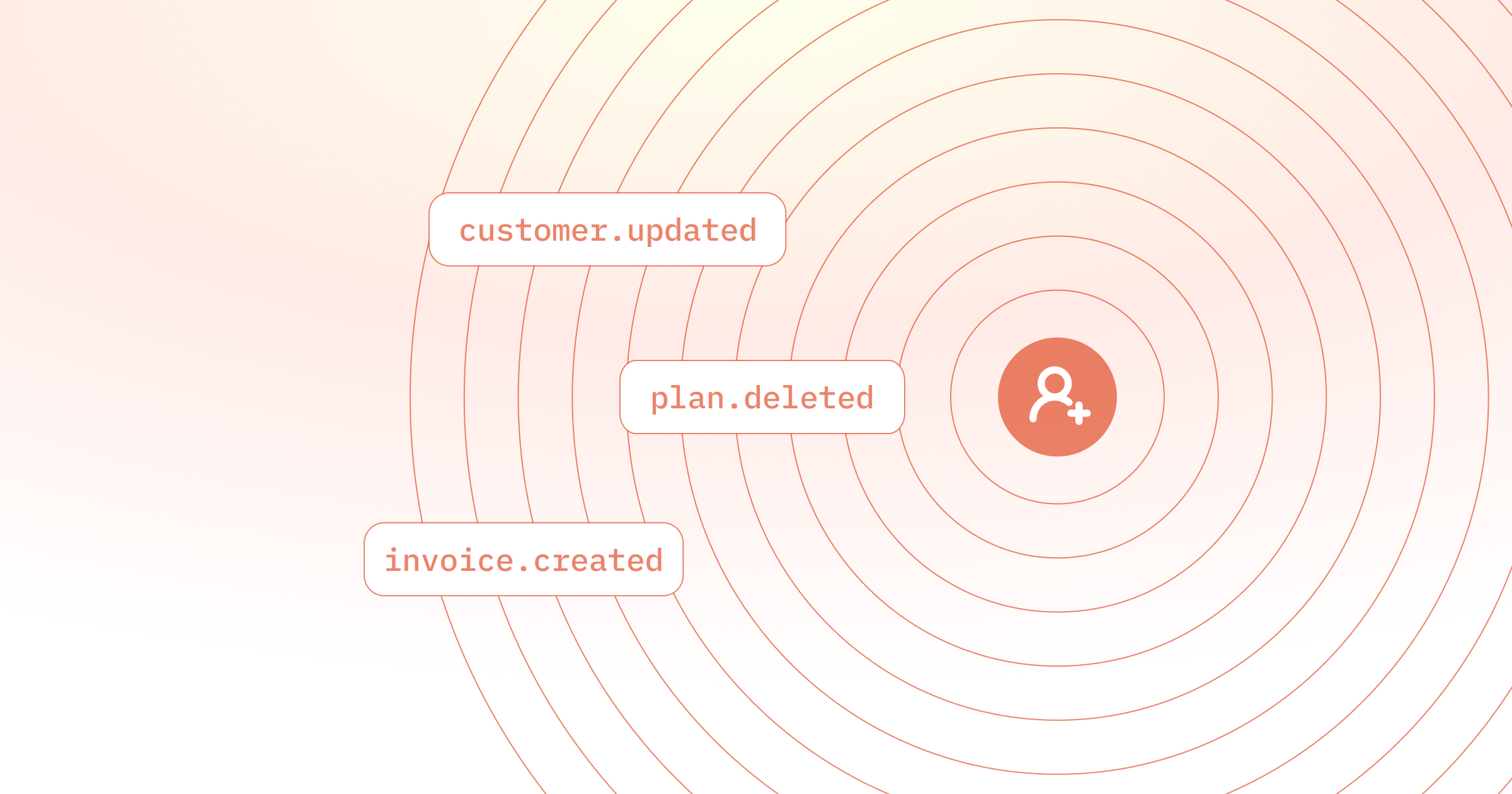
Every change is now logged. You’ll know who did what, when, and how—whether it came from the UI or API. We track the user or API key, the action, timestamps, resource IDs, and more. It is like git, but for your billing stack.
[Learn more](/guide/security/audit-logs)
## Budget & Usage Alerts
**Launch Week IV, Day 2: Billing Activity Logs**
❓'Who changed that price point?'
❓❓'Who created that plan?'
❓❓❓'What happened to this invoice?'
We got you! That's why we are launching one of the most underrated but essential billing features: Activity Logs.
Lago is used by engineering, finance, sales, and growth teams. Engineers build the billing engine, sales customize deals, finance reviews data—it can get messy. Activity logs bring clarity!
Every change is now logged. You’ll know who did what, when, and how—whether it came from the UI or API. We track the user or API key, the action, timestamps, resource IDs, and more. It is like git, but for your billing stack.
[Learn more](/guide/security/audit-logs)
## Budget & Usage Alerts
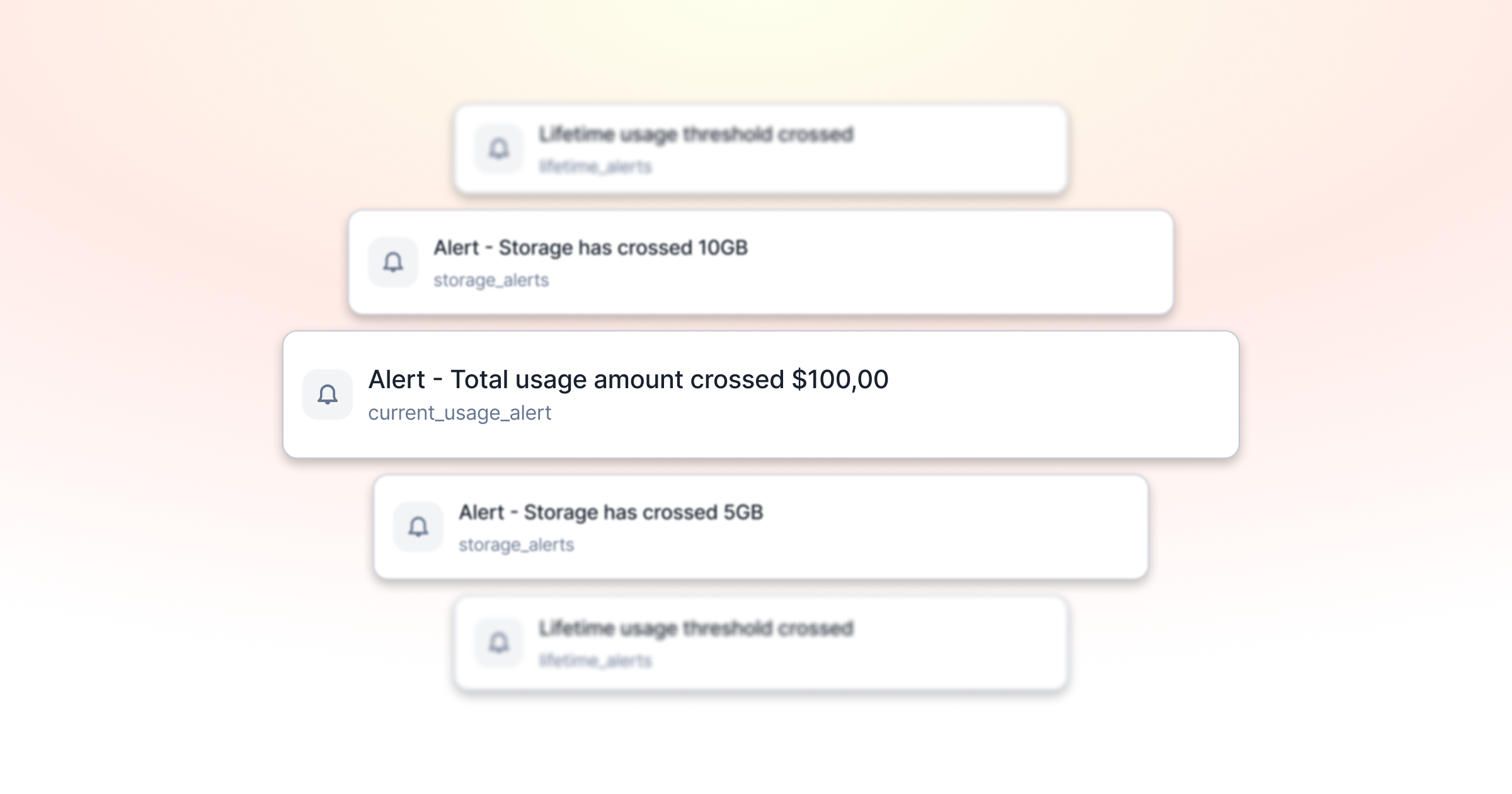 **Launch Week IV, Day 1: Budget & Usage Alerts!**
We've all heard the horror stories of unsupervised AWS instances that lead to million-dollar invoices. Even when we're not talking about millions, you probably know the feeling of usage-based bills far more expensive than you thought.
Lago now helps you prevent those scenarios. With budget & usage alerts, you can put hard edges around consumption and billing.
The feature is basically a multi-layered warning system. You can track:
1. **Lifetime spend** for the entire subscription—ideal for free trials that should never exceed, say, a total of \$100.
2. **Current-period spend** so finance knows when a customer hits 80 percent of this month's credits and engineering can act before overages accrue.
3. **Metric-based spend** in amount or usage units, meaning you can send an alert when a user has used up 1 million API calls or \$100 of API calls.
[Learn more](/guide/alerts)
## Multiple billing entities within a Lago account!
**Launch Week IV, Day 1: Budget & Usage Alerts!**
We've all heard the horror stories of unsupervised AWS instances that lead to million-dollar invoices. Even when we're not talking about millions, you probably know the feeling of usage-based bills far more expensive than you thought.
Lago now helps you prevent those scenarios. With budget & usage alerts, you can put hard edges around consumption and billing.
The feature is basically a multi-layered warning system. You can track:
1. **Lifetime spend** for the entire subscription—ideal for free trials that should never exceed, say, a total of \$100.
2. **Current-period spend** so finance knows when a customer hits 80 percent of this month's credits and engineering can act before overages accrue.
3. **Metric-based spend** in amount or usage units, meaning you can send an alert when a user has used up 1 million API calls or \$100 of API calls.
[Learn more](/guide/alerts)
## Multiple billing entities within a Lago account!
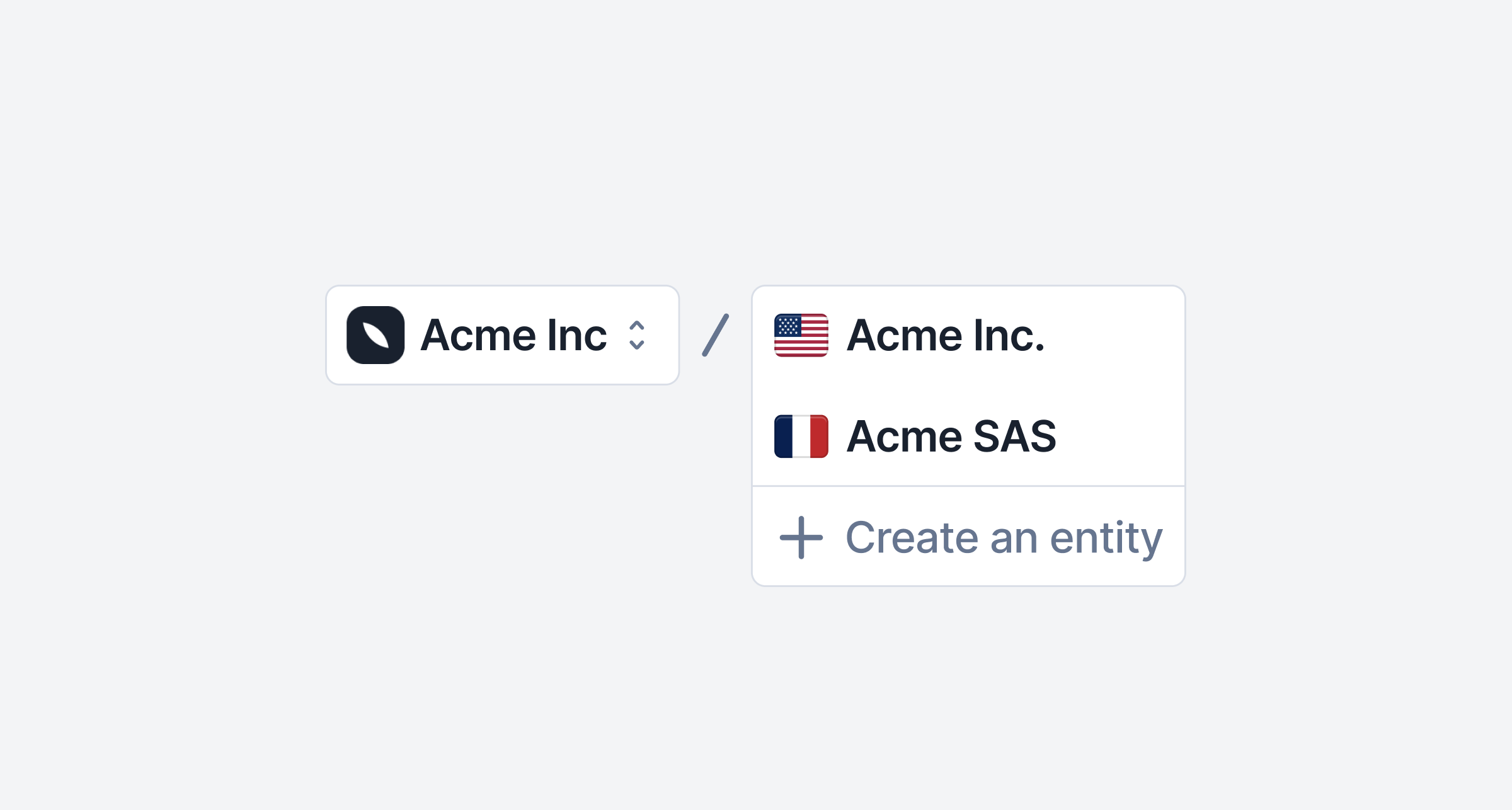 You can now manage multiple billing entities within a single Lago account.
Whether you operate with different subsidiaries or invoice on behalf of third parties, this feature lets you issue invoices from multiple senders, different subsidiaries—without duplicating your setup.
Your existing configuration (billable metrics, plans, settings, etc.) stays intact, making it easy to scale across entities while invoice settings (timezone, locale, grace period, etc.) can be configured differently.
[Learn more](/guide/billing-entities)
## Know everything about prepaid credits consumption
Our new prepaid credits dashboard is now live in beta! You can now track the flow of your prepaid credits, including the amount of credits offered, paid, consumed, and voided.
You can now manage multiple billing entities within a single Lago account.
Whether you operate with different subsidiaries or invoice on behalf of third parties, this feature lets you issue invoices from multiple senders, different subsidiaries—without duplicating your setup.
Your existing configuration (billable metrics, plans, settings, etc.) stays intact, making it easy to scale across entities while invoice settings (timezone, locale, grace period, etc.) can be configured differently.
[Learn more](/guide/billing-entities)
## Know everything about prepaid credits consumption
Our new prepaid credits dashboard is now live in beta! You can now track the flow of your prepaid credits, including the amount of credits offered, paid, consumed, and voided.
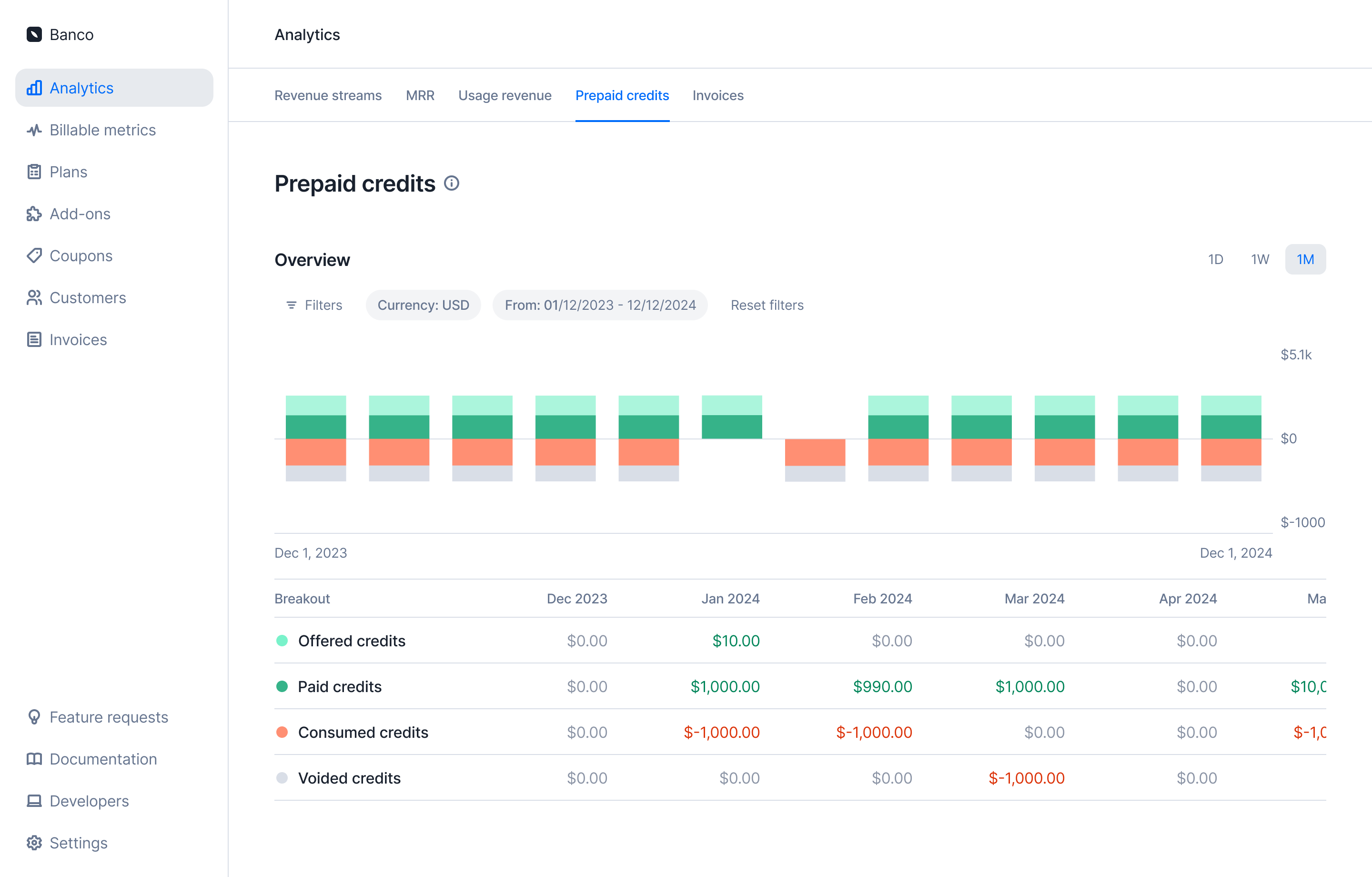 [Learn more](../guide/analytics/prepaid-credits)
## Idempotent payment URL generation
[Learn more](../guide/analytics/prepaid-credits)
## Idempotent payment URL generation
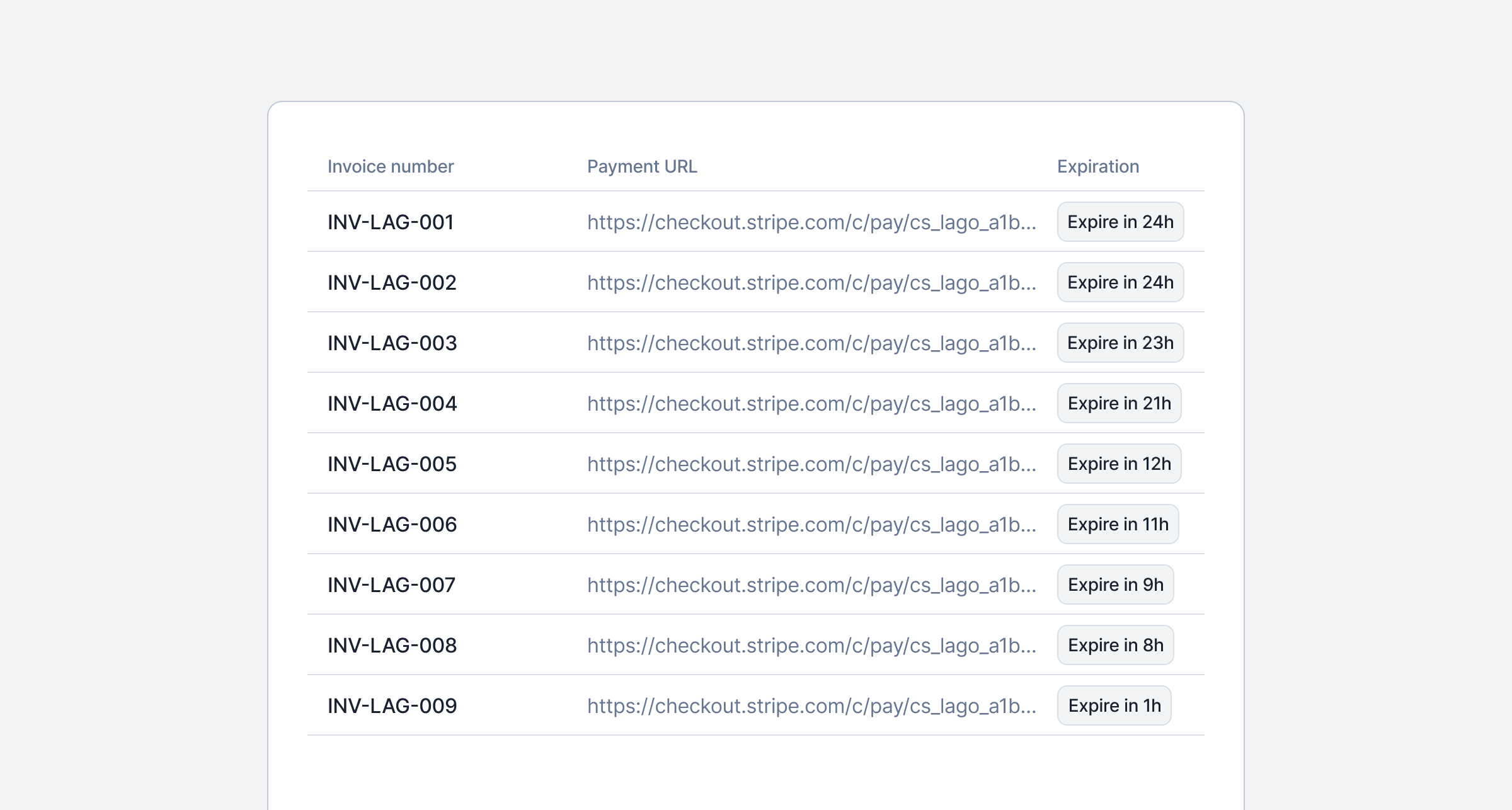 We made the payment URL generation idempotent to safely share with your end customers.
Each URL remains valid and unchanged for 24 hours, no matter how many times the endpoint is called — helping you prevent duplicate payments and simplify the checkout flow.
After 24 hours, a new URL will be generated on the next call, valid for the next 24-hour period.
[Learn more](/guide/payments/payment-retries#generate-a-payment-url)
## Lago Data Pipeline is now in beta
We made the payment URL generation idempotent to safely share with your end customers.
Each URL remains valid and unchanged for 24 hours, no matter how many times the endpoint is called — helping you prevent duplicate payments and simplify the checkout flow.
After 24 hours, a new URL will be generated on the next call, valid for the next 24-hour period.
[Learn more](/guide/payments/payment-retries#generate-a-payment-url)
## Lago Data Pipeline is now in beta
 You need to **sync your Lago data to your data warehouse or cloud storage?** We've got you covered with a new native integration called `Lago Data Pipeline`!
Lago Data Pipeline is now in beta and available for a selected group of customers. Reach out to your account manager to get access.
More than 20 data destinations are supported, including Snowflake, BigQuery, Redshift, Databricks, Athena, ClickHouse, MotherDuck, Postgres, Aurora Postgres, MySQL, Aurora MySQL, SQL Server, SingleStore, S3, S3-Compatible, GCS, ABS, and Google Sheets.
[Learn more](../integrations/data/lago-data-pipeline)
## Failed payment nightmares are over: Lago payment pre-authorization
Sick of launching a subscription, watching customers dive in all month, only to have payment fail at billing time—and then radio silence when you reach out? Failed charges not only leave revenue on the table but also create churn, frustrate customers, and bog your team down in manual follow-ups.
With Lago's Payment Pre-Authorization, **you can now verify a card's validity and available funds when starting a subscription.** Catch bad payment methods upfront, automate notifications for declined pre-auths, and keep your service—and your revenue—flowing seamlessly. Enable it in your Lago dashboard today and turn payment nightmares into smooth, uninterrupted growth.
[Learn more](../guide/payments/payment-authorization)
## Pay your Lago invoices with Moneyhash
You need to **sync your Lago data to your data warehouse or cloud storage?** We've got you covered with a new native integration called `Lago Data Pipeline`!
Lago Data Pipeline is now in beta and available for a selected group of customers. Reach out to your account manager to get access.
More than 20 data destinations are supported, including Snowflake, BigQuery, Redshift, Databricks, Athena, ClickHouse, MotherDuck, Postgres, Aurora Postgres, MySQL, Aurora MySQL, SQL Server, SingleStore, S3, S3-Compatible, GCS, ABS, and Google Sheets.
[Learn more](../integrations/data/lago-data-pipeline)
## Failed payment nightmares are over: Lago payment pre-authorization
Sick of launching a subscription, watching customers dive in all month, only to have payment fail at billing time—and then radio silence when you reach out? Failed charges not only leave revenue on the table but also create churn, frustrate customers, and bog your team down in manual follow-ups.
With Lago's Payment Pre-Authorization, **you can now verify a card's validity and available funds when starting a subscription.** Catch bad payment methods upfront, automate notifications for declined pre-auths, and keep your service—and your revenue—flowing seamlessly. Enable it in your Lago dashboard today and turn payment nightmares into smooth, uninterrupted growth.
[Learn more](../guide/payments/payment-authorization)
## Pay your Lago invoices with Moneyhash
 You can now pay your Lago invoices using [Moneyhash](https://moneyhash.io)!
Moneyhash is the leading payment infrastructure software in Africa and the Middle East.
They help businesses across Emerging Markets to optimize payment performance, scale operations, cut costs, and grow revenue through an all-in-one orchestration platform.
If you issue invoices for customers in Africa or MENA, this integration is for you!
[Learn more](../integrations/payments/moneyhash-integration)
This integration has been built and maintained by our partner Moneyhash.
## Enhanced Revenue Streams and MRR dashboard are now live in Beta
You can now pay your Lago invoices using [Moneyhash](https://moneyhash.io)!
Moneyhash is the leading payment infrastructure software in Africa and the Middle East.
They help businesses across Emerging Markets to optimize payment performance, scale operations, cut costs, and grow revenue through an all-in-one orchestration platform.
If you issue invoices for customers in Africa or MENA, this integration is for you!
[Learn more](../integrations/payments/moneyhash-integration)
This integration has been built and maintained by our partner Moneyhash.
## Enhanced Revenue Streams and MRR dashboard are now live in Beta
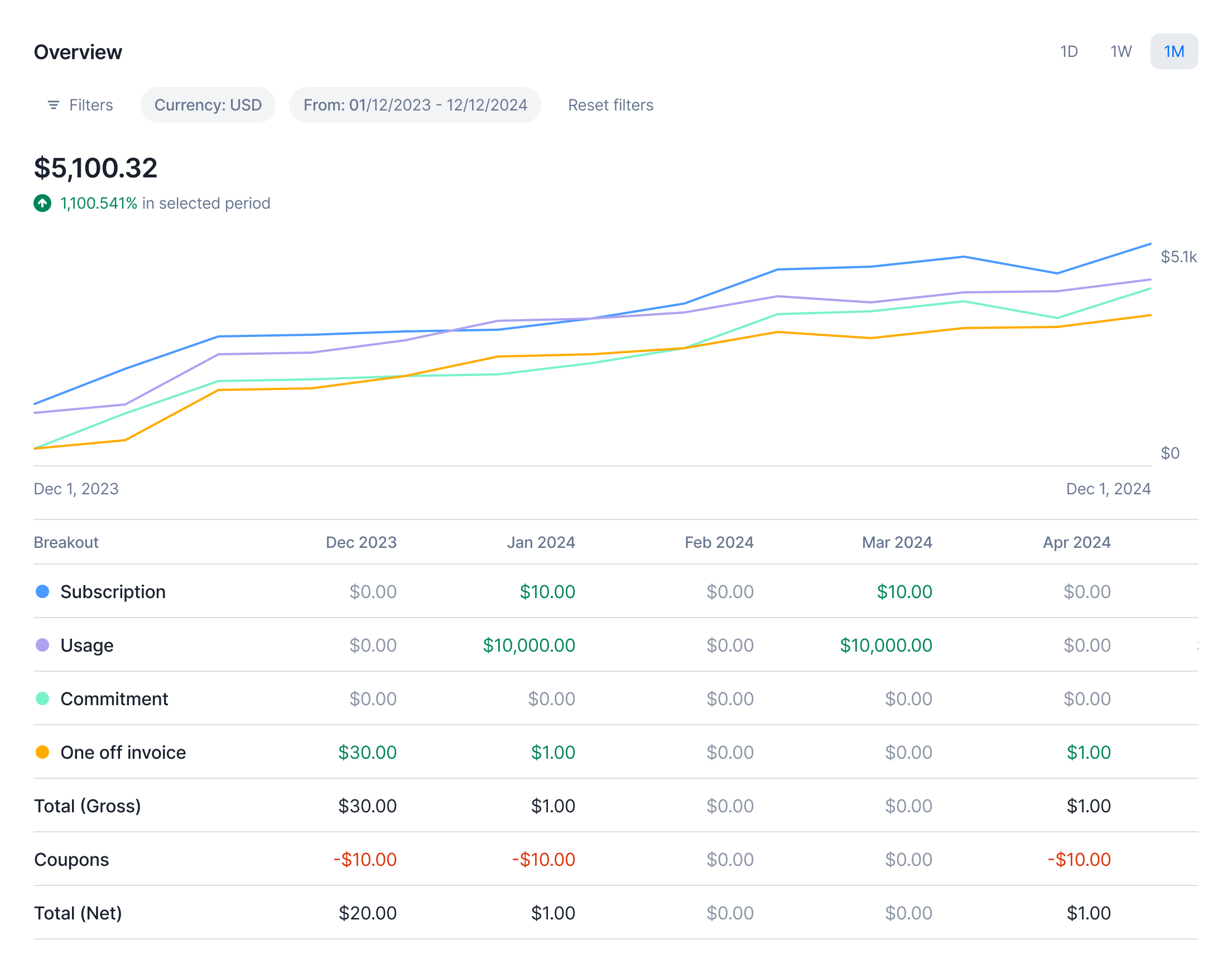 We've just launched Analytics v2 in beta for some premium customers! This upgraded experience brings deeper insights and more powerful tools to understand your revenue performance:
1. Revenue per Stream: Get a detailed breakdown of how each stream contributes to your bottom line.
2. Enhanced MRR Dashboard: Track your Monthly Recurring Revenue breakout with detailed views
This marks a major step forward in Lago's new Analytics view, designed to help you make smarter, data-driven decisions. If you're part of the beta, we'd love to hear your feedback!
[Learn more](../guide/analytics/revenue-streams)
## Rescue failed wallet transactions!
We've just launched Analytics v2 in beta for some premium customers! This upgraded experience brings deeper insights and more powerful tools to understand your revenue performance:
1. Revenue per Stream: Get a detailed breakdown of how each stream contributes to your bottom line.
2. Enhanced MRR Dashboard: Track your Monthly Recurring Revenue breakout with detailed views
This marks a major step forward in Lago's new Analytics view, designed to help you make smarter, data-driven decisions. If you're part of the beta, we'd love to hear your feedback!
[Learn more](../guide/analytics/revenue-streams)
## Rescue failed wallet transactions!
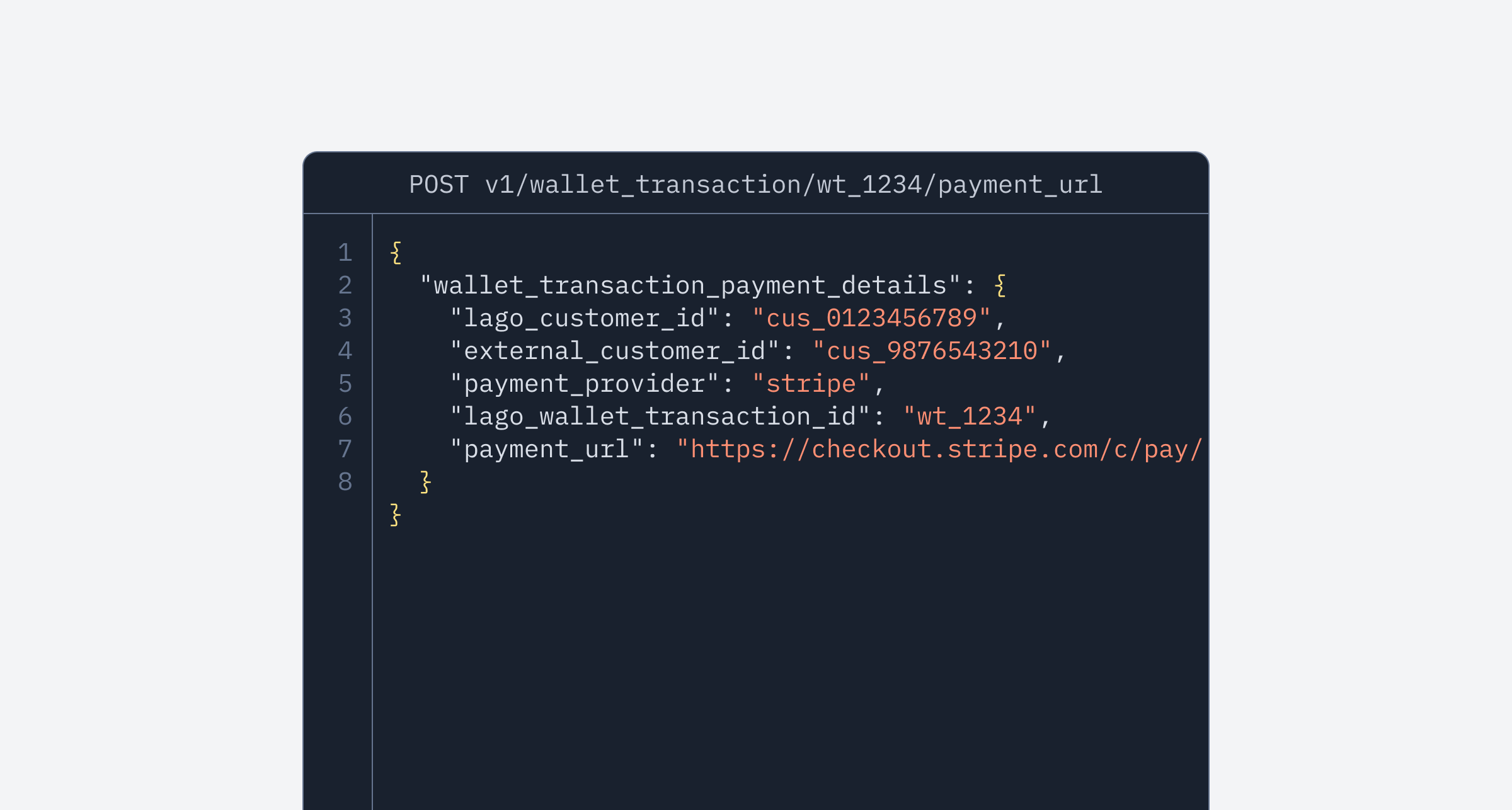 Payment intent failed? No worries — we've added a new endpoint that generates a payment URL for pending and failed wallet transactions. This feature allows your customers to complete their wallet top-ups through a secure checkout page, similar to how invoice payments work.
A smoother recovery, a better experience. Dive into the docs for all the details!
[Learn more](../api-reference/wallets/wallet-transaction-payment-url)
## Track every cent: Payment Receipts are now available!
Payment intent failed? No worries — we've added a new endpoint that generates a payment URL for pending and failed wallet transactions. This feature allows your customers to complete their wallet top-ups through a secure checkout page, similar to how invoice payments work.
A smoother recovery, a better experience. Dive into the docs for all the details!
[Learn more](../api-reference/wallets/wallet-transaction-payment-url)
## Track every cent: Payment Receipts are now available!
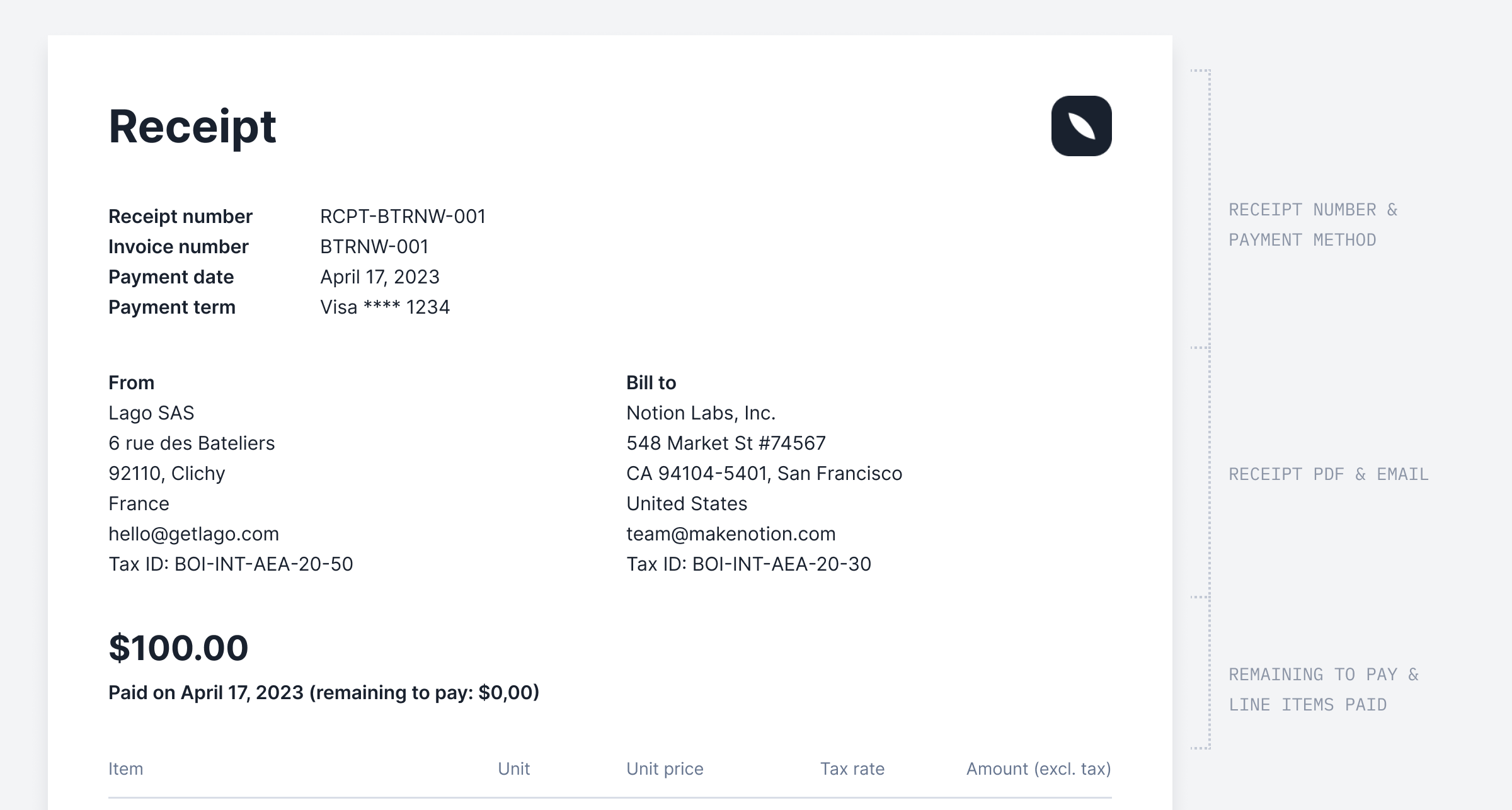 ✨ This feature is only available as an add-on. Please contact [hello@getlago.com](mailto:hello@getlago.com) to get access to Payment Receipts.
To give your customers better visibility into their payments, we've introduced **Payment Receipts** — a new PDF document and API payload generated by Lago.
Unlike invoices, these receipts provide a clearer breakdown of payments received, including the payment method used and any remaining balance.
This helps your customers track their transactions more easily and improves transparency around outstanding amounts.
[Learn more](../guide/payments/receipts)
## Disable pdf generation
✨ This feature is only available as an add-on. Please contact [hello@getlago.com](mailto:hello@getlago.com) to get access to Payment Receipts.
To give your customers better visibility into their payments, we've introduced **Payment Receipts** — a new PDF document and API payload generated by Lago.
Unlike invoices, these receipts provide a clearer breakdown of payments received, including the payment method used and any remaining balance.
This helps your customers track their transactions more easily and improves transparency around outstanding amounts.
[Learn more](../guide/payments/receipts)
## Disable pdf generation
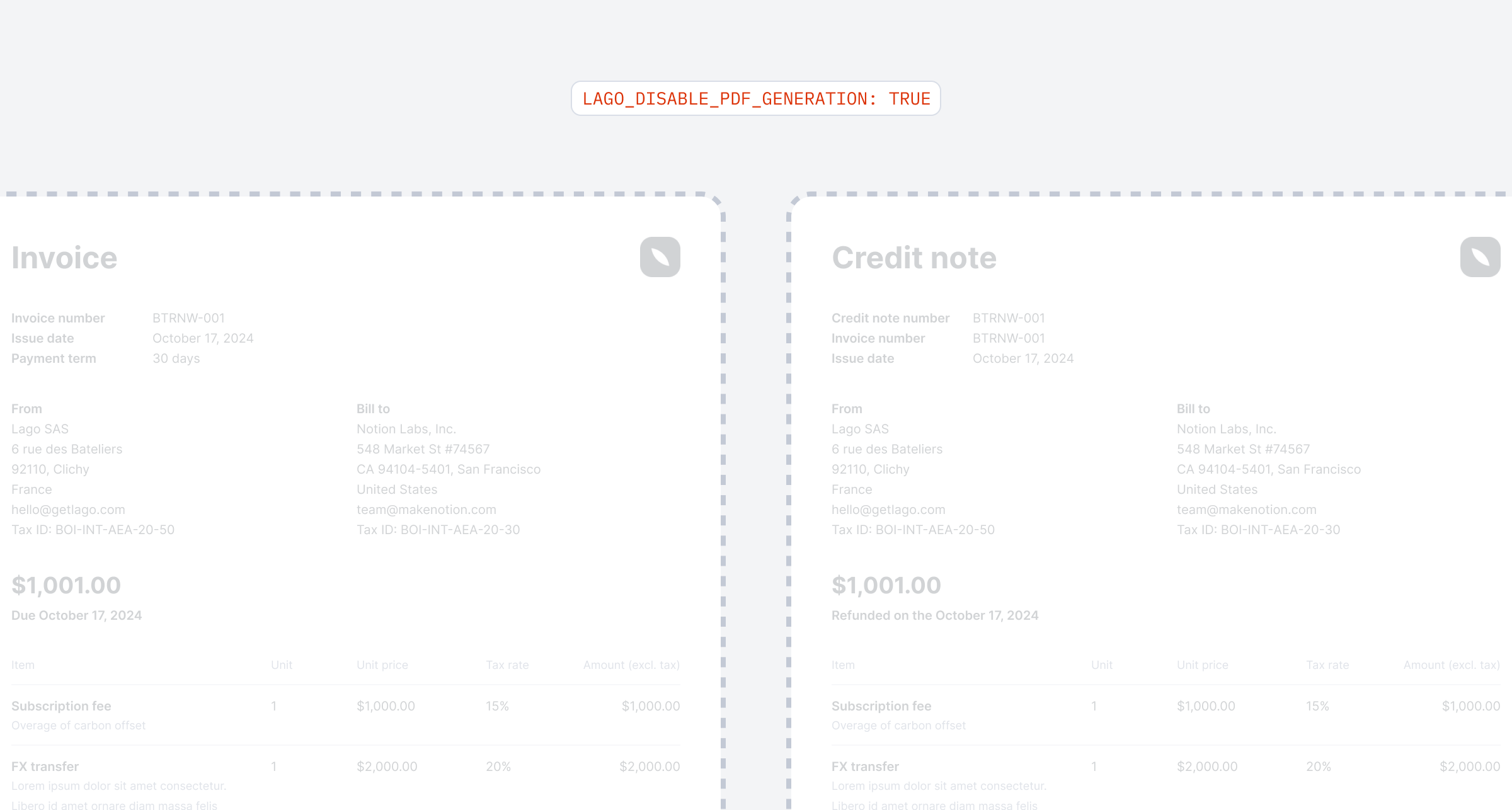 If you don’t rely on our PDFs, you can now configure Lago—via an environment variable—to skip PDF generation for invoices, credit notes, and receipts.
Lago won’t process any jobs related to these documents, keeping your queues less crowded.
[Learn more](../guide/lago-self-hosted/docker#environment-variables)
## Invoice previews for upgrades and downgrades
You can now preview invoices not just for new customers or dry runs on existing subscriptions, but also for upgrades, downgrades, and even plan terminations.
This means you have all the tools you need to estimate and preview invoices for every billing scenario. Get ready to take control of your billing like a pro!
[Learn more](../guide/invoicing/previews#preview-an-invoice-for-upgrades-and-downgrades)
## Enhanced wallet transaction details
If you don’t rely on our PDFs, you can now configure Lago—via an environment variable—to skip PDF generation for invoices, credit notes, and receipts.
Lago won’t process any jobs related to these documents, keeping your queues less crowded.
[Learn more](../guide/lago-self-hosted/docker#environment-variables)
## Invoice previews for upgrades and downgrades
You can now preview invoices not just for new customers or dry runs on existing subscriptions, but also for upgrades, downgrades, and even plan terminations.
This means you have all the tools you need to estimate and preview invoices for every billing scenario. Get ready to take control of your billing like a pro!
[Learn more](../guide/invoicing/previews#preview-an-invoice-for-upgrades-and-downgrades)
## Enhanced wallet transaction details
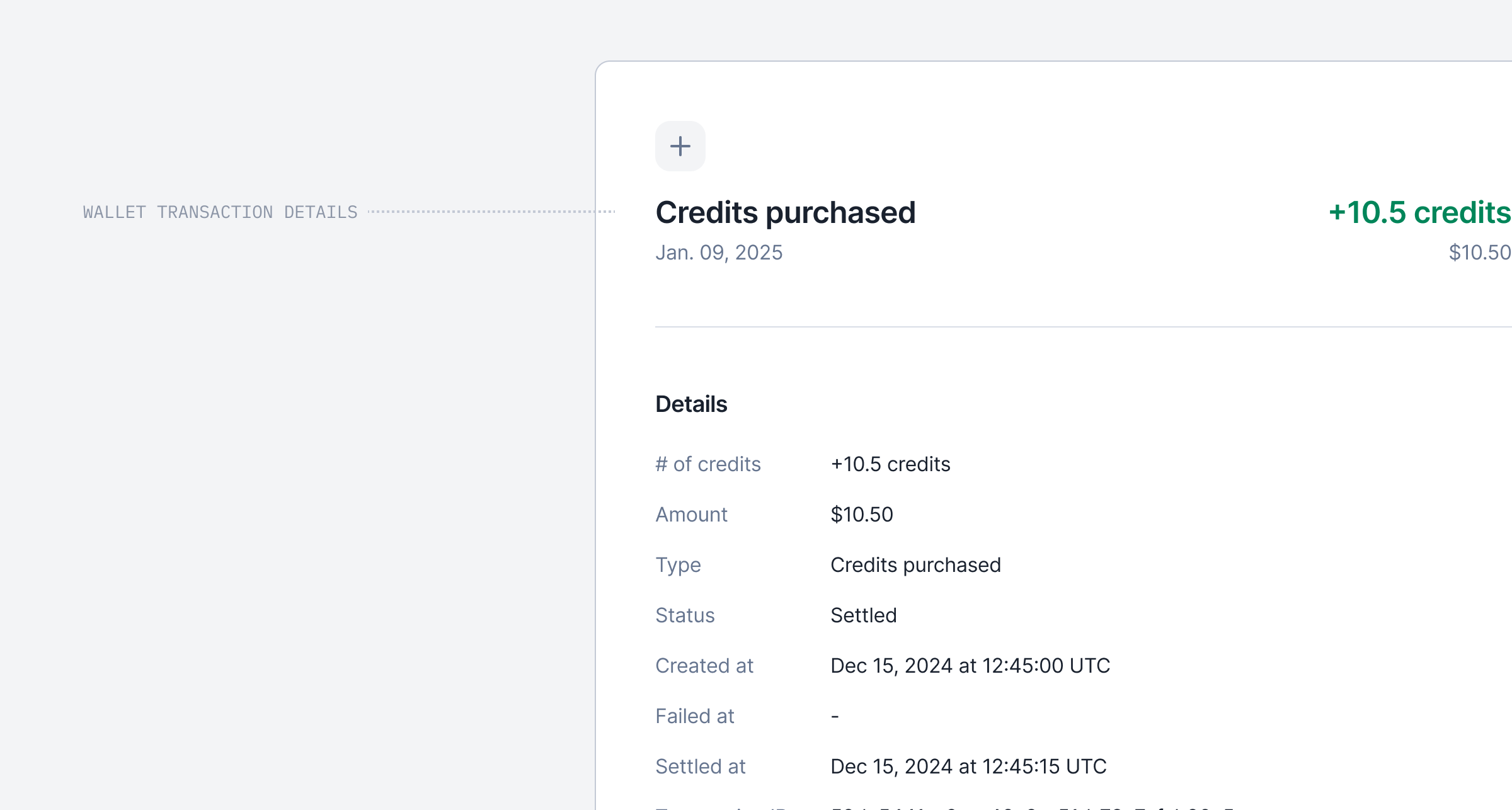 You can now view detailed information about a wallet transaction by simply clicking on it.
We’ve added comprehensive data to improve your understanding, including all relevant transaction details, linked payments, and associated invoices.
This update makes it easier to track and analyze your wallet transactions at a glance.
## Failed wallet transaction
You can now view detailed information about a wallet transaction by simply clicking on it.
We’ve added comprehensive data to improve your understanding, including all relevant transaction details, linked payments, and associated invoices.
This update makes it easier to track and analyze your wallet transactions at a glance.
## Failed wallet transaction
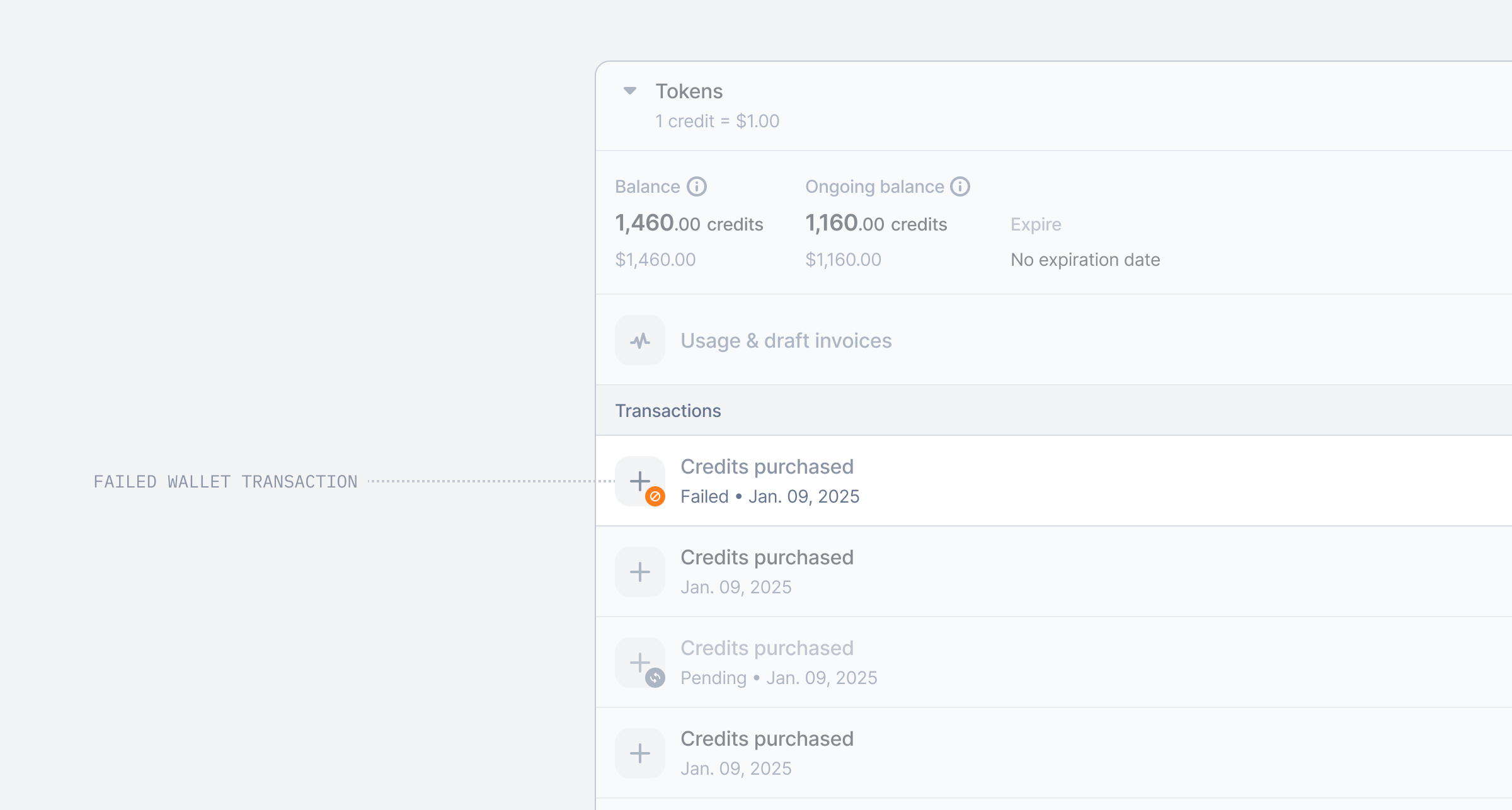 We’ve introduced the `failed` wallet transaction! Now, when a wallet transaction is linked to a failed payment, its status will automatically update from `pending` to `failed`.
This enhancement provides a clearer view of the transaction lifecycle and simplifies debugging when needed.
## Expiration date for wallet recurring transaction rule
We’ve introduced the `failed` wallet transaction! Now, when a wallet transaction is linked to a failed payment, its status will automatically update from `pending` to `failed`.
This enhancement provides a clearer view of the transaction lifecycle and simplifies debugging when needed.
## Expiration date for wallet recurring transaction rule
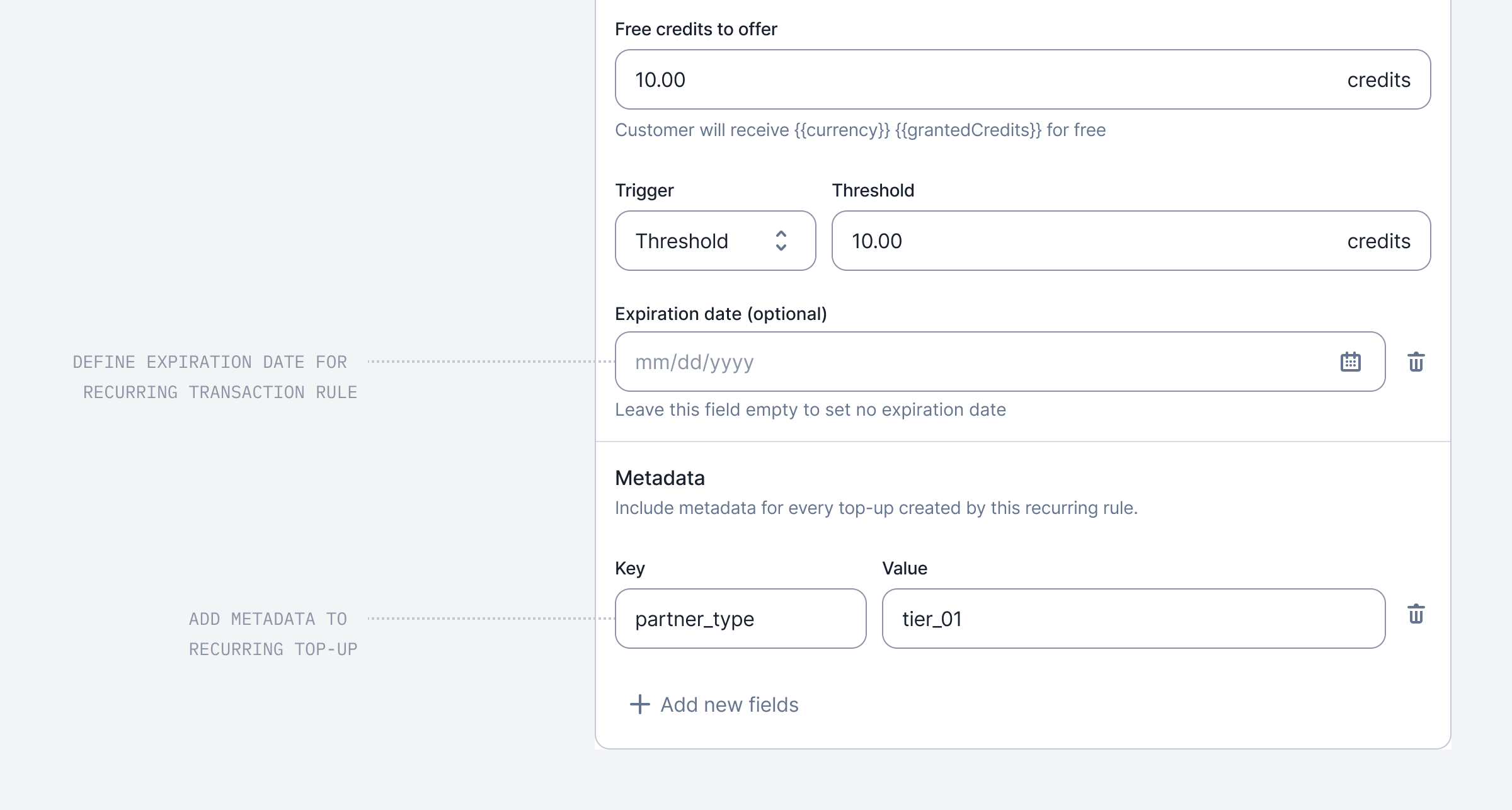 As part of our initiative to enhance the wallet experience, we’ve introduced two new settings for wallet recurring transaction rules.
* You can now set an expiration date for a rule, and Lago will automatically terminate it once reached, preventing any further top-ups.
* Additionally, you can define metadata for recurring top-ups directly through the Dashboard.
[Learn more](../guide/wallet-and-prepaid-credits/wallet-top-up-and-void#expiration-date)
## New webhook message on wallets
As part of our initiative to enhance the wallet experience, we’ve introduced two new settings for wallet recurring transaction rules.
* You can now set an expiration date for a rule, and Lago will automatically terminate it once reached, preventing any further top-ups.
* Additionally, you can define metadata for recurring top-ups directly through the Dashboard.
[Learn more](../guide/wallet-and-prepaid-credits/wallet-top-up-and-void#expiration-date)
## New webhook message on wallets
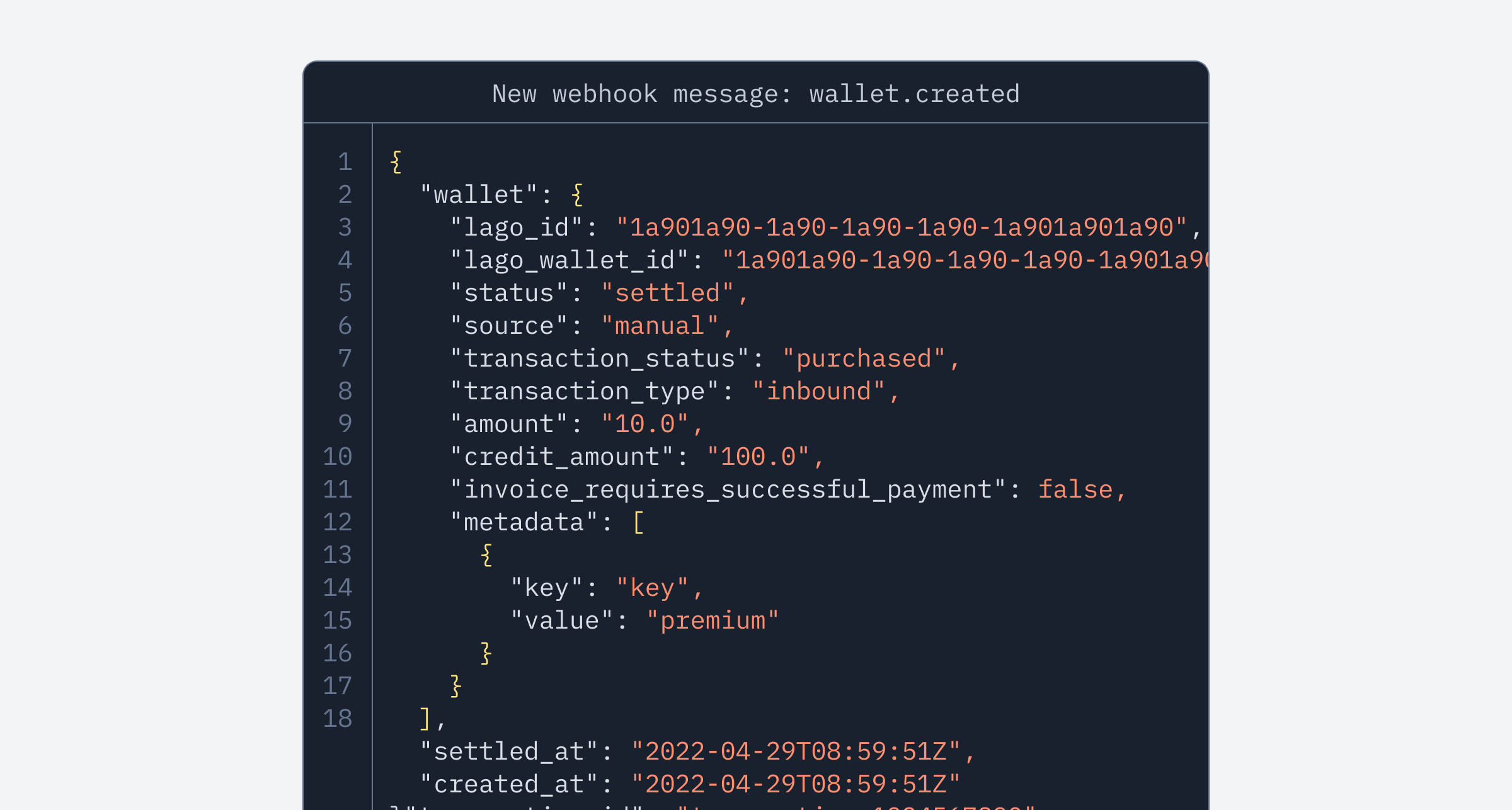 We’ve introduced new webhook messages to help you better understand activity on your wallets. You can now listen to `wallet.created`, `wallet.updated`, and `wallet.terminated` events.
[Learn more](../api-reference/webhooks/messages#wallets-and-prepaid-credits)
## Pay Lago invoices via Bank Transfers
We’ve introduced new webhook messages to help you better understand activity on your wallets. You can now listen to `wallet.created`, `wallet.updated`, and `wallet.terminated` events.
[Learn more](../api-reference/webhooks/messages#wallets-and-prepaid-credits)
## Pay Lago invoices via Bank Transfers
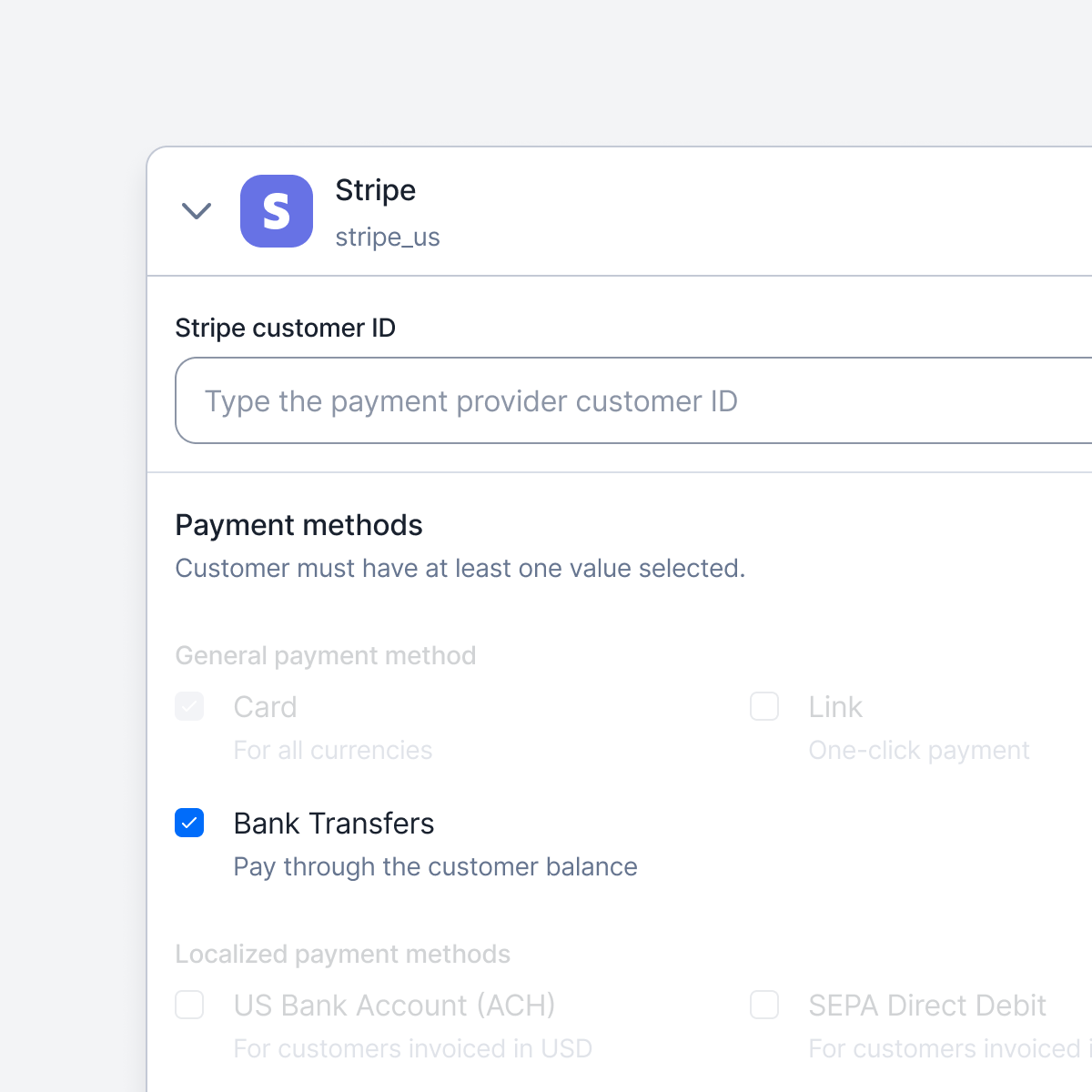 Lago now supports Stripe’s bank transfers (customer\_balance) for invoice payments. Supported methods:
* JPY: Japan
* GBP: United Kingdom
* EUR: Specific SEPA countries (see Stripe documentation)
* MXN: Mexico
* USD: United States, United Kingdom, and select SEPA countries
[Learn more](../guide/payments/stripe-integration#bank-transfers-customer-balance)
## Custom SMTP Management
By default, Lago automatically handles your SMTP configuration—no extra setup required.
However, if you prefer to use your own SMTP server, Enterprise customers can now send emails through a custom SMTP configuration.
## Effortless Docker deployment in a single command
We heard you—the old Docker commands were a bit of a hassle, so we've made things easier. Now, you can get the app up and running with just one simple command in your shell. Enjoy!
[Learn more](../guide/lago-self-hosted/docker#run-the-app-with-a-one-click-docker-command)
## To the moon: Crypto payments are now available
Lago now supports Stripe’s bank transfers (customer\_balance) for invoice payments. Supported methods:
* JPY: Japan
* GBP: United Kingdom
* EUR: Specific SEPA countries (see Stripe documentation)
* MXN: Mexico
* USD: United States, United Kingdom, and select SEPA countries
[Learn more](../guide/payments/stripe-integration#bank-transfers-customer-balance)
## Custom SMTP Management
By default, Lago automatically handles your SMTP configuration—no extra setup required.
However, if you prefer to use your own SMTP server, Enterprise customers can now send emails through a custom SMTP configuration.
## Effortless Docker deployment in a single command
We heard you—the old Docker commands were a bit of a hassle, so we've made things easier. Now, you can get the app up and running with just one simple command in your shell. Enjoy!
[Learn more](../guide/lago-self-hosted/docker#run-the-app-with-a-one-click-docker-command)
## To the moon: Crypto payments are now available
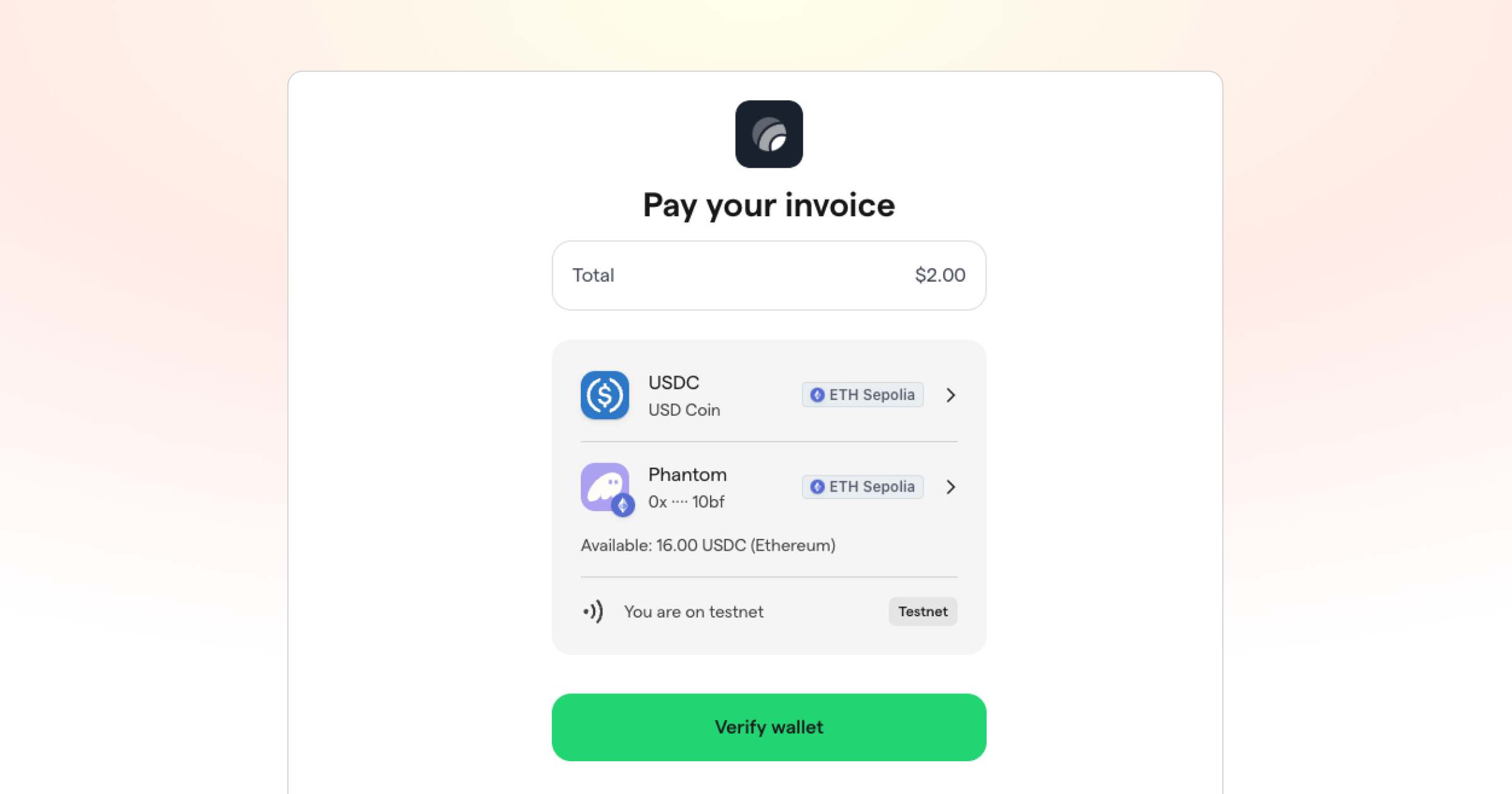 Lago now supports crypto payments! Don't worry though, your customers won't be paying you in a dog meme coin anytime soon. For now, we support USDC/USDP payments if you're using Lago with Stripe payments.
If you don't know, USDC is a stablecoin that's pegged to the US Dollar and always worth exactly \$1, so it's not some speculative memecoin you're getting into.
Of course, you can turn this on and off as you like.
[Learn more](../guide/payments/stripe-integration#crypto-stablecoins)
## Record payments and partial payments
Lago now supports crypto payments! Don't worry though, your customers won't be paying you in a dog meme coin anytime soon. For now, we support USDC/USDP payments if you're using Lago with Stripe payments.
If you don't know, USDC is a stablecoin that's pegged to the US Dollar and always worth exactly \$1, so it's not some speculative memecoin you're getting into.
Of course, you can turn this on and off as you like.
[Learn more](../guide/payments/stripe-integration#crypto-stablecoins)
## Record payments and partial payments
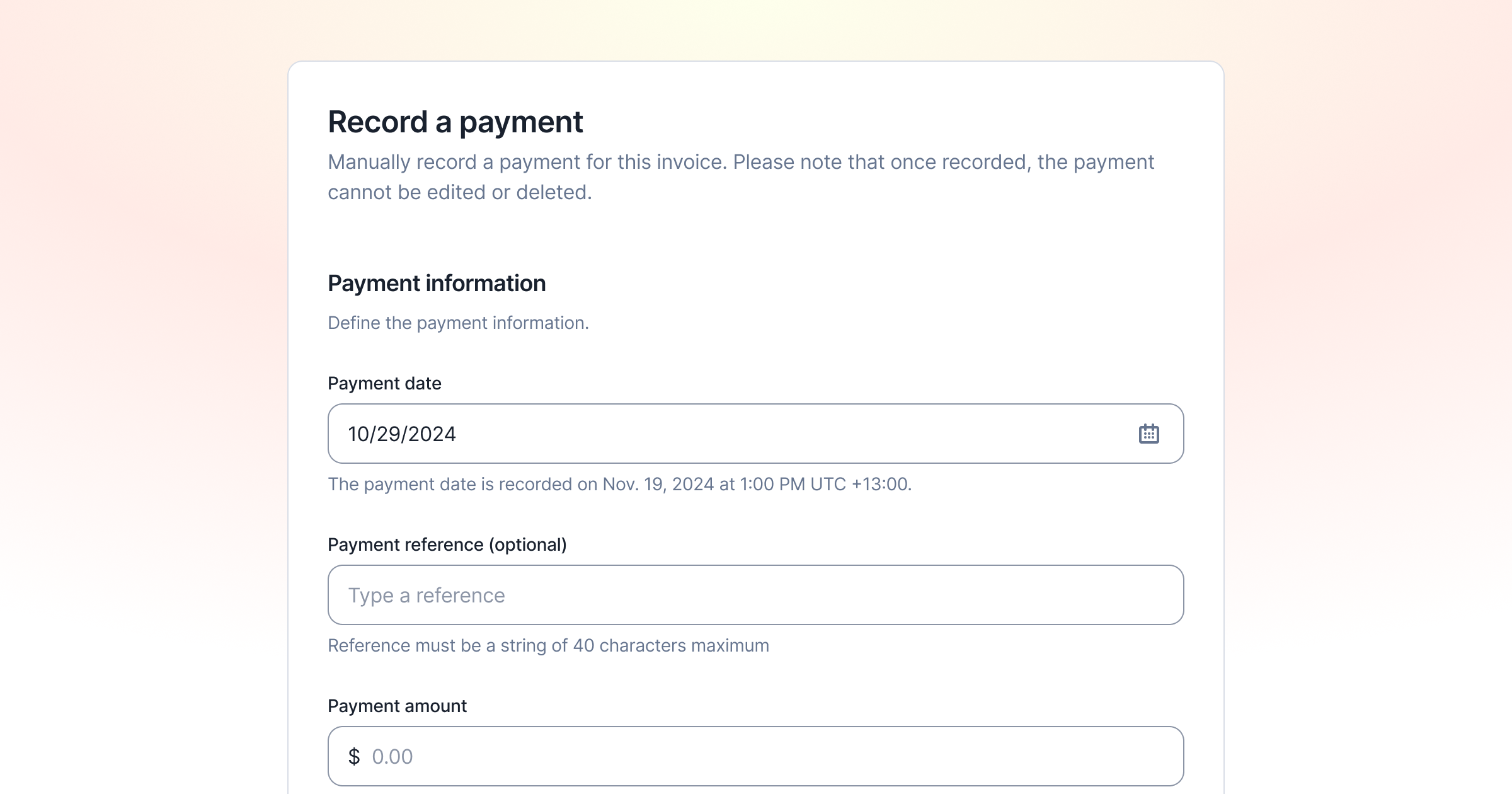 ✨ This feature is only available via a premium license. Please contact [hello@getlago.com](mailto:hello@getlago.com) to get access to Lago Cloud and Lago Self-Hosted Premium.
Some invoices aren't paid in full right away, or some of them are paid through bank transfers. This is true especially in bigger enterprise deals with unique payment terms. But this means that the invoice is neither unpaid nor paid — it's partially paid.
You can now record these payments in Lago and easily find partially paid invoices at a glance by filtering. That way, you don't have to remember payments in your head, but always have an accurate overview directly in Lago.
[Learn more](../guide/payments/record-manual-payments)
## Partner billing & self-invoicing
✨ This feature is only available via a premium license. Please contact [hello@getlago.com](mailto:hello@getlago.com) to get access to Lago Cloud and Lago Self-Hosted Premium.
Some invoices aren't paid in full right away, or some of them are paid through bank transfers. This is true especially in bigger enterprise deals with unique payment terms. But this means that the invoice is neither unpaid nor paid — it's partially paid.
You can now record these payments in Lago and easily find partially paid invoices at a glance by filtering. That way, you don't have to remember payments in your head, but always have an accurate overview directly in Lago.
[Learn more](../guide/payments/record-manual-payments)
## Partner billing & self-invoicing
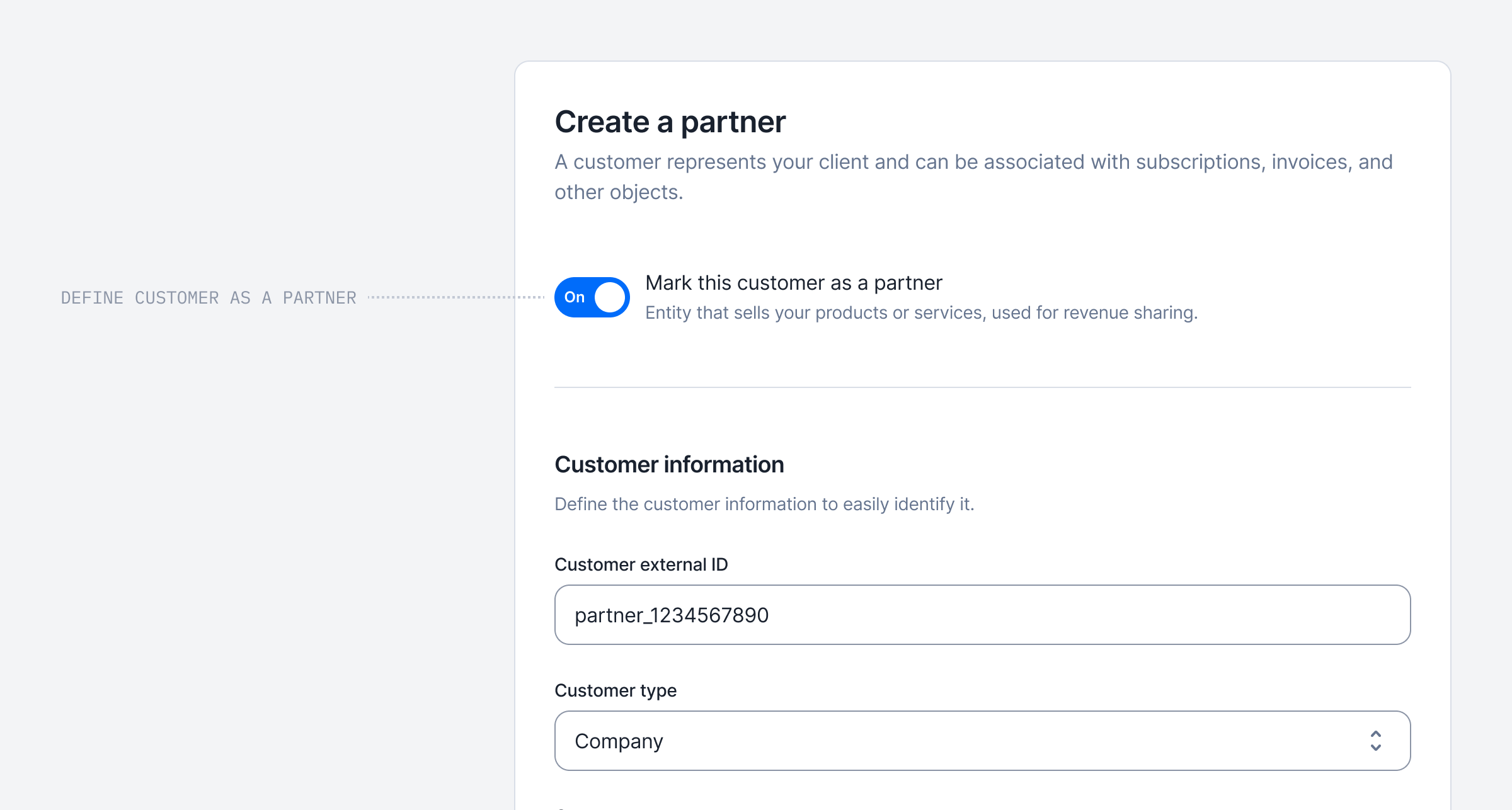 ✨ This feature is only available via a premium license. Please contact [hello@getlago.com](mailto:hello@getlago.com) to get access to Lago Cloud and Lago Self-Hosted Premium.
Many of our customers share some revenue with partners. If a partner gets them a new customer, the partner gets a cut of that revenue.
This is easy enough for subscriptions and tons of vendors enable this. But if you charged based on usage, you had to do it all manually because most billing systems couldn’t handle this.
We’re solving this now. Previously, you could only use Lago to invoice your customers. Now you can create partners. A partner invoice is addressed to you and comes from your partner, a concept we call self-billing.
This means you can now manage partnerships directly within Lago instead of needing multiple tools. Lago will also calculate both the revenue this partner brings you and their overall cost.
[Learn more](../guide/revenue-share)
## Back to the future with invoice previews
✨ This feature is only available via a premium license. Please contact [hello@getlago.com](mailto:hello@getlago.com) to get access to Lago Cloud and Lago Self-Hosted Premium.
Many of our customers share some revenue with partners. If a partner gets them a new customer, the partner gets a cut of that revenue.
This is easy enough for subscriptions and tons of vendors enable this. But if you charged based on usage, you had to do it all manually because most billing systems couldn’t handle this.
We’re solving this now. Previously, you could only use Lago to invoice your customers. Now you can create partners. A partner invoice is addressed to you and comes from your partner, a concept we call self-billing.
This means you can now manage partnerships directly within Lago instead of needing multiple tools. Lago will also calculate both the revenue this partner brings you and their overall cost.
[Learn more](../guide/revenue-share)
## Back to the future with invoice previews
 ✨ This feature is only available via a premium license. Please contact [hello@getlago.com](mailto:hello@getlago.com) to get access to Lago Cloud and Lago Self-Hosted Premium.
By using the `/invoices/preview` endpoint, you can generate a preview of an invoice for a potential purchase or to estimate the dry-run invoice of an active subscription.
This preview calculates the total invoice amount, itemizes each charge, and applies any relevant taxes or discounts.
By creating a preview, you can share the projected payment details without generating or finalizing an invoice.
1. Prospective customers can now see exactly what they’ll have to pay if they buy the product. This gives them more clarity and makes them more likely to buy.
2. As a company, you can now see what a customer’s invoice would look like if it was issued right now. This lets you a) support your customers better when they have.
3. Your customers can preview what they’ll have to pay if they downgrade, upgrade, etc. in fine detail—including all taxes, credits, etc.
[Learn more](../guide/invoicing/previews)
## Add up to 10 webhook endpoints
✨ This feature is only available via a premium license. Please contact [hello@getlago.com](mailto:hello@getlago.com) to get access to Lago Cloud and Lago Self-Hosted Premium.
By using the `/invoices/preview` endpoint, you can generate a preview of an invoice for a potential purchase or to estimate the dry-run invoice of an active subscription.
This preview calculates the total invoice amount, itemizes each charge, and applies any relevant taxes or discounts.
By creating a preview, you can share the projected payment details without generating or finalizing an invoice.
1. Prospective customers can now see exactly what they’ll have to pay if they buy the product. This gives them more clarity and makes them more likely to buy.
2. As a company, you can now see what a customer’s invoice would look like if it was issued right now. This lets you a) support your customers better when they have.
3. Your customers can preview what they’ll have to pay if they downgrade, upgrade, etc. in fine detail—including all taxes, credits, etc.
[Learn more](../guide/invoicing/previews)
## Add up to 10 webhook endpoints
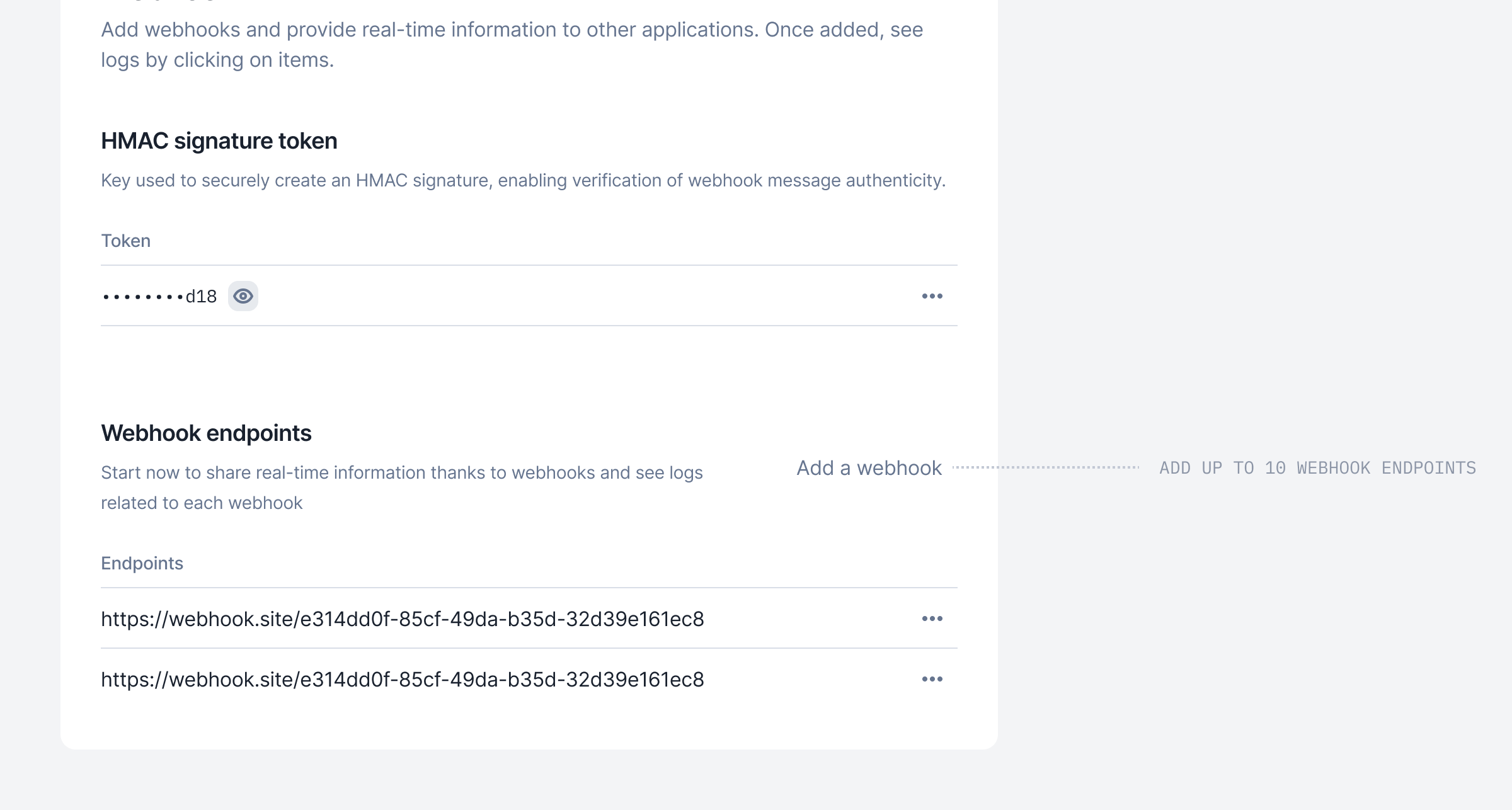 We’ve increased the limit on the number of webhook endpoints available in your Lago app!
You can now add up to 10 webhook endpoints in the developer section.
[Learn more](../guide/webhooks#adding-a-webhook-url)
## Add fees to your draft invoices
We’ve increased the limit on the number of webhook endpoints available in your Lago app!
You can now add up to 10 webhook endpoints in the developer section.
[Learn more](../guide/webhooks#adding-a-webhook-url)
## Add fees to your draft invoices
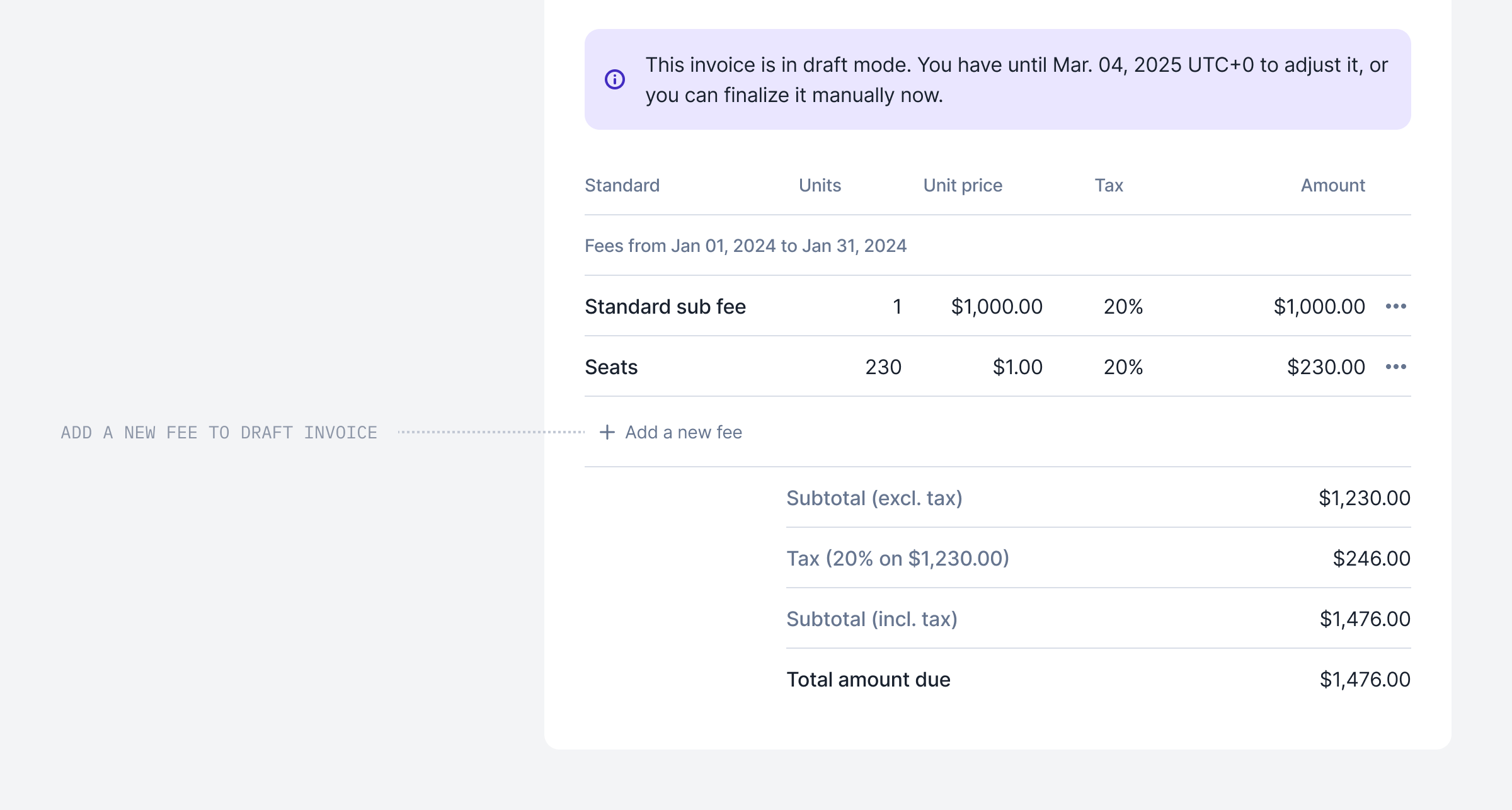 As communicated, we no longer generate fees at 0 units, but you can still add them to Draft invoices if no event has been received.
Don’t hestiate to navigate into a Draft invoice and add fees linked to charges with no Event.
[Learn more](../guide/invoicing/draft-invoices#add-fees-to-draft-invoice)
## Retrieve a wallet transaction endpoint
As communicated, we no longer generate fees at 0 units, but you can still add them to Draft invoices if no event has been received.
Don’t hestiate to navigate into a Draft invoice and add fees linked to charges with no Event.
[Learn more](../guide/invoicing/draft-invoices#add-fees-to-draft-invoice)
## Retrieve a wallet transaction endpoint
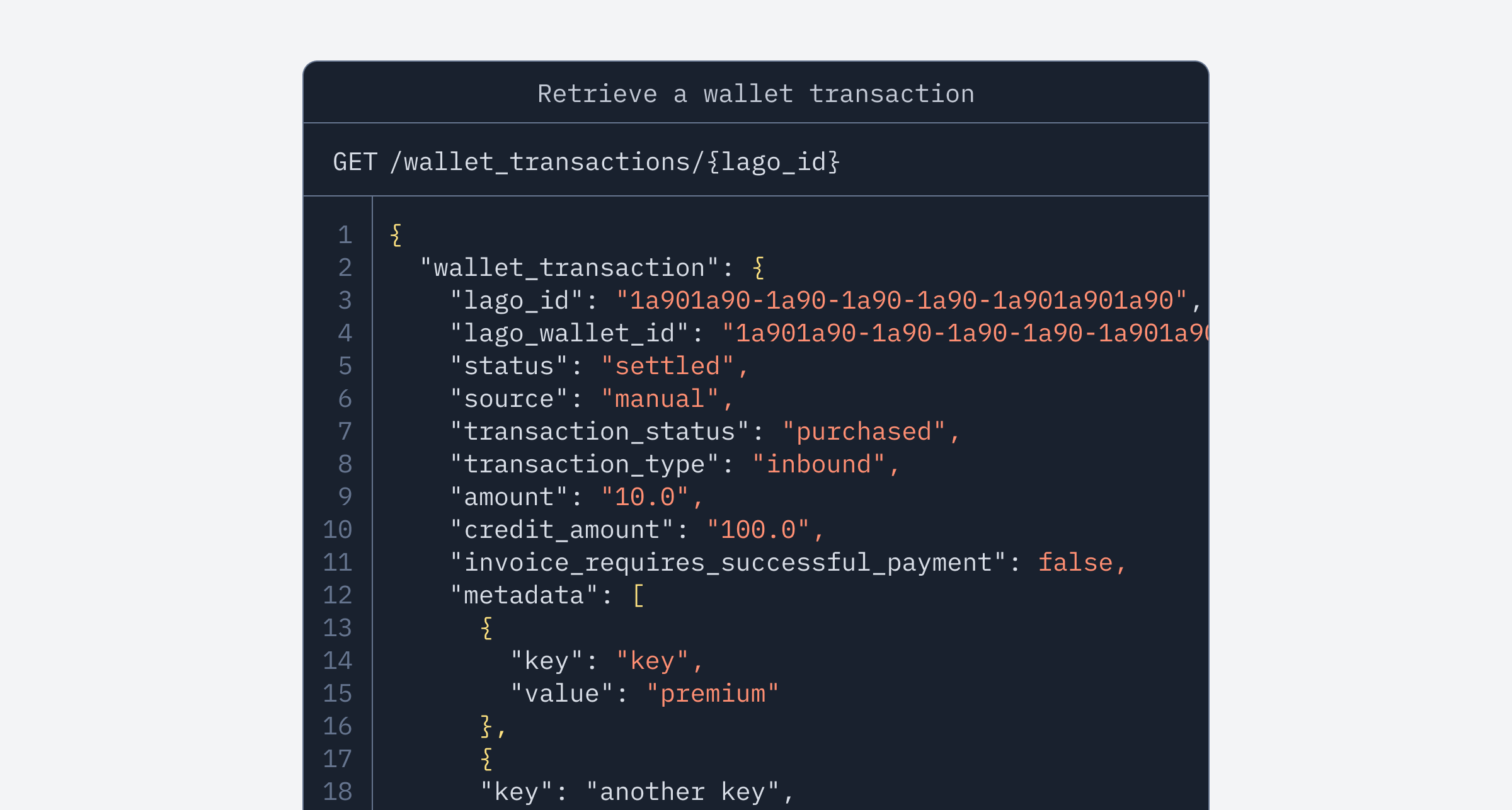 We’ve added a new endpoint to the wallet experience!
No need to query the full wallet transaction list to view the details of a specific transaction—you can now retrieve a single wallet transaction directly with the new `GET /wallet_transactions/{lago_id}` endpoint.
[View endpoint](../api-reference/wallets/get-specific-transaction)
## Let Lago sync your customers directly with Salesforce!
We’ve added a new endpoint to the wallet experience!
No need to query the full wallet transaction list to view the details of a specific transaction—you can now retrieve a single wallet transaction directly with the new `GET /wallet_transactions/{lago_id}` endpoint.
[View endpoint](../api-reference/wallets/get-specific-transaction)
## Let Lago sync your customers directly with Salesforce!
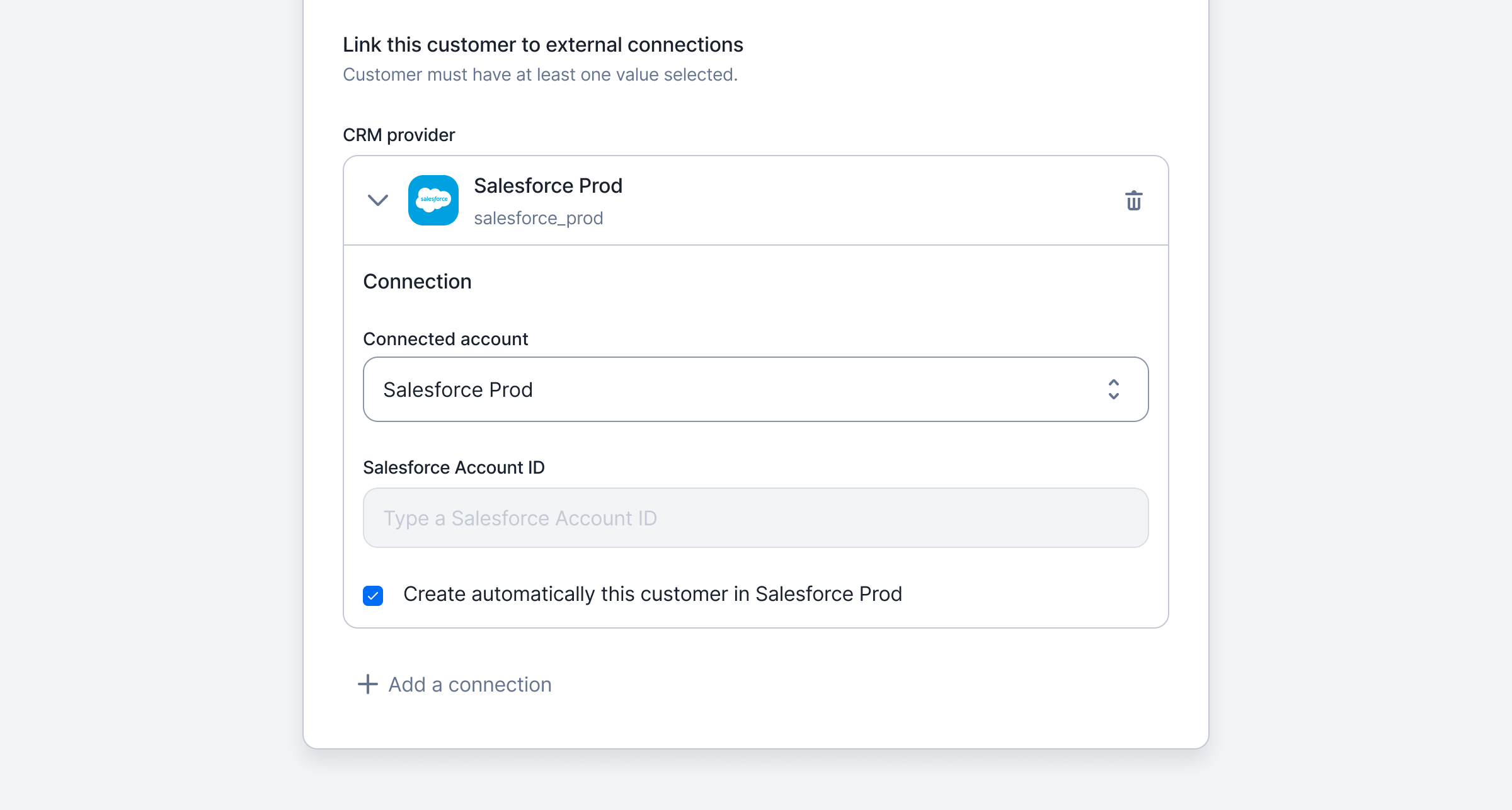 We’ve streamlined the Salesforce integration experience.
Like all our other integrations, you can now set up the creation of a customer in Lago to sync with Salesforce.
If you need to test the Salesforce package, feel free to [reach out](mailto:hello@getlago.com)!
[Learn more](../integrations/crm/salesforce-crm#sync-customers-to-salesforce-v2-7)
## No need to leave Salesforce to apply coupons to accounts!
We understand that sales teams prefer to stay within Salesforce as much as possible, so we’ve enhanced the Salesforce integration.
You can now select specific coupons and apply or remove them directly to or from your accounts in Salesforce—no need to switch to Lago.
[Learn more](../integrations/crm/salesforce-crm#applying-coupons-to-accounts)
## Display custom invoice sections
We’ve streamlined the Salesforce integration experience.
Like all our other integrations, you can now set up the creation of a customer in Lago to sync with Salesforce.
If you need to test the Salesforce package, feel free to [reach out](mailto:hello@getlago.com)!
[Learn more](../integrations/crm/salesforce-crm#sync-customers-to-salesforce-v2-7)
## No need to leave Salesforce to apply coupons to accounts!
We understand that sales teams prefer to stay within Salesforce as much as possible, so we’ve enhanced the Salesforce integration.
You can now select specific coupons and apply or remove them directly to or from your accounts in Salesforce—no need to switch to Lago.
[Learn more](../integrations/crm/salesforce-crm#applying-coupons-to-accounts)
## Display custom invoice sections
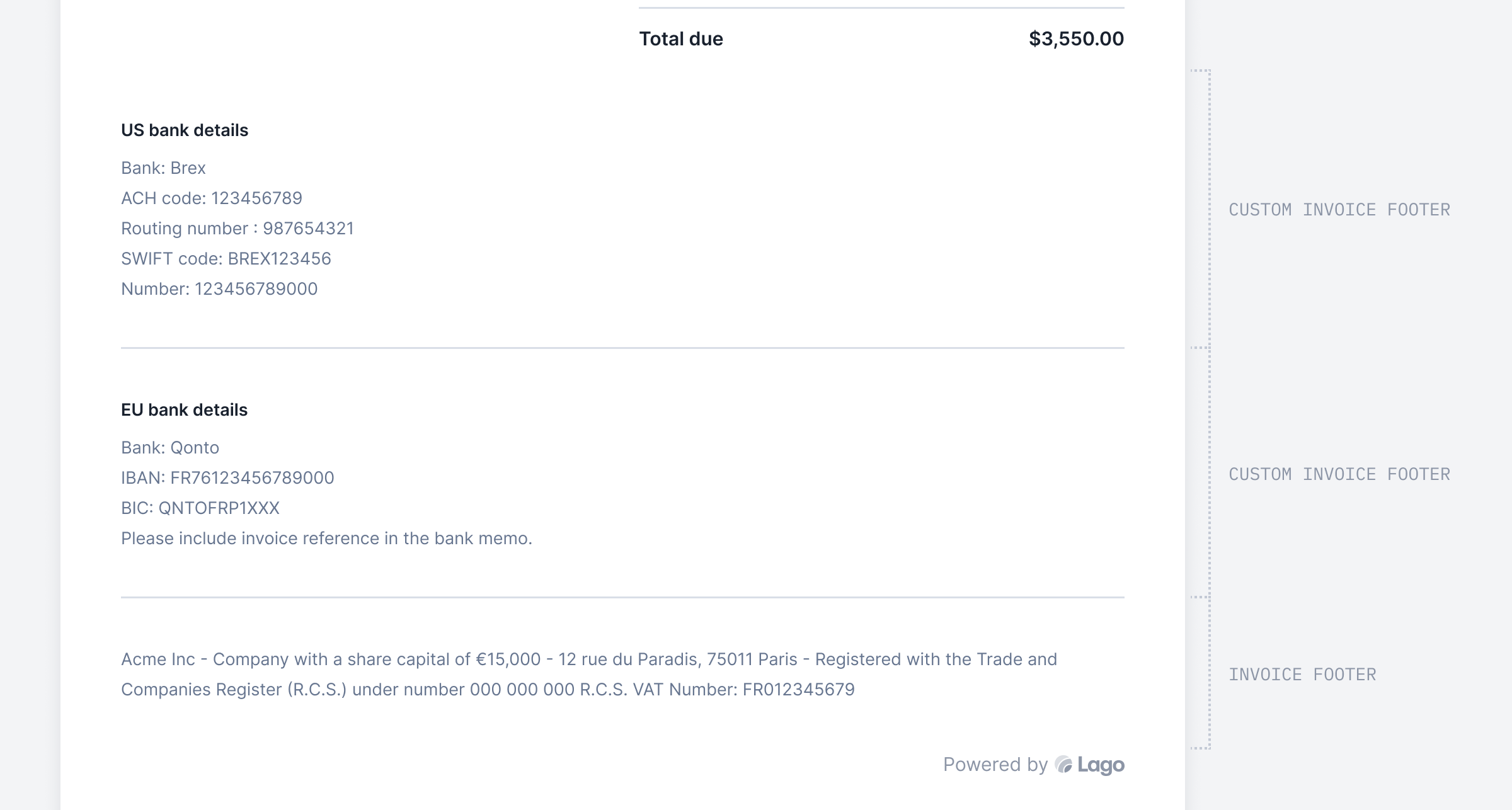 Tailor invoices to each customer by adding personalized bank details!
With the custom invoice section, you can easily personalize templates and include essential details like legal information, all conveniently displayed in the footer.
Head to **Settings > Invoices > Invoice Custom Section** to try out this new feature.
[Learn more](../guide/invoicing/download-invoices#add-custom-invoice-section)
## Filter and export credit notes
Tailor invoices to each customer by adding personalized bank details!
With the custom invoice section, you can easily personalize templates and include essential details like legal information, all conveniently displayed in the footer.
Head to **Settings > Invoices > Invoice Custom Section** to try out this new feature.
[Learn more](../guide/invoicing/download-invoices#add-custom-invoice-section)
## Filter and export credit notes
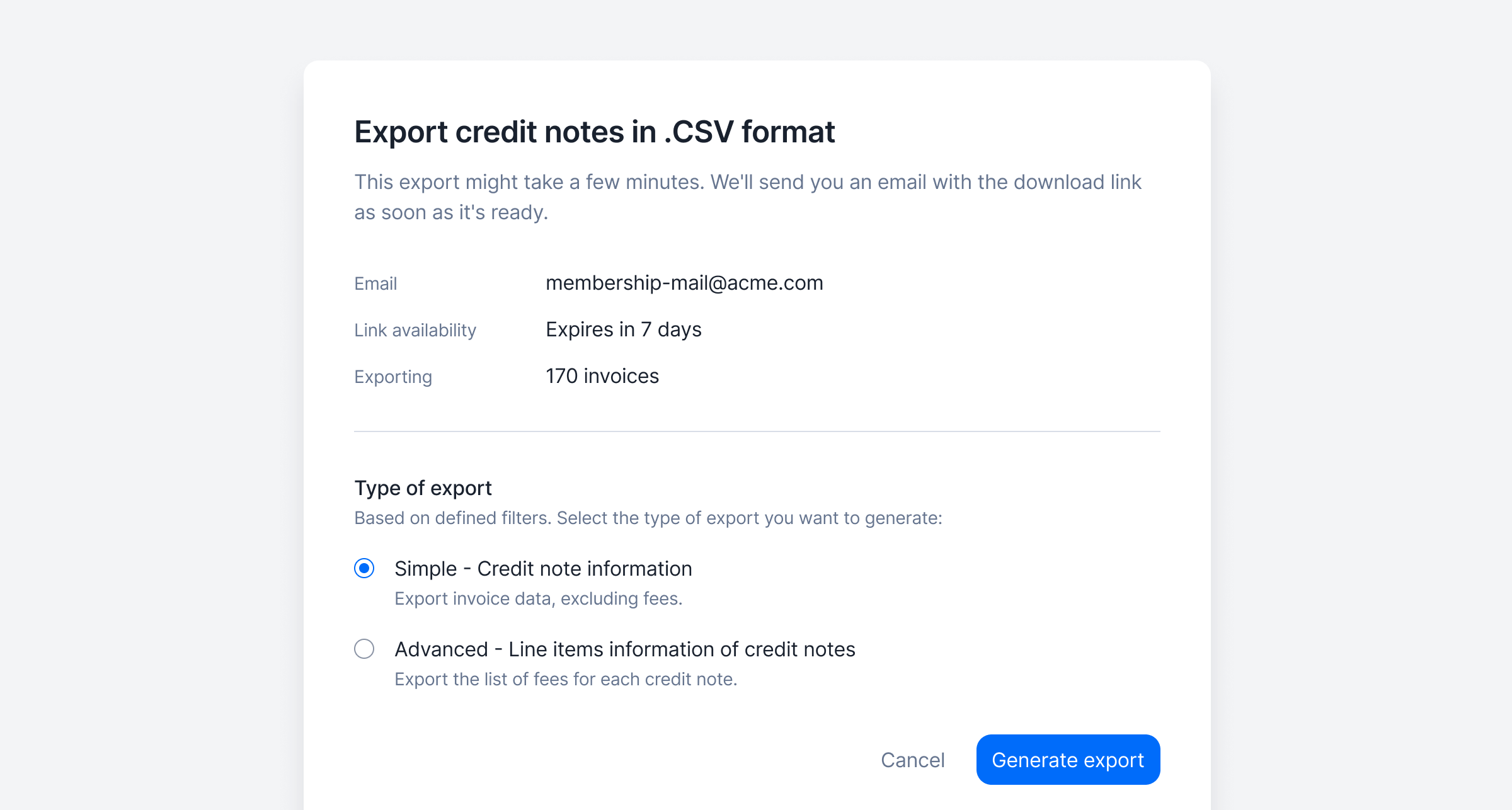 Users can now filter the list of credit notes (e.g. by currency, customer, issuing date, amount, reason, etc.) and the filtered list can then be exported from the user interface.
Two export options are available:
* Standard, including the list of credit notes and credit note amounts (i.e. one row per credit note); and
* Advanced, including the list of credit note line items (i.e. one row per line item, so multiple rows per credit note if it includes multiple items).
The list is automatically emailed to the requester in a CSV file.
[Learn more](../guide/invoicing/export#filter-and-export-credit-notes)
## Granular API key permissions
Users can now filter the list of credit notes (e.g. by currency, customer, issuing date, amount, reason, etc.) and the filtered list can then be exported from the user interface.
Two export options are available:
* Standard, including the list of credit notes and credit note amounts (i.e. one row per credit note); and
* Advanced, including the list of credit note line items (i.e. one row per line item, so multiple rows per credit note if it includes multiple items).
The list is automatically emailed to the requester in a CSV file.
[Learn more](../guide/invoicing/export#filter-and-export-credit-notes)
## Granular API key permissions
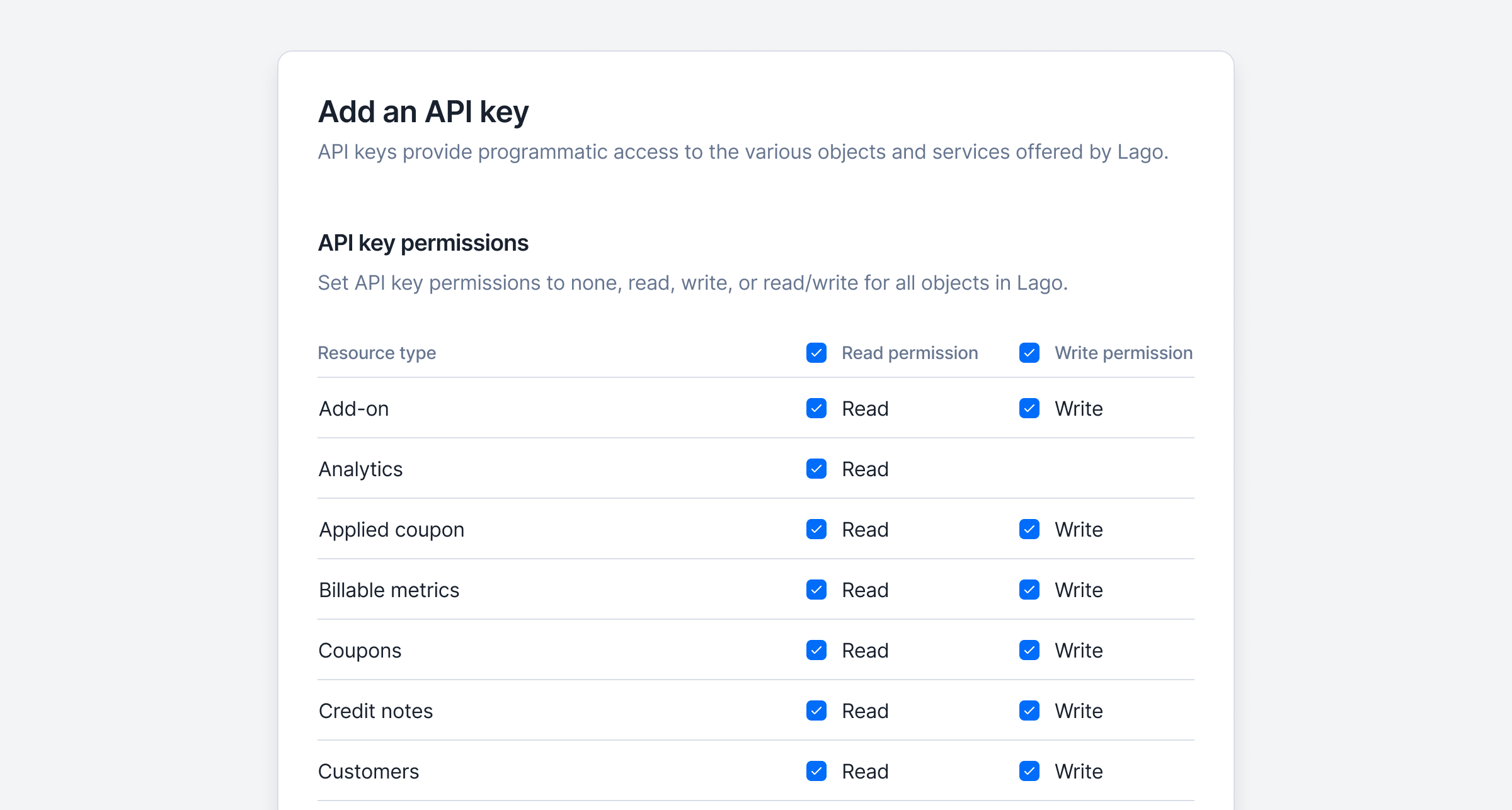 You can now customize permissions for API keys in Lago! 🔒
When creating or editing an API key, you can define **read**, **write**, or **read and write** access for every object in the Lago API. This gives you full control over which endpoints can be accessed and how.
If an API key doesn’t have the required permissions, the API will block the request, ensuring enhanced security and precise access control.
[Learn more](../guide/security/api-keys#set-api-key-permissions)
## Edit and delete dunning campaign
You can now customize permissions for API keys in Lago! 🔒
When creating or editing an API key, you can define **read**, **write**, or **read and write** access for every object in the Lago API. This gives you full control over which endpoints can be accessed and how.
If an API key doesn’t have the required permissions, the API will block the request, ensuring enhanced security and precise access control.
[Learn more](../guide/security/api-keys#set-api-key-permissions)
## Edit and delete dunning campaign
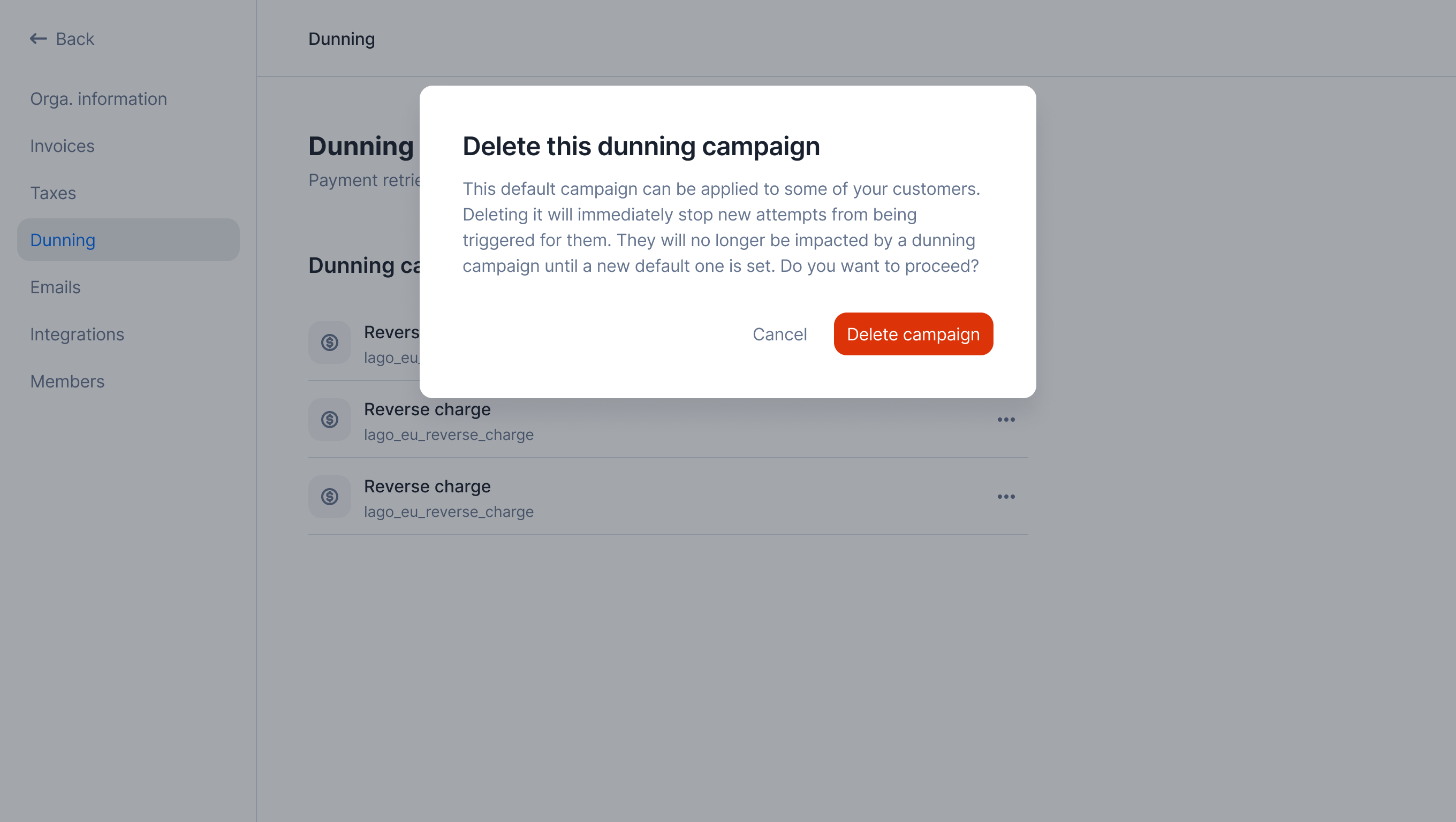 You can now instantly update dunning campaign thresholds, delays, and attempts to fit your needs—changes may trigger new attempts for linked customers. No longer need a campaign? Delete it! Customers will either switch to the default campaign or be excluded if none exists.
[Learn more](../guide/dunning/automatic-dunning#edit-a-dunning-campaign)
## Create new API keys
You can now instantly update dunning campaign thresholds, delays, and attempts to fit your needs—changes may trigger new attempts for linked customers. No longer need a campaign? Delete it! Customers will either switch to the default campaign or be excluded if none exists.
[Learn more](../guide/dunning/automatic-dunning#edit-a-dunning-campaign)
## Create new API keys
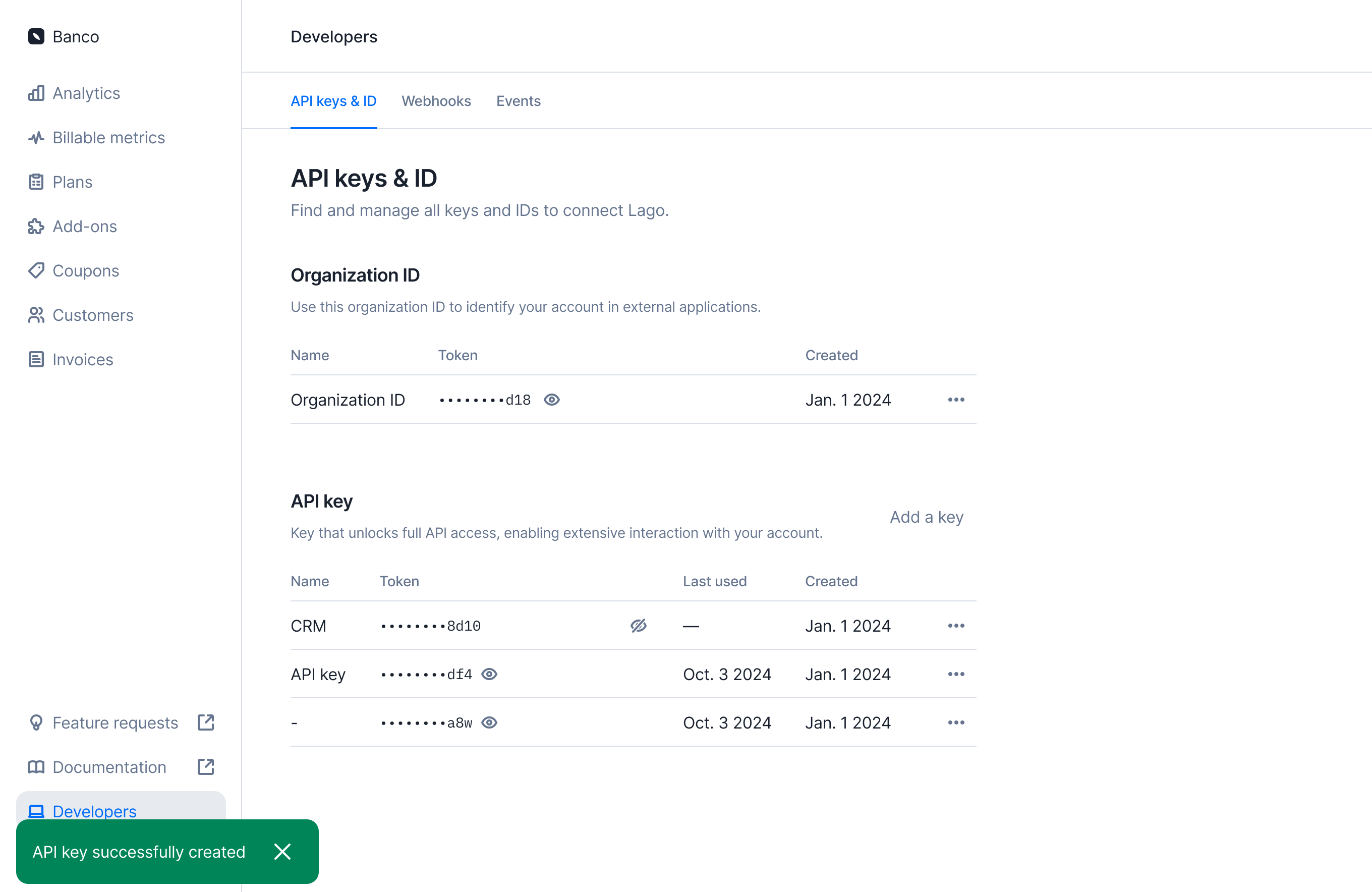 ✨ This feature is only available via a premium licence. Please contact [hello@getlago.com](mailto:hello@getlago.com) to get access to Lago Cloud and Lago Self-Hosted Premium.
Need more API keys? You can now manage your API keys more efficiently—create, name, and delete them to seamlessly connect Lago to other tools.
Visit the **Developers > API Keys** section to explore this new experience.
[Learn more](../guide/security/api-keys#create-an-api-key)
## Schedule an API key rotation
✨ This feature is only available via a premium licence. Please contact [hello@getlago.com](mailto:hello@getlago.com) to get access to Lago Cloud and Lago Self-Hosted Premium.
Need more API keys? You can now manage your API keys more efficiently—create, name, and delete them to seamlessly connect Lago to other tools.
Visit the **Developers > API Keys** section to explore this new experience.
[Learn more](../guide/security/api-keys#create-an-api-key)
## Schedule an API key rotation
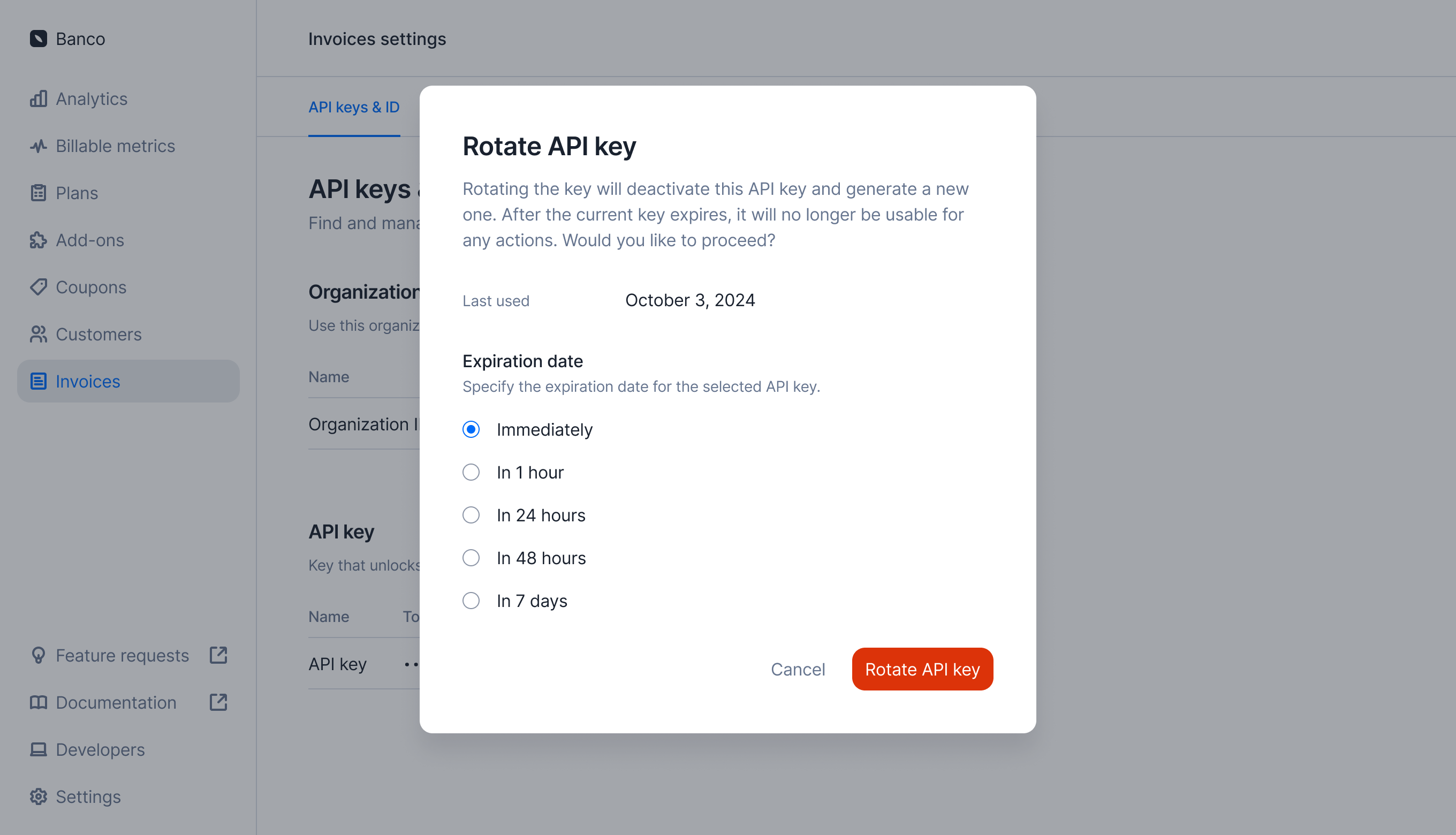 ✨ This feature is only available via a premium licence. Please contact [hello@getlago.com](mailto:hello@getlago.com) to get access to Lago Cloud and Lago Self-Hosted Premium.
You can schedule an API key rotation to proactively manage security migrations. Choose a timeframe—now, in 1 hour, 24 hours, 48 hours, or 7 days—and Lago will automatically deactivate the old API key.
[Learn more](../guide/security/api-keys#schedule-an-api-key-rotation)
## Rotate your API key
✨ This feature is only available via a premium licence. Please contact [hello@getlago.com](mailto:hello@getlago.com) to get access to Lago Cloud and Lago Self-Hosted Premium.
You can schedule an API key rotation to proactively manage security migrations. Choose a timeframe—now, in 1 hour, 24 hours, 48 hours, or 7 days—and Lago will automatically deactivate the old API key.
[Learn more](../guide/security/api-keys#schedule-an-api-key-rotation)
## Rotate your API key
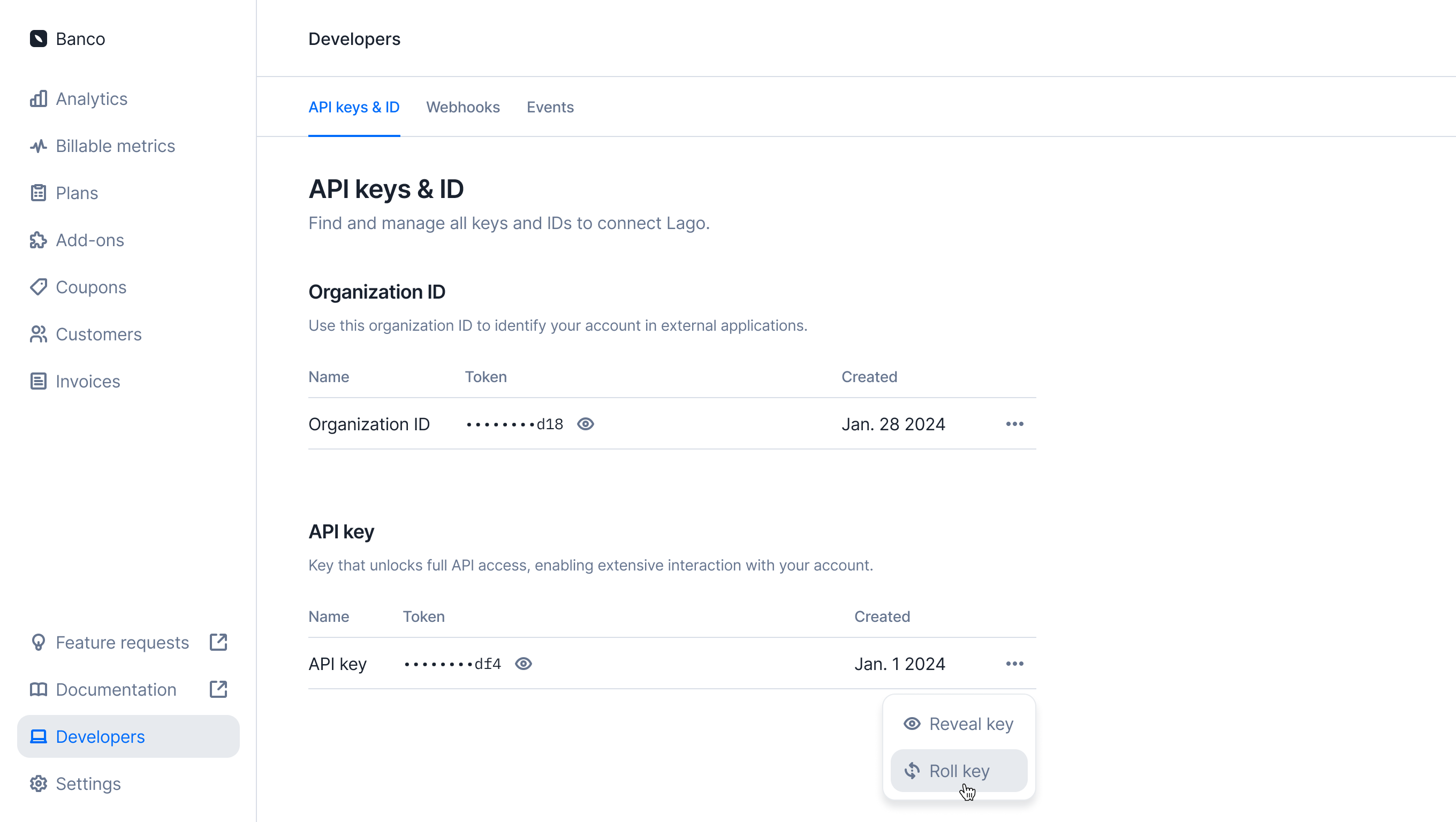 Oops! Think your API key might be exposed, or just want to rotate it to stay safe? No worries—you don’t need to reach out to us. You can now quickly roll your key anytime in the Developer section.
[Learn more](../guide/security/api-keys)
## Automatic dunning: Payment reminders on autopilot
Oops! Think your API key might be exposed, or just want to rotate it to stay safe? No worries—you don’t need to reach out to us. You can now quickly roll your key anytime in the Developer section.
[Learn more](../guide/security/api-keys)
## Automatic dunning: Payment reminders on autopilot
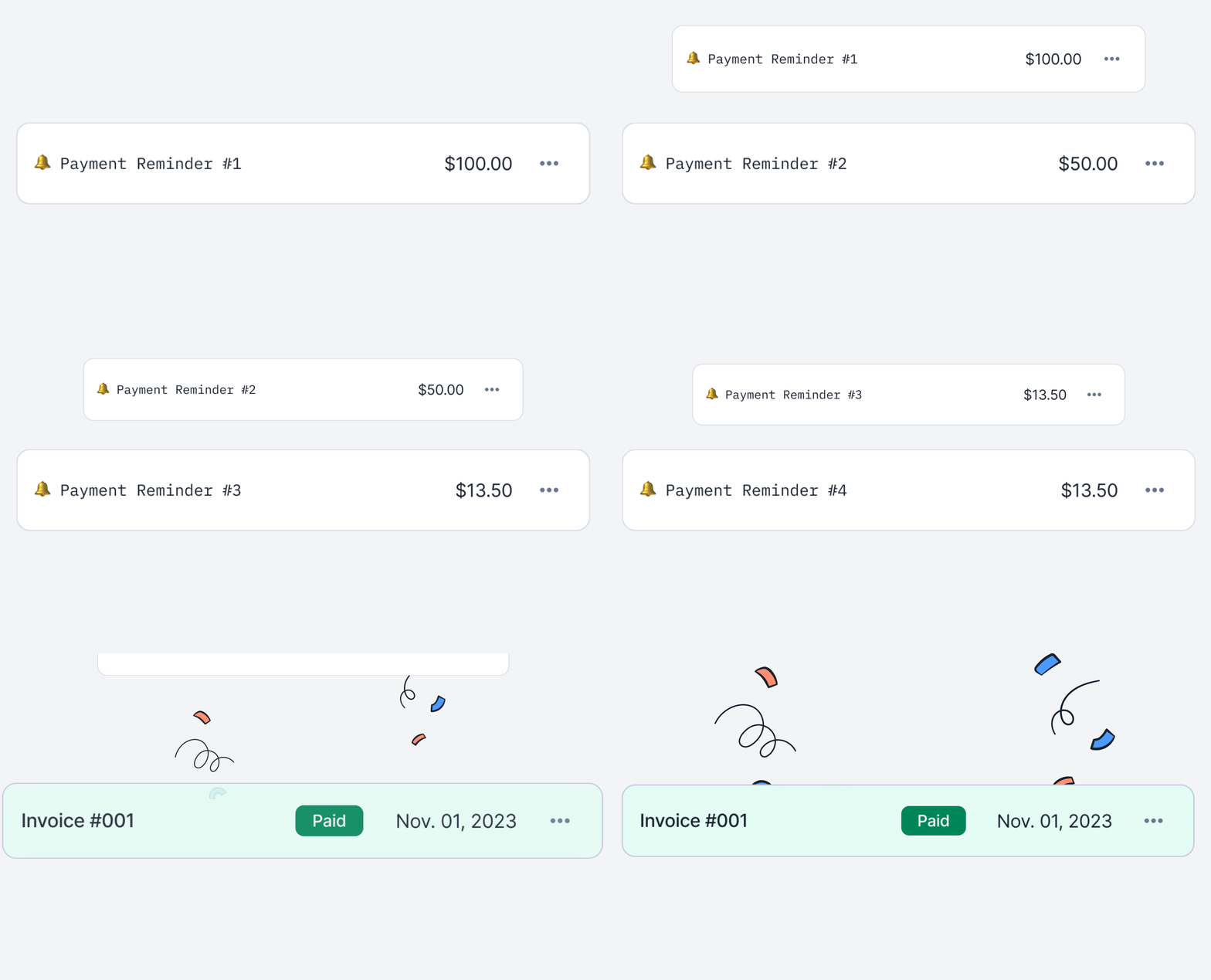 For businesses billing on usage, keeping payments timely is essential. That's why we're introducing **Automatic Dunning**—a hands-off way to manage overdue invoices and keep cash flow steady.
With Automatic Dunning, you can **set up tailored reminder campaigns** for different customer groups. Once activated, **these campaigns run on autopilot**, sending scheduled email reminders for any unpaid invoices. Reminders will keep going until the payment is made or you adjust the settings.
Automatic Dunning keeps your payment reminders on autopilot, so you can focus on what matters while your billing engine handles collections in the background.
[Learn more](../guide/dunning/automatic-dunning)
## Customizable rounding for usage metrics
For businesses billing on usage, keeping payments timely is essential. That's why we're introducing **Automatic Dunning**—a hands-off way to manage overdue invoices and keep cash flow steady.
With Automatic Dunning, you can **set up tailored reminder campaigns** for different customer groups. Once activated, **these campaigns run on autopilot**, sending scheduled email reminders for any unpaid invoices. Reminders will keep going until the payment is made or you adjust the settings.
Automatic Dunning keeps your payment reminders on autopilot, so you can focus on what matters while your billing engine handles collections in the background.
[Learn more](../guide/dunning/automatic-dunning)
## Customizable rounding for usage metrics
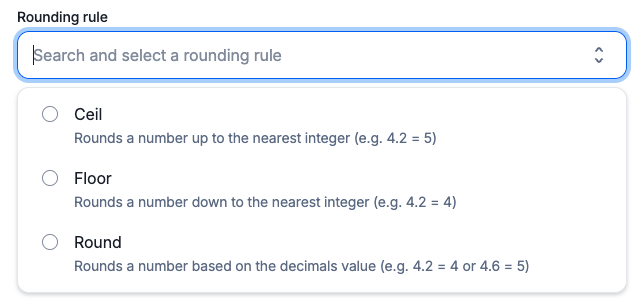 Previously, usage rounding in Lago was limited to a default precision. Now, with **Customizable Rounding Rules**, you have full control over how usage-based metrics are rounded.
Choose from these rounding options:
* **Ceil**: Always round up to the nearest integer.
* **Floor**: Always round down to the nearest integer.
* **Round**: Round to the nearest integer using standard rounding rules.
Additionally, you can specify a **precision level**—positive or negative—allowing you to round usage to a set number of decimals.
[Learn more](../guide/billable-metrics/rounding)
## Build any usage-based metric with SQL expressions
Previously, usage-based metrics in Lago were powered by a single field—ideal for simplicity but limited in flexibility. Now, we are giving you complete control with SQL Expressions.
**With SQL Expressions, you can build metrics tailored to your needs**. Use advanced math operations, concatenations, rounding, and more to create precise, custom metrics that reflect your unique usage patterns.
**Custom expressions allow you to define more advanced computation logic** by dynamically using any event field within your expression. Here are a few examples:
* **Concatenation:** `CONCAT(value1, '_', value2)`
* **Math operations:** `((value1 * value2) / value3)`
* **Rounding:** `ROUND(value1 / value2)`
```SQL SQL Expression example theme={"dark"}
CEIL((event.properties.ended_at - event.timestamp) / 3600)
```
[Learn more](../guide/billable-metrics/sql-expressions)
## Cascade plan editions to overridden subscriptions
Previously, usage rounding in Lago was limited to a default precision. Now, with **Customizable Rounding Rules**, you have full control over how usage-based metrics are rounded.
Choose from these rounding options:
* **Ceil**: Always round up to the nearest integer.
* **Floor**: Always round down to the nearest integer.
* **Round**: Round to the nearest integer using standard rounding rules.
Additionally, you can specify a **precision level**—positive or negative—allowing you to round usage to a set number of decimals.
[Learn more](../guide/billable-metrics/rounding)
## Build any usage-based metric with SQL expressions
Previously, usage-based metrics in Lago were powered by a single field—ideal for simplicity but limited in flexibility. Now, we are giving you complete control with SQL Expressions.
**With SQL Expressions, you can build metrics tailored to your needs**. Use advanced math operations, concatenations, rounding, and more to create precise, custom metrics that reflect your unique usage patterns.
**Custom expressions allow you to define more advanced computation logic** by dynamically using any event field within your expression. Here are a few examples:
* **Concatenation:** `CONCAT(value1, '_', value2)`
* **Math operations:** `((value1 * value2) / value3)`
* **Rounding:** `ROUND(value1 / value2)`
```SQL SQL Expression example theme={"dark"}
CEIL((event.properties.ended_at - event.timestamp) / 3600)
```
[Learn more](../guide/billable-metrics/sql-expressions)
## Cascade plan editions to overridden subscriptions
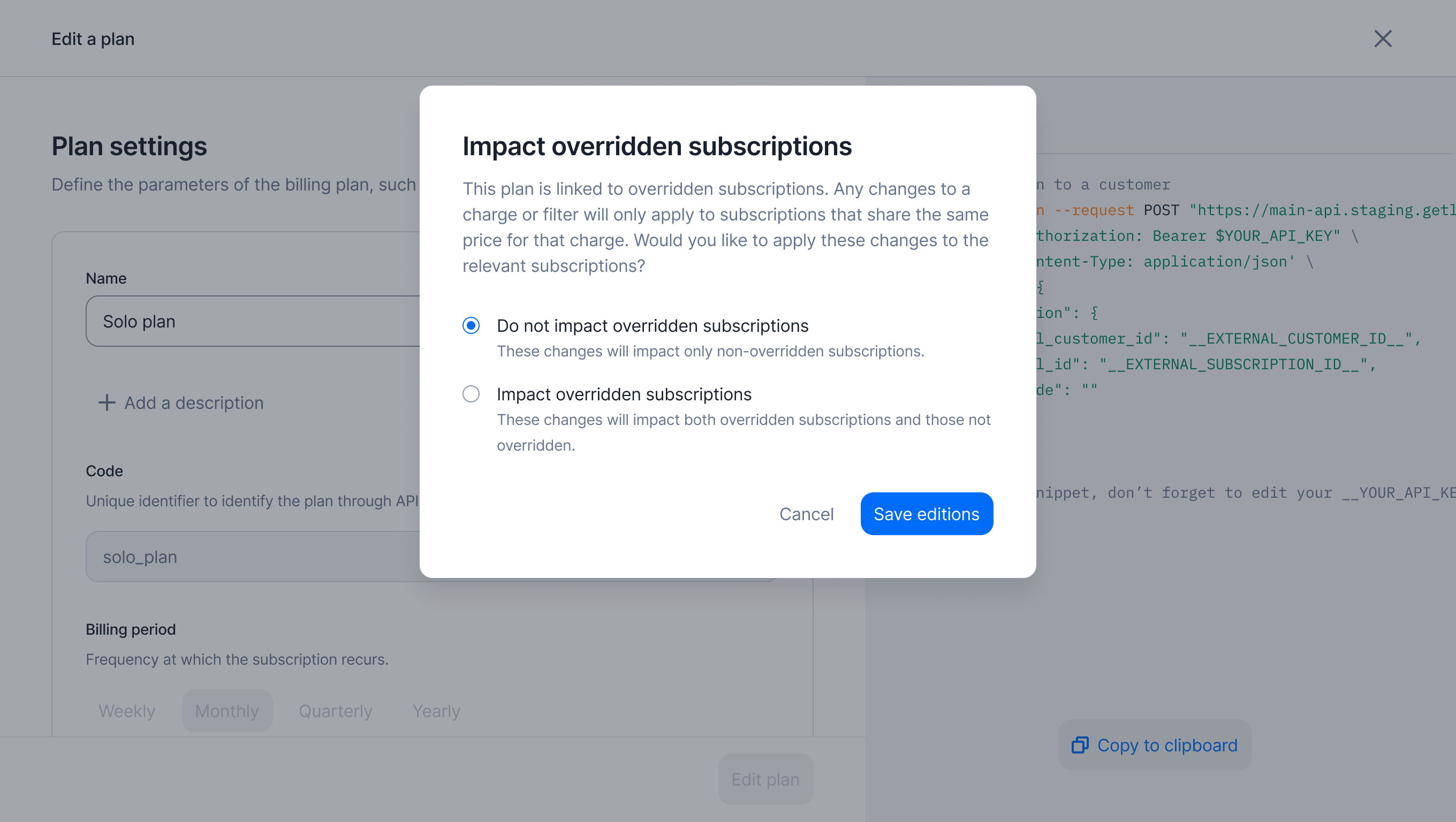 You have now the flexibility to decide whether changes made to the parent plan should automatically cascade to all overridden subscriptions.
For instance, if you add a new charge to the parent plan, it will immediately reflect in the overridden subscriptions, ensuring that all pricing updates are seamlessly applied across your entire customer base while maintaining the flexibility of custom pricing.
[Learn more](../guide/plans/overview#editing-plans)
## Sync billing data to HubSpot
You have now the flexibility to decide whether changes made to the parent plan should automatically cascade to all overridden subscriptions.
For instance, if you add a new charge to the parent plan, it will immediately reflect in the overridden subscriptions, ensuring that all pricing updates are seamlessly applied across your entire customer base while maintaining the flexibility of custom pricing.
[Learn more](../guide/plans/overview#editing-plans)
## Sync billing data to HubSpot
 With Lago’s new integration, you can now seamlessly sync billing data in real time to HubSpot. By connecting your Lago account to HubSpot, you’ll enable the following:
1. **Customer Creation**: Automatically create Contacts or Companies in HubSpot based on your Lago customer data.
2. **Invoice Syncing**: Real-time invoice sync to a HubSpot custom object named `LagoInvoices`.
3. **Subscription Syncing**: Real-time subscription sync to a HubSpot custom object named `LagoSubscriptions`.
[Learn more](../integrations/crm/hubspot)
## Quote in Salesforce CPQ, bill in Lago!
With Lago’s new integration, you can now seamlessly sync billing data in real time to HubSpot. By connecting your Lago account to HubSpot, you’ll enable the following:
1. **Customer Creation**: Automatically create Contacts or Companies in HubSpot based on your Lago customer data.
2. **Invoice Syncing**: Real-time invoice sync to a HubSpot custom object named `LagoInvoices`.
3. **Subscription Syncing**: Real-time subscription sync to a HubSpot custom object named `LagoSubscriptions`.
[Learn more](../integrations/crm/hubspot)
## Quote in Salesforce CPQ, bill in Lago!
 Our enhanced Salesforce package now enables you to use Salesforce CPQ for quoting leads and customers.
**Once a quote is approved and signed, it automatically triggers a real-time subscription in Lago**.
No need for separate processes—your sales team can directly create subscriptions from validated quotes within Salesforce.
[Learn more](../integrations/crm/salesforce-cpq)
## Dynamic pricing
Our enhanced Salesforce package now enables you to use Salesforce CPQ for quoting leads and customers.
**Once a quote is approved and signed, it automatically triggers a real-time subscription in Lago**.
No need for separate processes—your sales team can directly create subscriptions from validated quotes within Salesforce.
[Learn more](../integrations/crm/salesforce-cpq)
## Dynamic pricing
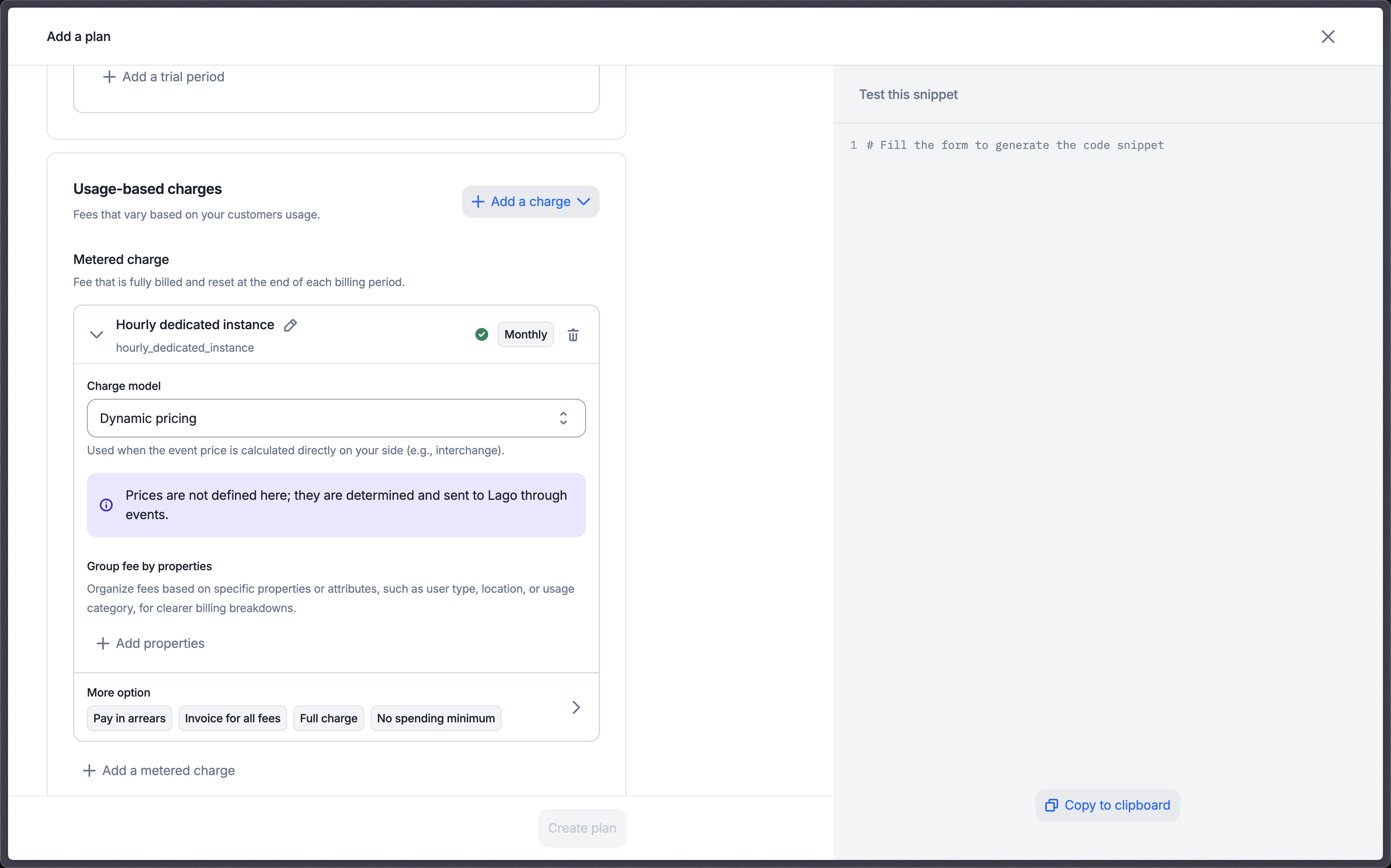 Do your prices change dynamically based on a provider or complex in-house calculations?
Here are some real-life use cases:
* 🤖 AI companies: prices fluctuating based on real-time models cost
* 🏦 Fintech: matching prices to live market data
* 📱 Telco/CPaaS: adjusting costs to fluctuating carrier rates
We've heard you, and we're excited to introduce Dynamic Pricing for this!
You can now set a charge model as Dynamic and send the event amount directly through each event. No more headaches trying to manage interchange fees or fluctuating custom prices.
[Learn more](../guide/plans/charges/charge-models/dynamic)
## Credit note on prepaid credit invoices
Refund your customers who purchased prepaid credit in no time!
You can now process refunds for prepaid credit bought within Lago directly, without needing to engage your payment provider.
Lago takes care of the refund through its credit note module, enabling you to initiate the refund to the payment provider and automatically void the prepaid credit in the active wallet according to the wallet’s refund status.
[Learn more](/guide/invoicing/credit-notes/overview)
## Customer Portal complete rework
Do your prices change dynamically based on a provider or complex in-house calculations?
Here are some real-life use cases:
* 🤖 AI companies: prices fluctuating based on real-time models cost
* 🏦 Fintech: matching prices to live market data
* 📱 Telco/CPaaS: adjusting costs to fluctuating carrier rates
We've heard you, and we're excited to introduce Dynamic Pricing for this!
You can now set a charge model as Dynamic and send the event amount directly through each event. No more headaches trying to manage interchange fees or fluctuating custom prices.
[Learn more](../guide/plans/charges/charge-models/dynamic)
## Credit note on prepaid credit invoices
Refund your customers who purchased prepaid credit in no time!
You can now process refunds for prepaid credit bought within Lago directly, without needing to engage your payment provider.
Lago takes care of the refund through its credit note module, enabling you to initiate the refund to the payment provider and automatically void the prepaid credit in the active wallet according to the wallet’s refund status.
[Learn more](/guide/invoicing/credit-notes/overview)
## Customer Portal complete rework
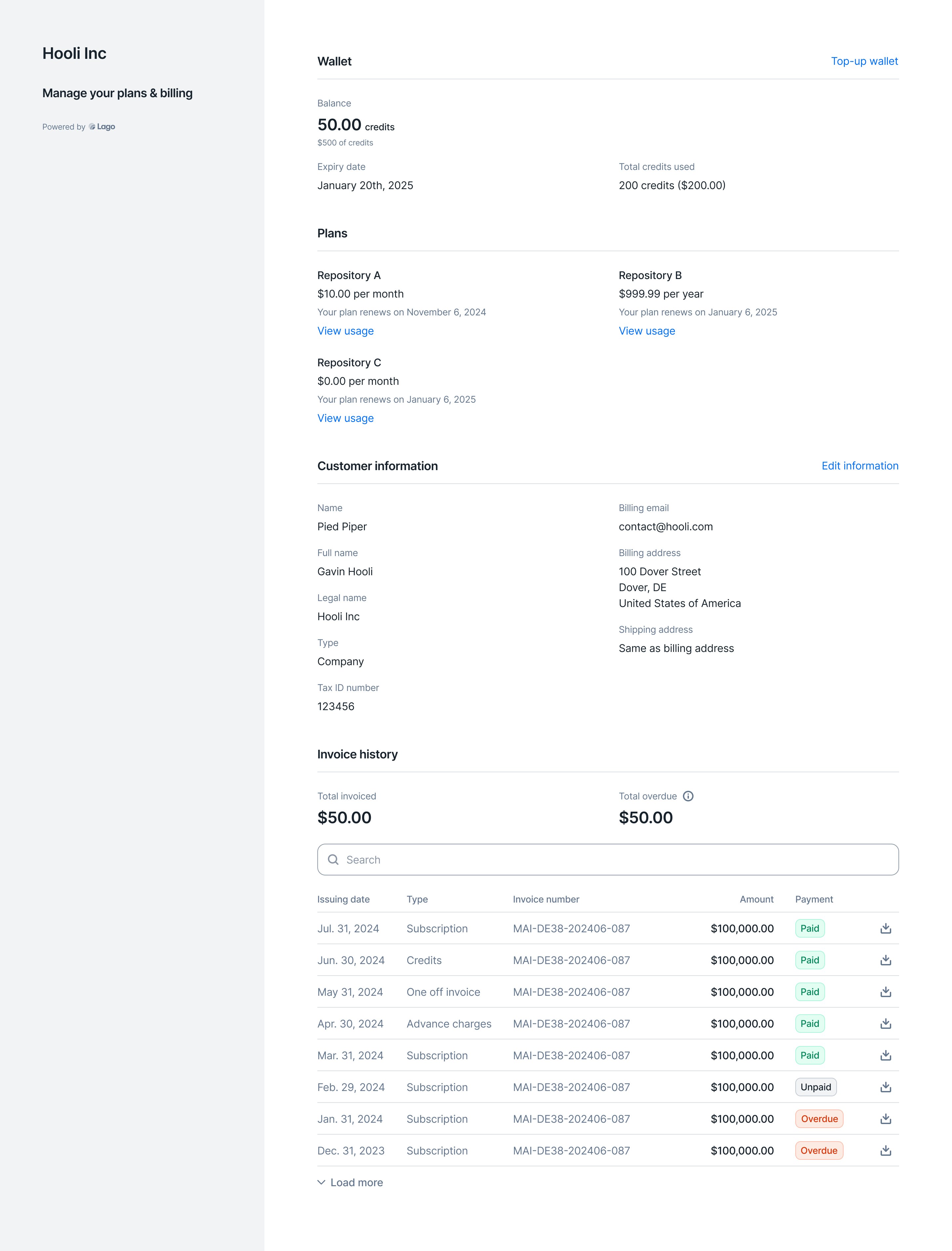 We’ve **completely reworked the Customer Portal**. You can now embed the portal URL to display in real-time **plans and usage information**, **wallet data**, **customer info**, and **invoice lists**.
Additionally, your end customers can take actions directly within the portal, such as **adding prepaid credits** and **updating their customer info**—all automatically synced with your Lago back office.
**Cherry on top?** We’re offering the new Customer Portal **for free** to all users, including those on our open-source plan.
## Usage ingestion sources
We’ve **completely reworked the Customer Portal**. You can now embed the portal URL to display in real-time **plans and usage information**, **wallet data**, **customer info**, and **invoice lists**.
Additionally, your end customers can take actions directly within the portal, such as **adding prepaid credits** and **updating their customer info**—all automatically synced with your Lago back office.
**Cherry on top?** We’re offering the new Customer Portal **for free** to all users, including those on our open-source plan.
## Usage ingestion sources
 Premium ingestion sources for metering and usage consumption are now **generally available**.
Instead of using the basic API, you can leverage dedicated connectors to ingest data directly from sources like **AWS S3**, **AWS Kinesis**, **Kafka**, **MongoDB**, and **Azure**.
Most connectors support ingestion rates of **over 15,000 events per second** (compared to 1,000 via the basic REST API).
For custom ingestion connectors, please contact the Lago team.
[Learn more](/guide/events/metering-source)
## Customer type

Users can specify whether the customer is a company or an individual by setting the customer type.
By default, if no customer type is specified, customers are created without a defined type and you will need to assign one manually.
[Learn more](/guide/customers/customer-management#companies-vs-individuals)
## Send tax invoices

Lago invoices are now fully compliant with local legislation in Australia, Indonesia, New Zealand and the United Arab Emirates.
In those countries, it is mandatory to emit "Tax Invoices" accord to specific rules. This can now be handled with Lago.
## Retrieve all events using the API
Users can now retrieve and filters all events using the API. The endpoint also allows for filtering by:
* `code`
* `external_subscription_id`
* `timestamp_from`
* `timestamp_to`
[Learn more](/api-reference/events/list-events)
## Anrok integration ✨
✨ This feature is only available via a paying add-on. Please contact [hello@getlago.com](mailto:hello@getlago.com) to get access to Lago Cloud and Lago Self-Hosted Premium.
We have developed an integration with Anrok to make tax management easier. This native integration allows you to automatically update your invoices with tax amounts sourced directly from Anrok.
* Lago sends the customer's address, tax identifier (if applicable), and the relevant product ID to calculate the appropriate tax for each line item
* Anrok calculates the tax for the invoice and returns the data to Lago, which is used to update the invoice with accurate tax information
* Lago synchronizes updates for voided and disputed invoices, as well as any credit notes created, ensuring that your records remain up to date
This integration ensures compliance with international tax regulations by calculating taxes for US & non-US obligations, like VAT.
[Learn more](/integrations/taxes/anrok#mapping-items-between-lago-and-anrok-mandatory)

## Precise amount for fees
Lago now allows you to retrieve the precise (ie. non rounded) amount on the fee object. Before only the rounded `amount_cents` was available.
To use the precise fee amount, you can use the `precise_amount` field.
[Learn more](/api-reference/fees/fee-object)

## Progressive billing ✨
✨ This feature is only available via a paying add-on. Please contact [hello@getlago.com](mailto:hello@getlago.com) to get access to Lago Cloud and Lago Self-Hosted Premium.
Progressive billing, also known as threshold billing, automatically triggers an invoice when a customer's cumulative usage reaches predefined thresholds.
This method ensures that customers cannot exceed certain usage limits without ensuring payment is received, reducing the risk of unpaid services or fraud.
You can setup 2 types of threshold:
* Step-based threshold: invoices are generated when the lifetime usage of a subscription reaches a defined threshold. You can set an unlimited number of thresholds, each with a specific amount and a unique name
* Recurring threshold: this threshold determines what happens after the final step-based threshold is reached. (For example, after the last threshold, Lago will automatically bill \$100 each time the lifetime usage increments by that amount)
[Learn more](/guide/plans/progressive-billing#progressive-billing)
## Skip empty invoices generation
Users can now decide whether or not to issue \$0 invoices (ie. empty invoices). By default, empty invoices are generated. You can change this setting at the organisation level.
When creating a customer, it takes by default the configuration of the organization for this specific field.
However, you can decide to override this information for a specific customer. Why? You might have customers who need to receive an invoice each month, even if the total amount is 0.
[Learn more](/guide/invoicing/overview#finalize-empty-invoices)

## Filter and export invoices
Users can now filter the list of invoices (e.g. by currency, customer, issuing date, etc.) and the filtered list can then be exported from the user interface.
Two export options are available:
* Standard, including the list of invoices and invoice amounts (i.e. one row per invoice)
* Advanced, including the list of fees (i.e. one row per fee, so multiple rows per invoice if the invoice includes multiple fees)
The list is automatically emailed to the requester in a CSV file.
[Learn more](/guide/invoicing/export)

## Wallet transaction metadata
When creating a wallet transaction via API, you can add metadata to store additional information (e.g. source of the transaction).
This information is not displayed in the user interface.
[Learn more](/api-reference/wallets/wallet-transaction-object)
## Invoicing options for wallet top-ups
When creating a new wallet for a customer, users can choose to generate invoices for credit purchases either:
* As soon as the wallet transaction is created
* Only when payment is successful, which avoids generating invoices for transactions that have not been finalized
These options are also available for automatic and manual top-ups (see `wallet_transaction.invoice_requires_successful_payment`).
[Learn more](/guide/wallet-and-prepaid-credits/overview#invoicing-after-successful-payment-option)

## API changes (v1.7.0)
As announced a few months ago, we have updated the event ingestion process and removed deprecated API fields. Changes include:
**1. Replacing groups with filters**
The new dimension system based on filters allows users to create billable metrics with more than two dimensions, and makes it easier to create charges based on custom event properties. The old dimension system based on groups has been permanently removed from the Lago API ([see all changes](/guide/migration/migration-to-v1.2.0#1-transition-from-group-to-filters)).
**`2. Marking external_subscription_id as mandatory for events`**
Events that only include `external_customer_id` are no longer taken into account when aggregating usage ([learn more](/guide/migration/migration-to-v1.2.0#2-mandatory-external-subscription-id-field-in-event-payloads)). This change will streamline the event validation process and enable real-time billing capabilities.
**3. Removing deprecated API fields**
For the sake of clarity and to preserve the quality of the API, we've deprecated several legacy fields ([see full list](/guide/migration/migration-to-v1.2.0#3-deprecated-fields)).
[Learn more](/guide/migration/migration-to-v1.2.0)
## Invoicing options for instant charges ✨
✨ This feature is only available to users with a premium license. Please contact [hello@getlago.com](mailto:hello@getlago.com) to get access to Lago Cloud and Lago Self-Hosted Premium.
For charges paid in advances, Lago offers three invoicing options:
* An invoice can be issued for each event
* An invoice that only includes paid fees can be issued at the end of the billing period
* No invoices (users only rely on the `fee.created` webhook)
[Learn more](/guide/plans/charges/invoiceable-vs-noninvoiceable)

## Xero integration ✨
✨ This feature is only available via a paying add-on. Please contact [hello@getlago.com](mailto:hello@getlago.com) to get access to Lago Cloud and Lago Self-Hosted Premium.
We have developed a Xero integration to make accounting easier. Available features include:
* Connecting a Lago account to a Xero account via OAuth
* Mapping Lago objects such as billable metrics, plans, coupons, wallet credits and taxes to Xero items
* Real-time synchronization of customer accounts
* Real-time synchronization of invoices
* Real-time synchronization of credit notes
* Real-time synchronization of payments
[Learn more](/integrations/accounting/xero)

## Link checkout
For card payments processed through integration with Stripe, users can enable the Link option. Link automatically fills the customer's payment information for faster checkout.
[Learn more](/integrations/payments/stripe/payments#link)

## Overview of customer billing
The customer view features a new billing section, including:
* Gross revenue (i.e. total amount billed to the customer)
* Total overdue (i.e. total amount of invoices that are past their due date)
This improvement is the first step toward dunning management (coming soon).
[Learn more](/guide/customers/customer-management#monitor-the-customers-billing-status)

## NetSuite integration ✨
✨ This feature is only available via a paying add-on. Please contact [hello@getlago.com](mailto:hello@getlago.com) to get access to Lago Cloud and Lago Self-Hosted Premium.
We have developed a NetSuite integration to make accounting easier. Available features include:
* Connecting a Lago account to a NetSuite account via OAuth
* Mapping Lago objects such as billable metrics, plans, coupons, wallet credits and taxes to NetSuite items and tax items
* Real-time synchronization of customer accounts
* Real-time synchronization of invoices (and sales orders)
* Real-time synchronization of credit notes
* Real-time synchronization of payments
[Learn more](/integrations/accounting/netsuite)

## Shipping address
In addition to the customer's billing address, users can add a shipping address. This information can be useful when the applicable tax rates are determined through integration with a tax management provider (e.g. Anrok).

## Overdue invoices
If an invoice is not marked as paid once its due date has passed, it is considered to be overdue. The billing system will then send a webhook message to notify the organization that issued the invoice (see `invoice.payment_overdue`).
[Learn more](/api-reference/webhooks/messages#payment-overdue)

## Custom pricing ✨
✨ This feature is only available via a paying add-on. Please contact [hello@getlago.com](mailto:hello@getlago.com) to get access to Lago Cloud and Lago Self-Hosted Premium.
For companies whose aggregation and pricing models cannot be reproduced using standard functions, our team can inject a custom code snippet into the billing application.
This feature allows users to implement advanced billing rules based on custom logic, which can be very useful when migrating from an in-house billing system.
[Learn more](/guide/plans/charges/charge-models/custom-price)
## Okta SSO ✨
✨ This feature is only available via a paying add-on. Please contact [hello@getlago.com](mailto:hello@getlago.com) to get access to Lago Cloud and Lago Self-Hosted Premium.
Users can sign up and log in to their Lago account through Okta single sign-on (SSO), which enables a better experience and ensures that the identity provider remains the system of record for authenticating users.
[Learn more](/guide/security/sso#okta-sso)

## Hiding subscription fees at zero
We have modified the invoice template and introduced new rules for subscription fees:
* If `amount_cents` is zero for the subscription fee and there are no other fees (e.g. usage-based charges or commitment) in the invoice, the subscription fee will appear on the PDF invoice
* If `amount_cents` is zero for the subscription fee and there are other fees in the invoice, the subscription fee will not be displayed on the PDF invoice
## Role-based access control (RBAC) ✨
✨ This feature is only available to users with a premium license. Please contact [hello@getlago.com](mailto:hello@getlago.com) to get access to Lago Cloud and Lago Self-Hosted Premium.
With the RBAC feature, organizations can ensure that each member only has access to the information and actions required to perform their job duties.
There are three roles available on the Lago platform:
* Admin: full access to all views and actions (usually assigned to billing engineers and managers)
* Account Manager: can manage customer accounts and subscriptions (suitable for sales and success teams)
* Finance & Analyst: mostly view-only, with the ability to manage invoices and credit notes
[Learn more](/guide/security/rbac)

## Recurring wallet top-ups ✨
✨ This feature is only available to users with a premium license. Please contact [hello@getlago.com](mailto:hello@getlago.com) to get access to Lago Cloud and Lago Self-Hosted Premium.
Users can define rules to automatically trigger wallet top-ups, based on two methods:
* Fixed: a predefined number of credits is added to the customer's wallet
* Target: credits are added to the customer's wallet to reach a predefined balance
There are also two trigger options:
* Interval: weekly, monthly, quarterly, semiannual or yearly top-ups, with a custom start date
* Threshold: the top-up is triggered when the ongoing balance of the wallet reaches a predefined minimum threshold
[Learn more](/guide/wallet-and-prepaid-credits/wallet-top-up-and-void#setup-recurring-top-ups)

## Webhook messages for wallets
Lago now sends webhook messages when:
* A wallet transaction is created (see `wallet_transaction.created`)
* The status of a wallet transaction is updated (e.g. when a pending transaction is settled - see `wallet_transaction.updated`)
* When the ongoing balance of the wallet is zero or less than zero (see `wallet.depleted_ongoing_balance`)
[Learn more](/api-reference/webhooks/messages#wallets)
## Void wallet credits
The endpoint `POST /wallet_transactions` includes a new function to void credits, which are immediately deducted from the balance of the customer's wallet.
This action can also be triggered via the user interface.
[Learn more](/api-reference/wallets/top-up)

## Filters for billable metrics
We have made changes to our dimension system and replaced metric groups with filters. This new feature offers greater flexibility as:
* Users can create as many filters as needed (they are no longer limited to two dimensions)
* Users can define specific rates based on very granular filter combinations (e.g. online card payments with Visa cards, offline card payments with Amex cards, etc.)
[Learn more](/guide/plans/charges/charges-with-filters)

## Google SSO
Users can sign up and log in to their Lago account through Google single sign-on (SSO), which enables a better experience and ensures that the identity provider remains the system of record for authenticating users.
[Learn more](/guide/security/sso#google-sso)

## Improved trial period
When the subscription fee of a plan is paid in advance and the plan includes a trial period, the first invoice was initially generated when the subscription started. Following feedback from the Lago Community, we have modified this logic to generate the first invoice at the end of the free trial.
[Learn more](/guide/plans/plan-model#the-trial-period-optional)
## Payment disputes
If a payment dispute is reported as lost by the payment provider, Lago will provide `invoice.payment_dispute_lost_at` and send the webhook message `invoice.payment_dispute_lost`.
This feature is available via integrations with Stripe and Adyen.

## Upcoming API changes (v1.2.0)
We have released a new version of Lago with exciting new features, but also API changes likely to affect our users' workflows.
**1. Replacing groups with filters**
We have developed a new dimension system that offers greater flexibility. Filters allow users to create billable metrics with more than two dimensions, and make it easier to create charges based on custom event properties.
However, this feature introduces changes to a number of objects, including `billable_metric`, `plan`, `fee` and `customer_usage`. In addition, the endpoint to retrieve billable metric groups will be deprecated ([see all changes](/guide/migration/migration-to-v1.2.0#1-transition-from-group-to-filters)).
**2. The external subscription ID becomes mandatory for events**
In order to develop real-time billing capabilities, we need to streamline our validation process. We have therefore decided to make `external_subscription_id` mandatory when sending events via the Lago API.
Events that only include `external_customer_id` will no longer be taken into account when aggregating usage ([learn more](/guide/migration/migration-to-v1.2.0#2-mandatory-external-subscription-id-field-in-event-payloads)).
**3. Deprecation of API fields**
For the sake of clarity and to preserve the quality of the API, we are going to deprecate several legacy fields ([see full list](/guide/migration/migration-to-v1.2.0#3-deprecated-fields)).
**Timeline**
We will maintain the current API logic until July 9, 2024. After this date, previous versions will no longer be supported. We kindly ask our users to update their integration before that day to avoid any potential breaking change.
[Learn more](/guide/migration/migration-to-v1.2.0)
## Minimum plan commitment ✨
✨ This feature is only available to users with a premium license. Please contact [hello@getlago.com](mailto:hello@getlago.com) to get access to Lago Cloud and Lago Self-Hosted Premium.
When creating a plan, defining a commitment ensures a minimum invoice amount for the billing period.
This minimum is calculated at the end of the period, taking into account the subscription fee and all usage-based charges. If the total amount invoiced is less than the minimum commitment, Lago will automatically apply a true-up fee.
The default commitment can be overridden when assigning the plan to a customer.
[Learn more](/guide/plans/commitment)

## ACH and BACS payments
Lago's native integration with Stripe supports two new payment methods:
* ACH Direct Debit for customers with a US bank account
* BACS Direct Debit for customers with a UK bank account
[Learn more](/integrations/payments/stripe/payments#supported-payment-methods)

## Grouping of charges
It is possible to group charges on the invoice according to a custom attribute. When creating a charge based on the standard pricing model, users can define one or several `grouped_by` attributes that will then be used to provide information on the distribution of usage.
For a customer who has sent thousands of API requests, for instance, we could display the breakdown of usage based on the `workspace_id` to which each request is linked.
[Learn more](/guide/invoicing/overview#custom-invoice-grouping)

## Updated Salesforce package ✨
✨ This feature is only available via a paying add-on. Please contact [hello@getlago.com](mailto:hello@getlago.com) to get access to the Salesforce CRM integration.
This new package allows users to initiate actions in Lago without leaving the Salesforce interface. It includes two customizable flows:
1. Ability to automatically create Lago customers from Salesforce accounts
2. Ability to automatically create Lago subscriptions from Salesforce opportunities, including the option to override existing plans
[Learn more](/integrations/crm/salesforce-crm#iii-actions-from-salesforce-to-lago)
## Payment link for a specific invoice
We have added a new endpoint to generate checkout URLs for specific invoices.
This feature is available via integrations with Stripe and Adyen. It allows users to collect payments in countries where payment methods cannot be saved for future use.
[Learn more](/api-reference/invoices/payment-url)
## Wallet balance in (near) real-time ✨
✨ This feature is only available to users with a premium license. Please contact [hello@getlago.com](mailto:hello@getlago.com) to get access to Lago Cloud and Lago Self-Hosted Premium.
In addition to the invoiced balance, which represents the credit available in the wallet after the last invoice has been finalized, wallets include an ongoing balance, which takes into account the customer's current usage and taxes.
The ongoing balance gives an overview of the credit available in the wallet in near real-time, as it is updated every 5 minutes.
[Learn more](/guide/wallet-and-prepaid-credits/overview#real-time-wallet-balance)

## Edit draft invoices ✨
✨ This feature is only available to users with a premium license. Please contact [hello@getlago.com](mailto:hello@getlago.com) to get access to Lago Cloud and Lago Self-Hosted Premium.
When an invoice is in draft (i.e. during the grace period), fees can be modified via the user interface. Users can either:
* Overwrite the total number of units, in which case Lago will automatically recalculate the fee based on the pricing model associated with the charge
* Overwrite the number of units and unit price, in which case Lago will automatically recalculate the fee based on this information
[Learn more](/guide/invoicing/draft-invoices#edit-a-specific-fee)

## Multiple PSP accounts
If an organization has multiple accounts with the same PSP (e.g. US Stripe account and EU Stripe account) they can all be connected to Lago. Users can then select the most appropriate account to process payments for each customer.
[Learn more](/integrations/introduction)

## Batch endpoint
Events can now be sent in batches using the new `/events/batch` endpoint. Each API call may include up to 100 events.
[Learn more](/api-reference/events/batch)
## Disabling emails for invoices without fees
To avoid sending too many notifications to customers, we have deactivated emails for invoices without fees.
Although invoices with `"fees_amount_cents": 0` are no longer sent to customers by email, they are still available in the database and user interface.
[Learn more](/guide/emails#email-scenarios)
## Custom invoice numbering
We have made invoice numbering more flexible, with three elements:
* Prefix that can be customized
* Dynamic sequence, either based on sequential customer IDs, or based on year and month (i.e. YYYYMM)
* Sequential number of the invoice (i.e. 001, 002, 003, etc.)
[Learn more](/guide/invoicing/overview#invoice-numbering)

## EU tax management
Lago's EU tax detection feature allows users to check customers' tax identification numbers through integration with the European VAT Information Exchange System (VIES), and to automatically assign them a tax rate based on their country.
[Learn more](/integrations/taxes/lago-eu-taxes)

## Unit prices
PDF invoices now include details of charges for each pricing model (e.g. for graduated pricing, we display the number of units and unit price for each tier).
This information is also available in the invoice object (see `invoice.fees.amount_details`).
[Learn more](/api-reference/invoices/invoice-object)

## Automatic wallet top-ups ✨
✨ This feature is only available to users with a premium license. Please contact [hello@getlago.com](mailto:hello@getlago.com) to get access to Lago Cloud and Lago Self-Hosted Premium.
Customer wallets can be topped up automatically according to predefined rules:
* Based on a time interval (e.g. weekly, monthly, etc.)
* Based on a threshold (e.g. when the wallet balance is less than or equal to \$10)
[Learn more](/guide/wallet-and-prepaid-credits/wallet-top-up-and-void#setup-recurring-top-ups)

## Event validations
We have added an `events.errors` webhook message to notify users when some of the events ingested in the last hour are invalid.
Possible errors include:
* Invalid billable metric code
* Missing aggregation property
* Missing group key
[Learn more](/api-reference/webhooks/messages#event-ingestion)
## Regenerate checkout links
When a customer wants to update their payment method, or when a checkout link has expired, users can generate a new checkout URL on demand through the Lago API.
This action is available for all our native payment integrations.
[Learn more](/api-reference/customers/psp-checkout-url)
## Custom success URL
When setting up one of our native payment integrations, users can define the URL to which customers should be redirected after completing the checkout process. Custom URLs can only be added via the user interface.
[Learn more](/integrations/introduction)

## Default currency
The organization's currency can be defined in the settings of the account or via API. It is used as the default currency when creating new objects, such as plans and add-ons, and to display information on dashboards.
[Learn more](/api-reference/organizations/update)

## Helm chart updates
We have released a new version of the Lago Helm Charts to facilitate on-premise deployment.
[Learn more](https://github.com/getlago/lago-helm-charts)
## Integration with Salesforce CRM ✨
✨ This feature is only available via a paying add-on. Please contact [hello@getlago.com](mailto:hello@getlago.com) to get access to the Salesforce CRM integration.
With the new Salesforce CRM integration, Lago data is automatically synced with Salesforce.
Users can access their customers' subscriptions, invoices and credit notes directly in their CRM application.
[Learn more](/integrations/crm/salesforce-crm)
## Removal of event validations
We are currently upgrading our infrastructure and setting up a new event ingestion system. As part of this project, we have decided to remove the validations that were automatically performed when ingesting events through the Lago API.
This means that the API no longer returns error messages when events include incorrect parameters (e.g. wrong billable metric code, subscription not found, `transaction_id` already exists, etc.).
## Retrieve a subscription
We have added a new endpoint to allow users to retrieve a specific subscription via the Lago API, using the `external_id` of the subscription.
[Learn more](/api-reference/subscriptions/get-specific)
## Webhooks for subscription upgrades/downgrades
When the plan associated with a subscription changes, Lago automatically notifies the user with two webhook messages:
* `subscription.terminated` to confirm the termination of the initial plan (includes `next_plan_code`)
* `subscription.started` to confirm the start of the new plan (includes `previous_plan_code`)
[Learn more](/api-reference/webhooks/messages)
## Plan details
In the Plans section of the app, users can now click one of their plans to see its details (i.e. name, code, interval, currency, subscription fee, usage-based charges, etc.) and also retrieve the list of subscriptions linked to the plan.
In addition, in the customer view of the app, users can click one of the subscriptions assigned to their customer to see its details (i.e. status, start date, interval, currency, fees, charges, etc.).

## Override plans ✨
✨ This feature is only available to users with a premium license. Please contact [hello@getlago.com](mailto:hello@getlago.com) to get access to Lago Cloud and Lago Self-Hosted Premium.
When assigning a plan to a customer, you can modify some attributes to create a custom plan. Editable fields include (but are not limited to):
* Currency
* Subscription fee
* Charge prices
* Minimum spending requirements
* Tax rates
* Invoice display names
Details of the new plan will be available in the customer view.
[Learn more](/guide/subscriptions/assign-plan#overriding-a-plan)

## Spanish locale
¡Hola a todos! The Spanish locale is now available on Lago.
Users can select it as their organization's default language or as a customer's preferred language.
[Learn more](/api-reference/resources/locales)
## Swedish locale
Hej alla! The Swedish locale is now available on Lago.
Users can select it as their organization's default language or as a customer's preferred language.
[Learn more](/api-reference/resources/locales)
## Display names on invoices
When creating or updating a plan, users can define custom display names for subscription and usage-based charges, which will be printed on the PDF files generated by Lago.
Display names can be defined via the user interface or the API (see `plan.invoice_display_name` and `charges.invoice_display_name`).
[Learn more](/guide/plans/charges/usage-based-charges#update-invoice-display-names)

## Retrieve past usage
We have added a new endpoint to retrieve past usage. When a billing period has ended, users can still retrieve usage data through `GET /customers/{external_customer_id}/past_usage`.
Users must specify `external_subscription_id` and can filter results by `billable_metric_code`. They can also select the number of past periods for which they wish to retrieve usage data.
[Learn more](/api-reference/customer-usage/get-past)
## LATEST aggregation
`latest_agg` allows users to compute usage based on the last value received during the period for a billable metric.
Consider the following example for the `storage` metric, where usage is aggregated based on the property `gb`:
* The first event includes 5 GB
* The second event includes 7 GB
* The third event includes 6 GB
With `latest_agg`, at the end of the billing period, the total number of units used to calculate the fee will be 6, as it's the last value received.
[Learn more](/guide/billable-metrics/aggregation-types/latest)

## WEIGHTED SUM aggregation
`weighted_sum_agg` allows users to compute usage based on a custom property and the time elapsed between two events (e.g. memory consumption measured in GB-seconds).
Billable metrics based on this aggregation type can be metered or recurring, and are always billed at the end of the billing period.
[Learn more](/guide/billable-metrics/aggregation-types/weighted-sum)
## Subscription end date
When a subscription end date is set, the subscription is automatically terminated by Lago.
A notification is sent to the user 45 days and 15 days before the subscription is terminated (see `subscription.termination_alert` webhook).
If no end date is set for a subscription, it will renew automatically.
[Learn more](/guide/subscriptions/assign-plan#subscription-end-date)
## Duplicate plans
Users can duplicate an existing plan from the user interface to create a new plan with the same structure. They can then choose a name and a code for their new plan, and modify the parameters that differ from the original plan (e.g. interval, currency, charges, etc.).

## Edit dimensions
When dimensions are defined for a billable metric, users can add/remove groups by modifying the corresponding code snippet via the user interface, or by updating the billable metric object via API.
Changes to dimensions may affect all plans where the billable metric is listed as a charge.
[Learn more](/guide/billable-metrics/filters)
## Default price for groups
For billable metrics that include several [groups](/guide/billable-metrics/filters), when configuring their plans, users can set a default price that applies to all groups.
The default price can be overwritten by setting a different price for a specific group.
If the default price is not defined, it is automatically set to zero.
[Learn more](/guide/invoicing/overview#custom-invoice-grouping)

## Italian locale
Ciao a tutti! The Italian locale is now available on Lago.
Users can select it as their organization's default language or as a customer's preferred language.
[Learn more](/api-reference/resources/locales)
## Minimum / Maximum per transaction ✨
✨ This feature is only available to users with a premium license. Please contact [hello@getlago.com](mailto:hello@getlago.com) to get access to Lago Cloud and Lago Self-Hosted Premium.
The percentage pricing model includes a new option for defining minimum and maximum prices per transaction.
When applied, Lago adjusts the fees based on the `per_transaction_min_amount` and `per_transaction_max_amount` parameters.
[Learn more](/guide/plans/charges#available-charge-models)

## Webhook for subscriptions started
We have added a new webhook message for subscriptions.
When the status of a subscription switches to `active`, Lago automatically sends a `subscription.started` message.
[Learn more](/api-reference/webhooks/messages)
## Graduated percentage pricing
We have added a new graduated pricing model, which allows users to define prices based on a percentage of the number of units, and to add a flat fee for each tier (optional).
[Learn more](/guide/plans/charges#available-charge-models)

## Quarterly billing interval
In addition to the weekly, monthly and yearly intervals, Lago `v0.44.1-beta` includes the new quarterly interval.
When selected, all fees (i.e. subscription fee and charges) are billed every three months.
[Learn more](/guide/plans/plan-model#plan-interval)

## Webhook signatures
When creating a webhook endpoint through the user interface or the API, you can choose between:
* The original `JWT` signature
* The new `HMAC` signature, which includes a shorter header
Please refer to the guide to find out how to verify the webhook signatures.
[Learn more](/api-reference/webhooks/format---signature)

## Taxes applied to add-ons
Tax objects can now be used to define the default tax rate(s) associated with an add-on.
When creating a one-off invoice, if there is no tax rate associated with the add-on, Lago will automatically select the tax rate defined at customer or organization level.
The tax rate applied to the add-on can be modified at any time through the user interface or the API.
[Learn more](/guide/invoicing/invoicing-settings/taxes#taxes-at-the-add-on-level)

## Net payment term
The net payment term determines the number of days given to the customer to pay their invoice. It is calculated based on the date the invoice is finalized and displayed on the PDF file.
When the net payment term is defined at the organization level, it applies to all customers by default. However, it can be overridden by the net payment term defined at the customer level.
[Learn more](/guide/invoicing/invoicing-settings/net-payment-term)

## Taxes defined at plan and charge level
In addition to the taxes defined at organization and customer level, users can select tax objects at plan and charge level.
For subscription invoices, the tax hierarchy is as follows:
1. Taxes defined at **organization level** will apply to all fees (i.e. subscription and charges)
2. Taxes defined at **customer level** will take precedence over taxes defined at organization level and will apply to all fees (i.e. subscription and charges)
3. Taxes defined at **plan level** will take precedence over taxes defined at customer level and will apply to all fees (i.e. subscription and charges)
4. Taxes defined at **charge level** will take precedence over taxes defined at plan level but will only apply to the fee associated with the corresponding charge
[Learn more](/guide/invoicing/invoicing-settings/taxes)
## Filter subscriptions by status
We have added a new query parameter to the endpoint that allows users to retrieve subscriptions.
By default, `GET /api/v1/subscriptions/` returns all active subscriptions. However, you can also retrieve pending, canceled and terminated subscriptions by using the `status` parameter.
[Learn more](/api-reference/subscriptions/get-all)
## SEPA Direct Debit with Stripe
Our native integration with Stripe now supports SEPA Direct Debit payments.
When Stripe is defined as the default payment provider for a customer, you can select the authorised payment method(s): card, direct debit or both.
Before initiating a payment intent, Lago will automatically check the customer's default payment method registered in Stripe.
Kindly note, SEPA Direct Debit is only available for invoices denominated in euros (EUR).
[Learn more](/integrations/payments/stripe/payments#payment-methods)
## Recurring and prorated charges
When a billable metric is defined as [recurring](/guide/plans/charges#metered-vs-recurring-charges), the number of billing units at the end of the billing period is carried over to the next period. It is not reset to zero, as with metered metrics.
Users can create recurring metrics based on `sum_agg` and `count_unique_agg`. They can also define whether the corresponding charges should be [prorated](/guide/plans/charges#prorated-vs-fully-billed-charges) (this option is only available for the standard and volume pricing models).
ℹ️ Metrics based on `recurring_count_agg` have been automatically converted into `count_unique_agg` metrics with the attribute `"recurring": true`.

## Cancel pending subscriptions
When a subscription is created with a subscription date in the future, its status is automatically set to `pending`.
You can now cancel a pending subscription through the Lago API, using the following endpoint:
`DELETE /api/v1/subscriptions/{external_id}?status=pending`
[Learn more](/api-reference/subscriptions/terminate)
## Multiple webhook endpoints
Webhook messages can be used to collect billing information and set up custom workflows. They are related to subscriptions, events, fees, invoices, payment providers and credit notes.
You can now create up to five webhook endpoints to listen to Lago events.
[Learn more](/guide/webhooks)
## Custom tax objects
In the settings of their account, users can define the default tax rate that applies by default to all customers of their organization. This tax rate can then be overwritten at the customer level.
Whether set at the organization level or the customer level, so far the tax rate used to calculate fees was simply indicated as "Tax" on invoices.
To give users more flexibility, we've added the option to create several tax objects, which can then be assigned to the organization or specific customers (e.g. state sales tax, VAT, reverse charge, GST, etc.).
[Learn more](/guide/invoicing/invoicing-settings/taxes)
## Stripe checkout URL
When a new customer is successfully created through Lago's native integration with Stripe, the billing system sends a `customer.checkout_url_generated` webhook message.
You can redirect your customer to the corresponding page to register their payment method, which will then be used to collect payment when a new invoice is issued.
[Learn more](/integrations/payments/stripe/payments#stripe-checkout-storing-customers-payment-method-information)
## Tax identification number
The [customer object](/api-reference/customers/object) and [organization object](/api-reference/organizations/organization-object) include a new `tax_identification_number` attribute. When a value is available for this attribute, it is automatically displayed on the PDF version of the next invoices.
## Integration with GoCardless
Lago now offers native integration with [GoCardless](https://gocardless.com/), including (but not limited to):
* Ability to define GoCardless as the default payment provider for a customer
* Ability to automatically create Lago customers in GoCardless and retrieve their customer ID
* Ability to automatically collect payments via direct debit
* Ability to automatically update the status of an invoice depending on the payment status
* Ability to automatically resubmit failed payments with [GoCardless Success+](https://gocardless.com/solutions/success-plus/)
To learn more about this integration, please [consult our guide](/integrations/payments/gocardless-integration)
## Minimum spend on charges ✨
✨ This feature is only available to users with a premium license. Please contact [hello@getlago.com](mailto:hello@getlago.com) to get access to Lago Cloud and Lago Self-Hosted Premium.
You can now define minimum spending requirements for usage-based charges.
The minimum spend is defined as an amount excluding tax. If at the end of the billing period, your customer has spent less than the minimum, then Lago will automatically generate a true-up fee to compensate for the difference.
Minimum spending requirements are defined when creating or editing plans, either through the user interface or the API.
[Learn more](/guide/plans/charges#charge-spending-minimum)
## Coupons limited to specific metrics
We have added a new option to the coupon settings: it is now possible to limit the application scope of a coupon to specific billable metrics.
By default, coupons apply to all charges but when creating a new coupon, you can define the list of billable metrics to which the coupon applies.
This feature is related to the `billable_metric_codes` attribute of the `coupon` object ([see API documentation](/api-reference/coupons/create)).
Please refer to [the guide](/guide/coupons) for more information on coupons.

## Reset password
You can now reset your password via the user interface.
On the login page, click "Forgotten password" to access the dedicated page where you can request a link to reset your password.

## Automatic emails ✨
✨ This feature is only available to users with a premium license. Please contact [hello@getlago.com](mailto:hello@getlago.com) to get access to Lago Cloud and Lago Self-Hosted Premium.
We are introducing a new built-in invoicing feature, which allows you to automatically send invoices and credit notes from Lago to your customers.
The email template can be customized with the name, email address and logo of your organization, and will be sent in the customer's preferred language (or the default language defined in the settings of your account).
For cloud users, Lago takes care of the SMTP setup. For users on the self-hosted version, the setup is described in the public documentation.
[Learn more](/guide/emails)
## Customer billing portal ✨
✨ This feature is only available to users with a premium license. Please contact [hello@getlago.com](mailto:hello@getlago.com) to get access to Lago Cloud and Lago Self-Hosted Premium.
We have released the first version of our billing portal, which allows your customers to access their invoices.
You can generate access links through the user interface or embed the customer portal into your application using our API and an iframe.
[Learn more](/guide/customers/customer-portal)
## Invoice metadata
After an invoice has been generated, you can add metadata to store additional information (e.g. custom ID, payment reference, etc.). This information will be included in the `invoice` object but will not be displayed on the PDF invoice.
Invoice metadata can be managed via the user interface or the API.
[Learn more](/guide/invoicing/invoice-metadata)

## Customer metadata
When creating or editing a customer, you can add metadata to store additional information (e.g. customer type, name of the account manager, etc.).
Customer metadata can be displayed on invoices, and can be managed via the user interface or the API.
[Learn more](/guide/customers/customer-metadata)

## Webhook logs
The new webhook management system allows you to access the list of webhook messages sent by Lago and check their status. You can re-trigger a message that has failed through the user interface.
To access the webhook logs:
1. Go to the **Developers** section via the sidebar
2. Open the **Webhooks** tab
3. Click on the webhook endpoint to see the list of messages
[Learn more](/guide/webhooks)

## Document translation
PDF files including invoices and credit notes can be generated in different languages.
The [default language](/guide/invoicing/download-invoices#translate-invoices) that is set at the organization level can be overwritten by the [customer's preferred language](/guide/customers/invoice-customer#preferred-language).
In the API, the `document_locale` attribute determines the language of the documents.
You can contribute to Lago's open-source project by helping us translate documents. The new language will then be added to the [list of supported locales](/api-reference/resources/locales) and available to the entire Lago Community.
## Update payment status
You can now update the payment status of an invoice through the user interface.
To do so:
1. Access the **Invoices** section
2. Find the relevant invoice
3. Click the ellipsis icon on the right
4. Click **Update payment status**
5. Select the new payment status
6. Click **Update status** to confirm
This action can be performed [via the API](/api-reference/invoices/update) as well.

## Coupons limited to specific plans
We have added a new option to the coupon settings: it is now possible to limit the application scope of a coupon to specific plans.
By default, coupons apply to all plans but when creating a new coupon, you can define the list of plans to which the coupon applies.
This feature is related to the `plan_codes` attribute of the `coupon` object ([see API documentation](/api-reference/coupons/create)).
Please refer to [the guide](/guide/coupons) for more information on coupons.

## Coupons that apply forever
When creating a coupon, through the [user interface](/guide/coupons) or the [API](/api-reference/coupons/create), it is now possible to select the `forever` frequency.
Coupons with the `forever` frequency apply to all subscription invoices, regardless of the number of subscription invoices generated in a given period.
ℹ️ The value of the coupon is deducted from the amount of the invoice after tax. Coupons do not apply to add-ons or any other one-off charges.

## Search bar
Tired of scrolling through an endless list to find the customer your are looking for? We understand that.
We have added a search functionality to the user interface to make it easier to find metrics, plans, customers, invoices, etc.

## Payment retries
We have added the ability to resend payments for collection.
This new feature is available to all users:
* Through the user interface ([learn more](/guide/payments/payment-retries))
* Through the API ([learn more](/guide/payments/payment-retries))

## Grace period ✨
✨ This feature is only available to users with a premium license. Please contact [hello@getlago.com](mailto:hello@getlago.com) to get access to Lago Cloud and Lago Self-Hosted Premium.
If at the end of the billing period, you want to review the invoices before sending them to customers for payment, you can define a [grace period](/guide/invoicing/invoicing-settings/grace-period).
During the grace period, invoices are in `draft` status and can be modified. Available actions include:
* **Adding usage records** by sending events with a `timestamp` within the relevant billing period
* **Applying coupons** to the customer's account
* **Adding credits** to the customer's wallet and credit note wallet
When the grace period expires, invoices are automatically `finalized` (they can no longer be edited), which triggers the `invoice.created` [webhook](/api-reference/webhooks/messages). You can also finalize invoices manually.
The organization's grace period applies to all customers by default, but it can be overwritten by the customer's grace period.
## Invoice list
We have added a new **Invoices** section, which allows you to access the list of invoices.
Invoices are filtered according to their status (i.e. draft or finalized) and according to their payment status (i.e. succeeded, pending or failed).
The same filters can be applied when [retrieving invoices via the API](/api-reference/invoices/get-all).

## Credit notes ✨
✨ Lago may automatically generate a credit note when a subscription is upgraded or downgraded. However, only users with a premium license can manually generate credit notes via the user interface or the API. Please contact [hello@getlago.com](mailto:hello@getlago.com) to get access to Lago Cloud and Lago Self-Hosted Premium.
You can now use your Lago account to issue credit notes for subscription invoices and add-ons.
Depending on the payment status of the invoice, you will be able to:
* **Refund the customer** (only for paid invoices)
* **Credit back the customer's account**
Please refer to the [documentation](/guide/invoicing/credit-notes/overview) for more information on credit notes and credit methods.
## Timezones ✨
✨ This feature is only available to users with a premium license. Please contact [hello@getlago.com](mailto:hello@getlago.com) to get access to Lago Cloud and Lago Self-Hosted Premium.
You can now set the timezone of your organization in the settings of the app. To do so:
1. Access the **Settings** section via the side menu
2. In the **Organization** tab, you will see the current timezone (UTC by default)
3. Click **Edit**
4. Select a new timezone from the list
5. Click **Save timezone** to confirm
It can also be set through the API using this [endpoint](/api-reference/organizations/update).
The organization's timezone applies to all customers by default and determines when billing periods start and end (i.e. when invoices should be generated). It is also the reference timezone for most views and lists in the app.
The organization's timezone can be overwritten by the customer's timezone ([learn more](/guide/customers/invoice-customer#bill-following-your-customers-timezone)).
ℹ️ In the app, you can hover over any date with a dotted underline to see the reference timezones.
## Lago Open API
We have developed an Open API to help you get started with Lago and make it easier to test our solution.
Please refer to the [documentation](/guide/lago-open-api) to learn how to import the Lago Open API into Postman and create a new collection.
Our [public repository](https://github.com/getlago/lago-openapi) is also available on GitHub.
## Apply several coupons
You can now apply several coupons to a customer account.
When several coupons are applied to a customer, they will be deducted according to the date on which they were applied: the coupon that was applied first will be deducted first.
The remaining value / number of remaining periods for each coupon will be visible in the **Overview** tab of the customer view.
You can also use `GET /api/v1/applied_coupons` to retrieve all coupons applied to a customer.
## Invoice details
To review the invoice details through the user interface:
1. Go to the **Customers** section
2. Select a customer to open the customer view
3. Open the **Invoices** tab
4. Click the invoice to see its details
On the details page, you can download the invoice in PDF format and copy the invoice ID through the **Actions** dropdown in the upper right corner.

## Integration with GoCardless
Lago now offers native integration with [GoCardless](https://gocardless.com/), including (but not limited to):
* Ability to define GoCardless as the default payment provider for a customer
* Ability to automatically create Lago customers in GoCardless and retrieve their customer ID
* Ability to automatically collect payments via direct debit
* Ability to automatically update the status of an invoice depending on the payment status
* Ability to automatically resubmit failed payments with [GoCardless Success+](https://gocardless.com/solutions/success-plus/)
To learn more about this integration, please [consult our guide](/integrations/payments/gocardless-integration).
## Subscription date
It is now possible to set a start date in the past or in the future for a new subscription.
Setting a start date in the past can be useful when migrating existing customers to Lago, while setting a start date in the future can be useful for scheduling upcoming subscriptions.
For more information about the impact of the start date on the invoicing process, please refer to [the documentation](/guide/subscriptions/assign-plan#subscription-date).
## Dimensions for grouping events
When creating a new billable metric, you can define dimensions that will be used to group events according to their properties.
For example, if you want to charge your customers for compute capacity according to the cloud provider and server region, you can create a `compute` billable metric with two dimensions ([learn more](/guide/billable-metrics/filters)).
Changes to the API include:
* Ability to add a `group` parameter with one or two dimensions when [creating](/api-reference/billable-metrics/create) or [updating](/api-reference/billable-metrics/update) billable metrics
* Ability to add a `group_properties` parameter when [creating](/api-reference/plans/create) or [updating](/api-reference/plans/update) a plan
* Ability to retrieve [customer usage](/api-reference/customer-usage/customer-usage-object) by group
* New `lago_group_id` for fees (see [invoice object](/api-reference/invoices/invoice-object))
## Enhanced coupon model
We have improved the coupon model to offer more flexibility.
Changes include (but are not limited to):
1. Ability to define the value of a coupon as a fixed amount or percentage
2. Ability to create recurring coupons that apply over several billing periods
3. Ability to set an expiration date (i.e. date after which the coupon can no longer be redeemed)
[Learn more](/guide/coupons)
## Customer currency
It is now possible to define the currency at [customer](/api-reference/customers/object) level.
The currency associated with each customer was previously defined by the currency of the plan assigned to the customer. This logic prevented users from assigning a coupon or an add-on to a customer before creating a subscription.
When creating a new customer via the user interface or the API, you can now select the currency associated with the customer. If the currency is not defined at customer level, it will be determined by the first object assigned to the customer (i.e. currency of the plan, add-on, coupon, or wallet).
⚠️ Once an object has been assigned to the customer (i.e. plan, add-on, coupon, or wallet), the currency associated with the customer cannot be changed.
## Error management
We have refactored the error management system to give more visibility to API users.
The `message` attribute for errors has been replaced with `code` and `error_details`, which provide more information about the errors. There are several codes associated with each error.
For example, when creating a new billable metric, the API may return `"error": "Unprocessable entity"` with the code `value_is_mandatory` for the `name` field (i.e. the name of the billable metric is missing).
Please refer to the [documentation](/api-reference/intro) available for each endpoint for more information on error codes.
## Invite members
You can now invite your teammates to join your Lago account.
To add a new member via the user interface:
1. Go to the **Settings** section of the app
2. Open the **Members** tab
3. Click **Invite a member** on the right
4. Enter the email address of your teammate
5. Click **Generate invitation link** to confirm
6. Copy the invitation link to share it with your teammate
Invitation links have no expiration date. When your teammate clicks the link, they can choose their password and then access the account.
You can remove a member by clicking the **bin icon** on the right of the list of members.
ℹ️ All members have the same role and permissions.
## Overwrite plans
If after a negotiation phase, you need to create a custom plan for an important customer, you can use the 'overwrite' feature, available through the user interface.
This feature allows you to create a new plan from an existing one, in order to adjust the plan model and charges according to your business needs.
Overwriting a plan has no impact on the original plan or existing subscriptions.
[Learn more](/guide/subscriptions/assign-plan#overwriting-a-plan)
## Recurring count
Companies with fair and transparent pricing models are often praised by customers. If you are considering implementing seat-based pricing for instance, the `reccuring_count` aggregation is exactly what you need.
This new aggregation type allows you to push events for persistent units.
Consider the following example:
> Your customer is on a monthly plan and adds a new user to their account on September 15th, so you generate an event that corresponds to one billing unit.
>
> At the end of September, Lago will automatically create a prorated charge for this user, based on the number of days of activity (i.e. from September 15th to September 30th).
>
> This billing unit will remain valid until you generate another event to remove it. For instance, if your customer deletes the user on October 22nd, Lago will create another prorated charge for the period October 1st to October 22nd.
Consult [our guide](/guide/billable-metrics/recurring-vs-metered) to learn more about persistent units.
## External IDs
We are introducing changes to the API that will make it easier to manage subscriptions:
* For the [creation of new subscriptions](/api-reference/subscriptions/assign-plan), `subscription_id` and `unique_id` will be removed and replaced with `external_id` (required)
* For all other endpoints, `subscription_id` will be replaced with `external_subscription_id`
This will allow you to operate via the API using your own identifiers and save you the trouble for storing our IDs.
In addition to this, for consistency purposes:
* For the [creation of new customers](/api-reference/customers/create), `customer_id` will be replaced with `external_id`
* For all other endpoints, `customer_id will be replaced with `external\_customer\_id\`
These changes will come into effect on **September 8, 2022**.
Please [get in touch](https://www.getlago.com/slack) with our team if you have any questions.
## Volume charge model
The new volume charge model allows you to create a tiered pricing structure and then calculate a unit price that applies to all units depending on total volume.
It is similar to the graduated charge model, except that only one price tier applies at the end of the billing period.
Please refer to [the guide](/guide/plans/charges#charge-models) and [API documentation](/api-reference/plans/create) for more information.
## Anniversary dates for subscriptions
When assigning a plan to a customer, you can now choose whether the subscription should be renewed at the beginning of the period or on its anniversary date.
For instance, if a monthly plan is assigned to a customer on August 10th and you choose to align the billing cycle with the anniversary date of the subscription, the customer will be billed every 10th of the month.
With [the API](/api-reference/subscriptions/assign-plan), you can use the `billing_time` attribute to choose your preferred option. If not provided, Lago will base the subscription on calendar periods.
[Learn more](/guide/subscriptions/assign-plan#billing-cycles)
## Free units for the percentage charge model
We have released an enhanced version of the percentage charge model, including:
* Ability to define free units based on the number of events (e.g. first 3 events are free)
* Ability to define free units based on the total amount (e.g. first \$500 are free)
Please refer to the [documentation](/guide/plans/charges#charge-models) for more information.
## Multiple plans
It is now possible to assign multiple plans to a customer (e.g. if your customer needs to create several workspaces on your platform, you can link a plan to each workspace).
To help differentiate each plan, you can add display names that will appear in the user interface and on invoices.
Kindly note that:
1. All plans must be denominated in the same currency
2. You must now specify the `subscription_id` for each event or create batch events
[Click here to see the documentation](/guide/subscriptions/assign-plan#multiple-plans)
## Tracking & Analytics
To help us better understand your needs, we have added a tracking module to the self-hosted version of Lago.
Data analytics will help us improve the quality of our product and performance of the API.
As the privacy of our users is of paramount importance, we will not collect any personal information about your customers or the amount of your invoices, and you can opt out at any time.
[Learn more](/guide/lago-self-hosted/tracking-analytics)
## Go client
We have added a new API client to make it easier for Go users to set up their billing system with Lago.
[Click here to see the documentation](/api-reference/intro)
## App version
It is now possible to check the version of the Lago application you are using.
Click on of your `organization's name` in the top-left corner of the user interface to see the app version currently in use.

## Current usage
Good news for those who follow closely the consumption of their customers. You can now track the current billing usage of your customers either from the UI or from the API.
**To access this Usage tab:**
1. Access your list of **customers**
2. Select a specific customer that is **already linked to a subscription**
3. Access the **usage** tab
4. Get a complete view of **usage-based consumption** that is going to be billed on the next invoice
On top of that, you can fetch the current usage of a customer directly from the API. To do so, you can access the following endpoint `GET /api/v1/customers/:customer_id/current_usage`

## PDF invoices
Lago will generate a PDF file for each new invoice.
You can download invoices via the user interface or the API and can also modify some of the elements included in the invoice template.
Full documentation [available here](/guide/invoicing/download-invoices).
## New API endpoints
We like our users when they use our nice and clean UI, but we also love when they use our API. One of the usecase could be to use Lago as a white-labeled solution.
Here is the full list of endpoints we have just released:
**Billable metrics**
* Create a billable metric `POST /api/v1/billable_metrics`
* Update a billable metric `PUT /api/v1/billable_metrics/:code`
* Destroy a billable metric `DELETE /api/v1/billable_metrics/:code`
* Fetch a specific billable metric `GET /api/v1/billable_metrics/:code`
* Fetch all billable metrics `GET /api/v1/billable_metrics?per_page=2&page=1`
**Plans**
* Create a plan `POST /api/v1/plans`
* Update a plan `PUT /api/v1/plans/:code`
* Destroy a plan `DELETE /api/v1/plans/:code`
* Fetch a specific plan `GET /api/v1/plans/:code`
* Fetch all plans `GET /api/v1/plans?per_page=2&page=1`
**Coupons**
* Create a coupon `POST /api/v1/coupons`
* Update a coupon `PUT /api/v1/coupons/:code`
* Destroy a coupon `DELETE /api/v1/coupons/:code`
* Fetch a specific coupon `GET /api/v1/coupons/:code`
* Fetch all coupons `GET /api/v1/coupons?per_page=2&page=1`
**Add-ons**
* Create a add\_on `POST /api/v1/add_ons`
* Update a add\_on `PUT /api/v1/add_ons/:code`
* Destroy a add\_on `DELETE /api/v1/add_ons/:code`
* Fetch a specific add\_on `GET /api/v1/add_ons/:code`
* Fetch all add\_ons `GET /api/v1/add_ons?per_page=2&page=1`
**Current usage**
* Get the current usage of a specific customer `GET /api/v1/customers/:customer_id/current_usage`
**Organization**
* Update the information of your organization `PUT /api/v1/organizations`
## Integration with Stripe Payments
Lago now offers native integration with Stripe, including (but not limited to):
* Ability to create Lago customers in Stripe automatically and retrieve their customer ID
* Ability to define Stripe as the default payment provider for a customer
* Ability to generate payment intents automatically
* Ability to update the status of an invoice depending on the payment status
* Ability to receive a webhook when a payment fails
To learn more about this integration, please [consult our guide](/integrations/payments/stripe/payments).
## Weekly plan interval
When setting up a plan, you can select the weekly interval to define a weekly billing period.
The plan interval applies to the subscription and charges, which means that:
* For plans that must be paid in advance, the subscription fee is invoiced at the beginning of the week
* For plans that are paid in arrears, the subscription fee is invoiced at the end of the week
* Usage is calculated at the end of each week
The week starts on Monday and ends on Sunday. If the customer's subscription starts in the middle of the week, the fees will be applied on a pro-rata basis.
## Invoice monthly charges for a plan paid yearly
Before the release of this feature, usaged-based features (charges) were following the plan period. If the plan period was invoiced yearly, the charges were invoiced yearly.
It's now possible to **invoice billable metrics on a montly basis** for a plan billed yearly. The base amount of the plan will be invoice yearly (in-arrears or in-advance), but your usage based features will be invoiced on a monthly basis.
**To do so:**
1. Access a **Plan**
2. Define a plan **yearly**
3. Price **additional charges** from your billable metrics
4. Turn `on` the toggle for **applying charges monthly**
By switching on, **all the charges** will be invoiced monthly even if the plan is yearly.
ℹ️ The last invoice is gathering both the subscription and the usage-based charges
## Events list
You are now able to view all the ingested events sent from your application to Lago. We called this feature `Events list` because it makes the event ingestion easier and more understandable.
1. Access the `Developer` sidebar item
2. Click the `Events` tab
3. Take a look at the latest events ingested
ℹ️ If an event you sent is not shown in the UI, it means that it has not been ingested by Lago
This events list is also helpul to warn you for 2 specific cases:
1. **Warning 1** - The event code is not related to an existing billable metric
2. **Warning 2** - The property sent does not match the aggregation property defined in your billable metric

## Add-ons
Add-ons are now available on Lago. Create add-ons to apply one-time fees (e.g. setup fee, one-time purchase, etc.) and generate the corresponding invoices instantly.
Full documentation [available here](/guide/one-off-invoices/create-add-ons).
## Pay-as-you-go template
We've added a new template to our collection: [click here](https://www.getlago.com/resources/templates/algolia) to learn how to replicate Algolia's pay-as-you-go pricing.
It's a great starting point for companies whose pricing fully depends on usage, such as cloud service providers and API companies.
With Lago, you can adapt this template to your products and services, using some of our most popular features, including the ['sum' aggregation type](/guide/billable-metrics/aggregation-types) and the [package charge model](/guide/plans/charges#charge-models).
## Coupons
Introducing coupons, a new feature that allows you to offer discounts to your customers.
Full documentation [available here](/guide/coupons).
## Subscription changes
You can now modify the subscription assigned to a customer through the user interface.
To learn how to upgrade or downgrade a subscription and how it affects billing, please refer to the documentation.
## Package pricing for charges
It is now possible to apply a [package pricing model](/guide/plans/charges#charge-models) to a charge. To do so:
1. Select an existing plan (or create a new one)
2. Add a charge
3. Select the package pricing model
This new pricing model allows you to apply a flat fee to a range of units. The price will be fixed for the entire range, regardless of the number of units consumed by the customer during the billing period.
## Percentage charge model
Inside the **plan**, when creating a charge, you can now select the **percentage charge model**.
This feature is useful for industries willing to take a `% + fixed fee` out of a usage-based features (for banking or charity industry, for instance). These fees are applied on the *units to be charged* (e.g. the aggregation result of your billable metric).
Premium ingestion sources for metering and usage consumption are now **generally available**.
Instead of using the basic API, you can leverage dedicated connectors to ingest data directly from sources like **AWS S3**, **AWS Kinesis**, **Kafka**, **MongoDB**, and **Azure**.
Most connectors support ingestion rates of **over 15,000 events per second** (compared to 1,000 via the basic REST API).
For custom ingestion connectors, please contact the Lago team.
[Learn more](/guide/events/metering-source)
## Customer type

Users can specify whether the customer is a company or an individual by setting the customer type.
By default, if no customer type is specified, customers are created without a defined type and you will need to assign one manually.
[Learn more](/guide/customers/customer-management#companies-vs-individuals)
## Send tax invoices

Lago invoices are now fully compliant with local legislation in Australia, Indonesia, New Zealand and the United Arab Emirates.
In those countries, it is mandatory to emit "Tax Invoices" accord to specific rules. This can now be handled with Lago.
## Retrieve all events using the API
Users can now retrieve and filters all events using the API. The endpoint also allows for filtering by:
* `code`
* `external_subscription_id`
* `timestamp_from`
* `timestamp_to`
[Learn more](/api-reference/events/list-events)
## Anrok integration ✨
✨ This feature is only available via a paying add-on. Please contact [hello@getlago.com](mailto:hello@getlago.com) to get access to Lago Cloud and Lago Self-Hosted Premium.
We have developed an integration with Anrok to make tax management easier. This native integration allows you to automatically update your invoices with tax amounts sourced directly from Anrok.
* Lago sends the customer's address, tax identifier (if applicable), and the relevant product ID to calculate the appropriate tax for each line item
* Anrok calculates the tax for the invoice and returns the data to Lago, which is used to update the invoice with accurate tax information
* Lago synchronizes updates for voided and disputed invoices, as well as any credit notes created, ensuring that your records remain up to date
This integration ensures compliance with international tax regulations by calculating taxes for US & non-US obligations, like VAT.
[Learn more](/integrations/taxes/anrok#mapping-items-between-lago-and-anrok-mandatory)

## Precise amount for fees
Lago now allows you to retrieve the precise (ie. non rounded) amount on the fee object. Before only the rounded `amount_cents` was available.
To use the precise fee amount, you can use the `precise_amount` field.
[Learn more](/api-reference/fees/fee-object)

## Progressive billing ✨
✨ This feature is only available via a paying add-on. Please contact [hello@getlago.com](mailto:hello@getlago.com) to get access to Lago Cloud and Lago Self-Hosted Premium.
Progressive billing, also known as threshold billing, automatically triggers an invoice when a customer's cumulative usage reaches predefined thresholds.
This method ensures that customers cannot exceed certain usage limits without ensuring payment is received, reducing the risk of unpaid services or fraud.
You can setup 2 types of threshold:
* Step-based threshold: invoices are generated when the lifetime usage of a subscription reaches a defined threshold. You can set an unlimited number of thresholds, each with a specific amount and a unique name
* Recurring threshold: this threshold determines what happens after the final step-based threshold is reached. (For example, after the last threshold, Lago will automatically bill \$100 each time the lifetime usage increments by that amount)
[Learn more](/guide/plans/progressive-billing#progressive-billing)
## Skip empty invoices generation
Users can now decide whether or not to issue \$0 invoices (ie. empty invoices). By default, empty invoices are generated. You can change this setting at the organisation level.
When creating a customer, it takes by default the configuration of the organization for this specific field.
However, you can decide to override this information for a specific customer. Why? You might have customers who need to receive an invoice each month, even if the total amount is 0.
[Learn more](/guide/invoicing/overview#finalize-empty-invoices)

## Filter and export invoices
Users can now filter the list of invoices (e.g. by currency, customer, issuing date, etc.) and the filtered list can then be exported from the user interface.
Two export options are available:
* Standard, including the list of invoices and invoice amounts (i.e. one row per invoice)
* Advanced, including the list of fees (i.e. one row per fee, so multiple rows per invoice if the invoice includes multiple fees)
The list is automatically emailed to the requester in a CSV file.
[Learn more](/guide/invoicing/export)

## Wallet transaction metadata
When creating a wallet transaction via API, you can add metadata to store additional information (e.g. source of the transaction).
This information is not displayed in the user interface.
[Learn more](/api-reference/wallets/wallet-transaction-object)
## Invoicing options for wallet top-ups
When creating a new wallet for a customer, users can choose to generate invoices for credit purchases either:
* As soon as the wallet transaction is created
* Only when payment is successful, which avoids generating invoices for transactions that have not been finalized
These options are also available for automatic and manual top-ups (see `wallet_transaction.invoice_requires_successful_payment`).
[Learn more](/guide/wallet-and-prepaid-credits/overview#invoicing-after-successful-payment-option)

## API changes (v1.7.0)
As announced a few months ago, we have updated the event ingestion process and removed deprecated API fields. Changes include:
**1. Replacing groups with filters**
The new dimension system based on filters allows users to create billable metrics with more than two dimensions, and makes it easier to create charges based on custom event properties. The old dimension system based on groups has been permanently removed from the Lago API ([see all changes](/guide/migration/migration-to-v1.2.0#1-transition-from-group-to-filters)).
**`2. Marking external_subscription_id as mandatory for events`**
Events that only include `external_customer_id` are no longer taken into account when aggregating usage ([learn more](/guide/migration/migration-to-v1.2.0#2-mandatory-external-subscription-id-field-in-event-payloads)). This change will streamline the event validation process and enable real-time billing capabilities.
**3. Removing deprecated API fields**
For the sake of clarity and to preserve the quality of the API, we've deprecated several legacy fields ([see full list](/guide/migration/migration-to-v1.2.0#3-deprecated-fields)).
[Learn more](/guide/migration/migration-to-v1.2.0)
## Invoicing options for instant charges ✨
✨ This feature is only available to users with a premium license. Please contact [hello@getlago.com](mailto:hello@getlago.com) to get access to Lago Cloud and Lago Self-Hosted Premium.
For charges paid in advances, Lago offers three invoicing options:
* An invoice can be issued for each event
* An invoice that only includes paid fees can be issued at the end of the billing period
* No invoices (users only rely on the `fee.created` webhook)
[Learn more](/guide/plans/charges/invoiceable-vs-noninvoiceable)

## Xero integration ✨
✨ This feature is only available via a paying add-on. Please contact [hello@getlago.com](mailto:hello@getlago.com) to get access to Lago Cloud and Lago Self-Hosted Premium.
We have developed a Xero integration to make accounting easier. Available features include:
* Connecting a Lago account to a Xero account via OAuth
* Mapping Lago objects such as billable metrics, plans, coupons, wallet credits and taxes to Xero items
* Real-time synchronization of customer accounts
* Real-time synchronization of invoices
* Real-time synchronization of credit notes
* Real-time synchronization of payments
[Learn more](/integrations/accounting/xero)

## Link checkout
For card payments processed through integration with Stripe, users can enable the Link option. Link automatically fills the customer's payment information for faster checkout.
[Learn more](/integrations/payments/stripe/payments#link)

## Overview of customer billing
The customer view features a new billing section, including:
* Gross revenue (i.e. total amount billed to the customer)
* Total overdue (i.e. total amount of invoices that are past their due date)
This improvement is the first step toward dunning management (coming soon).
[Learn more](/guide/customers/customer-management#monitor-the-customers-billing-status)

## NetSuite integration ✨
✨ This feature is only available via a paying add-on. Please contact [hello@getlago.com](mailto:hello@getlago.com) to get access to Lago Cloud and Lago Self-Hosted Premium.
We have developed a NetSuite integration to make accounting easier. Available features include:
* Connecting a Lago account to a NetSuite account via OAuth
* Mapping Lago objects such as billable metrics, plans, coupons, wallet credits and taxes to NetSuite items and tax items
* Real-time synchronization of customer accounts
* Real-time synchronization of invoices (and sales orders)
* Real-time synchronization of credit notes
* Real-time synchronization of payments
[Learn more](/integrations/accounting/netsuite)

## Shipping address
In addition to the customer's billing address, users can add a shipping address. This information can be useful when the applicable tax rates are determined through integration with a tax management provider (e.g. Anrok).

## Overdue invoices
If an invoice is not marked as paid once its due date has passed, it is considered to be overdue. The billing system will then send a webhook message to notify the organization that issued the invoice (see `invoice.payment_overdue`).
[Learn more](/api-reference/webhooks/messages#payment-overdue)

## Custom pricing ✨
✨ This feature is only available via a paying add-on. Please contact [hello@getlago.com](mailto:hello@getlago.com) to get access to Lago Cloud and Lago Self-Hosted Premium.
For companies whose aggregation and pricing models cannot be reproduced using standard functions, our team can inject a custom code snippet into the billing application.
This feature allows users to implement advanced billing rules based on custom logic, which can be very useful when migrating from an in-house billing system.
[Learn more](/guide/plans/charges/charge-models/custom-price)
## Okta SSO ✨
✨ This feature is only available via a paying add-on. Please contact [hello@getlago.com](mailto:hello@getlago.com) to get access to Lago Cloud and Lago Self-Hosted Premium.
Users can sign up and log in to their Lago account through Okta single sign-on (SSO), which enables a better experience and ensures that the identity provider remains the system of record for authenticating users.
[Learn more](/guide/security/sso#okta-sso)

## Hiding subscription fees at zero
We have modified the invoice template and introduced new rules for subscription fees:
* If `amount_cents` is zero for the subscription fee and there are no other fees (e.g. usage-based charges or commitment) in the invoice, the subscription fee will appear on the PDF invoice
* If `amount_cents` is zero for the subscription fee and there are other fees in the invoice, the subscription fee will not be displayed on the PDF invoice
## Role-based access control (RBAC) ✨
✨ This feature is only available to users with a premium license. Please contact [hello@getlago.com](mailto:hello@getlago.com) to get access to Lago Cloud and Lago Self-Hosted Premium.
With the RBAC feature, organizations can ensure that each member only has access to the information and actions required to perform their job duties.
There are three roles available on the Lago platform:
* Admin: full access to all views and actions (usually assigned to billing engineers and managers)
* Account Manager: can manage customer accounts and subscriptions (suitable for sales and success teams)
* Finance & Analyst: mostly view-only, with the ability to manage invoices and credit notes
[Learn more](/guide/security/rbac)

## Recurring wallet top-ups ✨
✨ This feature is only available to users with a premium license. Please contact [hello@getlago.com](mailto:hello@getlago.com) to get access to Lago Cloud and Lago Self-Hosted Premium.
Users can define rules to automatically trigger wallet top-ups, based on two methods:
* Fixed: a predefined number of credits is added to the customer's wallet
* Target: credits are added to the customer's wallet to reach a predefined balance
There are also two trigger options:
* Interval: weekly, monthly, quarterly, semiannual or yearly top-ups, with a custom start date
* Threshold: the top-up is triggered when the ongoing balance of the wallet reaches a predefined minimum threshold
[Learn more](/guide/wallet-and-prepaid-credits/wallet-top-up-and-void#setup-recurring-top-ups)

## Webhook messages for wallets
Lago now sends webhook messages when:
* A wallet transaction is created (see `wallet_transaction.created`)
* The status of a wallet transaction is updated (e.g. when a pending transaction is settled - see `wallet_transaction.updated`)
* When the ongoing balance of the wallet is zero or less than zero (see `wallet.depleted_ongoing_balance`)
[Learn more](/api-reference/webhooks/messages#wallets)
## Void wallet credits
The endpoint `POST /wallet_transactions` includes a new function to void credits, which are immediately deducted from the balance of the customer's wallet.
This action can also be triggered via the user interface.
[Learn more](/api-reference/wallets/top-up)

## Filters for billable metrics
We have made changes to our dimension system and replaced metric groups with filters. This new feature offers greater flexibility as:
* Users can create as many filters as needed (they are no longer limited to two dimensions)
* Users can define specific rates based on very granular filter combinations (e.g. online card payments with Visa cards, offline card payments with Amex cards, etc.)
[Learn more](/guide/plans/charges/charges-with-filters)

## Google SSO
Users can sign up and log in to their Lago account through Google single sign-on (SSO), which enables a better experience and ensures that the identity provider remains the system of record for authenticating users.
[Learn more](/guide/security/sso#google-sso)

## Improved trial period
When the subscription fee of a plan is paid in advance and the plan includes a trial period, the first invoice was initially generated when the subscription started. Following feedback from the Lago Community, we have modified this logic to generate the first invoice at the end of the free trial.
[Learn more](/guide/plans/plan-model#the-trial-period-optional)
## Payment disputes
If a payment dispute is reported as lost by the payment provider, Lago will provide `invoice.payment_dispute_lost_at` and send the webhook message `invoice.payment_dispute_lost`.
This feature is available via integrations with Stripe and Adyen.

## Upcoming API changes (v1.2.0)
We have released a new version of Lago with exciting new features, but also API changes likely to affect our users' workflows.
**1. Replacing groups with filters**
We have developed a new dimension system that offers greater flexibility. Filters allow users to create billable metrics with more than two dimensions, and make it easier to create charges based on custom event properties.
However, this feature introduces changes to a number of objects, including `billable_metric`, `plan`, `fee` and `customer_usage`. In addition, the endpoint to retrieve billable metric groups will be deprecated ([see all changes](/guide/migration/migration-to-v1.2.0#1-transition-from-group-to-filters)).
**2. The external subscription ID becomes mandatory for events**
In order to develop real-time billing capabilities, we need to streamline our validation process. We have therefore decided to make `external_subscription_id` mandatory when sending events via the Lago API.
Events that only include `external_customer_id` will no longer be taken into account when aggregating usage ([learn more](/guide/migration/migration-to-v1.2.0#2-mandatory-external-subscription-id-field-in-event-payloads)).
**3. Deprecation of API fields**
For the sake of clarity and to preserve the quality of the API, we are going to deprecate several legacy fields ([see full list](/guide/migration/migration-to-v1.2.0#3-deprecated-fields)).
**Timeline**
We will maintain the current API logic until July 9, 2024. After this date, previous versions will no longer be supported. We kindly ask our users to update their integration before that day to avoid any potential breaking change.
[Learn more](/guide/migration/migration-to-v1.2.0)
## Minimum plan commitment ✨
✨ This feature is only available to users with a premium license. Please contact [hello@getlago.com](mailto:hello@getlago.com) to get access to Lago Cloud and Lago Self-Hosted Premium.
When creating a plan, defining a commitment ensures a minimum invoice amount for the billing period.
This minimum is calculated at the end of the period, taking into account the subscription fee and all usage-based charges. If the total amount invoiced is less than the minimum commitment, Lago will automatically apply a true-up fee.
The default commitment can be overridden when assigning the plan to a customer.
[Learn more](/guide/plans/commitment)

## ACH and BACS payments
Lago's native integration with Stripe supports two new payment methods:
* ACH Direct Debit for customers with a US bank account
* BACS Direct Debit for customers with a UK bank account
[Learn more](/integrations/payments/stripe/payments#supported-payment-methods)

## Grouping of charges
It is possible to group charges on the invoice according to a custom attribute. When creating a charge based on the standard pricing model, users can define one or several `grouped_by` attributes that will then be used to provide information on the distribution of usage.
For a customer who has sent thousands of API requests, for instance, we could display the breakdown of usage based on the `workspace_id` to which each request is linked.
[Learn more](/guide/invoicing/overview#custom-invoice-grouping)

## Updated Salesforce package ✨
✨ This feature is only available via a paying add-on. Please contact [hello@getlago.com](mailto:hello@getlago.com) to get access to the Salesforce CRM integration.
This new package allows users to initiate actions in Lago without leaving the Salesforce interface. It includes two customizable flows:
1. Ability to automatically create Lago customers from Salesforce accounts
2. Ability to automatically create Lago subscriptions from Salesforce opportunities, including the option to override existing plans
[Learn more](/integrations/crm/salesforce-crm#iii-actions-from-salesforce-to-lago)
## Payment link for a specific invoice
We have added a new endpoint to generate checkout URLs for specific invoices.
This feature is available via integrations with Stripe and Adyen. It allows users to collect payments in countries where payment methods cannot be saved for future use.
[Learn more](/api-reference/invoices/payment-url)
## Wallet balance in (near) real-time ✨
✨ This feature is only available to users with a premium license. Please contact [hello@getlago.com](mailto:hello@getlago.com) to get access to Lago Cloud and Lago Self-Hosted Premium.
In addition to the invoiced balance, which represents the credit available in the wallet after the last invoice has been finalized, wallets include an ongoing balance, which takes into account the customer's current usage and taxes.
The ongoing balance gives an overview of the credit available in the wallet in near real-time, as it is updated every 5 minutes.
[Learn more](/guide/wallet-and-prepaid-credits/overview#real-time-wallet-balance)

## Edit draft invoices ✨
✨ This feature is only available to users with a premium license. Please contact [hello@getlago.com](mailto:hello@getlago.com) to get access to Lago Cloud and Lago Self-Hosted Premium.
When an invoice is in draft (i.e. during the grace period), fees can be modified via the user interface. Users can either:
* Overwrite the total number of units, in which case Lago will automatically recalculate the fee based on the pricing model associated with the charge
* Overwrite the number of units and unit price, in which case Lago will automatically recalculate the fee based on this information
[Learn more](/guide/invoicing/draft-invoices#edit-a-specific-fee)

## Multiple PSP accounts
If an organization has multiple accounts with the same PSP (e.g. US Stripe account and EU Stripe account) they can all be connected to Lago. Users can then select the most appropriate account to process payments for each customer.
[Learn more](/integrations/introduction)

## Batch endpoint
Events can now be sent in batches using the new `/events/batch` endpoint. Each API call may include up to 100 events.
[Learn more](/api-reference/events/batch)
## Disabling emails for invoices without fees
To avoid sending too many notifications to customers, we have deactivated emails for invoices without fees.
Although invoices with `"fees_amount_cents": 0` are no longer sent to customers by email, they are still available in the database and user interface.
[Learn more](/guide/emails#email-scenarios)
## Custom invoice numbering
We have made invoice numbering more flexible, with three elements:
* Prefix that can be customized
* Dynamic sequence, either based on sequential customer IDs, or based on year and month (i.e. YYYYMM)
* Sequential number of the invoice (i.e. 001, 002, 003, etc.)
[Learn more](/guide/invoicing/overview#invoice-numbering)

## EU tax management
Lago's EU tax detection feature allows users to check customers' tax identification numbers through integration with the European VAT Information Exchange System (VIES), and to automatically assign them a tax rate based on their country.
[Learn more](/integrations/taxes/lago-eu-taxes)

## Unit prices
PDF invoices now include details of charges for each pricing model (e.g. for graduated pricing, we display the number of units and unit price for each tier).
This information is also available in the invoice object (see `invoice.fees.amount_details`).
[Learn more](/api-reference/invoices/invoice-object)

## Automatic wallet top-ups ✨
✨ This feature is only available to users with a premium license. Please contact [hello@getlago.com](mailto:hello@getlago.com) to get access to Lago Cloud and Lago Self-Hosted Premium.
Customer wallets can be topped up automatically according to predefined rules:
* Based on a time interval (e.g. weekly, monthly, etc.)
* Based on a threshold (e.g. when the wallet balance is less than or equal to \$10)
[Learn more](/guide/wallet-and-prepaid-credits/wallet-top-up-and-void#setup-recurring-top-ups)

## Event validations
We have added an `events.errors` webhook message to notify users when some of the events ingested in the last hour are invalid.
Possible errors include:
* Invalid billable metric code
* Missing aggregation property
* Missing group key
[Learn more](/api-reference/webhooks/messages#event-ingestion)
## Regenerate checkout links
When a customer wants to update their payment method, or when a checkout link has expired, users can generate a new checkout URL on demand through the Lago API.
This action is available for all our native payment integrations.
[Learn more](/api-reference/customers/psp-checkout-url)
## Custom success URL
When setting up one of our native payment integrations, users can define the URL to which customers should be redirected after completing the checkout process. Custom URLs can only be added via the user interface.
[Learn more](/integrations/introduction)

## Default currency
The organization's currency can be defined in the settings of the account or via API. It is used as the default currency when creating new objects, such as plans and add-ons, and to display information on dashboards.
[Learn more](/api-reference/organizations/update)

## Helm chart updates
We have released a new version of the Lago Helm Charts to facilitate on-premise deployment.
[Learn more](https://github.com/getlago/lago-helm-charts)
## Integration with Salesforce CRM ✨
✨ This feature is only available via a paying add-on. Please contact [hello@getlago.com](mailto:hello@getlago.com) to get access to the Salesforce CRM integration.
With the new Salesforce CRM integration, Lago data is automatically synced with Salesforce.
Users can access their customers' subscriptions, invoices and credit notes directly in their CRM application.
[Learn more](/integrations/crm/salesforce-crm)
## Removal of event validations
We are currently upgrading our infrastructure and setting up a new event ingestion system. As part of this project, we have decided to remove the validations that were automatically performed when ingesting events through the Lago API.
This means that the API no longer returns error messages when events include incorrect parameters (e.g. wrong billable metric code, subscription not found, `transaction_id` already exists, etc.).
## Retrieve a subscription
We have added a new endpoint to allow users to retrieve a specific subscription via the Lago API, using the `external_id` of the subscription.
[Learn more](/api-reference/subscriptions/get-specific)
## Webhooks for subscription upgrades/downgrades
When the plan associated with a subscription changes, Lago automatically notifies the user with two webhook messages:
* `subscription.terminated` to confirm the termination of the initial plan (includes `next_plan_code`)
* `subscription.started` to confirm the start of the new plan (includes `previous_plan_code`)
[Learn more](/api-reference/webhooks/messages)
## Plan details
In the Plans section of the app, users can now click one of their plans to see its details (i.e. name, code, interval, currency, subscription fee, usage-based charges, etc.) and also retrieve the list of subscriptions linked to the plan.
In addition, in the customer view of the app, users can click one of the subscriptions assigned to their customer to see its details (i.e. status, start date, interval, currency, fees, charges, etc.).

## Override plans ✨
✨ This feature is only available to users with a premium license. Please contact [hello@getlago.com](mailto:hello@getlago.com) to get access to Lago Cloud and Lago Self-Hosted Premium.
When assigning a plan to a customer, you can modify some attributes to create a custom plan. Editable fields include (but are not limited to):
* Currency
* Subscription fee
* Charge prices
* Minimum spending requirements
* Tax rates
* Invoice display names
Details of the new plan will be available in the customer view.
[Learn more](/guide/subscriptions/assign-plan#overriding-a-plan)

## Spanish locale
¡Hola a todos! The Spanish locale is now available on Lago.
Users can select it as their organization's default language or as a customer's preferred language.
[Learn more](/api-reference/resources/locales)
## Swedish locale
Hej alla! The Swedish locale is now available on Lago.
Users can select it as their organization's default language or as a customer's preferred language.
[Learn more](/api-reference/resources/locales)
## Display names on invoices
When creating or updating a plan, users can define custom display names for subscription and usage-based charges, which will be printed on the PDF files generated by Lago.
Display names can be defined via the user interface or the API (see `plan.invoice_display_name` and `charges.invoice_display_name`).
[Learn more](/guide/plans/charges/usage-based-charges#update-invoice-display-names)

## Retrieve past usage
We have added a new endpoint to retrieve past usage. When a billing period has ended, users can still retrieve usage data through `GET /customers/{external_customer_id}/past_usage`.
Users must specify `external_subscription_id` and can filter results by `billable_metric_code`. They can also select the number of past periods for which they wish to retrieve usage data.
[Learn more](/api-reference/customer-usage/get-past)
## LATEST aggregation
`latest_agg` allows users to compute usage based on the last value received during the period for a billable metric.
Consider the following example for the `storage` metric, where usage is aggregated based on the property `gb`:
* The first event includes 5 GB
* The second event includes 7 GB
* The third event includes 6 GB
With `latest_agg`, at the end of the billing period, the total number of units used to calculate the fee will be 6, as it's the last value received.
[Learn more](/guide/billable-metrics/aggregation-types/latest)

## WEIGHTED SUM aggregation
`weighted_sum_agg` allows users to compute usage based on a custom property and the time elapsed between two events (e.g. memory consumption measured in GB-seconds).
Billable metrics based on this aggregation type can be metered or recurring, and are always billed at the end of the billing period.
[Learn more](/guide/billable-metrics/aggregation-types/weighted-sum)
## Subscription end date
When a subscription end date is set, the subscription is automatically terminated by Lago.
A notification is sent to the user 45 days and 15 days before the subscription is terminated (see `subscription.termination_alert` webhook).
If no end date is set for a subscription, it will renew automatically.
[Learn more](/guide/subscriptions/assign-plan#subscription-end-date)
## Duplicate plans
Users can duplicate an existing plan from the user interface to create a new plan with the same structure. They can then choose a name and a code for their new plan, and modify the parameters that differ from the original plan (e.g. interval, currency, charges, etc.).

## Edit dimensions
When dimensions are defined for a billable metric, users can add/remove groups by modifying the corresponding code snippet via the user interface, or by updating the billable metric object via API.
Changes to dimensions may affect all plans where the billable metric is listed as a charge.
[Learn more](/guide/billable-metrics/filters)
## Default price for groups
For billable metrics that include several [groups](/guide/billable-metrics/filters), when configuring their plans, users can set a default price that applies to all groups.
The default price can be overwritten by setting a different price for a specific group.
If the default price is not defined, it is automatically set to zero.
[Learn more](/guide/invoicing/overview#custom-invoice-grouping)

## Italian locale
Ciao a tutti! The Italian locale is now available on Lago.
Users can select it as their organization's default language or as a customer's preferred language.
[Learn more](/api-reference/resources/locales)
## Minimum / Maximum per transaction ✨
✨ This feature is only available to users with a premium license. Please contact [hello@getlago.com](mailto:hello@getlago.com) to get access to Lago Cloud and Lago Self-Hosted Premium.
The percentage pricing model includes a new option for defining minimum and maximum prices per transaction.
When applied, Lago adjusts the fees based on the `per_transaction_min_amount` and `per_transaction_max_amount` parameters.
[Learn more](/guide/plans/charges#available-charge-models)

## Webhook for subscriptions started
We have added a new webhook message for subscriptions.
When the status of a subscription switches to `active`, Lago automatically sends a `subscription.started` message.
[Learn more](/api-reference/webhooks/messages)
## Graduated percentage pricing
We have added a new graduated pricing model, which allows users to define prices based on a percentage of the number of units, and to add a flat fee for each tier (optional).
[Learn more](/guide/plans/charges#available-charge-models)

## Quarterly billing interval
In addition to the weekly, monthly and yearly intervals, Lago `v0.44.1-beta` includes the new quarterly interval.
When selected, all fees (i.e. subscription fee and charges) are billed every three months.
[Learn more](/guide/plans/plan-model#plan-interval)

## Webhook signatures
When creating a webhook endpoint through the user interface or the API, you can choose between:
* The original `JWT` signature
* The new `HMAC` signature, which includes a shorter header
Please refer to the guide to find out how to verify the webhook signatures.
[Learn more](/api-reference/webhooks/format---signature)

## Taxes applied to add-ons
Tax objects can now be used to define the default tax rate(s) associated with an add-on.
When creating a one-off invoice, if there is no tax rate associated with the add-on, Lago will automatically select the tax rate defined at customer or organization level.
The tax rate applied to the add-on can be modified at any time through the user interface or the API.
[Learn more](/guide/invoicing/invoicing-settings/taxes#taxes-at-the-add-on-level)

## Net payment term
The net payment term determines the number of days given to the customer to pay their invoice. It is calculated based on the date the invoice is finalized and displayed on the PDF file.
When the net payment term is defined at the organization level, it applies to all customers by default. However, it can be overridden by the net payment term defined at the customer level.
[Learn more](/guide/invoicing/invoicing-settings/net-payment-term)

## Taxes defined at plan and charge level
In addition to the taxes defined at organization and customer level, users can select tax objects at plan and charge level.
For subscription invoices, the tax hierarchy is as follows:
1. Taxes defined at **organization level** will apply to all fees (i.e. subscription and charges)
2. Taxes defined at **customer level** will take precedence over taxes defined at organization level and will apply to all fees (i.e. subscription and charges)
3. Taxes defined at **plan level** will take precedence over taxes defined at customer level and will apply to all fees (i.e. subscription and charges)
4. Taxes defined at **charge level** will take precedence over taxes defined at plan level but will only apply to the fee associated with the corresponding charge
[Learn more](/guide/invoicing/invoicing-settings/taxes)
## Filter subscriptions by status
We have added a new query parameter to the endpoint that allows users to retrieve subscriptions.
By default, `GET /api/v1/subscriptions/` returns all active subscriptions. However, you can also retrieve pending, canceled and terminated subscriptions by using the `status` parameter.
[Learn more](/api-reference/subscriptions/get-all)
## SEPA Direct Debit with Stripe
Our native integration with Stripe now supports SEPA Direct Debit payments.
When Stripe is defined as the default payment provider for a customer, you can select the authorised payment method(s): card, direct debit or both.
Before initiating a payment intent, Lago will automatically check the customer's default payment method registered in Stripe.
Kindly note, SEPA Direct Debit is only available for invoices denominated in euros (EUR).
[Learn more](/integrations/payments/stripe/payments#payment-methods)
## Recurring and prorated charges
When a billable metric is defined as [recurring](/guide/plans/charges#metered-vs-recurring-charges), the number of billing units at the end of the billing period is carried over to the next period. It is not reset to zero, as with metered metrics.
Users can create recurring metrics based on `sum_agg` and `count_unique_agg`. They can also define whether the corresponding charges should be [prorated](/guide/plans/charges#prorated-vs-fully-billed-charges) (this option is only available for the standard and volume pricing models).
ℹ️ Metrics based on `recurring_count_agg` have been automatically converted into `count_unique_agg` metrics with the attribute `"recurring": true`.

## Cancel pending subscriptions
When a subscription is created with a subscription date in the future, its status is automatically set to `pending`.
You can now cancel a pending subscription through the Lago API, using the following endpoint:
`DELETE /api/v1/subscriptions/{external_id}?status=pending`
[Learn more](/api-reference/subscriptions/terminate)
## Multiple webhook endpoints
Webhook messages can be used to collect billing information and set up custom workflows. They are related to subscriptions, events, fees, invoices, payment providers and credit notes.
You can now create up to five webhook endpoints to listen to Lago events.
[Learn more](/guide/webhooks)
## Custom tax objects
In the settings of their account, users can define the default tax rate that applies by default to all customers of their organization. This tax rate can then be overwritten at the customer level.
Whether set at the organization level or the customer level, so far the tax rate used to calculate fees was simply indicated as "Tax" on invoices.
To give users more flexibility, we've added the option to create several tax objects, which can then be assigned to the organization or specific customers (e.g. state sales tax, VAT, reverse charge, GST, etc.).
[Learn more](/guide/invoicing/invoicing-settings/taxes)
## Stripe checkout URL
When a new customer is successfully created through Lago's native integration with Stripe, the billing system sends a `customer.checkout_url_generated` webhook message.
You can redirect your customer to the corresponding page to register their payment method, which will then be used to collect payment when a new invoice is issued.
[Learn more](/integrations/payments/stripe/payments#stripe-checkout-storing-customers-payment-method-information)
## Tax identification number
The [customer object](/api-reference/customers/object) and [organization object](/api-reference/organizations/organization-object) include a new `tax_identification_number` attribute. When a value is available for this attribute, it is automatically displayed on the PDF version of the next invoices.
## Integration with GoCardless
Lago now offers native integration with [GoCardless](https://gocardless.com/), including (but not limited to):
* Ability to define GoCardless as the default payment provider for a customer
* Ability to automatically create Lago customers in GoCardless and retrieve their customer ID
* Ability to automatically collect payments via direct debit
* Ability to automatically update the status of an invoice depending on the payment status
* Ability to automatically resubmit failed payments with [GoCardless Success+](https://gocardless.com/solutions/success-plus/)
To learn more about this integration, please [consult our guide](/integrations/payments/gocardless-integration)
## Minimum spend on charges ✨
✨ This feature is only available to users with a premium license. Please contact [hello@getlago.com](mailto:hello@getlago.com) to get access to Lago Cloud and Lago Self-Hosted Premium.
You can now define minimum spending requirements for usage-based charges.
The minimum spend is defined as an amount excluding tax. If at the end of the billing period, your customer has spent less than the minimum, then Lago will automatically generate a true-up fee to compensate for the difference.
Minimum spending requirements are defined when creating or editing plans, either through the user interface or the API.
[Learn more](/guide/plans/charges#charge-spending-minimum)
## Coupons limited to specific metrics
We have added a new option to the coupon settings: it is now possible to limit the application scope of a coupon to specific billable metrics.
By default, coupons apply to all charges but when creating a new coupon, you can define the list of billable metrics to which the coupon applies.
This feature is related to the `billable_metric_codes` attribute of the `coupon` object ([see API documentation](/api-reference/coupons/create)).
Please refer to [the guide](/guide/coupons) for more information on coupons.

## Reset password
You can now reset your password via the user interface.
On the login page, click "Forgotten password" to access the dedicated page where you can request a link to reset your password.

## Automatic emails ✨
✨ This feature is only available to users with a premium license. Please contact [hello@getlago.com](mailto:hello@getlago.com) to get access to Lago Cloud and Lago Self-Hosted Premium.
We are introducing a new built-in invoicing feature, which allows you to automatically send invoices and credit notes from Lago to your customers.
The email template can be customized with the name, email address and logo of your organization, and will be sent in the customer's preferred language (or the default language defined in the settings of your account).
For cloud users, Lago takes care of the SMTP setup. For users on the self-hosted version, the setup is described in the public documentation.
[Learn more](/guide/emails)
## Customer billing portal ✨
✨ This feature is only available to users with a premium license. Please contact [hello@getlago.com](mailto:hello@getlago.com) to get access to Lago Cloud and Lago Self-Hosted Premium.
We have released the first version of our billing portal, which allows your customers to access their invoices.
You can generate access links through the user interface or embed the customer portal into your application using our API and an iframe.
[Learn more](/guide/customers/customer-portal)
## Invoice metadata
After an invoice has been generated, you can add metadata to store additional information (e.g. custom ID, payment reference, etc.). This information will be included in the `invoice` object but will not be displayed on the PDF invoice.
Invoice metadata can be managed via the user interface or the API.
[Learn more](/guide/invoicing/invoice-metadata)

## Customer metadata
When creating or editing a customer, you can add metadata to store additional information (e.g. customer type, name of the account manager, etc.).
Customer metadata can be displayed on invoices, and can be managed via the user interface or the API.
[Learn more](/guide/customers/customer-metadata)

## Webhook logs
The new webhook management system allows you to access the list of webhook messages sent by Lago and check their status. You can re-trigger a message that has failed through the user interface.
To access the webhook logs:
1. Go to the **Developers** section via the sidebar
2. Open the **Webhooks** tab
3. Click on the webhook endpoint to see the list of messages
[Learn more](/guide/webhooks)

## Document translation
PDF files including invoices and credit notes can be generated in different languages.
The [default language](/guide/invoicing/download-invoices#translate-invoices) that is set at the organization level can be overwritten by the [customer's preferred language](/guide/customers/invoice-customer#preferred-language).
In the API, the `document_locale` attribute determines the language of the documents.
You can contribute to Lago's open-source project by helping us translate documents. The new language will then be added to the [list of supported locales](/api-reference/resources/locales) and available to the entire Lago Community.
## Update payment status
You can now update the payment status of an invoice through the user interface.
To do so:
1. Access the **Invoices** section
2. Find the relevant invoice
3. Click the ellipsis icon on the right
4. Click **Update payment status**
5. Select the new payment status
6. Click **Update status** to confirm
This action can be performed [via the API](/api-reference/invoices/update) as well.

## Coupons limited to specific plans
We have added a new option to the coupon settings: it is now possible to limit the application scope of a coupon to specific plans.
By default, coupons apply to all plans but when creating a new coupon, you can define the list of plans to which the coupon applies.
This feature is related to the `plan_codes` attribute of the `coupon` object ([see API documentation](/api-reference/coupons/create)).
Please refer to [the guide](/guide/coupons) for more information on coupons.

## Coupons that apply forever
When creating a coupon, through the [user interface](/guide/coupons) or the [API](/api-reference/coupons/create), it is now possible to select the `forever` frequency.
Coupons with the `forever` frequency apply to all subscription invoices, regardless of the number of subscription invoices generated in a given period.
ℹ️ The value of the coupon is deducted from the amount of the invoice after tax. Coupons do not apply to add-ons or any other one-off charges.

## Search bar
Tired of scrolling through an endless list to find the customer your are looking for? We understand that.
We have added a search functionality to the user interface to make it easier to find metrics, plans, customers, invoices, etc.

## Payment retries
We have added the ability to resend payments for collection.
This new feature is available to all users:
* Through the user interface ([learn more](/guide/payments/payment-retries))
* Through the API ([learn more](/guide/payments/payment-retries))

## Grace period ✨
✨ This feature is only available to users with a premium license. Please contact [hello@getlago.com](mailto:hello@getlago.com) to get access to Lago Cloud and Lago Self-Hosted Premium.
If at the end of the billing period, you want to review the invoices before sending them to customers for payment, you can define a [grace period](/guide/invoicing/invoicing-settings/grace-period).
During the grace period, invoices are in `draft` status and can be modified. Available actions include:
* **Adding usage records** by sending events with a `timestamp` within the relevant billing period
* **Applying coupons** to the customer's account
* **Adding credits** to the customer's wallet and credit note wallet
When the grace period expires, invoices are automatically `finalized` (they can no longer be edited), which triggers the `invoice.created` [webhook](/api-reference/webhooks/messages). You can also finalize invoices manually.
The organization's grace period applies to all customers by default, but it can be overwritten by the customer's grace period.
## Invoice list
We have added a new **Invoices** section, which allows you to access the list of invoices.
Invoices are filtered according to their status (i.e. draft or finalized) and according to their payment status (i.e. succeeded, pending or failed).
The same filters can be applied when [retrieving invoices via the API](/api-reference/invoices/get-all).

## Credit notes ✨
✨ Lago may automatically generate a credit note when a subscription is upgraded or downgraded. However, only users with a premium license can manually generate credit notes via the user interface or the API. Please contact [hello@getlago.com](mailto:hello@getlago.com) to get access to Lago Cloud and Lago Self-Hosted Premium.
You can now use your Lago account to issue credit notes for subscription invoices and add-ons.
Depending on the payment status of the invoice, you will be able to:
* **Refund the customer** (only for paid invoices)
* **Credit back the customer's account**
Please refer to the [documentation](/guide/invoicing/credit-notes/overview) for more information on credit notes and credit methods.
## Timezones ✨
✨ This feature is only available to users with a premium license. Please contact [hello@getlago.com](mailto:hello@getlago.com) to get access to Lago Cloud and Lago Self-Hosted Premium.
You can now set the timezone of your organization in the settings of the app. To do so:
1. Access the **Settings** section via the side menu
2. In the **Organization** tab, you will see the current timezone (UTC by default)
3. Click **Edit**
4. Select a new timezone from the list
5. Click **Save timezone** to confirm
It can also be set through the API using this [endpoint](/api-reference/organizations/update).
The organization's timezone applies to all customers by default and determines when billing periods start and end (i.e. when invoices should be generated). It is also the reference timezone for most views and lists in the app.
The organization's timezone can be overwritten by the customer's timezone ([learn more](/guide/customers/invoice-customer#bill-following-your-customers-timezone)).
ℹ️ In the app, you can hover over any date with a dotted underline to see the reference timezones.
## Lago Open API
We have developed an Open API to help you get started with Lago and make it easier to test our solution.
Please refer to the [documentation](/guide/lago-open-api) to learn how to import the Lago Open API into Postman and create a new collection.
Our [public repository](https://github.com/getlago/lago-openapi) is also available on GitHub.
## Apply several coupons
You can now apply several coupons to a customer account.
When several coupons are applied to a customer, they will be deducted according to the date on which they were applied: the coupon that was applied first will be deducted first.
The remaining value / number of remaining periods for each coupon will be visible in the **Overview** tab of the customer view.
You can also use `GET /api/v1/applied_coupons` to retrieve all coupons applied to a customer.
## Invoice details
To review the invoice details through the user interface:
1. Go to the **Customers** section
2. Select a customer to open the customer view
3. Open the **Invoices** tab
4. Click the invoice to see its details
On the details page, you can download the invoice in PDF format and copy the invoice ID through the **Actions** dropdown in the upper right corner.

## Integration with GoCardless
Lago now offers native integration with [GoCardless](https://gocardless.com/), including (but not limited to):
* Ability to define GoCardless as the default payment provider for a customer
* Ability to automatically create Lago customers in GoCardless and retrieve their customer ID
* Ability to automatically collect payments via direct debit
* Ability to automatically update the status of an invoice depending on the payment status
* Ability to automatically resubmit failed payments with [GoCardless Success+](https://gocardless.com/solutions/success-plus/)
To learn more about this integration, please [consult our guide](/integrations/payments/gocardless-integration).
## Subscription date
It is now possible to set a start date in the past or in the future for a new subscription.
Setting a start date in the past can be useful when migrating existing customers to Lago, while setting a start date in the future can be useful for scheduling upcoming subscriptions.
For more information about the impact of the start date on the invoicing process, please refer to [the documentation](/guide/subscriptions/assign-plan#subscription-date).
## Dimensions for grouping events
When creating a new billable metric, you can define dimensions that will be used to group events according to their properties.
For example, if you want to charge your customers for compute capacity according to the cloud provider and server region, you can create a `compute` billable metric with two dimensions ([learn more](/guide/billable-metrics/filters)).
Changes to the API include:
* Ability to add a `group` parameter with one or two dimensions when [creating](/api-reference/billable-metrics/create) or [updating](/api-reference/billable-metrics/update) billable metrics
* Ability to add a `group_properties` parameter when [creating](/api-reference/plans/create) or [updating](/api-reference/plans/update) a plan
* Ability to retrieve [customer usage](/api-reference/customer-usage/customer-usage-object) by group
* New `lago_group_id` for fees (see [invoice object](/api-reference/invoices/invoice-object))
## Enhanced coupon model
We have improved the coupon model to offer more flexibility.
Changes include (but are not limited to):
1. Ability to define the value of a coupon as a fixed amount or percentage
2. Ability to create recurring coupons that apply over several billing periods
3. Ability to set an expiration date (i.e. date after which the coupon can no longer be redeemed)
[Learn more](/guide/coupons)
## Customer currency
It is now possible to define the currency at [customer](/api-reference/customers/object) level.
The currency associated with each customer was previously defined by the currency of the plan assigned to the customer. This logic prevented users from assigning a coupon or an add-on to a customer before creating a subscription.
When creating a new customer via the user interface or the API, you can now select the currency associated with the customer. If the currency is not defined at customer level, it will be determined by the first object assigned to the customer (i.e. currency of the plan, add-on, coupon, or wallet).
⚠️ Once an object has been assigned to the customer (i.e. plan, add-on, coupon, or wallet), the currency associated with the customer cannot be changed.
## Error management
We have refactored the error management system to give more visibility to API users.
The `message` attribute for errors has been replaced with `code` and `error_details`, which provide more information about the errors. There are several codes associated with each error.
For example, when creating a new billable metric, the API may return `"error": "Unprocessable entity"` with the code `value_is_mandatory` for the `name` field (i.e. the name of the billable metric is missing).
Please refer to the [documentation](/api-reference/intro) available for each endpoint for more information on error codes.
## Invite members
You can now invite your teammates to join your Lago account.
To add a new member via the user interface:
1. Go to the **Settings** section of the app
2. Open the **Members** tab
3. Click **Invite a member** on the right
4. Enter the email address of your teammate
5. Click **Generate invitation link** to confirm
6. Copy the invitation link to share it with your teammate
Invitation links have no expiration date. When your teammate clicks the link, they can choose their password and then access the account.
You can remove a member by clicking the **bin icon** on the right of the list of members.
ℹ️ All members have the same role and permissions.
## Overwrite plans
If after a negotiation phase, you need to create a custom plan for an important customer, you can use the 'overwrite' feature, available through the user interface.
This feature allows you to create a new plan from an existing one, in order to adjust the plan model and charges according to your business needs.
Overwriting a plan has no impact on the original plan or existing subscriptions.
[Learn more](/guide/subscriptions/assign-plan#overwriting-a-plan)
## Recurring count
Companies with fair and transparent pricing models are often praised by customers. If you are considering implementing seat-based pricing for instance, the `reccuring_count` aggregation is exactly what you need.
This new aggregation type allows you to push events for persistent units.
Consider the following example:
> Your customer is on a monthly plan and adds a new user to their account on September 15th, so you generate an event that corresponds to one billing unit.
>
> At the end of September, Lago will automatically create a prorated charge for this user, based on the number of days of activity (i.e. from September 15th to September 30th).
>
> This billing unit will remain valid until you generate another event to remove it. For instance, if your customer deletes the user on October 22nd, Lago will create another prorated charge for the period October 1st to October 22nd.
Consult [our guide](/guide/billable-metrics/recurring-vs-metered) to learn more about persistent units.
## External IDs
We are introducing changes to the API that will make it easier to manage subscriptions:
* For the [creation of new subscriptions](/api-reference/subscriptions/assign-plan), `subscription_id` and `unique_id` will be removed and replaced with `external_id` (required)
* For all other endpoints, `subscription_id` will be replaced with `external_subscription_id`
This will allow you to operate via the API using your own identifiers and save you the trouble for storing our IDs.
In addition to this, for consistency purposes:
* For the [creation of new customers](/api-reference/customers/create), `customer_id` will be replaced with `external_id`
* For all other endpoints, `customer_id will be replaced with `external\_customer\_id\`
These changes will come into effect on **September 8, 2022**.
Please [get in touch](https://www.getlago.com/slack) with our team if you have any questions.
## Volume charge model
The new volume charge model allows you to create a tiered pricing structure and then calculate a unit price that applies to all units depending on total volume.
It is similar to the graduated charge model, except that only one price tier applies at the end of the billing period.
Please refer to [the guide](/guide/plans/charges#charge-models) and [API documentation](/api-reference/plans/create) for more information.
## Anniversary dates for subscriptions
When assigning a plan to a customer, you can now choose whether the subscription should be renewed at the beginning of the period or on its anniversary date.
For instance, if a monthly plan is assigned to a customer on August 10th and you choose to align the billing cycle with the anniversary date of the subscription, the customer will be billed every 10th of the month.
With [the API](/api-reference/subscriptions/assign-plan), you can use the `billing_time` attribute to choose your preferred option. If not provided, Lago will base the subscription on calendar periods.
[Learn more](/guide/subscriptions/assign-plan#billing-cycles)
## Free units for the percentage charge model
We have released an enhanced version of the percentage charge model, including:
* Ability to define free units based on the number of events (e.g. first 3 events are free)
* Ability to define free units based on the total amount (e.g. first \$500 are free)
Please refer to the [documentation](/guide/plans/charges#charge-models) for more information.
## Multiple plans
It is now possible to assign multiple plans to a customer (e.g. if your customer needs to create several workspaces on your platform, you can link a plan to each workspace).
To help differentiate each plan, you can add display names that will appear in the user interface and on invoices.
Kindly note that:
1. All plans must be denominated in the same currency
2. You must now specify the `subscription_id` for each event or create batch events
[Click here to see the documentation](/guide/subscriptions/assign-plan#multiple-plans)
## Tracking & Analytics
To help us better understand your needs, we have added a tracking module to the self-hosted version of Lago.
Data analytics will help us improve the quality of our product and performance of the API.
As the privacy of our users is of paramount importance, we will not collect any personal information about your customers or the amount of your invoices, and you can opt out at any time.
[Learn more](/guide/lago-self-hosted/tracking-analytics)
## Go client
We have added a new API client to make it easier for Go users to set up their billing system with Lago.
[Click here to see the documentation](/api-reference/intro)
## App version
It is now possible to check the version of the Lago application you are using.
Click on of your `organization's name` in the top-left corner of the user interface to see the app version currently in use.

## Current usage
Good news for those who follow closely the consumption of their customers. You can now track the current billing usage of your customers either from the UI or from the API.
**To access this Usage tab:**
1. Access your list of **customers**
2. Select a specific customer that is **already linked to a subscription**
3. Access the **usage** tab
4. Get a complete view of **usage-based consumption** that is going to be billed on the next invoice
On top of that, you can fetch the current usage of a customer directly from the API. To do so, you can access the following endpoint `GET /api/v1/customers/:customer_id/current_usage`

## PDF invoices
Lago will generate a PDF file for each new invoice.
You can download invoices via the user interface or the API and can also modify some of the elements included in the invoice template.
Full documentation [available here](/guide/invoicing/download-invoices).
## New API endpoints
We like our users when they use our nice and clean UI, but we also love when they use our API. One of the usecase could be to use Lago as a white-labeled solution.
Here is the full list of endpoints we have just released:
**Billable metrics**
* Create a billable metric `POST /api/v1/billable_metrics`
* Update a billable metric `PUT /api/v1/billable_metrics/:code`
* Destroy a billable metric `DELETE /api/v1/billable_metrics/:code`
* Fetch a specific billable metric `GET /api/v1/billable_metrics/:code`
* Fetch all billable metrics `GET /api/v1/billable_metrics?per_page=2&page=1`
**Plans**
* Create a plan `POST /api/v1/plans`
* Update a plan `PUT /api/v1/plans/:code`
* Destroy a plan `DELETE /api/v1/plans/:code`
* Fetch a specific plan `GET /api/v1/plans/:code`
* Fetch all plans `GET /api/v1/plans?per_page=2&page=1`
**Coupons**
* Create a coupon `POST /api/v1/coupons`
* Update a coupon `PUT /api/v1/coupons/:code`
* Destroy a coupon `DELETE /api/v1/coupons/:code`
* Fetch a specific coupon `GET /api/v1/coupons/:code`
* Fetch all coupons `GET /api/v1/coupons?per_page=2&page=1`
**Add-ons**
* Create a add\_on `POST /api/v1/add_ons`
* Update a add\_on `PUT /api/v1/add_ons/:code`
* Destroy a add\_on `DELETE /api/v1/add_ons/:code`
* Fetch a specific add\_on `GET /api/v1/add_ons/:code`
* Fetch all add\_ons `GET /api/v1/add_ons?per_page=2&page=1`
**Current usage**
* Get the current usage of a specific customer `GET /api/v1/customers/:customer_id/current_usage`
**Organization**
* Update the information of your organization `PUT /api/v1/organizations`
## Integration with Stripe Payments
Lago now offers native integration with Stripe, including (but not limited to):
* Ability to create Lago customers in Stripe automatically and retrieve their customer ID
* Ability to define Stripe as the default payment provider for a customer
* Ability to generate payment intents automatically
* Ability to update the status of an invoice depending on the payment status
* Ability to receive a webhook when a payment fails
To learn more about this integration, please [consult our guide](/integrations/payments/stripe/payments).
## Weekly plan interval
When setting up a plan, you can select the weekly interval to define a weekly billing period.
The plan interval applies to the subscription and charges, which means that:
* For plans that must be paid in advance, the subscription fee is invoiced at the beginning of the week
* For plans that are paid in arrears, the subscription fee is invoiced at the end of the week
* Usage is calculated at the end of each week
The week starts on Monday and ends on Sunday. If the customer's subscription starts in the middle of the week, the fees will be applied on a pro-rata basis.
## Invoice monthly charges for a plan paid yearly
Before the release of this feature, usaged-based features (charges) were following the plan period. If the plan period was invoiced yearly, the charges were invoiced yearly.
It's now possible to **invoice billable metrics on a montly basis** for a plan billed yearly. The base amount of the plan will be invoice yearly (in-arrears or in-advance), but your usage based features will be invoiced on a monthly basis.
**To do so:**
1. Access a **Plan**
2. Define a plan **yearly**
3. Price **additional charges** from your billable metrics
4. Turn `on` the toggle for **applying charges monthly**
By switching on, **all the charges** will be invoiced monthly even if the plan is yearly.
ℹ️ The last invoice is gathering both the subscription and the usage-based charges
## Events list
You are now able to view all the ingested events sent from your application to Lago. We called this feature `Events list` because it makes the event ingestion easier and more understandable.
1. Access the `Developer` sidebar item
2. Click the `Events` tab
3. Take a look at the latest events ingested
ℹ️ If an event you sent is not shown in the UI, it means that it has not been ingested by Lago
This events list is also helpul to warn you for 2 specific cases:
1. **Warning 1** - The event code is not related to an existing billable metric
2. **Warning 2** - The property sent does not match the aggregation property defined in your billable metric

## Add-ons
Add-ons are now available on Lago. Create add-ons to apply one-time fees (e.g. setup fee, one-time purchase, etc.) and generate the corresponding invoices instantly.
Full documentation [available here](/guide/one-off-invoices/create-add-ons).
## Pay-as-you-go template
We've added a new template to our collection: [click here](https://www.getlago.com/resources/templates/algolia) to learn how to replicate Algolia's pay-as-you-go pricing.
It's a great starting point for companies whose pricing fully depends on usage, such as cloud service providers and API companies.
With Lago, you can adapt this template to your products and services, using some of our most popular features, including the ['sum' aggregation type](/guide/billable-metrics/aggregation-types) and the [package charge model](/guide/plans/charges#charge-models).
## Coupons
Introducing coupons, a new feature that allows you to offer discounts to your customers.
Full documentation [available here](/guide/coupons).
## Subscription changes
You can now modify the subscription assigned to a customer through the user interface.
To learn how to upgrade or downgrade a subscription and how it affects billing, please refer to the documentation.
## Package pricing for charges
It is now possible to apply a [package pricing model](/guide/plans/charges#charge-models) to a charge. To do so:
1. Select an existing plan (or create a new one)
2. Add a charge
3. Select the package pricing model
This new pricing model allows you to apply a flat fee to a range of units. The price will be fixed for the entire range, regardless of the number of units consumed by the customer during the billing period.
## Percentage charge model
Inside the **plan**, when creating a charge, you can now select the **percentage charge model**.
This feature is useful for industries willing to take a `% + fixed fee` out of a usage-based features (for banking or charity industry, for instance). These fees are applied on the *units to be charged* (e.g. the aggregation result of your billable metric).