> ## Documentation Index
> Fetch the complete documentation index at: https://docs.getlago.com/llms.txt
> Use this file to discover all available pages before exploring further.
# Draft invoices
> A draft invoice is an editable invoice by several ways.
While an invoice is in draft status, you can:
* **Add usage records** by sending events with a valid timestamp within the billing period
* **Edit specific fees** (adjusting total amount or unit count)
* **Apply coupons** to the customer’s account
* **Add credits** to the customer’s wallet or credit note wallet
### Add fees to draft invoice
Since Lago does not generate fees for charges with 0 units, some may not appear in the draft invoice by default.
You can add them either by [sending usage records](../invoicing/draft-invoices#add-usage-records) or manually through the Dashboard:
1. Open the draft invoice details;
2. Click Add a fee (if applicable);
3. Select the charge and filters;
4. Adjust the display name (optional);
5. Choose between `Total amount` or `Total unit`;
6. Input your values — note that `Total amount` overwrites the original fee;
7. If using `Total unit`, Lago recalculates the fee automatically.
Manual fee editing is only available via the Dashboard.
### Edit a specific fee
If a fee has already been added to the draft invoice, you can edit it from the Dashboard:
1. Open the draft invoice details;
2. Click the `three-dot` icon next to the fee;
3. Adjust the display name (optional);
4. Choose `Total amount` or `Total unit`;
5. Input new values — same recalculation logic applies as above.
Manual fee editing is only available via the Dashboard.
### Add usage records
In order to add usage to an invoice that is in `draft` status, the `timestamp`
of the [events](/guide/events/ingesting-usage) must be
within the billing period. Consider the following example:
> Billing period: January 1 – January 31
> Grace period: 3 days
> Today: February 2
>
> A draft invoice was generated on February 1.
>
> To send additional usage for this invoice, the event timestamps must fall between January 1st and 31st.
>
> ✅ Usage event on January 11 (timestamp: `1673457300`) → included
> ❌ Usage event on February 2 (timestamp: `1675354500`) → excluded (will be part of next invoice)
After sending new events, refresh the relevant draft invoice to see the events taken into account.
When the grace period ends, invoices in draft status are automatically finalized.
Alternatively, you can **finalize them manually** via the UI or API.
Once `finalized`, invoices are locked and trigger the `invoice.created` webhook.
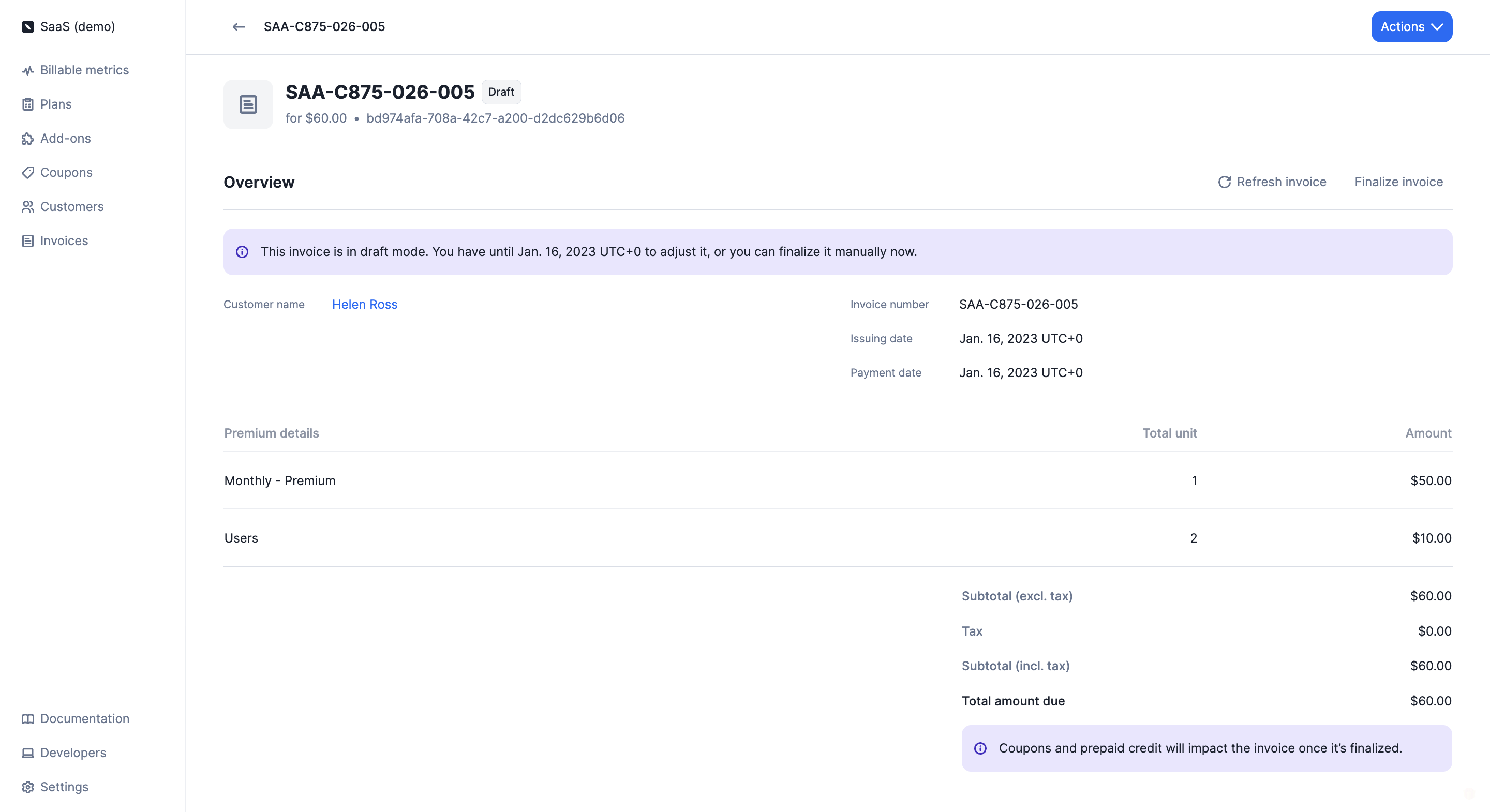 Coupons and credits added during the grace period won’t appear on `draft` invoices, but they **will be automatically applied** to the next `finalized` invoice.