> ## Documentation Index
> Fetch the complete documentation index at: https://docs.getlago.com/llms.txt
> Use this file to discover all available pages before exploring further.
# Invoiceable vs Uninvoiceable
> In-advance charges can be either invoiceable or not.
**Premium feature ✨**: only users with a premium license can define whether
or not a charge is invoiceable. Please **[contact
us](mailto:hello@getlago.com)** to get access to Lago Cloud and Lago
Self-Hosted Premium.
If a charge needs to be `paid in advance`, you can choose whether or not it generates an invoice.
The `"invoiceable": false` option is **particularly relevant for fintech companies that want to charge customers instantly
without issuing an invoice**. This feature can be useful for banking transactions like ATM withdrawals, FX transfers and other
similar scenarios.
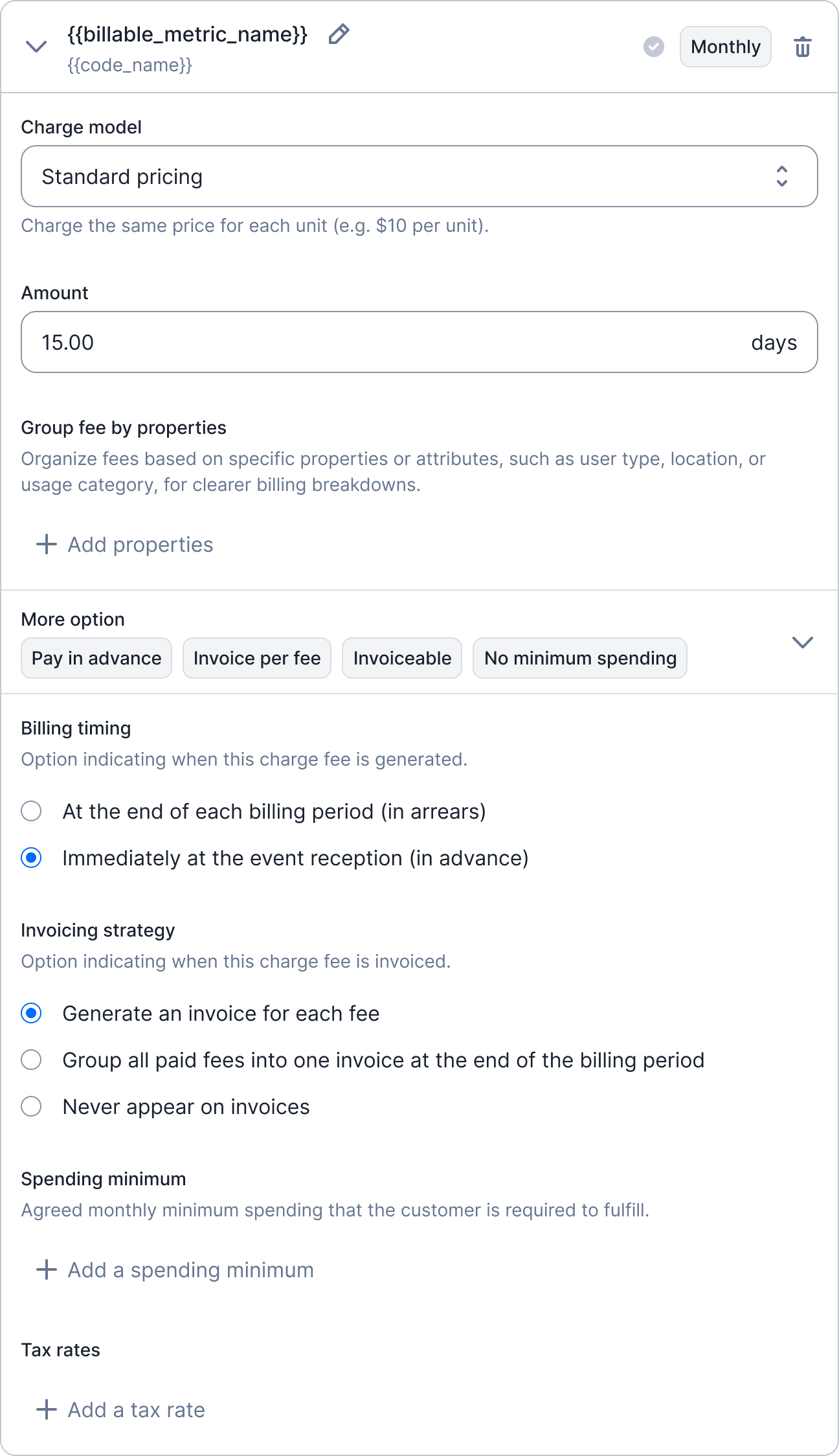
By setting the invoiceable parameter to false, a fee is created by default, and a webhook `fee.created` is sent immediately upon any changes in usage without generating an invoice. However, you can configure the charge invoicing strategy via `regroup_paid_fees`:
1. `null`: Fees generated never appear on invoices (default behaviour).
2. `invoice`: Groups all paid fees into one invoice at the end of the billing period.
Please note that if `invoice`, all fees generated with a `payment_status` different from `succeeded` won’t appear on invoice generated at the end of the billing period. They will appear on next ones if you manually edit their `payment_status` to `succeeded`.
The invoice generated consolidates paid fees, is marked as paid, and will not be emailed to your end customer if the email feature is activated.
1. Go to a **Plan**;
2. Add a usage-based **charge**;
3. Define a price model;
4. Define this charge as **paid in advance**; and
5. Select the option that best suits your needs from the three available choices.
 Use the `invoiceable : false` for a charge paid in advance:
```bash Define a charge as invoiceable or not {23} theme={"dark"}
LAGO_URL="https://api.getlago.com"
API_KEY="__YOUR_API_KEY__"
curl --location --request POST "$LAGO_URL/api/v1/plans" \
--header "Authorization: Bearer $API_KEY" \
--header 'Content-Type: application/json' \
--data-raw '{
"plan": {
"name": "Premium",
"code": "premium",
"interval": "monthly",
"description": "Premium plan for SMB companies",
"amount_cents": 50000,
"amount_currency": "USD",
"trial_period": 0.0,
"pay_in_advance": true,
"bill_charges_monthly": true,
"charges": [
{
"billable_metric_id": "1111_2222_3333_4444",
"charge_model": "percentage",
"pay_in_advance": true,
"invoiceable": false,
"regroup_paid_fees" : "invoice"
"min_amount_cents": 100,
"properties": {
"rate": "0.5",
"fixed_amount": "1",
"free_units_per_events": 3,
"free_units_per_total_aggregation": null
}
}
]
}
}'
```
Use the `invoiceable : false` for a charge paid in advance:
```bash Define a charge as invoiceable or not {23} theme={"dark"}
LAGO_URL="https://api.getlago.com"
API_KEY="__YOUR_API_KEY__"
curl --location --request POST "$LAGO_URL/api/v1/plans" \
--header "Authorization: Bearer $API_KEY" \
--header 'Content-Type: application/json' \
--data-raw '{
"plan": {
"name": "Premium",
"code": "premium",
"interval": "monthly",
"description": "Premium plan for SMB companies",
"amount_cents": 50000,
"amount_currency": "USD",
"trial_period": 0.0,
"pay_in_advance": true,
"bill_charges_monthly": true,
"charges": [
{
"billable_metric_id": "1111_2222_3333_4444",
"charge_model": "percentage",
"pay_in_advance": true,
"invoiceable": false,
"regroup_paid_fees" : "invoice"
"min_amount_cents": 100,
"properties": {
"rate": "0.5",
"fixed_amount": "1",
"free_units_per_events": 3,
"free_units_per_total_aggregation": null
}
}
]
}
}'
```