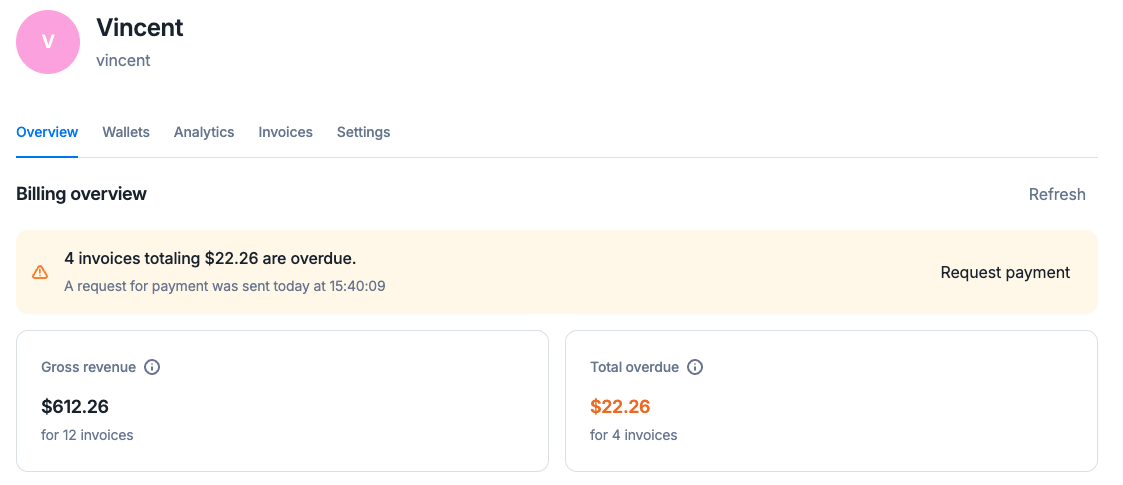
When a customer has some invoices past their due date, their overdue balance becomes positive, and you have the ability to request its payment manually.
Premium feature ✨This feature is only available to users with a premium license. Please contact us to get access to Lago Cloud and Lago Self-Hosted Premium.
Dashboard
API
In the customer view, a “request payment” link appears within the overdue balance warning.
Request payment for the overdue balance
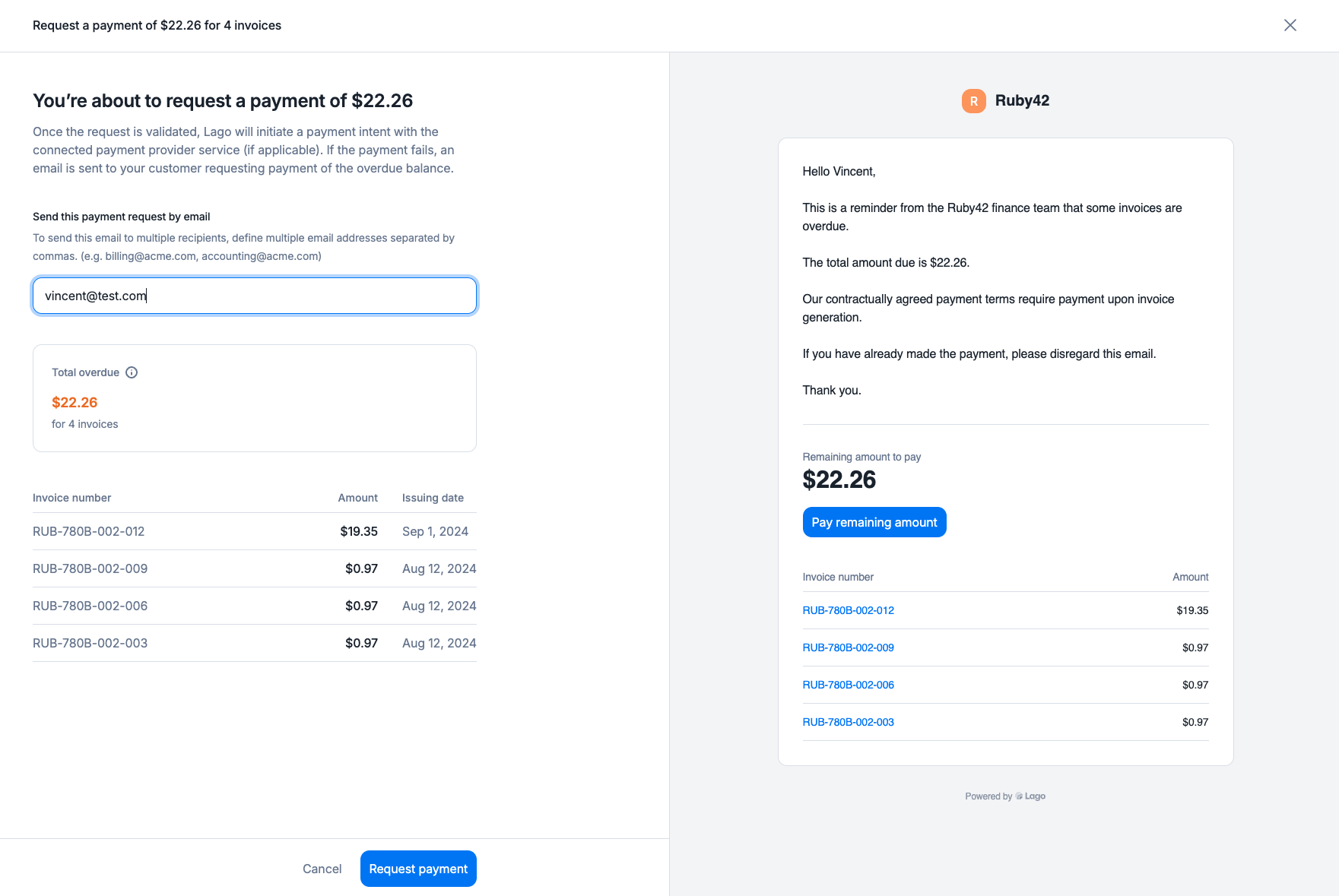
By clicking on it, a panel opens so you can:
Review the invoices included in the overdue balance,
Review the email which will be sent in case the payment fails, or if no payment provider is linked
Confirm you want to request the payment.
Preview the overdue balance payment request
You can create a payment request for the overdue balance from the API, targeting the invoices you want to be paid.
Automatic payment attempt: Lago will initiate a payment intent for the specified amount via the connected PSP.
Failed payment: If the payment fails, an email will be sent to the customer with a payment request and a URL to complete the payment (excluding GoCardless).
Successful payment: Upon success, the attached invoices will automatically reflect a “succeeded” payment status.
Payment request email: An email will be sent to the customer requesting payment for the overdue balance.
Manual update: Once the payment is received, you must manually update the payment status of the relevant invoices
Dunning applies to every overdue invoice, whatever payment method was set to collect it. Choosing Manual payment on a subscription, a one-off invoice, or a top-up only tells Lago not to charge that invoice automatically when it is finalized. It does not exclude the invoice from dunning.Once the invoice is overdue, a dunning campaign groups all of the customer’s overdue invoices (one payment request per currency and per billing entity) and attempts a single automatic payment for the combined outstanding amount, using the payment provider set on the customer. If the customer has no default payment method stored in Lago, Lago falls back to a payment method already saved for that customer at the provider (with Stripe, the first one attached to the Stripe customer).
To make sure a customer is never charged on any payment method when one of their invoices becomes overdue, remove them from the dunning campaign by enabling Exclude from dunning campaign on the customer. They will stop receiving dunning emails as well.Leaving the customer’s default payment provider empty also prevents the charge and keeps the dunning emails, but it is not a guarantee: if a payment provider is set on that customer later, dunning can charge them again.