

Overview of charges
Usage-based charges allow you to add pay-as-you-go pricing to a plan. Each charge is linked to an existing billable metric and calculated from the events collected during the billing period. Common examples include API calls, active users, transactions, or compute time. Pricing follows the charge configuration (tiers, aggregation, proration, etc.), ensuring invoices reflect real usage rather than a fixed amount.Charge models and billing behavior
Charges support a set of pricing options compared to the fixed charges. They can use: They can be configured to:- Be billed in advance or in arrears;
- Be billed in full or prorated;
- Apply spending minimums depending on the charge model;
- Support filters to control which events are included in usage calculations;
- Be grouped by presentation keys to display related usage together on invoices;
- Be marked as invoiceable or not when billed in advance, to avoid generating too many invoices from usage events.
Currency
All usage-based charges use the same currency as the plan, ensuring consistency across invoices.Trial period
The trial period applies only to the plan’s base amount and does not cover usage-based charges. Usage events recorded during the trial are always considered and billed.Decimals precision
Charges can be defined with up to 15 decimal places (for example: $0.000123456789123). Charges are invoiced inamount_cents, so Lago automatically rounds values when generating invoices (for example, USD 1102 amount_cents = $11.02).
Delete a charge
You can delete a charge even if the plan is associated to active subscriptions. Once deleted and saved:- The charge is immediately removed from all linked subscriptions
- It no longer appears in customer current usage; and
- It is removed from all
draftinvoices.
finalized before the deletion.
Deleting a charge does not delete the underlying events.
If the charge is later re-added, previously collected events may be included in billing, depending on the billing period limits.
If the charge is later re-added, previously collected events may be included in billing, depending on the billing period limits.
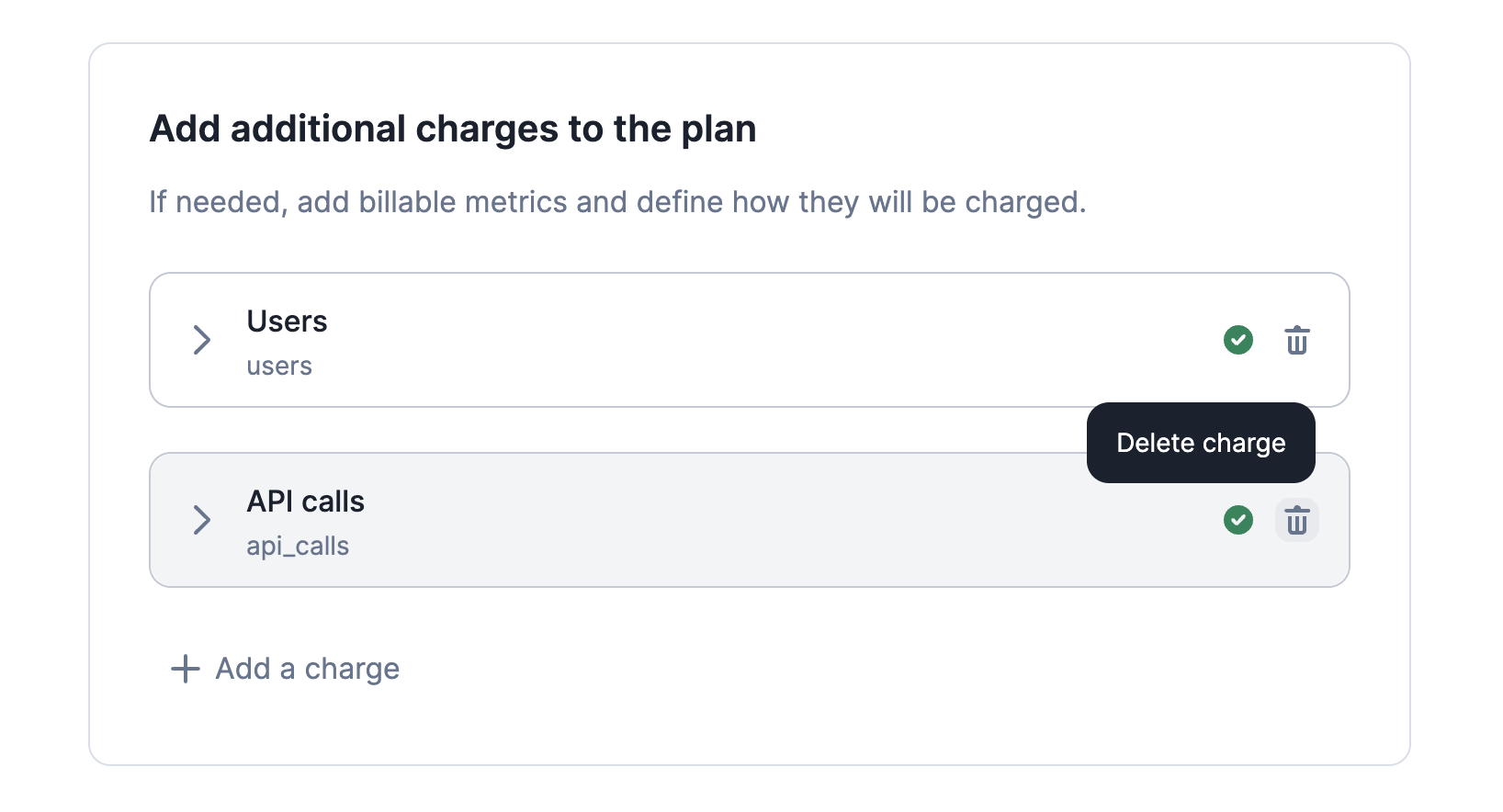
How to delete a charge
Invoice display name
You can customize, during plan creation or edition, how a charge appears on invoices by setting aninvoice display name.
This name overrides the default charge name and is shown everywhere invoices are displayed.
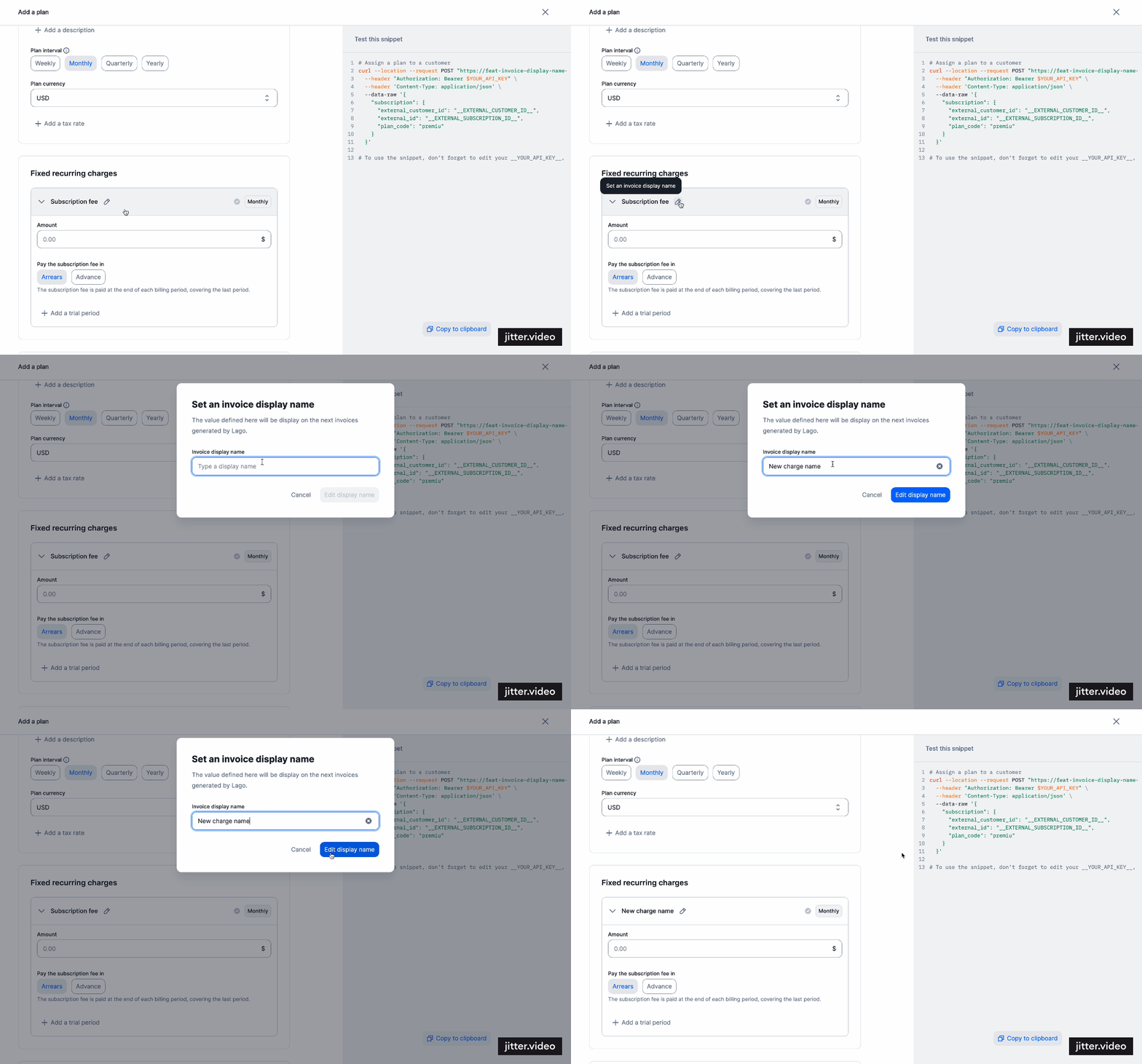
How to modify the invoice display name